
SOVMIKU CG6
SOVMIKU 3CG6 2K Solar Security Camera User Manual
Мадэль: CG6
1. Прадукт скончыўсяview
The SOVMIKU 3CG6 is a 2K wireless outdoor security camera designed for reliable surveillance. It features solar power capabilities, PIR motion detection, two-way audio, and color night vision. The camera operates on 2.4GHz Wi-Fi and supports local storage via an SD card slot, as well as cloud storage options.
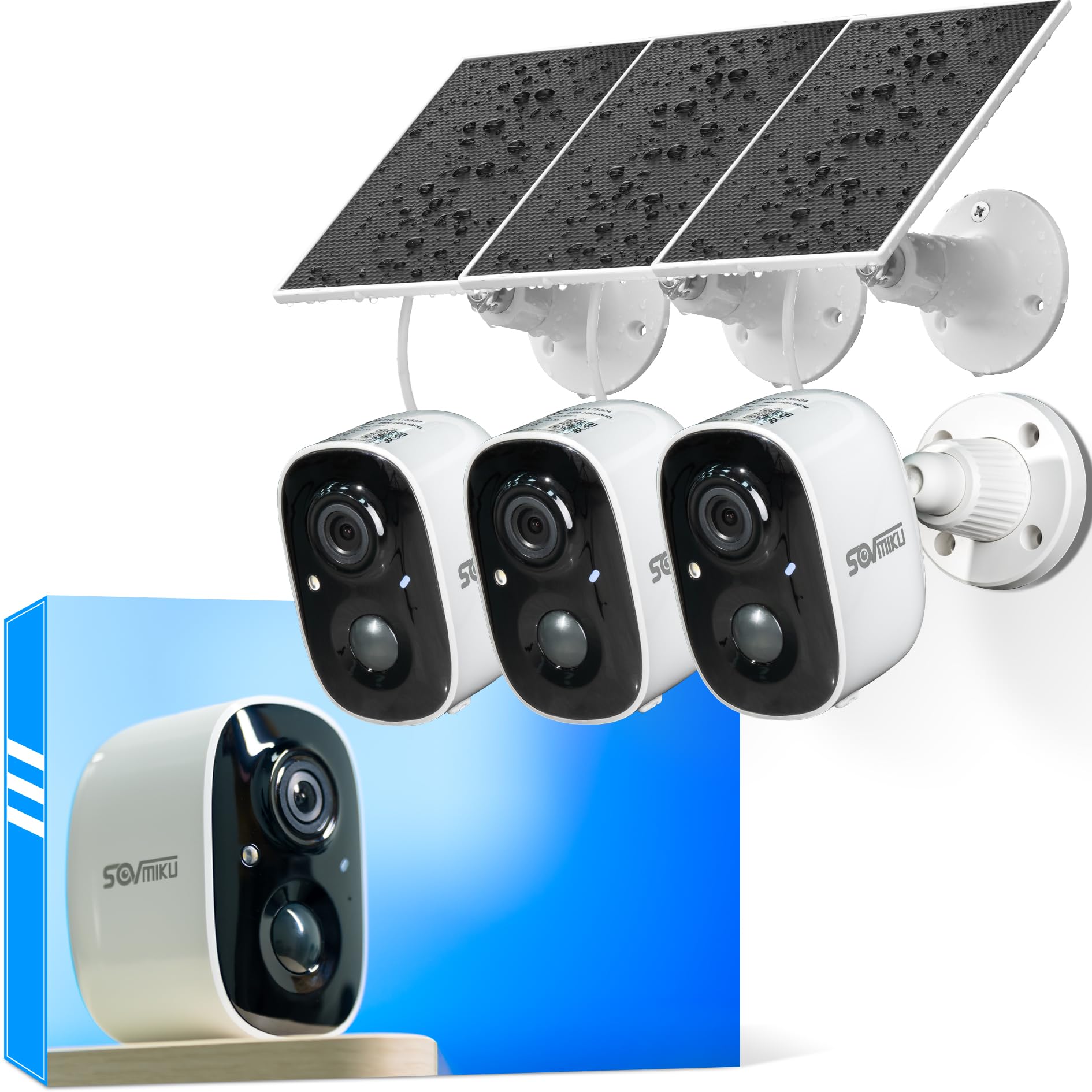
Figure 1: SOVMIKU 3CG6 2K Solar Security Camera with solar panel.
Асноўныя характарыстыкі:
- Разрозненне відэа 2K: Captures clear 3-megapixel images, providing detailed footage.
- На сонечнай энергіі: Equipped with monocrystalline silicon solar panels for continuous charging, extending battery life up to 50 days on a full charge.
- Выяўленне руху PIR: Passive Infrared Sensor detects warm bodies (humans, animals) to trigger recording and alerts.
- Двухбаковы аўдыё: Дазваляе весці сувязь у рэжыме рэальнага часу праз камеру.
- Audible & Flashlight Siren: Activates a siren and flashlight upon motion detection for deterrence.
- Каляровы начны бачанне: Забяспечвае палепшаную бачнасць ва ўмовах нізкай асветленасці.
- Устойлівасць да надвор'я IP65: Designed to withstand splashes, water, and dust for outdoor installation.
- Лакальнае і воблачнае сховішча: Supports microSD cards up to 128GB and offers optional cloud storage services.
- Vicohome App Integration: Manages camera settings, live view, and notifications via the Vicohome application.
2. Змесціва ўпакоўкі
Праверце наяўнасць усіх кампанентаў у камплекце:
- SOVMIKU 3CG6 Security Camera
- Панэль сонечных батарэй
- Мантажны кранштэйн
- Мантажныя шрубы і насценныя анкеры
- USB-кабель для зарадкі
- Кіраўніцтва карыстальніка (гэты дакумент)
3. Кіраўніцтва па наладцы
3.1 Першапачатковая зарадка
Before installation, fully charge the camera using the provided USB cable. This ensures the internal battery is ready for operation, especially if solar charging is initially limited.
3.2 Усталёўка праграмы і стварэнне ўліковага запісу
- Download the "Vicohome" app from your smartphone's app store (iOS or Android).
- Адкрыйце праграму і стварыце новы ўліковы запіс або ўвайдзіце, калі ён у вас ужо ёсць.
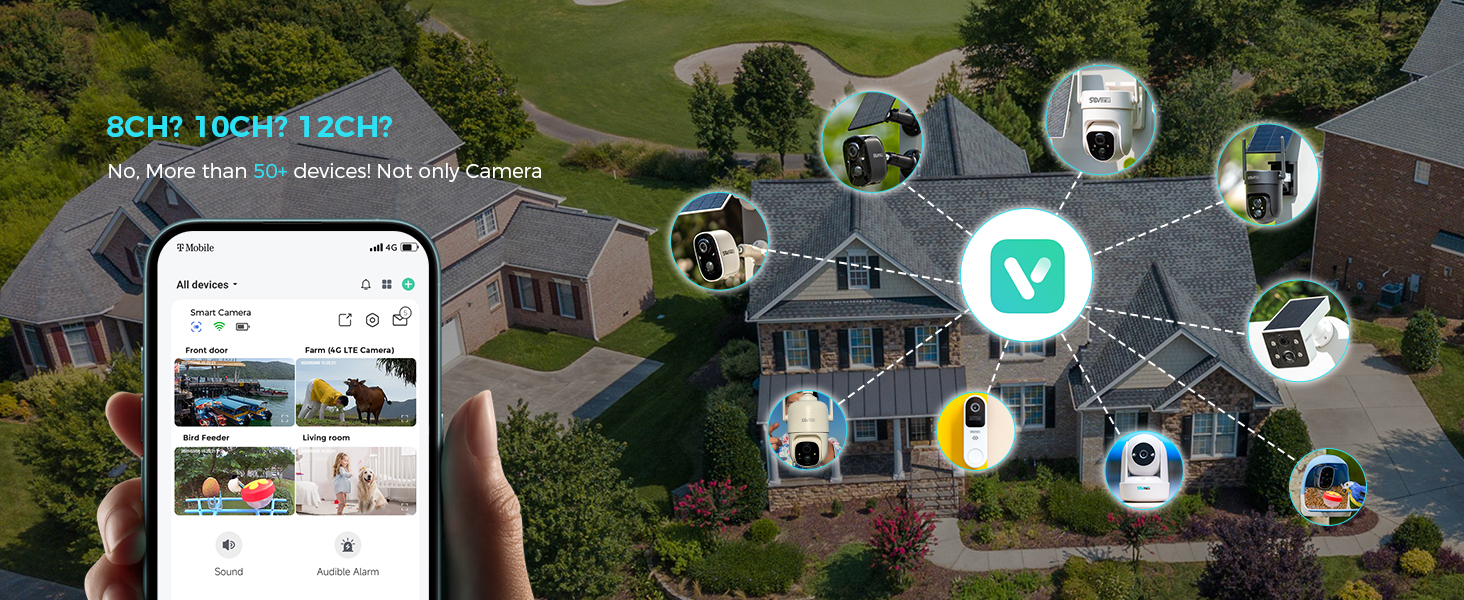
Figure 2: The Vicohome app allows management of multiple devices and simultaneous viewing of up to four cameras.
3.3 Спалучэнне камеры
- In the Vicohome app, tap the "+" icon to add a new device.
- Follow the on-screen instructions to connect the camera to your 2.4GHz Wi-Fi network. Ensure your router is within range.
- The camera supports 2.4GHz Wi-Fi only for optimal range and stability.
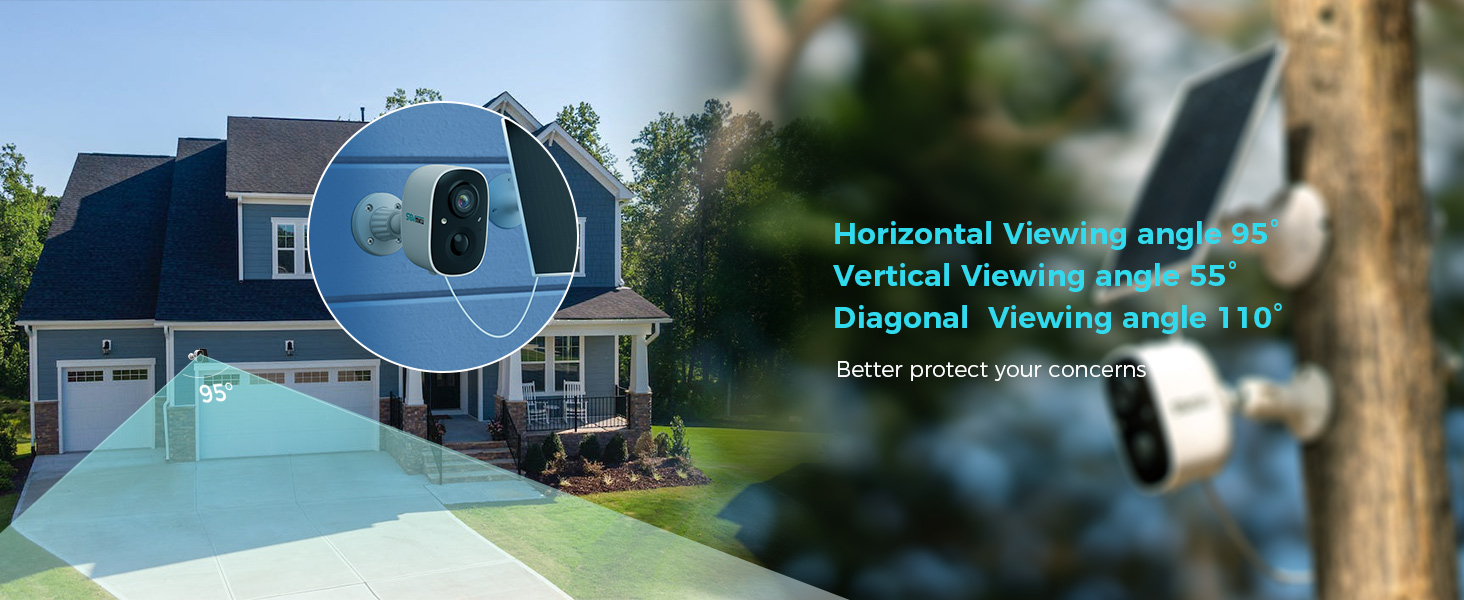
Figure 3: Illustration of 2.4GHz Wi-Fi coverage, suitable for security cameras due to its larger range.
3.4 Усталёўка карты MicroSD (неабавязкова)
To enable local recording, install a microSD card (up to 128GB, not included) into the designated slot on the camera. Ensure the camera is powered off before inserting or removing the card.
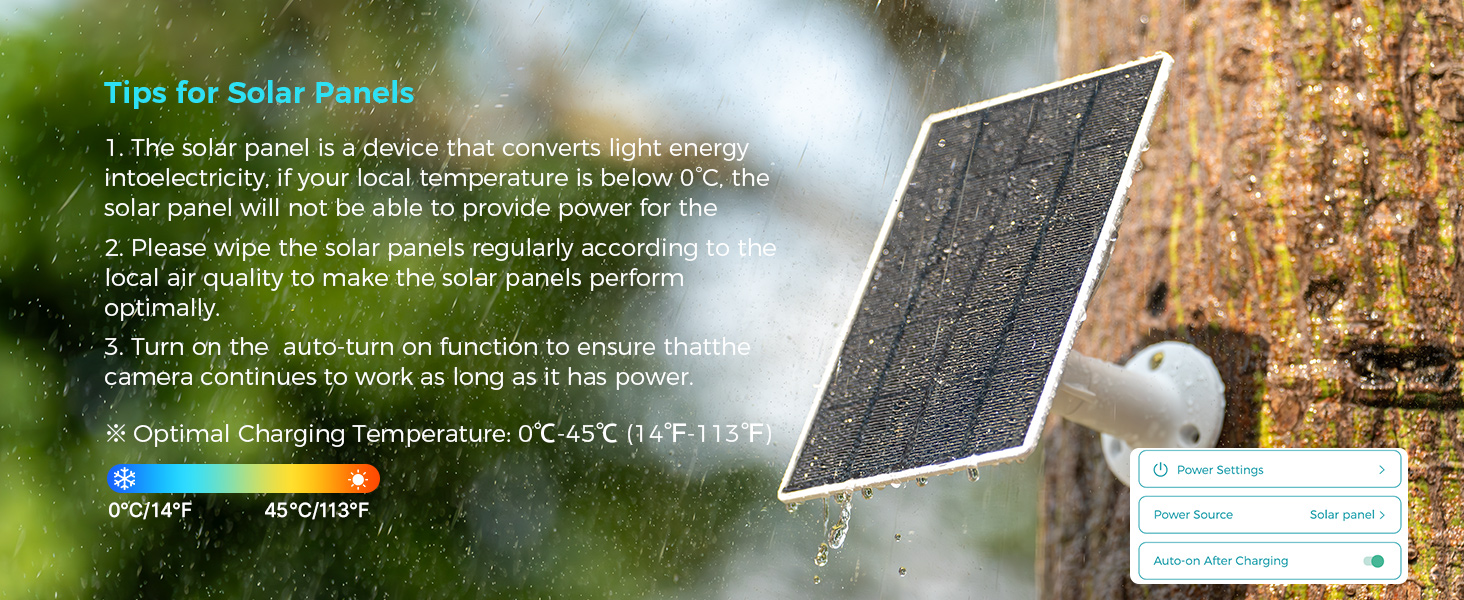
Figure 4: Inserting a microSD card into the camera's slot for local storage.
3.5 Мантаж камеры і сонечнай панэлі
Выберыце месца, якое забяспечвае выразны view вобласці, якую вы хочаце кантраляваць і атрымліваеце ampсонечнае святло для сонечнай панэлі.
- Attach the mounting bracket to the desired surface using the provided screws and wall anchors.
- Secure the camera to the mounting bracket.
- Mount the solar panel in a location that receives direct sunlight for most of the day.
- Connect the solar panel cable to the camera's charging port. Ensure the silicone waterproof protective plug is securely in place.
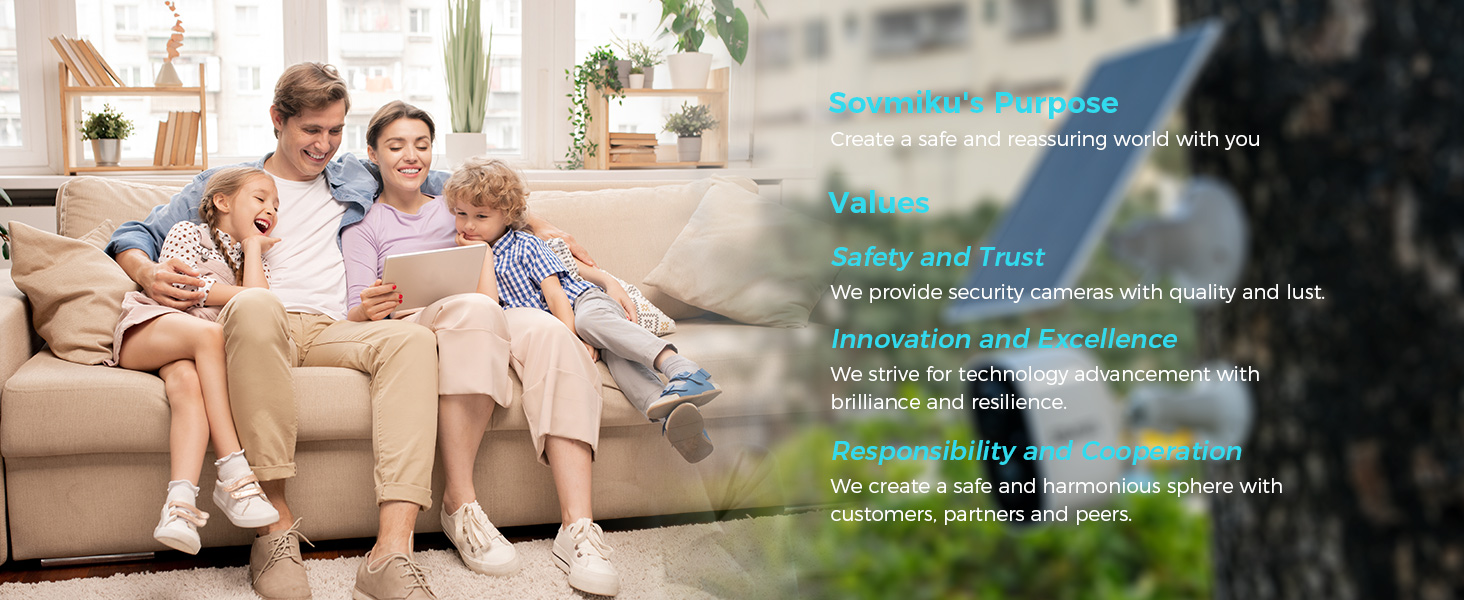
Figure 5: Step-by-step guide for connecting the solar panel to the camera.
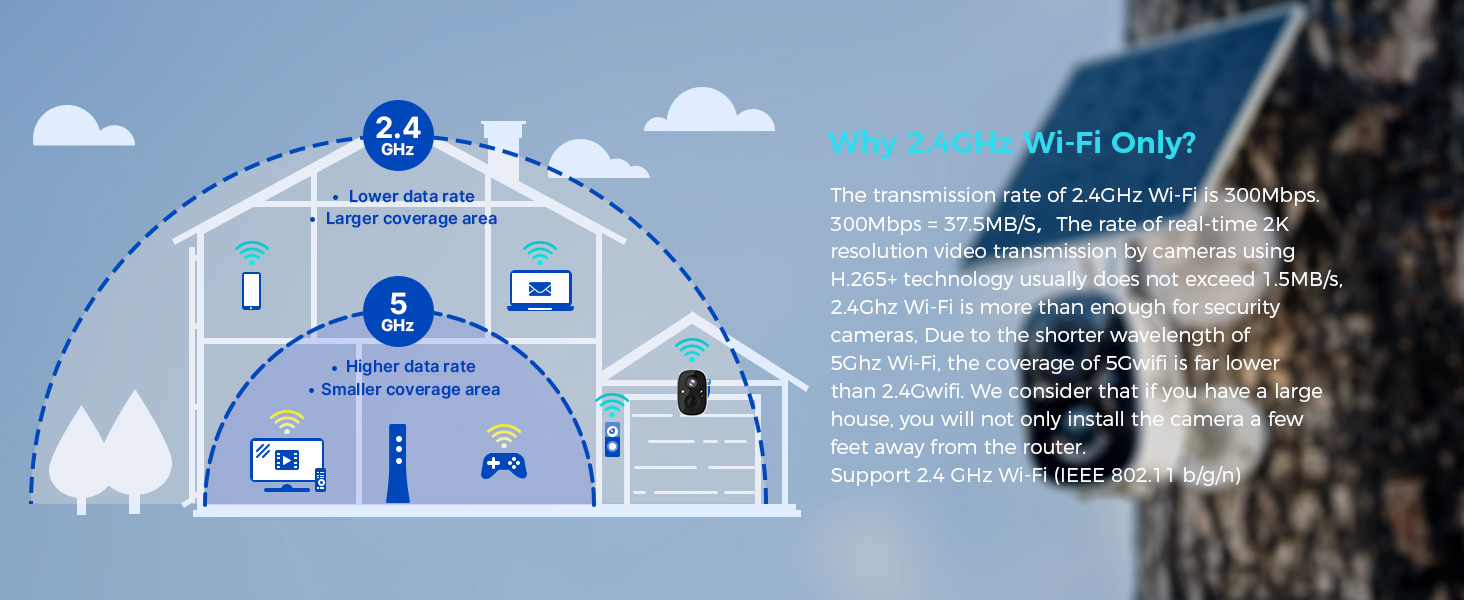
Figure 6: Visual guide for optimal solar panel placement to maximize sunlight exposure.
4. Інструкцыя па эксплуатацыі
4.1 У прамым эфіры View і запіс
Access the Vicohome app to view жывы footage from your camera. You can manually record video or capture screenshots directly from the live view інтэрфейс.
4.2 Выяўленне руху і абвесткі
The camera utilizes a Passive Infrared (PIR) sensor for motion detection. When a warm body is detected, the camera activates and begins recording. You will receive push notifications on your smartphone or connected smartwatch.
- Датчык PIR: Always active, triggers camera recording within milliseconds of detecting a warm body.
- Рэгуляваная адчувальнасць: Motion detection sensitivity can be adjusted in the app settings.
- Асаблівасці сігналізацыі: Enable the Flashlight Alarm and Audible Siren in the app to deter intruders upon motion detection.

Малюнак 7: Выпample of a motion detection alert displayed on a smartwatch.

Figure 8: The camera's flashlight and audible siren activating upon detecting an intruder.
4.3 Двухбаковае аўдыё
Use the two-way audio feature in the Vicohome app to speak through the camera and hear audio from its vicinity.
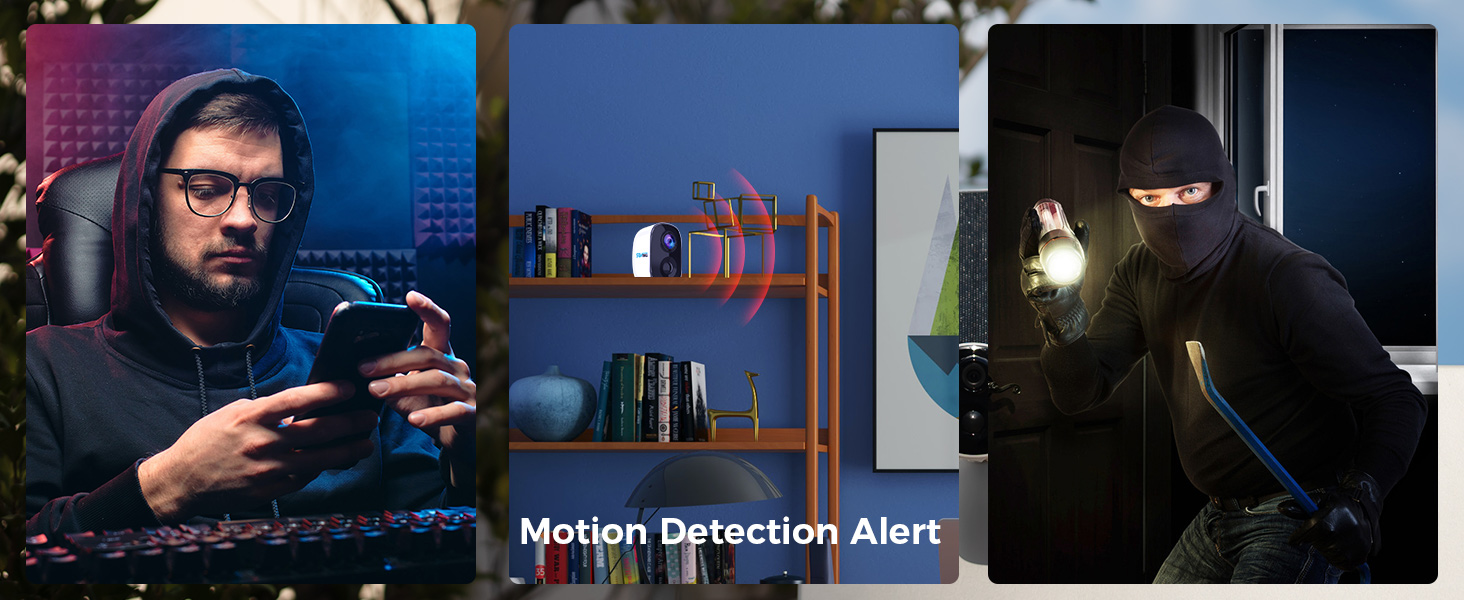
Figure 9: Demonstrating two-way audio communication through the camera.
4.4 Начное бачанне
The camera features color night vision, providing clearer and more detailed images in low-light conditions compared to traditional black and white night vision.
4.5 Multi-Device and Multi-User Support
The Vicohome app supports connecting up to 50 cameras simultaneously. You can also share camera access with up to 10 different users, with support for three accounts viewing concurrently.

Figure 10: The Vicohome app supports multiple cameras for comprehensive coverage.

Figure 11: Sharing camera access with family members through the app.
5. Тэхнічнае абслугоўванне
5.1 Сыход за сонечнымі панэлямі
To ensure optimal performance and charging efficiency, regularly wipe the solar panels clean. Dust, dirt, and debris can reduce energy conversion. If your local temperature is below 0°C, the solar panel may not provide power effectively.
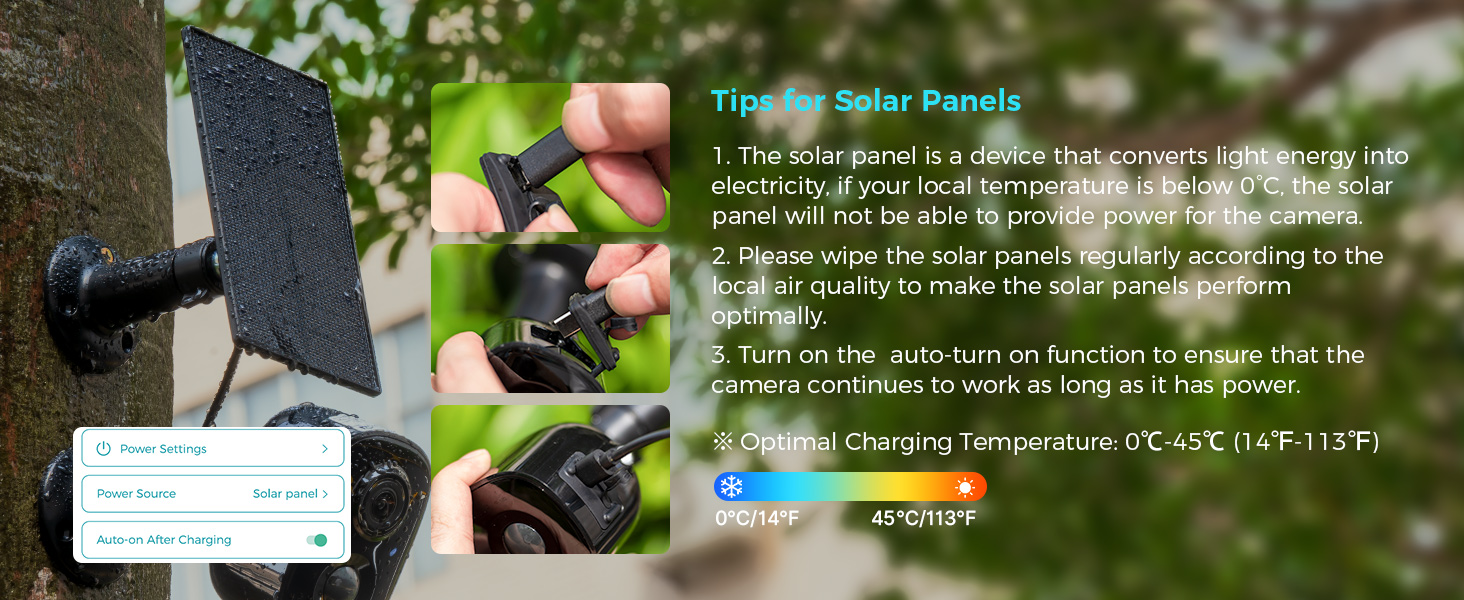
Figure 12: Important tips for maintaining your solar panel's efficiency.
5.2 Устойлівасць да ўздзеяння надвор'я
The SOVMIKU 3CG6 camera is rated IP65 for splash, water, and dust resistance. While designed for outdoor use, resistance may decrease over time due to normal wear. Ensure the charging interface's silicone protective plug is always sealed when not charging to maintain water resistance.
6. Выпраўленне непаладак
- Камера не падключаецца да Wi-Fi:
- Пераканайцеся, што ваша сетка Wi-Fi працуе на частаце 2.4 ГГц. Камера не падтрымлівае Wi-Fi на частаце 5 ГГц.
- Check that the camera is within range of your Wi-Fi router.
- Праверце правільны пароль Wi-Fi, уведзены ў дадатку.
- Restart your router and the camera, then attempt pairing again.
- Дрэнная якасць відэа:
- Check your Wi-Fi signal strength at the camera's location. A weak signal can affect streaming quality.
- Пераканайцеся, што аб'ектыў камеры чысты і не мае перашкод.
- In the app settings, verify the recording resolution is set to 2K if available.
- Battery not charging via solar panel:
- Ensure the solar panel is positioned to receive direct sunlight for several hours daily.
- Clean the surface of the solar panel to remove any dirt or debris.
- Check the connection cable between the solar panel and the camera for damage or loose connections.
- Note that solar charging efficiency decreases significantly in temperatures below 0°C (32°F).
- Датчык руху не працуе або занадта адчувальны:
- Adjust the motion detection sensitivity in the Vicohome app settings.
- Ensure there are no objects (e.g., tree branches, flags) that might cause false alarms due to movement in the detection zone.
- Verify the PIR sensor is not obstructed.
7. Тэхнічныя характарыстыкі
| Асаблівасць | Дэталь |
|---|---|
| Назва мадэлі | 3CG6 |
| Дазвол відэазахопу | 2K (3 Megapixels) |
| Тэхналогія падлучэння | Бесправадная сувязь (2.4 ГГц Wi-Fi) |
| Крыніца харчавання | Solar Powered, Battery (5200 mAh) |
| Выкарыстанне ў памяшканні/на вуліцы | На адкрытым паветры |
| Асаблівасці | 2-Way Audio, PIR Motion Detection, Audible Flashlight Siren, Color Night Vision |
| Міжнародны рэйтынг абароны | IP65 |
| Захоўванне | MicroSD Card (up to 128GB), Cloud Storage (optional) |
| Частата кадраў | 25 кадраў у секунду |
| Памеры (Д х Ш х У) | 3.14 х 2.3 х 2 цалі |
| Вага прадмета | 4 фунта (1.82 кілаграма) |
| Працоўная тэмпература | -20°C да 50°C (-4°F да 122°F) |
8. Гарантыя і падтрымка
SOVMIKU is committed to providing excellent customer service. If you encounter any issues or have questions regarding your 3CG6 security camera, please contact us.
- Падтрымка кліентаў: You can reach us by telephone or email. We aim to respond to all email inquiries within 12 hours.
- Палітыка абмену: We offer a 180-day exchange policy. If you are not satisfied with your product, you may submit a request for an exchange within 180 days of purchase.
Figure 13: Information regarding the 180-day exchange policy.