
1. Уводзіны
Thank you for choosing the Hayve DM7 Digital Microscope. This device is designed for detailed observation and analysis of various objects, offering up to 1000X magnification and a clear 4.3-inch IPS display. It is suitable for applications such as coin inspection, PCB board examination, insect and plant observation, and jewelry appraisal. This manual provides essential information for the safe and effective use of your microscope.

Figure 1: Hayve DM7 Digital Microscope with 32GB TF Card
2. Інфармацыя па бяспецы
Please read all safety instructions carefully before using the Hayve DM7 Digital Microscope to prevent injury or damage to the device.
- Трымайце прыладу далей ад вады і вільгаці.
- Do not attempt to disassemble or modify the microscope. Repairs should only be performed by authorized personnel.
- Пазбягайце ўздзеяння на прыладу экстрэмальных тэмператур або прамых сонечных прамянёў.
- Выкарыстоўвайце толькі зарадны кабель і адаптар, якія ўваходзяць у камплект.
- Ensure the microscope is placed on a stable, level surface during operation.
- Захоўваць у месцах, недаступных для маленькіх дзяцей, каб пазбегнуць выпадковага праглынання дробных дэталяў.
3. Змесціва ўпакоўкі
Праверце, ці ёсць усе прадметы ў вашай упакоўцы:
- Hayve DM7 Digital Microscope (with 4.3-inch IPS screen)
- Рэгуляваная падстаўка
- Карта памяці TF на 32 ГБ (папярэдне ўсталяваная або ўключаная асобна)
- USB-кабель тыпу C
- Кіраўніцтва карыстальніка (гэты дакумент)
4. Прадукт скончыўсяview
Familiarize yourself with the main components of your Hayve DM7 Digital Microscope.

Figure 2: Flexible Stand and Screen Adjustments
- 4.3-цалевы дысплей IPS: High-resolution screen for live viewзапіс і прайграванне.
- Фокуснае кола: Adjusts magnification and focus.
- Святлодыёдная падсветка: 8 adjustable LEDs for optimal lighting of the specimen.
- Аб'ектыў мікраскопа: Captures magnified images.
- Рэгуляваная падстаўка: Provides stability and allows for height and angle adjustments.
- Base with Scale: Features measurement markings for precise positioning.
- Кнопкі кіравання: Power, Menu, Capture/Record, Up/Down navigation.
- Слот TF карты: For storage of captured images and videos.
- USB-порт тыпу C: Для зарадкі і падключэння да ПК.
5. Настройка
Follow these steps to assemble and prepare your microscope for first use:
- Збярыце падстаўку:
- Insert the vertical pole into the base.
- Прымацуеце кранштэйны да слупа.
- Secure the microscope unit onto the bracket.
- Tighten all knobs to ensure stability.
- Устаўце карту TF: If not pre-installed, gently insert the provided 32GB TF card into the TF card slot on the side of the display unit until it clicks into place.
- Зарадзіць прыладу: Connect the Type-C USB cable to the microscope and a suitable USB power adapter (not included) or computer USB port. The charging indicator will illuminate. A full charge provides approximately 5 hours of working time.
- Уключэнне: Press and hold the Power button (usually located on the display unit) for a few seconds until the screen illuminates.

Figure 3: Assembly Steps

Figure 4: TF Card Insertion
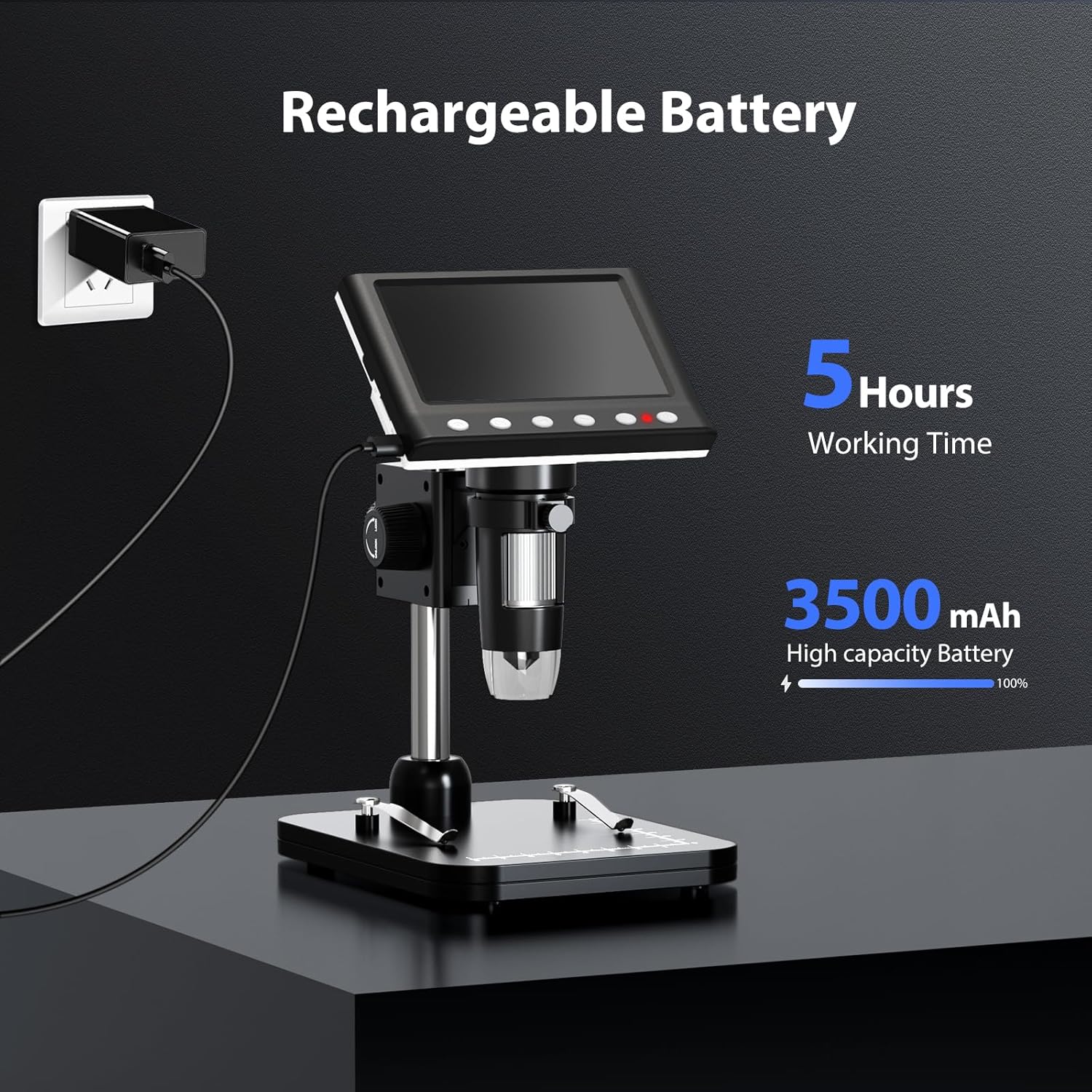
Figure 5: Charging the Microscope
6. Інструкцыя па эксплуатацыі
6.1 Асноўныя назіранні
- Place the object you wish to observe on the microscope's base.
- Adjust the distance between the microscope lens and the object using the stand's adjustment knobs.
- Rotate the focus wheel to achieve a clear image on the IPS screen.
- Adjust the LED illumination as needed (see Section 6.4).

Figure 6: Basic Operation Steps
6.2 Рэгуляванне павелічэння і фокусу
The Hayve DM7 offers 50X to 1000X magnification. Magnification is adjusted by changing the distance between the lens and the object, and then fine-tuning with the focus wheel.
- To increase magnification, lower the microscope lens closer to the object.
- To decrease magnification, raise the microscope lens further from the object.
- After adjusting the height, rotate the Фокуснае кола (typically on the side of the lens barrel) until the image on the screen is sharp and clear.
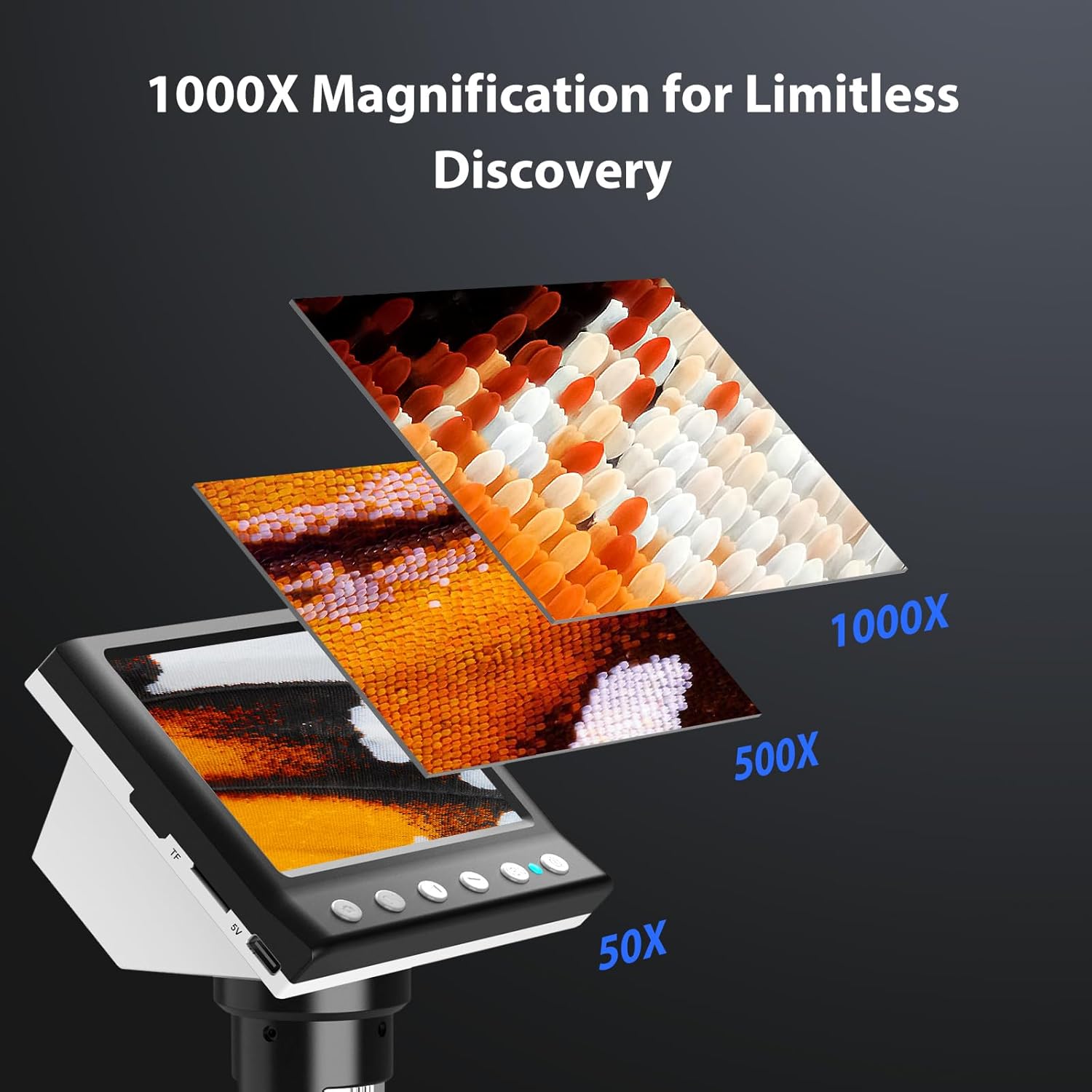
Figure 7: Magnification Levels
6.3 Захоп малюнкаў і відэа
The microscope allows you to capture high-quality photos and record videos directly to the installed TF card.
- Каб зрабіць фота: While observing, press the 'Capture' button (often marked with a camera icon). The image will be saved to the TF card.
- Каб запісаць відэа: Press the 'Record' button (often marked with a video camera icon) once to start recording. Press it again to stop. The video will be saved to the TF card.
- Access saved files through the 'Playback' or 'Gallery' option in the microscope's menu.
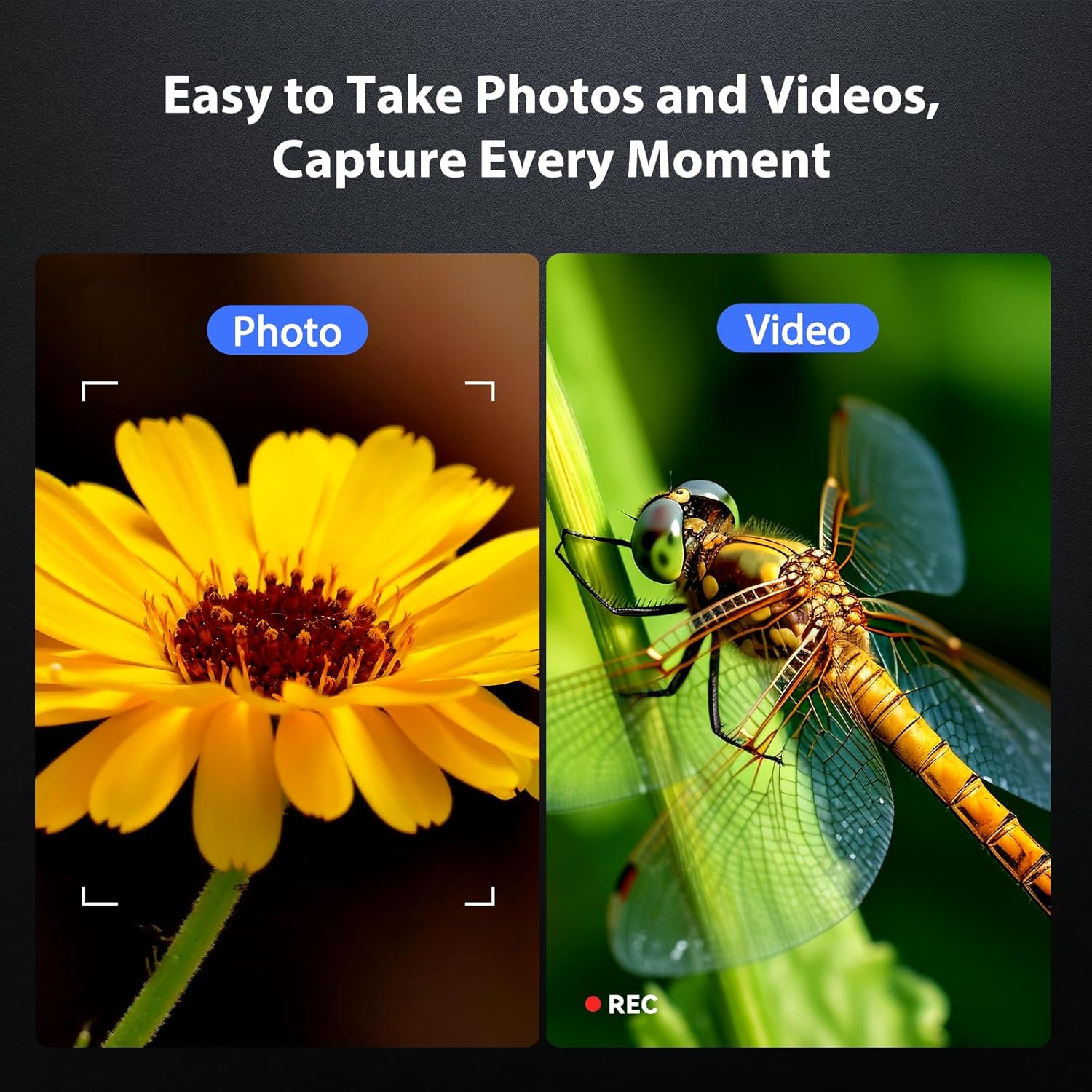
Figure 8: Photo and Video Capture
6.4 Рэгуляванне падсветкі святлодыёдаў
The 8 adjustable LED lights provide optimal illumination for various specimens. You can control their brightness from 0% to 100%.
- Locate the LED control button or dial on the microscope unit.
- Rotate the dial or press the button to increase or decrease the brightness.
- Adjust until the object is evenly lit without glare or shadows.

Figure 9: LED Brightness Adjustment
6.5 Падключэнне да камп'ютара (рэжым ПК)
Для большага viewing, precise measurements, or sharing, you can connect the microscope to a Windows-compatible computer.
- Ensure the microscope is powered on.
- Connect the microscope to your computer using the provided Type-C USB cable.
- The microscope screen may display "PC Cam" or prompt you to select a mode. Choose "PC Camera" or "UVC" mode.
- On your computer, open a camera application (e.g., Windows Camera app) or a dedicated microscope software (if provided or downloaded) to view жывы канал.
- Some software may allow for measurement functions.

Figure 10: PC Connection for Measurement
7. Тэхнічнае абслугоўванне
Proper maintenance ensures the longevity and optimal performance of your microscope.
- Ачыстка аб'ектыва: Use a soft, lint-free cloth specifically designed for optical lenses. For stubborn smudges, a small amount of lens cleaning solution can be applied to the cloth (not directly to the lens).
- Ачыстка экрана і корпуса: Wipe the screen and body with a soft, dry cloth. Avoid abrasive cleaners or solvents.
- захоўванне: When not in use, store the microscope in a clean, dry, dust-free environment. Consider using a protective cover.
- Сыход за батарэяй: Для працяглага захоўвання зараджайце акумулятар прыкладна да 50% кожныя некалькі месяцаў, каб падтрымліваць яго ў працоўным стане.
8. Выпраўленне непаладак
Звярніцеся да гэтага раздзела, каб знайсці рашэнні распаўсюджаных праблем.
| праблема | Магчымая прычына | Рашэнне |
|---|---|---|
| Microscope does not power on. | Нізкі ўзровень зарада батарэі; кнопка харчавання націснута няправільна. | Charge the microscope fully. Press and hold the power button for 3-5 seconds. |
| Выява размытая. | Incorrect focus; Object too far/close to lens. | Adjust the focus wheel. Adjust the height of the microscope unit on the stand. |
| Screen is too dark/bright. | LED illumination not adjusted. | Adjust the LED brightness using the control dial/button. |
| Немагчыма захаваць фота/відэа. | TF card full or not inserted correctly; TF card error. | Check TF card insertion. Delete old files or replace TF card. Format TF card (backup data first). |
| PC connection not working. | Incorrect mode selected; Driver issue; Cable fault. | Ensure "PC Camera" mode is selected on the microscope. Try a different USB port or cable. Check computer's device manager for driver issues. |
9. Тэхнічныя характарыстыкі
Technical specifications for the Hayve DM7 Digital Microscope:
| Асаблівасць | Дэталь |
|---|---|
| мадэль | DM7 |
| Экран дысплея | 4.3-цалевы IPS |
| Павелічэнне | 50X да 1000X |
| Крыніца святла | 8 рэгуляваных святлодыёдаў |
| Захоўванне | Карта памяці на 32 ГБ (у камплекце) |
| акумулятар | 1 літый-іённы акумулятар (у камплекце) |
| Час працы | Прыбл. 5 гадзіны |
| Сувязь | Type-C USB (for charging and PC connection) |
| Сумяшчальная АС | Windows (PC connection) |
| Матэрыял | Пластыкавыя |
| Колер | Чорны |
| Вага прадмета | 1.3 фунта (0.59 кг) |
| Памеры ўпакоўкі | 7.91 х 7.44 х 3.78 цалі |
10. Гарантыя і падтрымка
Hayve provides customer support for its products. If you encounter any issues or have questions regarding your DM7 Digital Microscope, please contact our customer service team.
- Абслугоўванне кліентаў: Hayve offers 24-hour professional and kind after-sales service.
- Кантактная інфармацыя: Refer to the product packaging or the official Hayve webсайт для атрымання найбольш актуальнай кантактнай інфармацыі.
- Гарантыя: Specific warranty terms and conditions may apply. Please retain your proof of purchase for warranty claims.
11. Відэа пра прадукты
No official product videos were provided in the input data for embedding in this manual.