
1. Уводзіны
This manual provides detailed instructions for the installation, operation, and maintenance of your EverBrite 88LED Under Cabinet Lighting. This versatile lighting solution features a motion sensor, remote control, adjustable color temperatures, and dimmable brightness, designed to enhance visibility in various indoor spaces.
2. Змесціва ўпакоўкі
Калі ласка, пераканайцеся, што ўсе пералічаныя ніжэй прадметы ўваходзяць у ваш пакет:
- EverBrite 88LED Under Cabinet Light Bar
- Пульт дыстанцыйнага кіравання
- USB-кабель для зарадкі
- Magnetic Mounting Bracket(s)
- Клейкія пракладкі
- Шрубы і насценныя анкеры
- Кіраўніцтва карыстальніка

3. Асаблівасці прадукту
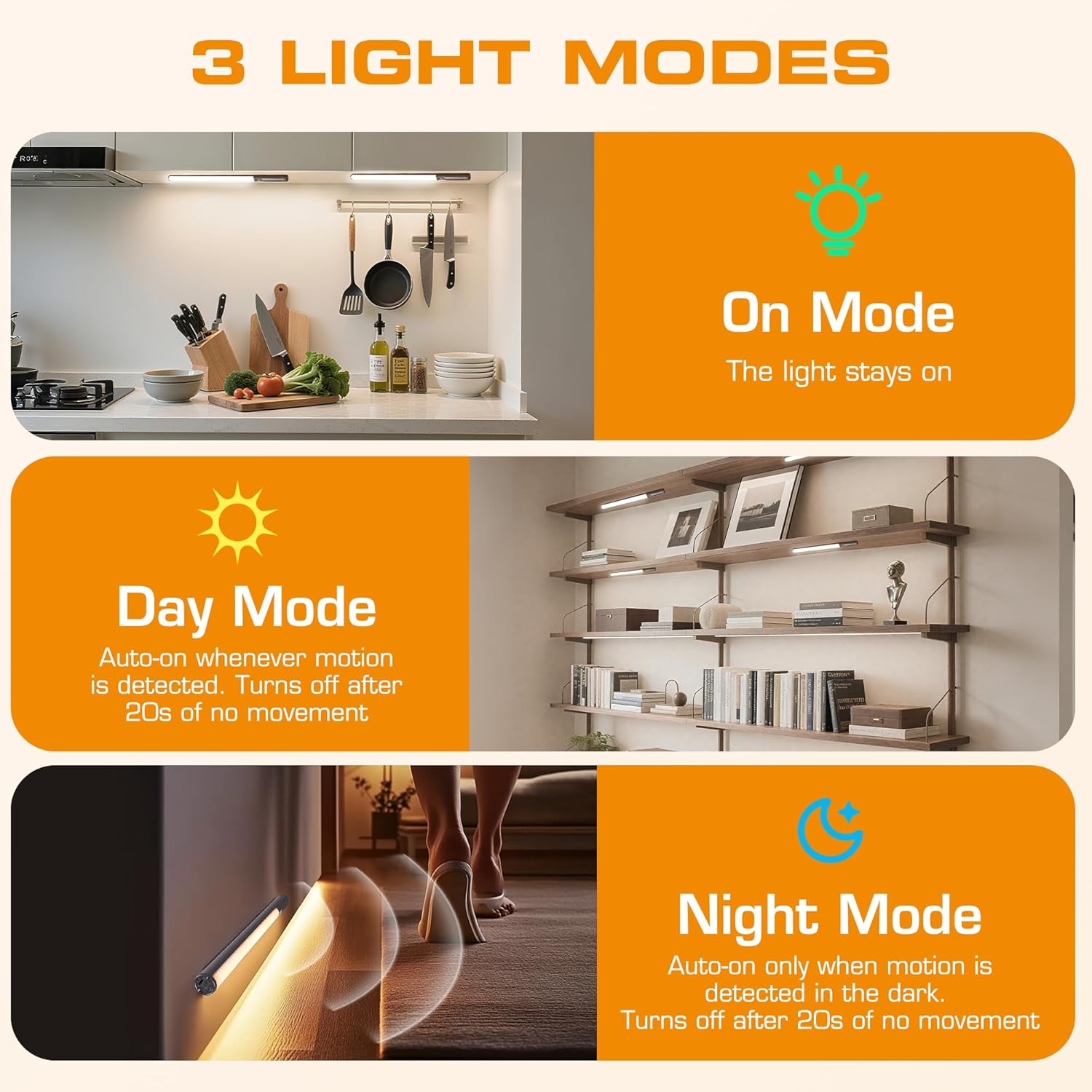
- 3 рэжымаў асвятлення: On Mode (light stays on), Day Mode (motion-activated regardless of ambient light), Night Mode (motion-activated only in dark).
- 3 каляровыя тэмпературы: Warm Light (3000K), Natural Light (4000K), Cold Light (6500K).
- Зацямненне: 10 brightness levels with short press, stepless dimming with long press.
- Падвойнае кіраванне: Operable via remote control or direct touch on the light bar.
- Лёгкая ўстаноўка: Multiple mounting options including magnetic, adhesive, and screw-in.
- Акумулятарная батарэя: Ёмістасць 2600 мАг для працяглага выкарыстання.
- Шырокае прымяненне: Suitable for kitchens, closets, wardrobes, garages, stairwells, and more.
4. Усталёўка і налада
The EverBrite Under Cabinet Light offers flexible installation to suit various surfaces and needs.
- Choose Your Mounting Method:
- Магнітнае мацаванне: For iron surfaces, simply attach the light bar directly. The light has built-in magnets.
- Клеевы мантаж: For non-iron surfaces, peel the backing from the adhesive pads and attach them to the magnetic mounting bracket. Then, adhere the bracket to your desired surface. The light bar can then be magnetically attached to this bracket.
- Шрубавае мацаванне: For a more permanent installation, use the provided screws and wall anchors. Determine the mounting location, drill two holes, insert anchors, and fasten the magnetic mounting bracket with screws. Attach the light bar magnetically.
- пазіцыянаванне: Ensure the motion sensor is facing the area where movement is expected for optimal detection. The light bar can be rotated up to 90 degrees on its magnetic mount to direct illumination.


5. Зарадка
The EverBrite light is equipped with a 2600mAh rechargeable Lithium-Ion battery.
- Locate the USB-C charging port on the end of the light bar.
- Connect the provided USB charging cable to the light bar and a compatible USB power source (e.g., wall adapter, computer USB port).
- The indicator light will show charging status (refer to product for specific indicator behavior).
- A full charge provides approximately 25 hours of continuous light or up to 25 days in motion sensor mode (based on 1 hour of activation per day).


6. Інструкцыя па эксплуатацыі
Your EverBrite light can be operated using either the manual touch controls on the device or the included remote control.
6.1. Ручное кіраванне (на прыладзе)
The light bar features a switch and a touch sensor on one end for direct control.
- Пераключальнік рэжымаў: Slide the switch to select between 'Off', 'Day Mode' (motion sensor always active), 'Night Mode' (motion sensor active only in dark), or 'On Mode' (light stays on continuously).
- Каляровая тэмпература: In 'On Mode', short press the touch sensor to cycle through the 3 color temperatures: Warm White (3000K), Natural White (4000K), and Cold White (6500K).
- Рэгуляванне яркасці: In 'On Mode', long press the touch sensor to activate stepless dimming. Release at your desired brightness level.

6.2. Пульт дыстанцыйнага кіравання
The remote control provides convenient access to all light functions from a distance.
- Уключэнне/выключэнне харчавання: Націсніце ВЫКЛ button to turn the light off. Press the ON кнопку, каб уключыць яго.
- Рэжымы асвятлення: Выкарыстоўвайце спецыяльныя кнопкі для ON (continuous light), ДЗЕНЬ (motion sensor always active), or НОЧ (motion sensor active only in dark).
- Каляровая тэмпература: Выберыце WW (Warm White), NW (Natural White), or CW (Cold White) to change the light color.
- Рэгуляванне яркасці: Short press the brightness buttons (sun icons) to cycle through 10 preset brightness levels. Long press for stepless dimming.
- Налады таймера: Прэса 15 хвілін, 30 хвілін, або 60 хвілін to set an automatic shut-off timer. Press the Таймер выключаны button to cancel any active timer.

6.3. Motion Sensor Modes
The integrated motion sensor provides hands-free illumination.
- Рэжым дня: The light will turn on automatically when motion is detected, regardless of the ambient light level. It will turn off after 20 seconds of no movement.
- Начны рэжым: The light will turn on automatically only when motion is detected in dark conditions. It will turn off after 20 seconds of no movement.

7. Тэхнічныя характарыстыкі
| Асаблівасць | Спецыфікацыя |
|---|---|
| Марка | EverBrite |
| Нумар мадэлі | E101115A |
| Крыніца харчавання | Працуе ад акумулятара (1 літый-іённы акумулятар уключаны) |
| Ёмістасць батарэі | 2600 мАг |
| Тып крыніцы святла | святлодыёд |
| Каляровыя тэмпературы | 3000K (Warm Light), 4000K (Natural Light), 6500K (Cold Light) |
| Метад кантролю | Сэнсарны, пульт дыстанцыйнага кіравання |
| Асаблівасць | Cordless, Motion Sensor, Dimmable |
| Тып ўстаноўкі | Surface Mount (Magnetic, Adhesive, Screws) |
| Матэрыял | Алюміній |
| Вага прадмета | 9.9 унцыі |
| Памеры ўпакоўкі | 16.3 х 1.97 х 1.65 цалі |
| Выкарыстанне ў памяшканні/на вуліцы | У памяшканні |
8. Тэхнічнае абслугоўванне
To ensure the longevity and optimal performance of your EverBrite Under Cabinet Light, follow these simple maintenance guidelines:
- Уборка: Wipe the light bar and remote control with a soft, dry cloth. Avoid using abrasive cleaners or solvents, as these may damage the finish or electronic components.
- Сыход за батарэяй: Recharge the battery when the light output diminishes. Avoid fully depleting the battery frequently to prolong its lifespan. Store the device in a cool, dry place if not in use for extended periods.
- Абслугоўванне датчыка: Для забеспячэння дакладнага выяўлення падтрымлівайце лінзу датчыка руху ў чысціні і без перашкод.
9. Выпраўленне непаладак
If you encounter any issues with your EverBrite Under Cabinet Light, please refer to the following common problems and solutions:
- Святло не гарыць:
- Пераканайцеся, што акумулятар зараджаны.
- Check the mode switch on the light bar; it should be set to 'On', 'Day Mode', or 'Night Mode'.
- If using the remote, ensure the light bar's main switch is in an active mode (not 'Off').
- Motion sensor is not working:
- Verify the light is set to 'Day Mode' or 'Night Mode'.
- In 'Night Mode', ensure the environment is sufficiently dark.
- Check for any obstructions blocking the sensor lens.
- Ensure the motion is within the 9.8ft (3m) detection range and 120-degree angle.
- Пульт дыстанцыйнага кіравання не рэагуе:
- Ensure the light bar's main switch is in an active mode (not 'Off').
- Праверце батарэйку пульта дыстанцыйнага кіравання.
- Ensure there are no obstructions between the remote and the light bar.
- Light is not charging:
- Пераканайцеся, што USB-кабель надзейна падключаны як да светлавой панэлі, так і да крыніцы харчавання.
- Паспрабуйце іншы кабель USB або адаптар сілкавання.
10. Гарантыя і падтрымка
For warranty information, technical support, or further assistance, please refer to the manufacturer's official webсайт або звярніцеся непасрэдна ў службу падтрымкі кліентаў. Захоўвайце чэк аб куплі для прэтэнзій па гарантыі.