
HyperGear Stealth2 ANC Wireless Headphones User Manual
Мадэль: 15860
Уводзіны
Thank you for choosing the HyperGear Stealth2 ANC Wireless Headphones. These headphones are designed to provide a superior audio experience with advanced active noise cancellation, comfortable over-ear design, and convenient wireless connectivity. This manual will guide you through the setup, operation, and maintenance of your new headphones.

Image: HyperGear Stealth2 ANC Wireless Headphones in black, shown with its retail packaging highlighting features like ANC, battery life, and rapid charge.
Змест пакета
Калі ласка, пераканайцеся, што ўсе прадметы прысутнічаюць у вашай упакоўцы:
- HyperGear Stealth2 ANC Wireless Headphones
- Зарадны кабель USB-C

Выява: Падрабязны view of the HyperGear Stealth2 ANC Headphones, illustrating features such as Premium HD Sound, Rapid Charging, Memory Foam Comfort, Quick Pair Bluetooth, No Lag Mode, and Hands-Free Control.
Прадукт скончаныview і элементы кіравання
Familiarize yourself with the headphone's buttons and ports for optimal use.
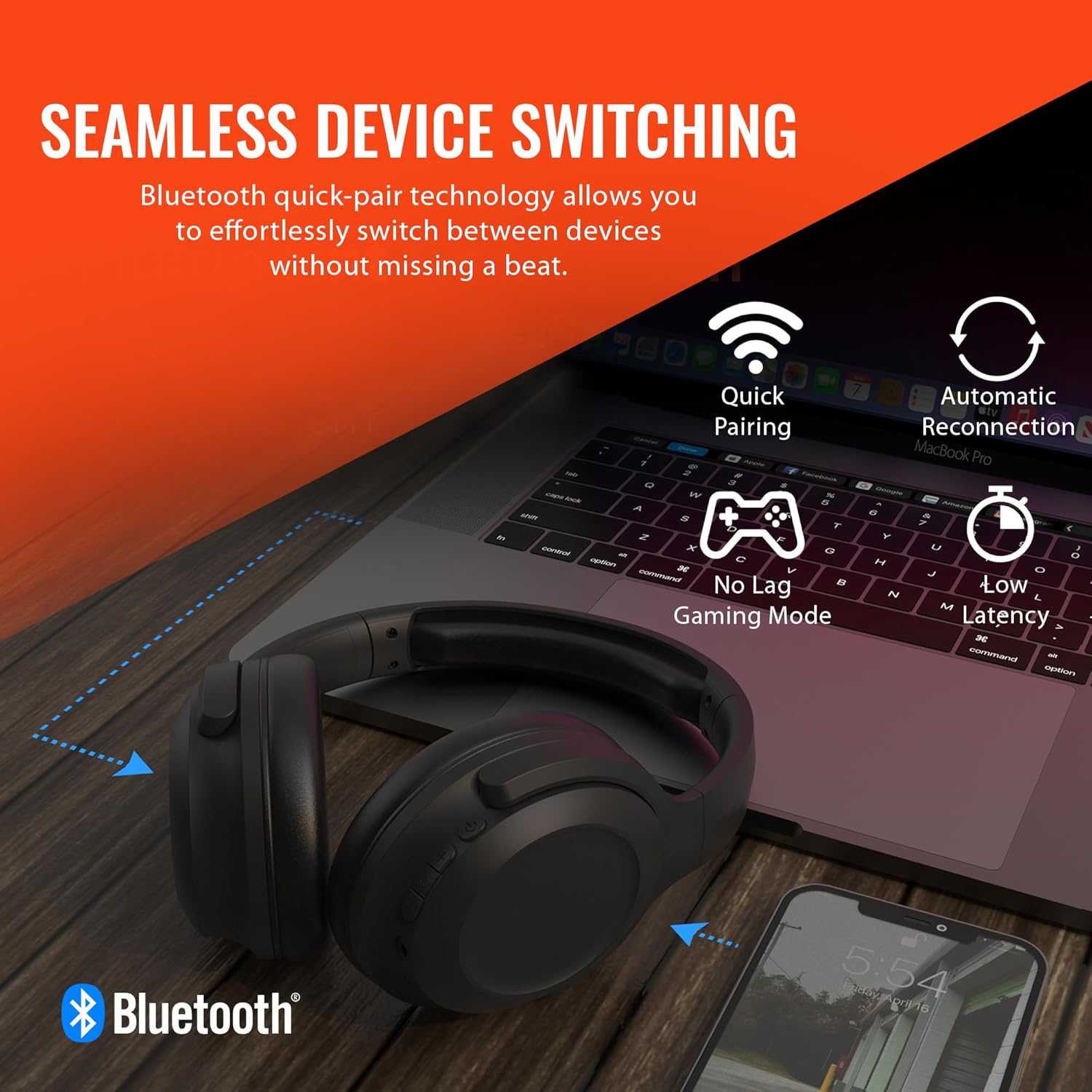
Image: A diagram illustrating the location and function of the on-ear controls for the HyperGear Stealth2 ANC Headphones, including Volume Down, Previous Track, Play/Pause, Answer/End Call, Reject Call, Activate Voice Assistant, Gaming Mode On/Off, Volume Up, Next Track, Power On/Off, Entering Pairing Mode, and ANC On/Off.
- Кнопка харчавання: Націсніце і ўтрымлівайце, каб уключыць/выключыць харчаванне.
- Узмацненне гучнасці/наступны трэк: Кароткае націсканне для павелічэння гучнасці, доўгае націсканне для наступнага трэка.
- Паменшыць гучнасць/Папярэдні трэк: Кароткае націсканне для памяншэння гучнасці, доўгае націсканне для папярэдняга трэка.
- Шматфункцыянальная кнопка (МФК): Play/Pause, Answer/End Call.
- Кнопка ANC: Уключэнне/выключэнне актыўнага шумапрыглушэння.
- Gaming Mode Button: Activate/Deactivate low-latency gaming mode.
Настройка
Зарадка навушнікаў
Перад першым выкарыстаннем цалкам зарадзіце навушнікі. Поўная зарадка займае прыблізна 2 гадзіны.
- Падключыце зарадны кабель USB-C да порта зарадкі на навушніках.
- Падключыце другі канец кабеля да крыніцы харчавання USB (напрыклад, адаптара для сеткі, USB-порта кампутара).
- Святлодыёдны індыкатар будзе паказваць стан зарадкі і выключацца пры поўнай зарадцы.
Функцыя хуткай зарадкі: 10-хвілінная зарадка забяспечвае прыкладна 3 гадзін прайгравання.

Image: The HyperGear Stealth2 ANC Headphones folded, illustrating their lightweight and foldable design, along with battery life details: 18 hours with ANC on, up to 24 hours with ANC off, and a rapid charge feature providing 3 hours of play from a 10-minute charge.
Спалучэнне Bluetooth
Падключыце навушнікі да прылады для бесправаднога аўдыё.
- Пераканайцеся, што навушнікі адключаны.
- Press and hold the Power button until the LED indicator flashes rapidly (indicating pairing mode).
- На вашай прыладзе (смартфоне, планшэце, камп'ютары) уключыце Bluetooth і знайдзіце даступныя прылады.
- Select "HyperGear Stealth2 ANC" from the list of devices.
- Пасля падлучэння святлодыёдны індыкатар перастане міргаць і застанецца сінім.
The headphones feature quick-pair technology for seamless switching between devices.

Image: HyperGear Stealth2 ANC Headphones connected wirelessly to a laptop and a smartphone, illustrating the seamless device switching capability with quick pairing and automatic reconnection.
Інструкцыя па эксплуатацыі
Уключэнне/выключэнне харчавання
- Уключэнне: Націсніце і ўтрымлівайце кнопку харчавання на працягу 3 секунд.
- Выключэнне: Націсніце і ўтрымлівайце кнопку харчавання на працягу 3 секунд.
Прайграванне музыкі
- Прайграванне/Паўза: Націсніце MFB адзін раз.
- Наступны трэк: Доўга націсніце кнопку павелічэння гучнасці.
- Папярэдні трэк: Доўга націсніце кнопку памяншэння гучнасці.
- Павялічыць гучнасць: Кароткачасова націсніце кнопку павелічэння гучнасці.
- Паменшыць гучнасць: Кароткачасова націсніце кнопку памяншэння гучнасці.
Кіраванне званкамі
- Адказ/завяршэнне выкліку: Націсніце MFB адзін раз.
- Адхіліць выклік: Націсніце і ўтрымлівайце MFB на працягу 2 секунд.
Актыўны шумапрыглушэння (ANC)
The headphones feature dual built-in ANC microphones to block out external distractions.
- Уключыць/выключыць шумавое спыненне (ANC): Press the dedicated ANC button.

Image: A close-up of the HyperGear Stealth2 ANC Headphones with sound waves emanating, indicating noise cancellation. Icons represent common noises like a basketball, dog barking, train, and airplane, with text stating "UP TO 8X QUIETER".
Галасавы памочнік
- Актывацыя галасавога памочніка (Siri/Google Assistant): Двойчы націсніце MFB.
Гульнявы рэжым
Activate gaming mode for reduced audio latency.
- Уключыць/выключыць гульнявы рэжым: Press the Gaming Mode button.
Тэхнічнае абслугоўванне
Правільны догляд падоўжыць тэрмін службы вашых навушнікаў.
- Уборка: Працірайце навушнікі мяккай сухой тканінай. Не выкарыстоўвайце агрэсіўныя хімічныя рэчывы або абразіўныя матэрыялы.
- захоўванне: Захоўвайце навушнікі ў прахалодным, сухім месцы, удалечыні ад прамых сонечных прамянёў і экстрэмальных тэмператур. Калі яны не выкарыстоўваюцца, рэкамендуецца скласці іх для кампактнага захоўвання.
- Воданепранікальнасць: Гэтыя навушнікі не воданепранікальныя. Пазбягайце кантакту з вадкасцямі.

Выява: бок А view of the HyperGear Stealth2 ANC Headphones, folded for travel, highlighting the adjustable headband, ultra-lightweight materials, oversized breathable ear cups with plush memory foam padding, and dual-axis hinges.
Ліквідацыю непаладак
Калі ў вас узнікнуць праблемы, паспрабуйце гэтыя распаўсюджаныя рашэнні:
| праблема | Рашэнне |
|---|---|
| Навушнікі не ўключаюцься | Ensure the headphones are fully charged. Press and hold the Power button for a longer duration (up to 5 seconds). |
| Немагчыма спалучыць прыладу | Ensure headphones are in pairing mode (flashing LED). Turn off and on Bluetooth on your device. Move headphones closer to your device. Forget the device in your Bluetooth settings and try pairing again. |
| Няма гуку альбо малая гучнасць | Check volume levels on both headphones and your device. Ensure headphones are properly connected. Try playing different audio sources. |
| Poor Active Noise Cancellation (ANC) | Ensure ANC is activated. Adjust headphone position on your ears for a better seal. ANC is most effective for low-frequency constant noises. |
| Гук уключаецца і выходзіць | Move closer to your device (within 33 feet/10 meters). Avoid obstacles between headphones and device. Reduce interference from other wireless devices. |
Тэхнічныя характарыстыкі
| Асаблівасць | Дэталь |
|---|---|
| Назва мадэлі | HyperGear Stealth2 ANC Headphones |
| Тэхналогія падлучэння | Бесправадная сувязь (Bluetooth 5.0) |
| Дыяпазон Bluetooth | 33 футаў (10 метраў) |
| Кантроль шуму | Актыўнае падаўленне шуму |
| Тып аўдыё драйвера | Дынамічны драйвер |
| Памер аўдыё драйвера | 40 мм |
| Дыяпазон частот | 20 Гц - 20 000 Гц |
| Тэрмін службы батарэі (ANC выключаны) | Да 24 гадзін |
| Тэрмін службы батарэі (з уключаным ANC) | Да 18 гадзін |
| Час зарадкі | 2 гадзіны (поўная зарадка) |
| Матэрыял | Пластыкавыя |
| Памеры | 7.88 х 2.25 х 10.51 цалі |
| Вага прадмета | 13.4 унцыі |
| Уключаныя кампаненты | Зарадны кабель USB-C |
Гарантыя і падтрымка
HyperGear products are designed with quality and reliability in mind. For information regarding warranty coverage and customer support, please visit the official HyperGear webсайт або звярніцеся ў іх аддзел абслугоўвання кліентаў.
Больш падрабязную інфармацыю і падтрымку вы можаце знайсці на HyperGear Amazon Store.