
VssoPlor B0CKP9461G
VssoPlor Compact Wireless Keyboard Mouse Combo
Model: B0CKP9461G
Уводзіны
Thank you for choosing the VssoPlor Compact Wireless Keyboard Mouse Combo. This ultra-thin and portable set is designed for convenience and efficiency, making it ideal for daily use, business travel, and various computing environments. This manual provides essential information for setting up, operating, maintaining, and troubleshooting your new wireless keyboard and mouse.
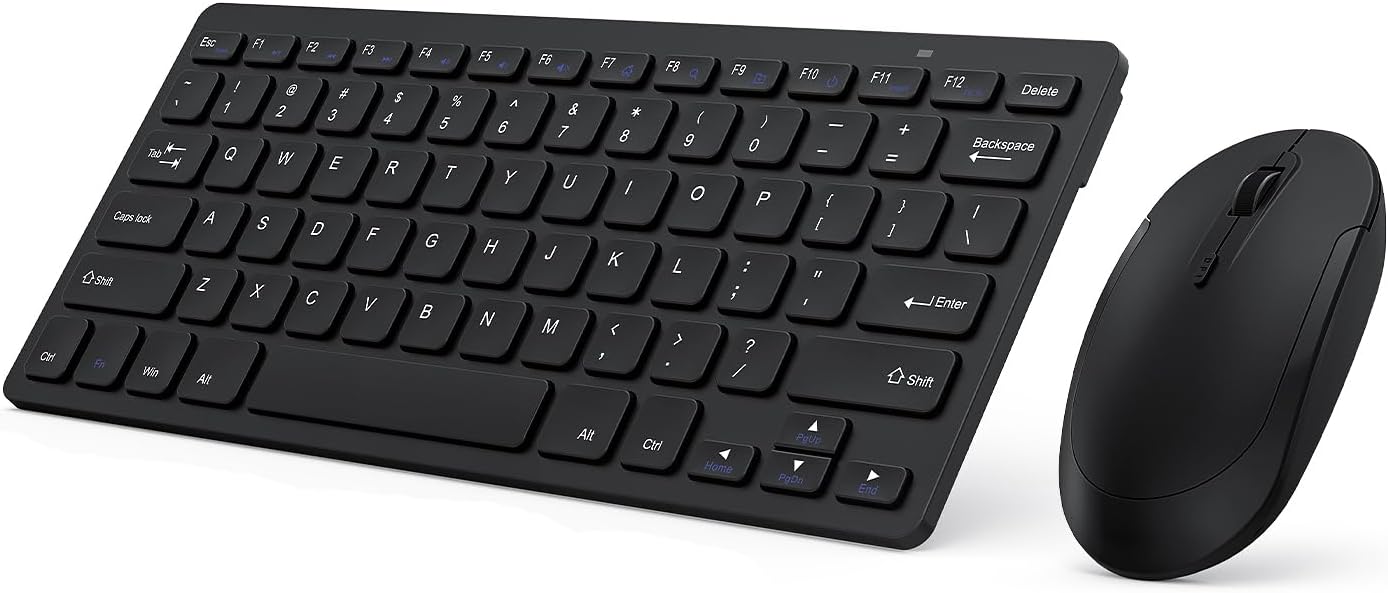
Image: The VssoPlor Compact Wireless Keyboard and Mouse Combo, featuring a sleek black design.
Асноўныя характарыстыкі
- Ultra-Thin & Portable Design: Compact and lightweight, designed for easy transport and space-saving use.
- Стабільнае бесправадное злучэнне 2.4 ГГц: Provides a powerful and reliable connection up to 33 feet (10 meters) with a single Nano USB receiver.
- Ціхі вопыт набору тэксту: Equipped with scissor-switch construction keys for comfortable typing with fast response and good resilience, minimizing noise.
- High Sensitivity Mouse: Features sensitive clicks with less noise and 3 adjustable DPI levels (800/1000/1200) for precise control.
- Шырокая сумяшчальнасць: Well compatible with Windows XP, Vista, 7, 8, and 10. (Note: Not fully compatible with Mac OS System).
- Функцыя аўтаматычнага сну: Designed to save energy by entering sleep mode after periods of inactivity.
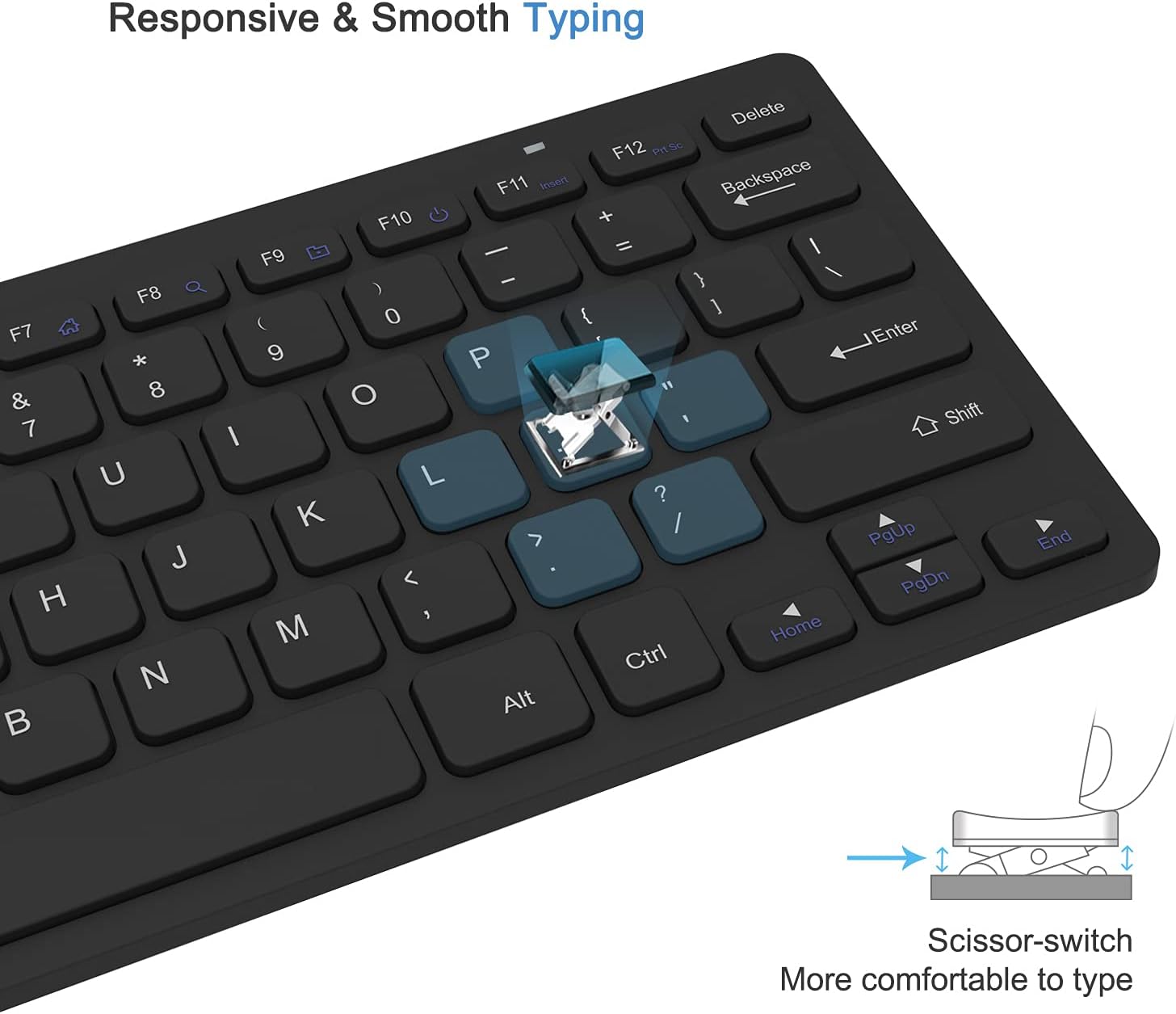
Image: Close-up of the keyboard demonstrating the scissor-switch key mechanism for responsive and smooth typing.

Image: The ultra-thin keyboard and mouse combo being easily stored in a bag, highlighting its portability for leisure, travel, and home use.
Змест пакета
Калі ласка, праверце змесціва ўпакоўкі пасля адкрыцця, каб пераканацца ў наяўнасці ўсіх прадметаў:
- 1 x Compact Wireless Keyboard
- 1 х бесправадная мыш
- 1 x Nano USB Receiver (stored in the keyboard's battery compartment)
- 1 х Кіраўніцтва карыстальніка (гэты дакумент)
Інструкцыя па наладзе
- Усталюйце батарэі:
The keyboard requires 2 AAA batteries and the mouse requires 1 AA battery (batteries are not included). Open the battery compartments on the underside of both the keyboard and the mouse, insert the batteries according to the polarity indicators, and close the covers.
- Знайдзіце USB-прыёмнік:
The Nano USB receiver is conveniently stored inside the battery compartment of the keyboard. Carefully remove it.
- Падключэнне прыёмніка:
Plug the Nano USB receiver into an available USB port on your computer (desktop or laptop). Your operating system will automatically detect and install the necessary drivers. This is a plug-and-play device, requiring no additional software installation.

Image: Diagram illustrating the 2.4GHz wireless connection, showing the USB receiver plugged into a laptop and the wireless signal to the keyboard and mouse.
- Уключаныя прылады:
Locate the power switch on the underside of both the keyboard and the mouse. Slide the switches to the "ON" position. The devices should now be connected and ready for use.
Інструкцыя па эксплуатацыі
Выкарыстанне клавіятуры
- Увод: Begin typing as you would with any standard keyboard. The scissor-switch keys provide a comfortable and responsive experience.
- Функцыянальныя клавішы: The top row of keys (F1-F12) may have secondary functions (e.g., media control, volume) accessible by pressing the Fn key simultaneously. Refer to the key legends for specific functions.
- Аўтаматычны сон: To conserve battery life, the keyboard will enter sleep mode after approximately 10 minutes of inactivity. To wake it up, press any key for 3 seconds.
Выкарыстанне мышы
- Асноўная аперацыя: Use the left and right click buttons for standard mouse functions. The scroll wheel allows for vertical scrolling.
- Рэгуляванне DPI: The mouse features 3 adjustable DPI levels (800/1000/1200) for varying cursor sensitivity. Press the DPI button (usually located near the scroll wheel) to cycle through the settings and find your preferred speed.
- Аўтаматычны сон: The mouse will enter sleep mode after approximately 8 minutes of inactivity. To wake it up, simply move the mouse or click any button.

Image: Illustration of the auto-sleep feature for both the keyboard and mouse, indicating battery requirements and how to reactivate the devices.
Тэхнічнае абслугоўванне
- Уборка: Выкарыстоўвайце мяккую, сухую тканіну для чысткі паверхняў клавіятуры і мышы. Для выдалення ўстойлівага бруду злёгкуamp можна выкарыстоўваць тканіну з мяккім мылам, сачыце за тым, каб вадкасць не патрапіла ўнутр прылады. Пазбягайце абразіўных ачышчальнікаў або растваральнікаў.
- Замена батарэі: When the devices become unresponsive or exhibit delayed input, it is likely time to replace the batteries. Follow the "Install Batteries" steps in the Setup section. Always dispose of used batteries responsibly.
- захоўванне: Калі прылада доўга не выкарыстоўваецца, выключайце клавіятуру і мыш, каб падоўжыць тэрмін службы батарэі. Захоўвайце іх у прахалодным, сухім месцы, удалечыні ад прамых сонечных прамянёў і экстрэмальных тэмператур.
Ліквідацыю непаладак
| праблема | Рашэнне |
|---|---|
| Клавіятура або мыш не рэагуюць. |
|
| Рух курсора няўстойлівы або павольны. |
|
| Some keys on the keyboard do not work. |
|
Тэхнічныя характарыстыкі прадукту
| Атрыбут | Дэталь |
|---|---|
| Марка | ВсоПлор |
| мадэль | B0CKP9461G |
| Тэхналогія падлучэння | 2.4GHz Wireless USB |
| Сумяшчальныя прылады | Laptop, Personal Computer (Windows XP/Vista/7/8/10) |
| Памеры клавіятуры (Д х Ш х В) | Approx. 11 x 4.8 x 0.7 inches (at thickest point) |
| Памеры мышы (Д х Ш х В) | Прыбл. 4.3 х 2.2 х 0.6 цалі |
| Вага прадмета | 13.1 унцый (клавіятура і мыш разам) |
| Акумулятар клавіятуры | 2 х ААА батарэі (не ўключаны) |
| Акумулятар мышкі | 1 батарэі АА (не ўключаны) |
| Узроўні DPI (мыш) | 800 / 1000 / 1200 DPI |
| Асаблівасці | Lightweight, Portable, Scissor-switch keys, Auto-sleep function |

Image: Detailed dimensions of the compact wireless keyboard and mouse.
Гарантыя і падтрымка
For warranty information and technical support, please refer to the warranty card included with your product or visit the official VssoPlor webсайт. Вы таксама можаце звязацца з прадаўцом непасрэдна праз платформу, дзе вы набылі тавар, каб атрымаць дапамогу.
For common questions and further assistance, please visit the VssoPlor Store on Amazon.
Ask a question about this manual
Ask about setup, troubleshooting, compatibility, parts, safety, or missing instructions. Manuals+ will review the question and use this page’s manual context to help answer it.