
1. Уводзіны
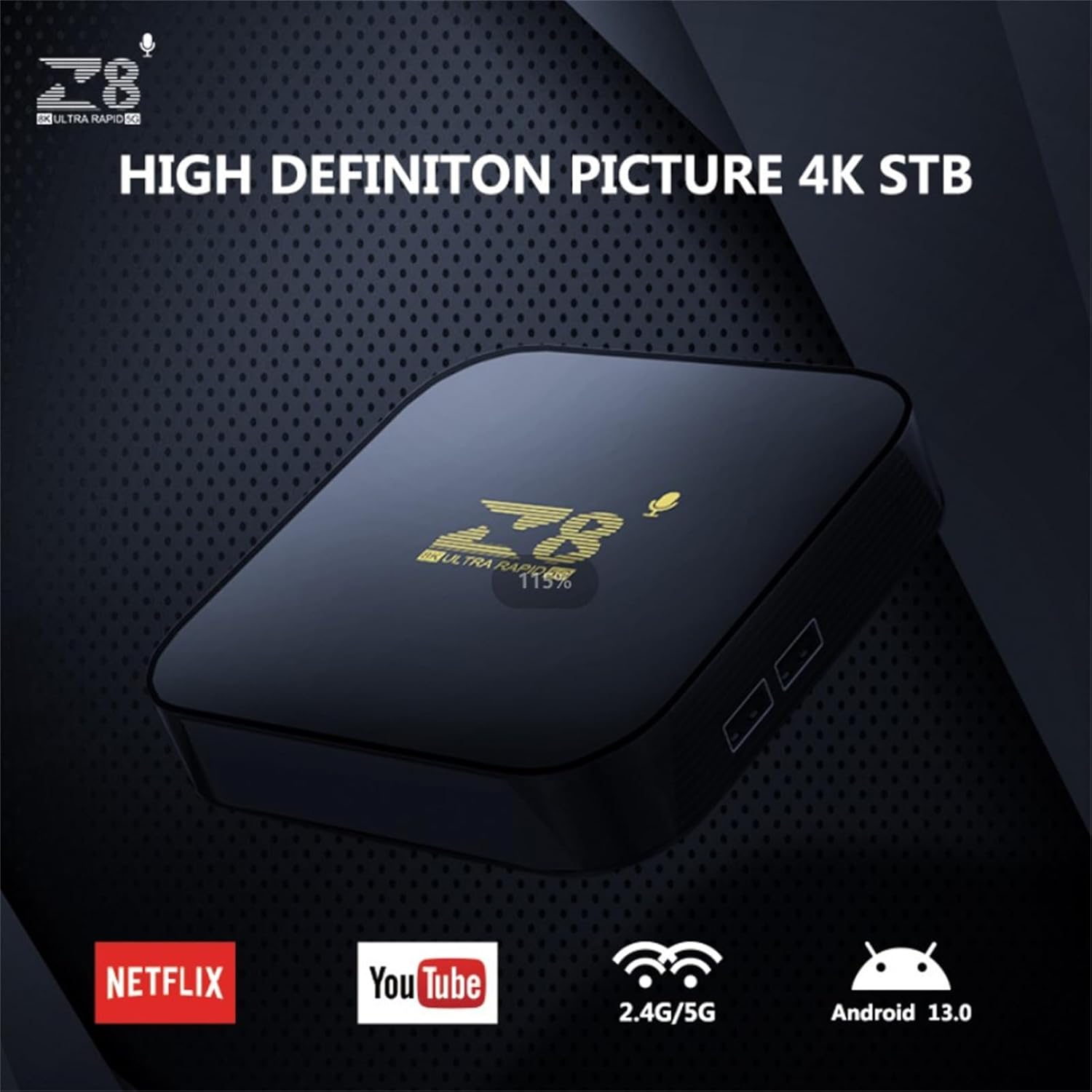
This manual provides essential instructions for setting up, operating, and maintaining your WUYJTIF z8 S905L Smart TV Box. This device transforms your television into a smart entertainment hub, offering access to a wide range of applications and media content. Featuring Android 13, 4K HDR support, and dual-band Wi-Fi, it delivers a high-quality viewвопыту.
2. Змесціва ўпакоўкі
Калі ласка, пераканайцеся, што ўсе пералічаныя ніжэй прадметы ўваходзяць у ваш пакет:
- WUYJTIF z8 S905L Smart TV Box
- Пульт дыстанцыйнага кіравання
- Адаптар сілкавання
- Кабель HDMI
- Кіраўніцтва па эксплуатацыі

3. Кіраўніцтва па наладцы
3.1. Connecting the TV Box
- Падключыце кабель HDMI: Insert one end of the HDMI cable into the HDMI port on the Smart TV Box and the other end into an available HDMI input on your television.
- Падключыце адаптар сілкавання: Plug the power adapter into the DC IN port on the Smart TV Box, then plug the adapter into a wall outlet. The device will power on automatically.


3.2. Налада дыстанцыйнага кіравання
The remote control allows you to navigate the Smart TV Box interface. Ensure batteries are inserted correctly. The remote features dedicated buttons for common streaming services and a voice assistant button for convenient control.
3.3. Падключэнне да сеткі
After initial power-on, follow the on-screen instructions to connect your Smart TV Box to your Wi-Fi network. Navigate to the Network settings, select your Wi-Fi network, and enter the password.
4. Інструкцыя па эксплуатацыі
4.1. Навігацыя і інтэрфейс
Use the directional pad on your remote control to navigate through the Android 13 interface. The home screen provides quick access to installed applications, recommended content, and system settings.
4.2. Кіраванне праграмамі
The Smart TV Box comes with a pre-installed open-source App Store. You can download and install additional applications for streaming, gaming, and other purposes. To manage applications, navigate to the 'Applications' section in the settings menu.
4.3. Галасавое кіраванне
Press the dedicated voice assistant button on your remote control to activate voice commands. You can use your voice to search for content, open applications, or control certain device functions.
5. Асноўныя магчымасці
- Разрозненне 4K HDR: Supports 4K/1080P/720P/480P resolutions, providing ultra-high definition picture quality and breathtaking viewing effects. Utilizes H.265 decoding technology for efficient bandwidth usage and vivid image details.
- 2GB RAM and 16GB ROM: Прапановы ample storage capacity for downloading numerous applications and games, enhancing your entertainment options.
- Android 13 with Dual-Band Wi-Fi: Runs on the latest Android 13 operating system, providing a stable and flexible user experience. Features 2.4G/5G Wi-Fi connectivity for reliable high-definition media streaming and gaming.
- Quad-Core Amlogic S905L Processor: Equipped with a powerful Amlogic S905L quad-core processor for smooth and responsive performance, minimizing lag during operation.
- Універсальныя прымянення: Suitable for various scenarios including home entertainment, office presentations, school education, and digital advertising.


6. Тэхнічныя характарыстыкі
| Асаблівасць | Дэталь |
|---|---|
| Марка | WUYJTIF |
| Назва мадэлі | z8 S905L (iATV TV Box) |
| Аперацыйная сістэма | Android 13 |
| Працэсар | Amlogic S905L Quad-Core |
| АЗП | 2 ГБ |
| ПЗУ | 16 ГБ |
| дазвол | 4K (Supports 4K/1080P/720P/480P) |
| Тэхналогія падлучэння | USB, 2.4G/5G WiFi, BT5.2 |
| Тып раздыма | Micro USB, HDMI |
| Тып кантролера | Пульт дыстанцыйнага кіравання |
| Колер | Чорны |
| Памеры прадукту | 3.8 см Д х 1.35 см Ш х 0.62 см В |
7. Тэхнічнае абслугоўванне
- Уборка: Для чысткі прылады выкарыстоўвайце мяккую сухую тканіну. Пазбягайце выкарыстання вадкіх ачышчальнікаў або абразіўных матэрыялаў.
- Вентыляцыя: Пераканайцеся, што прылада знаходзіцца ў добра вентыляваным месцы, каб пазбегнуць перагрэву. Не блакуйце вентыляцыйныя адтуліны.
- захоўванне: Калі прылада не выкарыстоўваецца працяглы час, захоўвайце яе ў прахалодным, сухім месцы, удалечыні ад прамых сонечных прамянёў і экстрэмальных тэмператур.
8. Выпраўленне непаладак
- Няма харчавання: Check if the power adapter is securely connected to the device and the wall outlet. Ensure the outlet is functional.
- Няма сігналу на тэлевізары: Verify that the HDMI cable is correctly connected to both the TV Box and the TV. Ensure your TV input is set to the correct HDMI port.
- Пульт не адказвае: Check the remote control batteries and replace them if necessary. Ensure there are no obstructions between the remote and the TV Box.
- Праблемы з падключэннем Wi-Fi: Go to Network settings on the TV Box and ensure the correct Wi-Fi network is selected and the password is entered accurately. Restart your router if problems persist.
- Нізкая прадукцыйнасць: Close unused applications running in the background. Clear cache for frequently used apps. Consider a factory reset if performance issues continue (note: this will erase all data).
9. Гарантыя і падтрымка
For warranty information and technical support, please refer to the contact details provided on the product packaging or the official WUYJTIF webсайт. Захоўвайце чэк аб пакупцы на выпадак прэтэнзій па гарантыі.