
1. Прадукт скончыўсяview
The LETSUNG GoLite 11 Mini PC is a compact and powerful computing solution designed for daily office tasks, home entertainment, and entry-level industrial applications. Powered by an Intel Celeron N4020C processor, it offers reliable performance in a small form factor. This manual provides essential information for setting up, operating, maintaining, and troubleshooting your device.

Малюнак 1: Пярэдняя і бакавая часткі view of the LETSUNG GoLite 11 Mini PC, highlighting its compact design and various ports.
2. Кіраўніцтва па наладцы
2.1 Змест пакета
Калі ласка, пераканайцеся, што ўсе прадметы прысутнічаюць у пасылцы:
- Міні-ПК LETSUNG GoLite 11
- Адаптар сілкавання
- VESA Mount Bracket and Screws
- Кіраўніцтва карыстальніка (гэты дакумент)
2.2 Пачатковая налада
Follow these steps to set up your Mini PC:
- Падключэнне перыферыйных прылад: Падключыце клавіятуру, мыш і іншыя прылады USB да даступных партоў USB 3.2.
- Падключэнне дысплея: Connect your monitor(s) to the HDMI ports. The device supports up to two displays simultaneously.
- Падключэнне да сеткі: For wired connection, connect an Ethernet cable to the RJ45 LAN port. For wireless connection, ensure your Wi-Fi network is available.
- Падключыце харчаванне: Insert the power adapter into the DC jack on the Mini PC, then plug the adapter into a power outlet.
- Уключэнне: Націсніце кнопку харчавання, размешчаную на пярэдняй панэлі міні-ПК.

Малюнак 2: падрабязна view of the Mini PC's ports, including USB 3.2, HDMI, LAN, 3.5mm headphone jack, DC jack, and power button.
3. Інструкцыя па эксплуатацыі
3.1 Уключэнне/выключэнне
- Каб уключыць: Націсніце кнопку харчавання адзін раз.
- Каб выключыць: From the Windows 11 Pro desktop, click the Start button, then Power, and select "Shut down."
- Каб перазапусціць: From the Windows 11 Pro desktop, click the Start button, then Power, and select "Restart."
3.2 Падключэнне дысплеяў
The GoLite 11 supports dual display output via its two HDMI 1.4 ports, allowing for a resolution of up to 1920x1080@60Hz on each screen. Simply connect your HDMI cables from the Mini PC to your monitors.

Figure 3: The LETSUNG GoLite 11 Mini PC supporting a dual display setup for enhanced productivity.
3.3 Пашырэнне сховішча
The Mini PC comes with a 128GB M.2 SATA SSD. For additional storage, the device supports expansion up to 512GB. Refer to the detailed instructions for M.2 SSD installation if you wish to upgrade the storage capacity.

Figure 4: Visual representation of the 128GB M.2 2280 SATA SSD, which can be expanded up to 512GB.
3.4 Сетка і падключэнне
The Mini PC supports Dual WiFi 5 for high-speed wireless internet access and Bluetooth 4.2 for connecting wireless peripherals such as keyboards, mice, and headphones.
4. Тэхнічнае абслугоўванне
4.1 Ачыстка
To maintain optimal performance and appearance, regularly clean the exterior of the Mini PC with a soft, dry cloth. Avoid using liquid cleaners or abrasive materials. Ensure the ventilation openings are free from dust and debris.
4.2 Сістэма астуджэння
The GoLite 11 features a low-power, low-noise cooling system designed for steady, long-lasting operation. Ensure adequate airflow around the device by not blocking the ventilation holes.
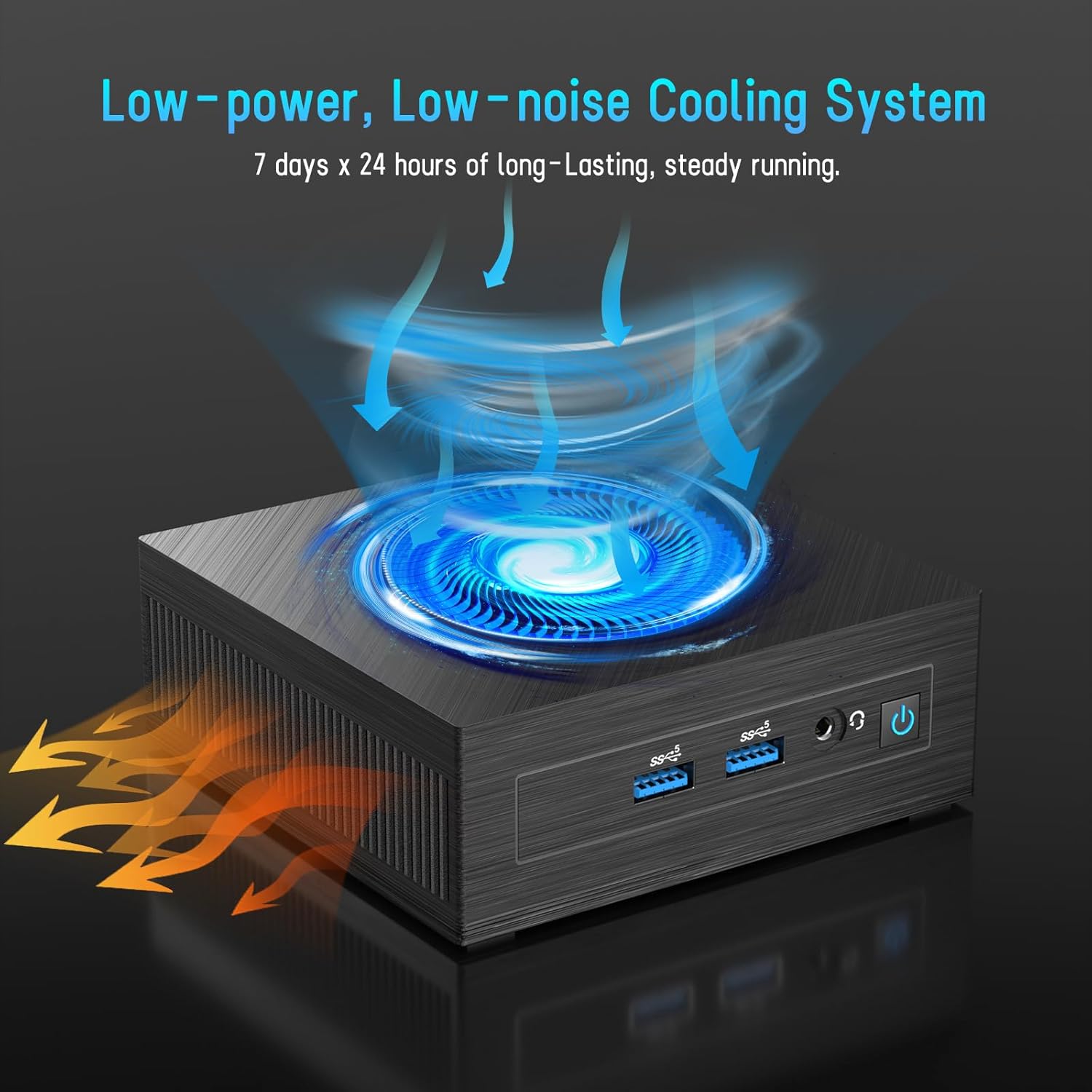
Figure 5: Illustration of the efficient low-power, low-noise cooling system integrated into the Mini PC.
5. Выпраўленне непаладак
If you encounter issues with your LETSUNG GoLite 11 Mini PC, refer to the common problems and solutions below:
- Няма вываду на дысплей:
- Ensure the HDMI cables are securely connected to both the Mini PC and the monitor.
- Verify the monitor is set to the correct input source (HDMI 1, HDMI 2, etc.).
- Try connecting to a different monitor or using different HDMI cables.
- Праблемы з харчаваннем:
- Check if the power adapter is properly connected to the Mini PC and the power outlet.
- Пераканайцеся, што разетка працуе.
- If the device does not power on, try a different power outlet.
- Праблемы з падключэннем да сеткі:
- For Wi-Fi, ensure the Wi-Fi adapter is enabled in Windows settings and you are connected to the correct network.
- For wired LAN, check the Ethernet cable connection. Note that the LAN port on this model supports up to 100 Mbps, not Gigabit Ethernet.
- Перазагрузіце маршрутызатар/мадэм.
- Нізкая прадукцыйнасць:
- Зачыніце непатрэбныя праграмы, якія працуюць у фонавым рэжыме.
- Ensure Windows 11 Pro is up to date.
- Праверце, ці дастаткова вольнага месца на SSD-назапашвальніку.
6. Тэхнічныя характарыстыкі
| Асаблівасць | Спецыфікацыя |
|---|---|
| Працэсар | Intel Celeron N4020C (Dual-Core, up to 2.8 GHz) |
| Графіка | Intel UHD Graphics 600 |
| АЗП | 6GB LPDDR4 (Integrated, Dual Channel) |
| Захоўванне | 128GB M.2 SATA SSD (Expandable up to 512GB) |
| Аперацыйная сістэма | Windows 11 Pro (папярэдне ўсталяваная) |
| Відэавыхад | 2 x HDMI 1.4 (Supports Dual Display up to 1920x1080@60Hz) |
| Парты USB | 4 х USB 3.2 |
| Сетка | Dual WiFi 5, RJ45 LAN (100 Mbps) |
| Bluetooth | Bluetooth 4.2 |
| Аўдыё | 1 х 3.5 мм раз'ём для навушнікаў |
| Увод магутнасці | DC Jack |
| Памеры | 4.53 х 4.43 х 1.61 цалі (115 мм х 112 мм х 41 мм) |
| Вага | Прыблізна 9.66 унцыі (274 г) |
7. Гарантыя і падтрымка
The LETSUNG GoLite 11 Mini PC comes with a адзін год гарантыі from the date of purchase. This warranty covers manufacturing defects and ensures the product meets its specified performance. Please retain your proof of purchase for warranty claims.
For any questions, technical assistance, or troubleshooting not covered in this manual, LETSUNG customer support is available 24/7 to assist you. Please refer to the contact information provided with your product packaging or visit the official LETSUNG webсайт для падрабязнай інфармацыі аб падтрымцы.