
1. Прадукт скончыўсяview
The Roku 40" Select Series 1080p Full HD Smart RokuTV offers a seamless entertainment experience with its integrated Roku platform. Enjoy bright, full HD picture quality and clear audio. The customizable home screen provides quick access to streaming apps, inputs, and free live TV. This model features a bezel-less design and comes with a voice remote for easy navigation.
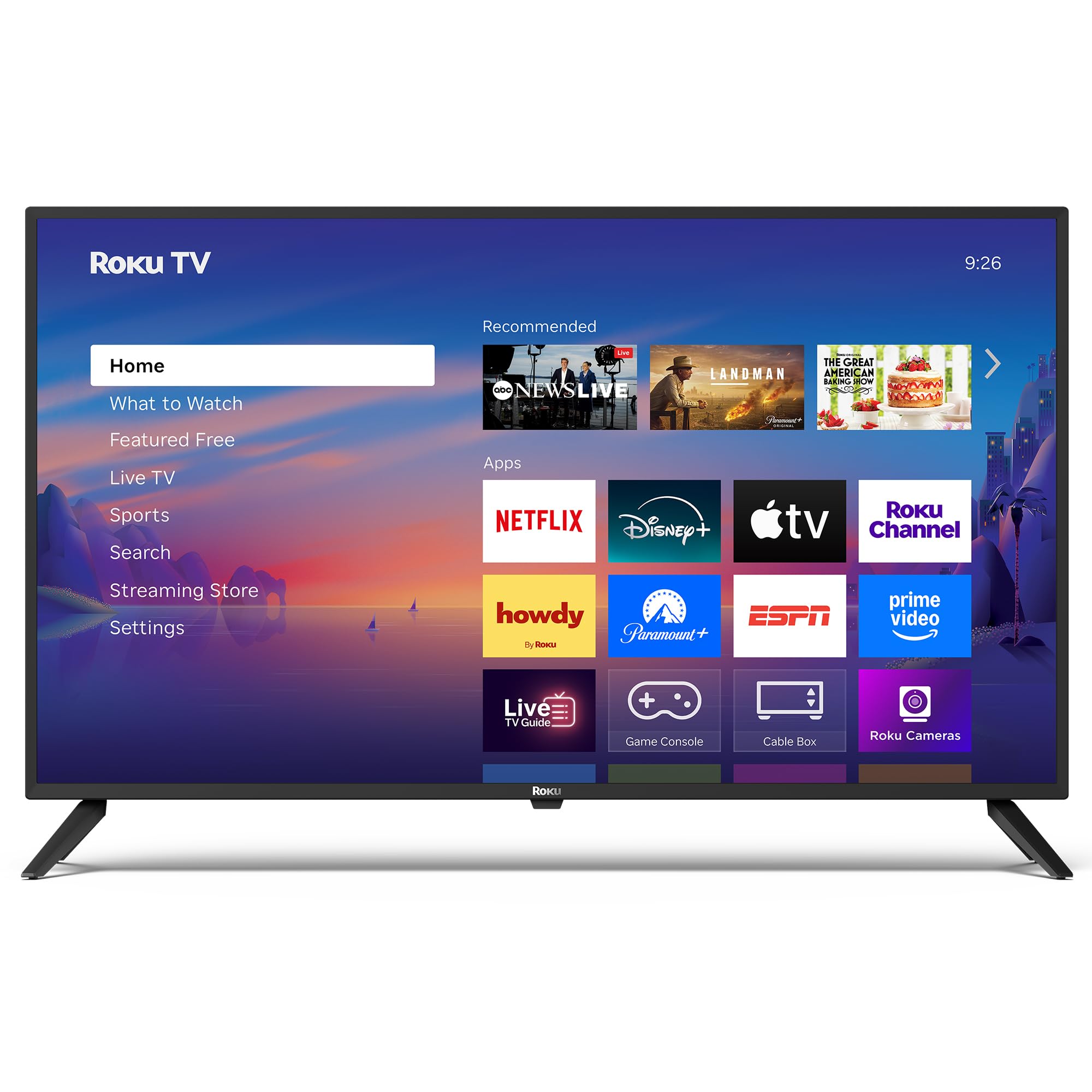
Выява: спераду view of the Roku 40" Select Series Full HD Smart TV.
2. Што ў скрынцы
- Roku 40” Select Series Full HD Smart TV
- Roku voice remote with batteries
- Тумбы пад тэлевізар (2)
- Шрубы падстаўкі (4)
- Кіраўніцтва карыстальніка (гэты дакумент)

Image: Diagram illustrating the components included in the Roku TV package.
3. Кіраўніцтва па наладцы
3.1 Мацаванне падставак для тэлевізара
- Асцярожна пакладзеце тэлевізар экранам уніз на мяккую чыстую паверхню, каб пазбегнуць драпін.
- Сумясціце кожную падстаўку для тэлевізара з адпаведнымі адтулінамі для шруб у ніжняй частцы тэлевізара.
- Insert the provided screws into the holes and tighten them securely with a screwdriver.
- Ensure both stands are firmly attached before proceeding.
3.2 Падключэнне харчавання і пачатковая налада
- Connect the power cord to the TV and then to a standard electrical outlet (100-240 VAC, 50-60 Hz).
- Insert the AAA batteries into the Roku voice remote.
- Націсніце кнопку харчавання на пульце дыстанцыйнага кіравання, каб уключыць тэлевізар.
- Выконвайце інструкцыі на экране, каб выбраць мову, падключыцца да сеткі Wi-Fi і актываваць свой уліковы запіс Roku.
- The TV will guide you through adding your preferred streaming apps and setting up any connected devices.

Выява: Крупны план view of the TV's side panel, showing various input ports like HDMI, USB, and antenna connection.
4. Кіраванне тэлевізарам Roku
4.1 Навігацыя на галоўным экране
The Roku home screen provides a centralized hub for all your entertainment. Easily access streaming apps, connected devices (like game consoles or cable boxes), and free live TV channels. The interface is designed for quick and intuitive navigation using your Roku voice remote.

Image: The Roku TV home screen, showing a grid of streaming applications and input selections.
4.2 Выкарыстанне галасавога пульта дыстанцыйнага кіравання
The included voice remote simplifies your TV experience. Use voice commands to search for movies, shows, or songs across thousands of streaming apps. Dedicated shortcut buttons provide instant access to popular services like Netflix, Disney+, and Apple TV. Volume controls are conveniently located on the side of the remote.

Image: Close-up of the Roku voice remote, highlighting the voice command button and dedicated app shortcuts.
4.3 Налады выявы і гуку
The Roku TV delivers a bright, full HD picture with exceptional clarity. It features direct LED backlighting for better brightness and uniformity. Enhanced audio output is provided by built-in speakers. You can adjust picture modes, screen brightness, and other advanced settings through the TV's menu to optimize your viewвопыту.
4.4 Інтэграцыя разумнага дома
The Roku TV is compatible with various smart home ecosystems, including Apple AirPlay 2, Apple Home, Alexa, and Google Home. This allows for integrated control and seamless interaction with your existing smart devices.

Image: Icons representing compatibility with various smart home platforms.
5. Тэхнічнае абслугоўванне
To ensure the longevity and optimal performance of your Roku TV, follow these maintenance guidelines:
- Ачыстка экрана: Use a soft, lint-free cloth specifically designed for electronics. Gently wipe the screen to remove dust and smudges. Avoid harsh chemicals or abrasive materials.
- Ачыстка вонкавага выгляду: Wipe the TV's exterior with a soft, dry cloth. Do not use liquid cleaners directly on the TV.
- Вентыляцыя: Каб пазбегнуць перагрэву, пераканайцеся, што вентыляцыйныя адтуліны тэлевізара не заблакаваныя. Забяспечце дастатковую прастору вакол тэлевізара для цыркуляцыі паветра.
- Упраўленне харчаваннем: Адключайце тэлевізар ад разеткі падчас навальніцы або калі ён будзе заставацца без нагляду на працяглы час.
6. Выпраўленне непаладак
If you encounter issues with your Roku TV, try the following basic troubleshooting steps:
- Няма харчавання: Ensure the power cord is securely plugged into both the TV and the electrical outlet. Check if the outlet is functioning by plugging in another device.
- Няма выявы/гуку: Verify that the correct input source is selected on the TV. Check all cable connections (HDMI, AV, etc.) for looseness.
- Пульт не адказвае: Replace the batteries in the remote. Ensure there are no obstructions between the remote and the TV. Re-pair the remote if necessary (refer to the on-screen instructions during initial setup or the Roku support site).
- Праблемы з падключэннем да сеткі: Restart your Wi-Fi router and modem. Go to the TV's network settings to reconnect to your Wi-Fi network.
- Завісанне/збой праграмы: Restart the specific app. If the issue persists, restart the TV by unplugging it from the power outlet for 30 seconds and then plugging it back in.
For more detailed troubleshooting or persistent issues, visit the official Roku support webсайт.
7. Тэхнічныя характарыстыкі
| Асаблівасць | Дэталь |
|---|---|
| Памер экрана | 40 цалі |
| Марка | Року |
| Нумар мадэлі | 40R2A5R |
| Тэхналогія адлюстравання | святлодыёд |
| дазвол | 1080p Full HD |
| Частата абнаўлення | 60 Гц |
| Аперацыйная сістэма | Roku OS |
| Асаблівасці | Bezel-Less Design, Voice Remote |
| Тэхналогія падлучэння | HDMI, USB, Wi-Fi |
| Усяго партоў HDMI | 3 |
| Total USB 3.0 Ports | 1 |
| Рэжым выхаду гуку | Палепшаны |
| Метад кантролю | Кіраванне праграмамі, дыстанцыйнае кіраванне, галасавое кіраванне |
| Screen Mirroring Technology | AirPlay 2, Miracast |
| Памеры прадукту (Д х Ш х У) | 8.7" Г x 35.5" Ш x 22.6" У |
| Item Weight Without Stand | 11.2 фунта |
| Стандарт мацавання VESA | 200 х 100 мм |
8. Гарантыя і падтрымка
8.1 Абмежаваная гарантыя
Roku warrants the hardware of this device against defects in materials and workmanship under normal use for a period of one (1) year from the date of purchase ("Warranty Period"), provided it is used in accordance with the provided documentation. If a hardware defect is determined during the Warranty Period, Roku's sole obligation and your exclusive remedy will be to either repair or replace the unit with a new or rebuilt device, at Roku's option.
Important information about warranty returns and replacements is available on the Roku support site.
8.2 Product Returns
You may return a device for any reason, subject to the terms of the applicable return policy:
- Within thirty (30) days from the date of purchase from Roku.
- Within the applicable return period if purchased from an authorized reseller or distributor.
Additional details regarding product returns can be found on the Roku support site.