
Уводзіны
Thank you for choosing the KAIDI KD-771 True Wireless Bluetooth 5.1 Earbuds. These earbuds are designed to provide a seamless and high-quality audio experience with the convenience of wireless connectivity. This manual will guide you through the setup, operation, and maintenance of your new earbuds.
The KD-771 earbuds utilize Bluetooth technology for connection to various sound-playing devices, including smartphones, tablets, and notebooks. Their completely wireless design ensures practical and simplified handling and usage.
Інфармацыя па бяспецы
- Не падвяргайце навушнікі або зарадны футляр уздзеянню экстрэмальных тэмператур, вільготнасці або вадкасцей.
- Пазбягайце падзення, удараў або разборкі прылады.
- Захоўваць у месцах, недаступных дзецям і хатнім жывёлам.
- Выкарыстоўвайце толькі зацверджаныя зарадныя кабелі і адаптары.
- Працяглае праслухоўванне на высокім узроўні гучнасці можа пашкодзіць слых. Адрэгулюйце гучнасць да бяспечнага ўзроўню.
Настройка
1. Распакоўка і першапачатковая аплата
Upon opening the package, ensure all components are present: the KAIDI KD-771 earbuds, the charging case, and this user manual. Before first use, fully charge the earbuds and the charging case.
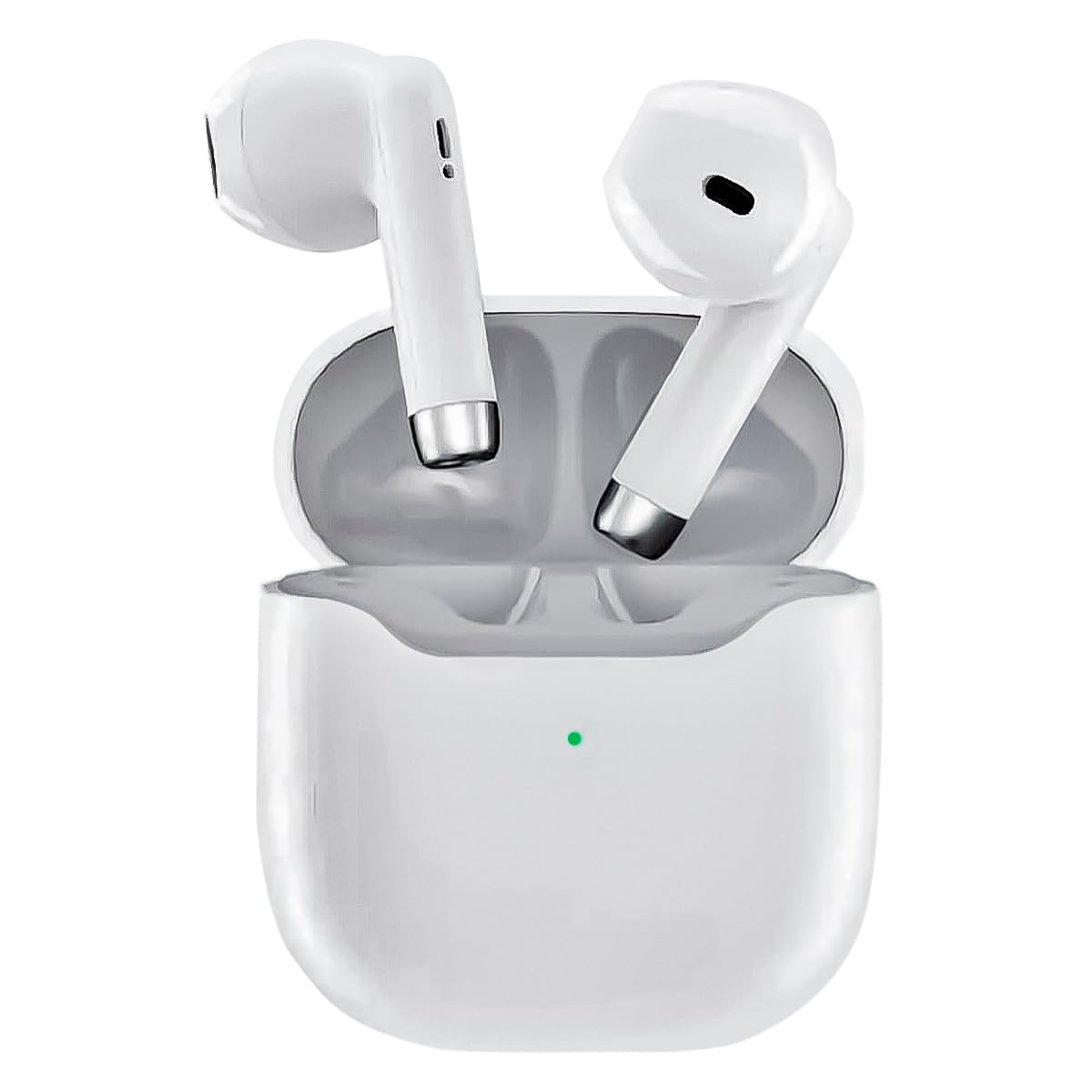
Image: The KAIDI KD-771 True Wireless Bluetooth 5.1 Earbuds and their charging case.
Place the earbuds into the charging case. Connect the charging case to a power source using a compatible USB cable (not included). The indicator light on the case will show charging status. Once fully charged, the indicator light will change or turn off.
2. Спалучэнне з прыладай
The KD-771 earbuds are compatible with multiple platforms, including smartphones, tablets, and laptops.

Image: The KAIDI KD-771 earbuds shown alongside various compatible devices, including smartphones, tablets, and laptops, illustrating multi-platform compatibility.
- Уключэнне: Адкрыйце зарадны кейс. Навушнікі аўтаматычна ўключацца і пяройдуць у рэжым спалучэння. Вы можаце ўбачыць, як на навушніках міргаюць індыкатары.
- Актываваць Bluetooth: На вашай прыладзе (смартфоне, планшэце і г.д.) перайдзіце ў налады Bluetooth і пераканайцеся, што Bluetooth уключаны.
- Выберыце навушнікі: In the list of available Bluetooth devices, look for "KD-771" (or a similar name) and select it to connect.
- Пацверджанне: Once connected, your device will confirm the pairing, and the earbud indicator lights may stop flashing or change color.

Image: The KAIDI KD-771 earbuds in their charging case, with a smartphone displaying a successful Bluetooth 5.0 connection and battery levels.
The earbuds feature Bluetooth 5.1 for high-speed transmission and stable connections.
Інструкцыя па эксплуатацыі
The KD-771 earbuds are controlled via touch sensors located on each earbud.
1. Уключэнне/выключэнне харчавання
- Уключэнне: Open the charging case, and the earbuds will automatically power on. Alternatively, if powered off outside the case, touch and hold the touch area on both earbuds for a few seconds until you hear a power-on prompt.
- Выключэнне: Place the earbuds back into the charging case and close the lid. They will automatically power off and begin charging. Alternatively, if outside the case, touch and hold the touch area on both earbuds for several seconds until you hear a power-off prompt.
2. Музычны кантроль
- Прайграванне/Паўза: Адно націсканне на любы навушнік.
- Наступны трэк: Двойчы націсніце на правы навушнік.
- Папярэдні трэк: Двойчы націсніце левы навушнік.
3. Кантроль выклікаў
- Адказ/завяршэнне выкліку: Адно націсканне на любы навушнік.
- Адхіліць выклік: Націсніце і ўтрымлівайце любы навушнік на працягу 2 секунд.
4. Галасавы памочнік
- Актываваць галасавы памочнік: Triple tap either earbud to activate your device's voice assistant (e.g., Siri, Google Assistant).
Тэхнічнае абслугоўванне
1. Уборка
Рэгулярная ўборка дапамагае падтрымліваць аптымальную прадукцыйнасць і гігіену.
- Выкарыстоўвайце мяккую, сухую тканіну без ворса, каб праціраць навушнікі і зарадны футляр.
- Не выкарыстоўвайце абразіўныя ачышчальнікі, растваральнікі або аэразольныя спрэі.
- Пры неабходнасці акуратна ачысціце зарадныя кантакты на навушніках і чахле сухім ватным тампонам.
2. Захоўванне
Калі навушнікі не выкарыстоўваюцца, захоўвайце іх у зарадным чахле, каб абараніць і падтрымліваць зарад. Захоўвайце прыладу ў прахалодным, сухім месцы, удалечыні ад прамых сонечных прамянёў і экстрэмальных тэмператур.
Ліквідацыю непаладак
| праблема | Магчымае рашэнне |
|---|---|
| Навушнікі не спалучаюцца |
|
| Працуе толькі адзін навушнік |
|
| Нізкая гучнасць або дрэнная якасць гуку |
|
| Праблемы з зарадкай |
|
Тэхнічныя характарыстыкі

Выява: Выбухнула view of a KAIDI KD-771 earbud, highlighting its internal components designed for high-resolution sound.
- мадэль: КД-771
- Марка: КАЙДЗІ
- Тэхналогія падключэння: Бесправадны Bluetooth 5.1
- Размяшчэнне вушэй: Укладышы
- Форм-фактар навушнікаў: Укладышы
- Метад кантролю: Дакранацца
- Кантроль шуму: Адаптыўнае падаўленне шуму
- Імпеданс: 50 Ом
- матэрыял: Пластыкавыя
- колер: Белы
- Вага прадукту: 100 g (earbuds + case)
- Уключаныя кампаненты: Ахоўны футляр
- Сумяшчальныя прылады: Прылады з падтрымкай Bluetooth
- Асаблівасці: Lightweight, Bluetooth
- Тып крыніцы харчавання: Electric power (rechargeable internal battery)
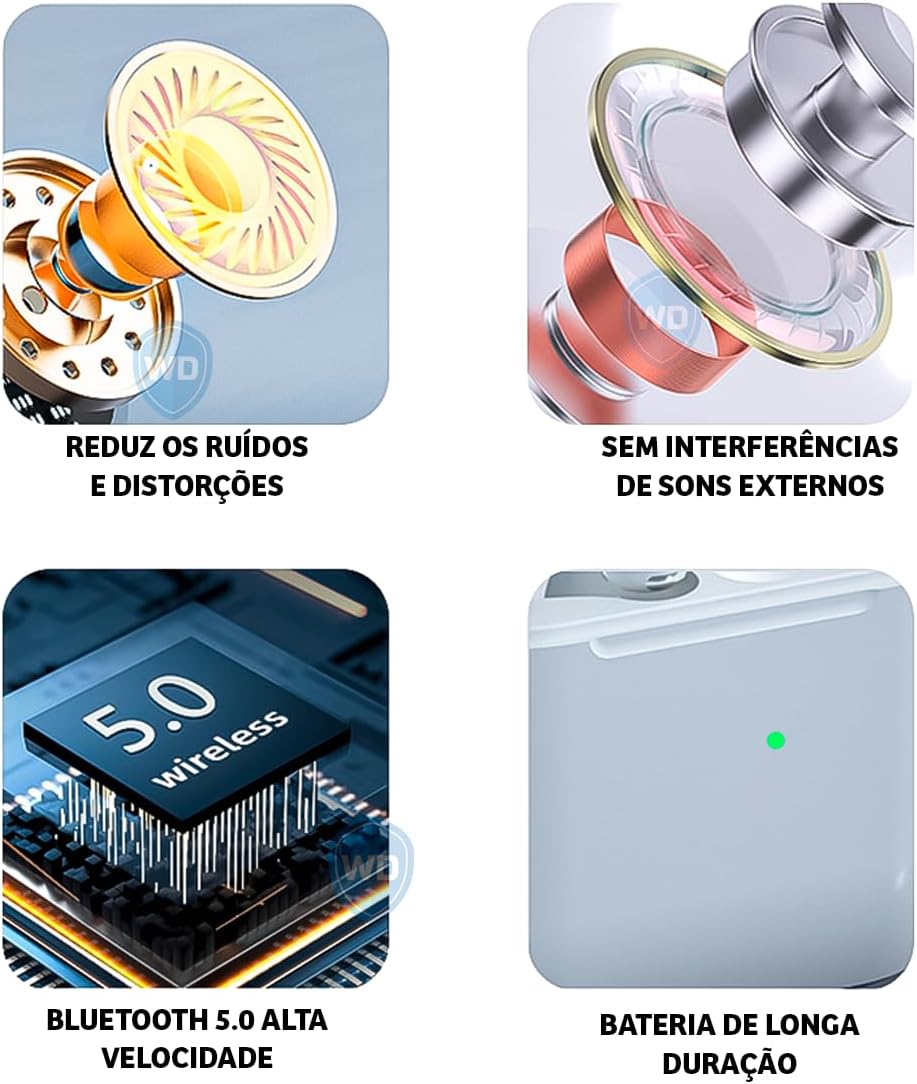
Image: A visual representation of key features: noise reduction and distortion reduction, absence of external sound interference, high-speed Bluetooth 5.0, and long-lasting battery life.
Інфармацыя аб гарантыі
The KAIDI KD-771 earbuds come with a manufacturer's warranty of 30 days from the date of purchase. This warranty covers manufacturing defects under normal use. It does not cover damage caused by misuse, accidents, unauthorized modifications, or normal wear and tear.
Калі ласка, захавайце доказы пакупкі для прэтэнзій па гарантыі.
Падтрымка кліентаў
For further assistance, technical support, or warranty inquiries, please contact your retailer or the KAIDI customer service department. Refer to the packaging or the official KAIDI webсайт для кантактных дадзеных.