
Уводзіны
This manual provides comprehensive instructions for the proper use and care of your Generic Logicom Lunar Pro Case. This case is specifically designed to protect your Logicom Lunar Pro phone while offering enhanced functionality, including a kickstand feature and convenient card storage.
Настройка
Ўстаноўка вашага тэлефона
To install your Logicom Lunar Pro phone into the case:
- Gently align your Logicom Lunar Pro phone with the soft silicone frame of the case.
- Carefully press the phone into the case, ensuring that all edges are securely seated within the protective frame.
- Verify that all phone ports, buttons, and camera lenses are correctly aligned and remain fully accessible and functional.

Выява: спераду view of the Logicom Lunar Pro case with the phone installed, demonstrating a secure fit.
Інструкцыя па эксплуатацыі
Using the Kickstand Feature
The case includes a built-in kickstand for hands-free viewING:
- Open the front flap of the case completely.
- Fold the front flap backward along the designed crease to form a triangular stand.
- Place the case on a flat, stable surface to prop up your phone in landscape orientation for comfortable viewing of videos or e-books.
Utilizing Card Storage
The case features integrated card slots for convenience:
- Locate the card slots on the inside of the front flap.
- Insert standard-sized cards, such as credit cards or identification cards, into the designated slots. The case is designed to securely hold up to two cards.
Магнітная зашпілька
The front flap of the case is equipped with a magnetic closure:
- Simply close the front flap over the phone screen. The integrated magnets will automatically engage, keeping the case securely shut.
- This feature helps protect your phone screen from scratches and keeps the case contents secure when not in use.
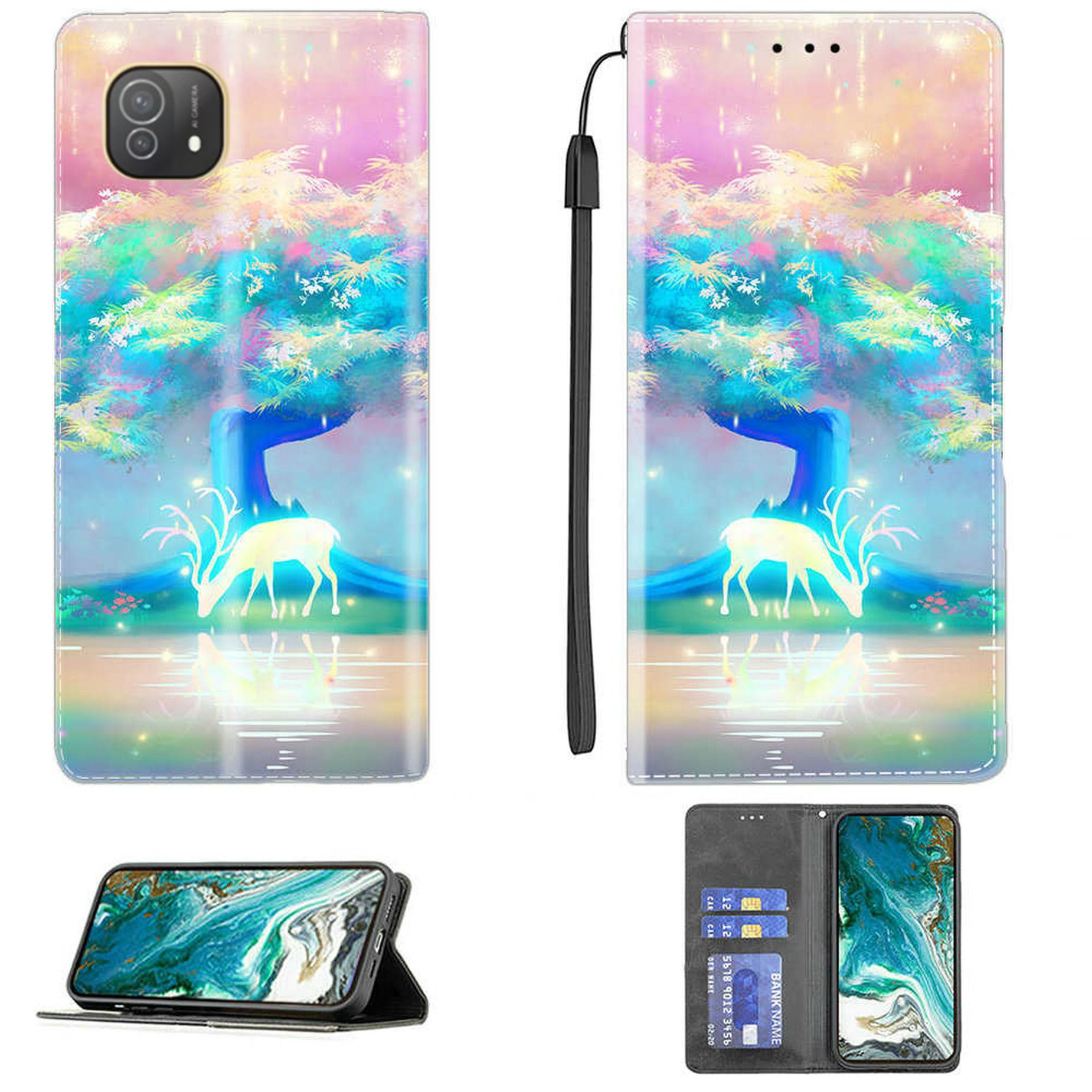
Image: The case in kickstand mode, highlighting the adjustable viewing angles and the magnetic closure mechanism.

Выява: Адкрытая view of the case, clearly showing the card slots designed for carrying up to two cards.
Тэхнічнае абслугоўванне
Інструкцыя па ачыстцы
To maintain the appearance and longevity of your case:
- For the PU leather exterior, gently wipe with a soft, slightly damp тканіна.
- Avoid using harsh chemicals, abrasive cleaners, or solvents, as these can damage the material and finish.
- For the silicone interior, a mild soap solution can be used if necessary, followed by wiping with a clean, dry cloth.
Захоўванне
When not in use, store the case in a cool, dry place away from direct sunlight and extreme temperatures to prevent material degradation.
Ліквідацыю непаладак
- Phone Does Not Fit: Ensure you have the correct case model specifically designed for the Logicom Lunar Pro phone. Gently re-attempt installation, ensuring proper alignment of the phone within the silicone frame.
- Магнітная зашпілька не трымае: Check for any obstructions, such as debris or excessive items, between the front flap and the phone. Overfilling the card slots may also reduce the magnetic strength. Remove items if necessary.
- Kickstand Not Stable: Ensure the case is placed on a flat, stable surface. Adjust the angle of the kickstand to find the optimal balance for your viewзадавальнення патрэб.
Тэхнічныя характарыстыкі
| Марка | Радавыя |
| Сумяшчальная мадэль тэлефона | Logicom Lunar Pro |
| Матэрыял | PU Leather, Silicone |
| Асаблівасці | Kickstand, Card Slots (up to 2), Magnetic Closure |
Гарантыя і падтрымка
Інфармацыя аб гарантыі
For specific warranty details regarding this product, please refer to the retailer or manufacturer's official webсайт. Умовы гарантыі могуць адрознівацца.
Падтрымка кліентаў
Should you require further assistance, have questions, or encounter issues not covered in this manual, please contact the retailer from whom you purchased the product or the manufacturer directly.