
1. Уводзіны
Thank you for choosing the Baseus E13 TWS Bowie Headphones. This manual provides essential information for setting up, operating, and maintaining your new wireless earbuds. Please read it carefully before use to ensure optimal performance and longevity of your device.
2. Змесціва ўпакоўкі
Праверце, ці ёсць усе прадметы ў вашай упакоўцы:
- Baseus E13 TWS Bowie Headphones (Left and Right Earbuds)
- Чахол для зарадкі
- USB-кабель для зарадкі
- Амбушуры (розныя памеры)
- Кіраўніцтва карыстальніка (гэты дакумент)

Image: The Baseus E13 TWS Bowie Headphones, including the earbuds, charging case, and the included USB charging cable.
3. Прадукт скончыўсяview
The Baseus E13 TWS Bowie Headphones feature a compact design with a charging case for portability and extended battery life.

Image: The Baseus E13 TWS Bowie Headphones, showing both earbuds resting in their open charging case.
4. Настройка
4.1 Зарадка навушнікаў і футляра
- Першапачатковая плата: Перад першым выкарыстаннем цалкам зарадзіце навушнікі і зарадны футляр.
- Зарадка кейса: Connect the provided USB charging cable to the charging port on the case and a compatible USB power source. The indicator light on the case will show charging status.
- Зарадка навушнікаў: Place the earbuds into the charging case. Ensure they are correctly seated; the indicator lights on the earbuds will confirm charging.
Поўная зарадка забяспечвае да 30 гадзін прайгравання з зарадным футлярам.
4.2 Спалучэнне па Bluetooth
- Уключэнне: Адкрыйце зарадны кейс. Навушнікі аўтаматычна ўключацца і пяройдуць у рэжым спалучэння.
- Актываваць Bluetooth: На вашай прыладзе (смартфоне, планшэце і г.д.) уключыце Bluetooth.
- Выберыце прыладу: Пошук "Baseus E13" in the list of available Bluetooth devices and select it to connect.
- Пацверджанне: Паспяховае спалучэнне пацвердзіць галасавым паведамленнем.
Навушнікі аўтаматычна падключацца да апошняй спалучанай прылады, калі іх дастаць з кейса, калі на прыладзе ўключаны Bluetooth.
4.3 Кіраванне праграмамі
Enhance your experience by downloading the official Baseus app. The app allows for customizable controls, EQ settings, and other features.
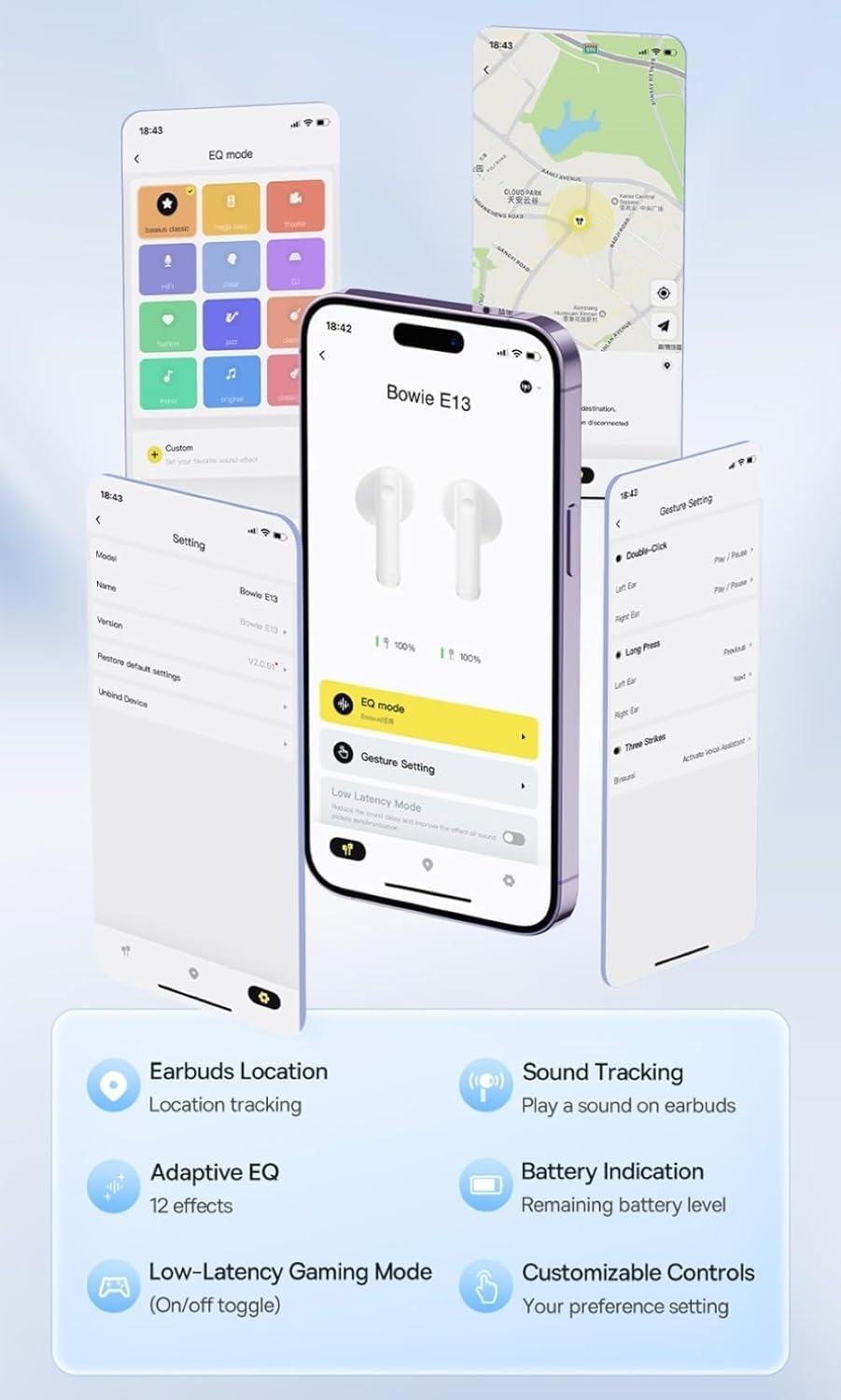
Image: Multiple smartphone screens displaying the Baseus app interface, highlighting features such as EQ mode, gesture settings, low-latency gaming mode, earbud location tracking, sound tracking, adaptive EQ with 12 effects, battery indication, and customizable controls.
5. Аперацыя
5.1 Асноўныя элементы кіравання
The Baseus E13 TWS Bowie Headphones feature touch controls for easy management of audio and calls. Specific gestures can be customized via the Baseus app.
- Прайграванне/Паўза: Адзін націск на любы навушнік.
- Наступны трэк: Двойчы націсніце на правы навушнік-ўкладыш.
- Папярэдні трэк: Двойчы націсніце на левы навушнік-ўкладыш.
- Адказ/завяршэнне выкліку: Адзін націск на любы навушнік.
- Адхіліць выклік: Доўгае націсканне на любы навушнік.
- Актываваць галасавы памочнік: Тройчы націсніце на любы навушнік.
5.2 Гульнявы рэжым з нізкай затрымкай
For an optimized gaming experience, activate the 0.06s ultra-low latency gaming mode through the Baseus app. This reduces audio delay, providing faster response times.
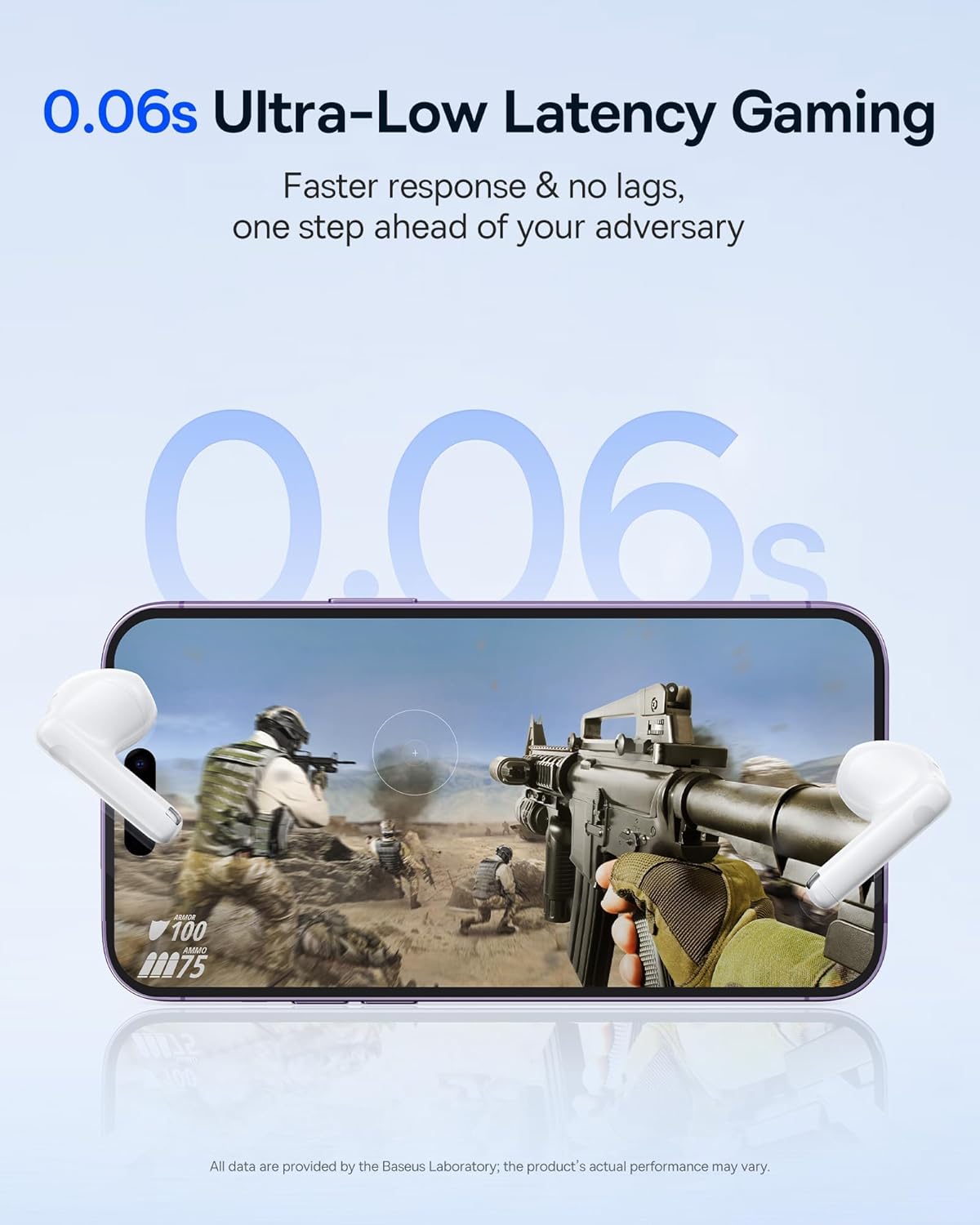
Image: The Baseus E13 TWS Bowie Headphones positioned near a smartphone screen displaying a fast-paced first-person shooter game, emphasizing the 0.06s ultra-low latency feature for gaming.
5.3 Прайграванне аўдыя
Enjoy up to 30 hours of continuous audio playback with the assistance of the charging case. Each earbud provides several hours of playback on a single charge, with the case offering multiple recharges.

Image: The Baseus E13 TWS Bowie Headphones and their charging case, overlaid with a graphic prominently displaying '30H', signifying the total audio playback time achievable with the case.
5.4 Якасць гуку
The earbuds are equipped with a large 12mm diaphragm, designed to restore each note with remarkable depth and accuracy, providing a powerful low-frequency audio experience.

Image: A detailed cutaway diagram of a Baseus E13 TWS earbud, focusing on the internal structure of the large 12mm diaphragm and its contribution to sound quality.
5.5 Падключэнне
Utilizing Bluetooth 5.3 technology, the headphones offer a faster and more stable wireless connection, ensuring smooth audio transmission and enhanced sound quality.

Выява: Празрысты view of a Baseus E13 TWS earbud, revealing its internal circuitry and specifically highlighting the integrated Bluetooth 5.3 chip for advanced wireless connectivity.
6. Нашэнне навушнікаў-ўкладышаў
The earbuds are designed with a mini stem and a lightweight profile, featuring a 45° wearing angle for a comfortable and secure fit.

Image: A woman wearing a Baseus E13 TWS earbud, illustrating the ergonomic design with a mini stem and lightweight construction for a comfortable user experience.
7. Тэхнічнае абслугоўванне
- Уборка: Рэгулярна працірайце навушнікі і зарадны футляр мяккай, сухой тканінай без ворса. Не выкарыстоўвайце агрэсіўныя хімічныя рэчывы або абразіўныя матэрыялы.
- Воданепранікальнасць: The earbuds are water resistant. Avoid submerging them in water or exposing them to excessive moisture. Dry thoroughly if they come into contact with liquids.
- захоўванне: Калі навушнікі не выкарыстоўваюцца, захоўвайце іх у зарадным чахле, каб абараніць і падтрымліваць зарад. Захоўвайце ў прахалодным, сухім месцы, удалечыні ад экстрэмальных тэмператур.
- Сыход за батарэяй: Каб падоўжыць тэрмін службы батарэі, не разраджайце навушнікі і кейс часта цалкам. Рэгулярна зараджайце іх, нават калі яны не выкарыстоўваюцца пастаянна.
8. Выпраўленне непаладак
If you encounter issues with your Baseus E13 TWS Bowie Headphones, refer to the following common solutions:
- Няма гуку:
- Пераканайцеся, што навушнікі зараджаныя.
- Праверце падключэнне Bluetooth да вашай прылады.
- Адрэгулюйце гучнасць на абодвух навушніках і падлучанай прыладзе.
- Навушнікі не спалучаюцца:
- Змясціце навушнікі назад у чахол, зачыніце, а затым зноў адчыніце, каб зноў уключыць рэжым спалучэння.
- Forget "Baseus E13" from your device's Bluetooth list and attempt to pair again.
- Пераканайцеся, што навушнікі знаходзяцца ў зоне дзеяння вашай прылады.
- Праблемы з зарадкай:
- Пераканайцеся, што зарадны кабель надзейна падключаны як да корпуса, так і да крыніцы харчавання.
- Паспрабуйце іншы порт USB або адаптар сілкавання.
- Пераканайцеся, што зарадныя кантакты на навушніках і ў чахле чыстыя і без смецця.
- Адзін навушнік не працуе:
- Пераканайцеся, што абодва навушнікі зараджаны.
- Try resetting the earbuds (refer to app or Baseus support for specific instructions).
9. Тэхнічныя характарыстыкі
| Марка | Басейс |
| Назва мадэлі | E13 TWS |
| Тэхналогія падлучэння | Бесправадная сувязь (Bluetooth 5.3) |
| Размяшчэнне вушэй | У вуха |
| Формаў-фактар | Сапраўдная бесправадная сетка |
| Імпеданс | 32 Ом |
| Тып кіравання | Touch controls, App |
| Матэрыял | Пластыкавыя |
| Вага прадмета | 0.07 кілаграма |
| Узровень воданепранікальнасці | Водатрывалы |
| Максімальная працоўная адлегласць | 10 метраў |
| Сярэдні тэрмін службы батарэі | Да 30 гадзін (з чахлом для зарадкі) |
| Асаблівасці | 0.06s ultra-low latency, Faster and more stable 5.3 wireless chip, Lightweight and Mini Design, Powerful low frequency controller |
10. Гарантыя і падтрымка
Baseus products are designed for reliability and performance. For warranty information, please refer to the warranty card included with your purchase or visit the official Baseus website. For technical support or further assistance, please contact Baseus customer service or visit the Крама Baseus на Amazon.