
Уводзіны
Thank you for choosing the R-MUSIC KARADUO Complete Karaoke Pack. This manual provides detailed instructions for the safe and efficient use of your new karaoke system, which includes a portable RGB speaker and two wireless microphones. Please read this manual thoroughly before operation and retain it for future reference.
Змест пакета
Пераканайцеся, што ўсе прадметы ёсць у наяўнасці і ў добрым стане пасля распакавання:
- 1 x R-MUSIC KARADUO Portable RGB Speaker
- 2 бесправадныя мікрафоны
- 1 х кабель для зарадкі USB-C
- 1 х Кіраўніцтва карыстальніка (гэты дакумент)

Image: The R-MUSIC KARADUO portable RGB speaker and two wireless microphones, as included in the package.
Прадукт скончаныview
Кампаненты і элементы кіравання дынамікамі

Выява: Уверсе view of the R-MUSIC KARADUO speaker, showing the control buttons.
- LED Animation Button: Press to cycle through 5 different LED light animations.
- Кнопка «Гучнасць +» / «Наступная песня»: Short press to increase volume. Long press to skip to the next song.
- ON / OFF / Pause / Play Button: Long press to power the speaker on or off. Short press to play or pause music.
- Кнопка гучнасці / папярэдняй песні: Short press to decrease volume. Long press to go to the previous song.
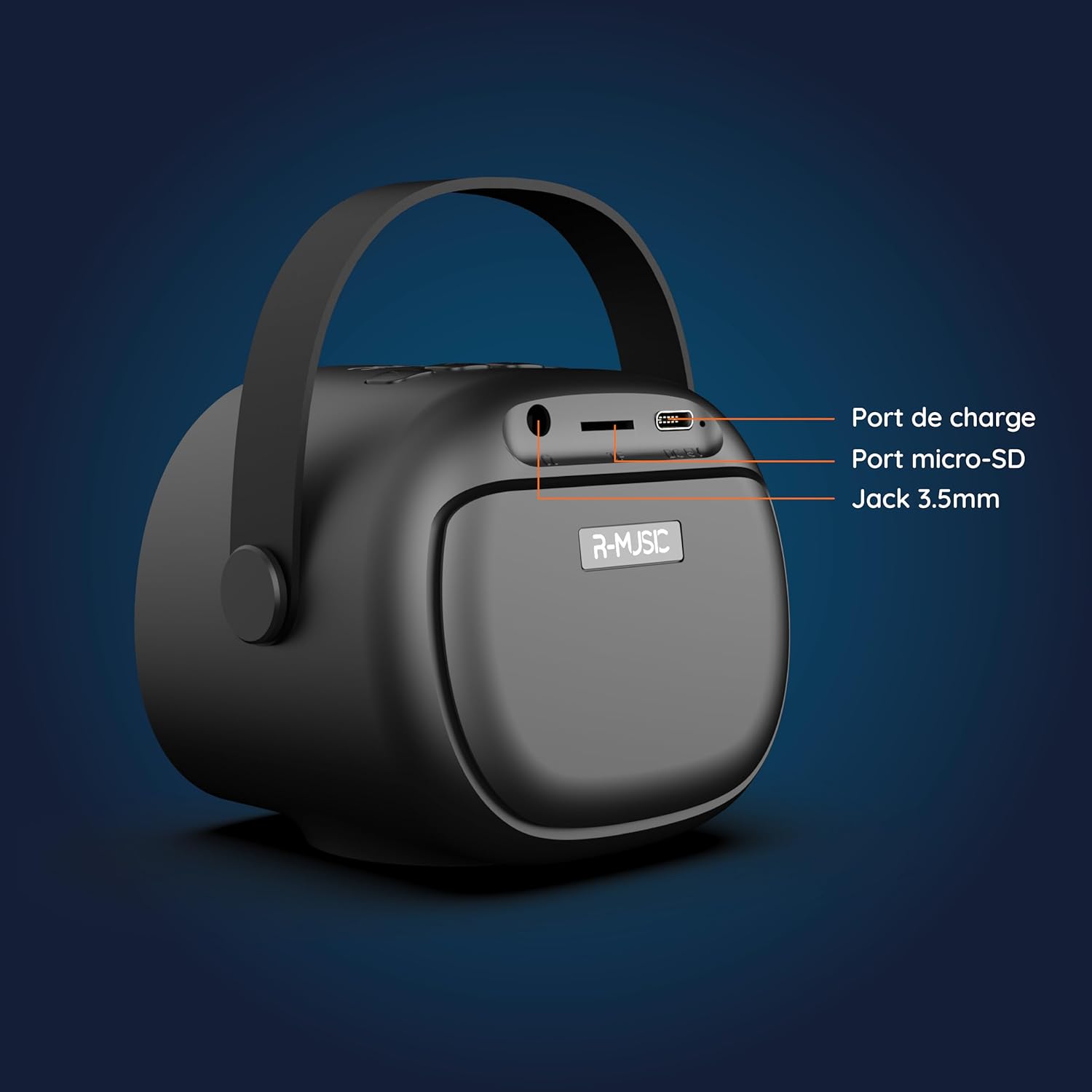
Выява: Спіна view of the R-MUSIC KARADUO speaker, highlighting the charging port, Micro-SD card slot, and 3.5mm Jack port.
- Порт зарадкі (USB-C): Connect the provided USB-C cable for charging.
- Слот для карты Micro-SD: Insert a Micro-SD card for direct music playback.
- 3.5-мм AUX-порт: Connect external audio devices using a 3.5mm audio cable (not included).
Упраўленне мікрафонам

Image: Close-up of the R-MUSIC wireless microphones, illustrating the power, volume, and mode buttons.
- Кнопка харчавання: Long press to power the microphone on or off.
- Гучнасць + кнопка: Павялічыць гучнасць мікрафона.
- Кнопка гучнасці: Паменшыць гучнасць мікрафона.
- Кнопка рэжыму (M): Short press to cycle through 5 voice deformation effects and 3 karaoke modes.
Настройка
1. Зарадка дынаміка і мікрафонаў
Before first use, fully charge the speaker and both microphones.
- Дакладчык: Connect the provided USB-C charging cable to the speaker's charging port and a compatible USB power adapter (not included). The charging indicator will show the charging status.
- Мікрафоны: Each microphone has its own charging port (usually Micro-USB, check the microphone itself). Connect them to a USB power source using appropriate cables (not included, or check if included with microphones).
A full charge provides approximately 14 hours of speaker playback without LED lights, or 7 hours with LED lights activated.
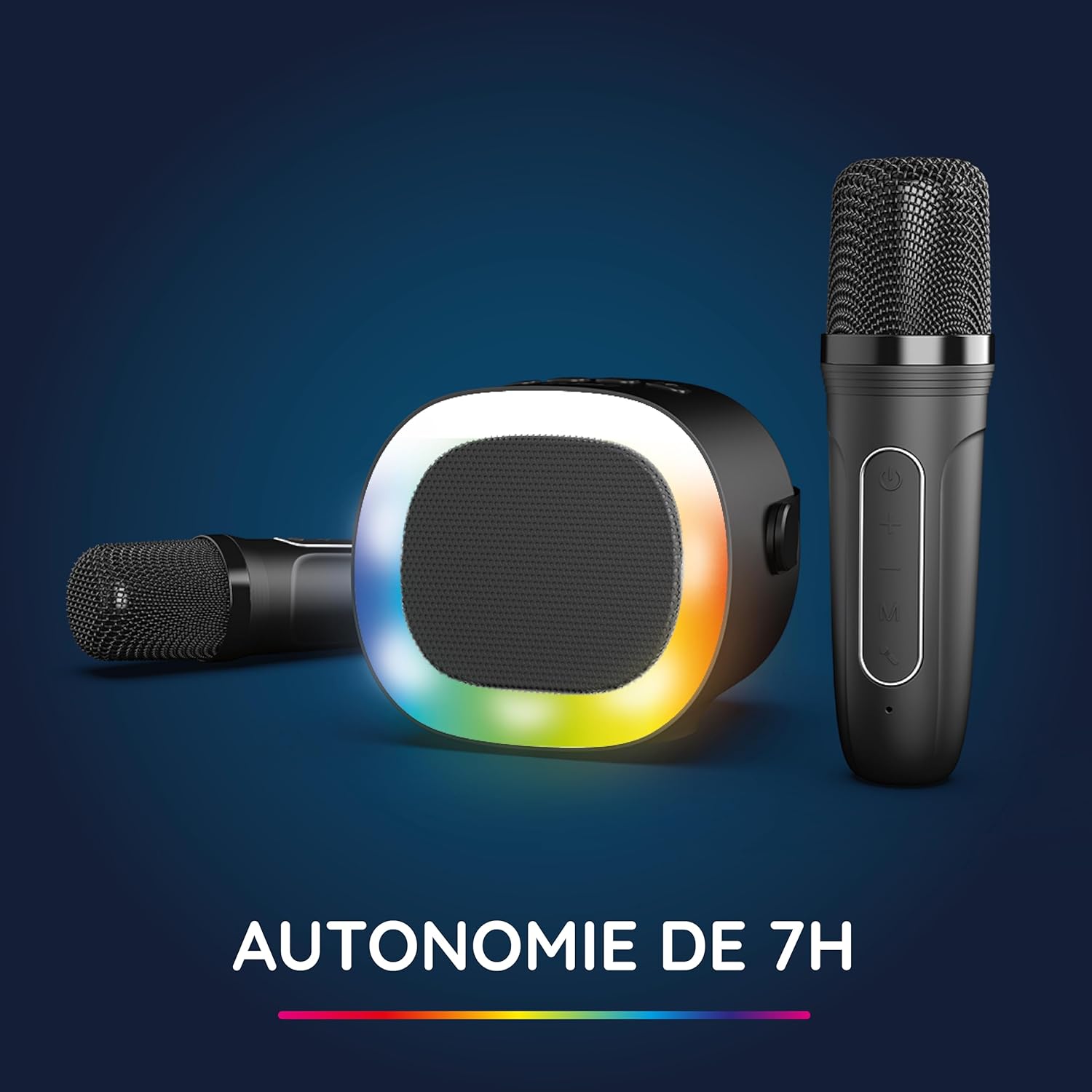
Image: The R-MUSIC speaker and microphones, illustrating the battery life with LED lights active.
2. Powering On and Pairing Microphones
- Уключаны дынамік: Long press the ON/OFF button on the speaker until it powers on.
- Уключаныя мікрафоны: Long press the Power button on each microphone until they power on.
- The microphones should automatically pair with the speaker. If not, ensure they are within close proximity and try powering them off and on again.
Інструкцыя па эксплуатацыі
1. Падключэнне да аўдыёкрыніц
The KARADUO speaker offers multiple connectivity options:
- Bluetooth 5.0:
- Пераканайцеся, што дынамік уключаны.
- Activate Bluetooth on your smartphone, tablet, PC, or other compatible device.
- Пошук "KARADUO" in your device's Bluetooth settings and select it to pair. A confirmation sound will indicate a successful connection.
- The Bluetooth 5.0 technology ensures optimal sound quality and a stable connection up to 10 meters.
- Уваход AUX:
- Connect a 3.5mm audio cable (not included) from your audio device's headphone jack to the speaker's 3.5mm AUX port.
- Дынамік аўтаматычна пераключыцца ў рэжым AUX.
- Micro-SD Card Playback:
- Устаўце карту Micro-SD, якая змяшчае аўдыё ў фармаце MP3 files into the Micro-SD card slot on the back of the speaker.
- Дынамік аўтаматычна распазнае карту і пачне прайграваць музыку.
2. Speaker Operation
- Прайграванне/Паўза: Short press the ON/OFF/Pause/Play button.
- Рэгуляванне гучнасці: Short press the Volume + or Volume - buttons.
- Наступны/Папярэдні трэк: Long press the Volume + (next) or Volume - (previous) buttons.
- Рэжымы святлодыёднага святла: Press the LED Animation button to cycle through 5 different LED light animations.

Image: The R-MUSIC speaker showcasing its dynamic LED light animations.
3. Microphone Operation
- Гучнасць мікрафона: Use the Volume + and Volume - buttons on the microphone to adjust your vocal volume.
- Voice Deformation Effects: Short press the 'M' (Mode) button on the microphone to cycle through 5 different voice deformation effects.
- Рэжымы караоке: Continue pressing the 'M' button to cycle through 3 distinct karaoke modes.
Тэхнічнае абслугоўванне
To ensure the longevity and optimal performance of your R-MUSIC KARADUO system, follow these maintenance guidelines:
- Уборка: Для чысткі дынаміка і мікрафонаў выкарыстоўвайце мяккую сухую тканіну. Не выкарыстоўвайце абразіўныя ачышчальнікі, растваральнікі або агрэсіўныя хімікаты.
- захоўванне: Захоўвайце прыладу ў прахалодным, сухім месцы, удалечыні ад прамых сонечных прамянёў і экстрэмальных тэмператур, калі яна не выкарыстоўваецца.
- Ўздзеянне вады: Гэты выраб не воданепранікальны. Пазбягайце кантакту з вадой або празмернай вільгаццю.
- Зарадка: Only use the provided charging cable and a compatible USB power adapter. Do not overcharge the device.
Ліквідацыю непаладак
If you encounter issues with your KARADUO system, please refer to the following common problems and solutions:
| праблема | Магчымая прычына | Рашэнне |
|---|---|---|
| Няма ўлады | Нізкі зарад батарэі або прылада выключана. | Charge the speaker/microphones. Long press the power button to turn on. |
| Няма гуку з дынаміка | Volume too low, incorrect input mode, or device not connected. | Increase speaker volume. Ensure correct input (Bluetooth, AUX, Micro-SD). Reconnect Bluetooth or check AUX cable. |
| Мікрафоны не працуюць | Мікрафоны выключаны, батарэя разраджаная або не спалучаныя. | Ensure microphones are charged and powered on. They should automatically pair with the speaker. If not, power cycle them. |
| Адключэнне Bluetooth | Device out of range, interference, or low battery. | Move the connected device closer to the speaker (within 10m). Ensure no major obstacles. Recharge the speaker. |
If the problem persists after trying these solutions, please contact R-MUSIC customer support.
Тэхнічныя характарыстыкі
| Асаблівасць | Дэталь |
|---|---|
| Марка | Р-МУЗЫКА |
| Нумар мадэлі | 484437 рупій |
| Колер | Чорны |
| Тэхналогія падлучэння | Bluetooth 5.0 |
| Парты злучэння | 3.5mm Jack, USB Type-C (charging), Micro-SD Card Slot |
| Асаблівасці | 2 Wireless Microphones, Universal Connectivity, 5 Voice Deformation Effects, LED Lights |
| Сумяшчальныя прылады | PC, Smartphone, Tablet, TV (via AUX) |
| Крыніца харчавання | Харчаванне ад батарэі |
| Speaker Battery Life | Up to 14 hours (without LED), 7 hours (with LED) |
| Дыяпазон Bluetooth | Да 10 метраў |

Image: Technical dimensions of the R-MUSIC KARADUO speaker, showing its height, width, and depth.
Гарантыя і падтрымка
Information regarding specific warranty terms and conditions for the R-MUSIC KARADUO Complete Karaoke Pack is not available in this document. Please refer to the product packaging or the retailer's webсайт для дэталяў гарантыі.
For technical support or further assistance, please contact R-MUSIC customer service through their official webсайт або кантактную інфармацыю, прадастаўленую пры пакупцы.