
1. Уводзіны
The Promate Capsule-3 is a portable Bluetooth speaker designed to deliver high-definition audio with versatile connectivity options. This manual provides essential information for setting up, operating, and maintaining your speaker to ensure optimal performance.
2. Што ў скрынцы
Carefully unpack your Promate Capsule-3 speaker. The package should contain the following items:
- 1 x Promate Capsule-3 Bluetooth Speaker
- 1 х Кіраўніцтва карыстальніка
3. Прадукт скончыўсяview
The Promate Capsule-3 speaker features a 5W audio output, True Wireless Stereo (TWS) technology for pairing two speakers, and integrated rainbow LED lights. It supports multiple playback modes including Bluetooth v5.3, TF Card, USB Media Port, and 3.5mm AUX input. The compact design includes a lanyard for portability, and it is powered by a built-in 500mAh rechargeable lithium battery providing up to 6 hours of playtime.
Video 1: Promate Capsule-3 Speaker Overview. This video provides a brief introduction to the Promate Capsule-3 Bluetooth Speaker, highlighting its key features and design.

Image 1: True Wireless Stereo Sound. The image displays the Promate Capsule-3 speaker, emphasizing its 5-watt output and True Wireless Stereo (TWS) capability for enhanced audio.

Image 2: Rainbow LED Lights. This image shows the speaker with its vibrant rainbow LED lights, illustrating its ability to enhance the ambiance of any environment.
4. Настройка
4.1 Зарадка дынаміка
- Connect the charging cable to the DC 5V port on the speaker.
- Падключыце другі канец кабеля да адаптара харчавання USB (не ўваходзіць у камплект) або да USB-порта кампутара.
- The LED indicator will show charging status. Once fully charged, the indicator will change or turn off.
4.2 Уключэнне/выключэнне
- To power on, press and hold the Power button until the LED lights illuminate and an audible prompt is heard.
- To power off, press and hold the Power button again until the LED lights turn off and an audible prompt is heard.
5. Інструкцыя па эксплуатацыі
5.1 Спалучэнне па Bluetooth
- Ensure the speaker is powered on and in Bluetooth pairing mode (LED indicator will flash).
- На вашай прыладзе (смартфоне, планшэце, ноўтбуку) уключыце Bluetooth і знайдзіце даступныя прылады.
- Select "Promate Capsule-3" from the list.
- Пасля спалучэння дынамік выдасць гукавое пацверджанне, а святлодыёдны індыкатар перастане міргаць.
5.2 Спалучэнне з сапраўдным бесправадным стэрэа (TWS)
To achieve stereo sound, you can pair two Promate Capsule-3 speakers together:
- Ensure both Capsule-3 speakers are powered on and not connected to any Bluetooth device.
- On one speaker (this will be the primary speaker), press and hold the TWS pairing button (refer to controls section for button identification).
- The speakers will search for each other and automatically pair. An audible prompt will confirm successful TWS connection.
- Цяпер падключыце прыладу да асноўнага дынаміка праз Bluetooth, як апісана ў раздзеле 5.1. Гук будзе прайгравацца ў стэрэа рэжыме праз абодва дынамікі.

Image 3: Easy Music Navigation. This image highlights the speaker's control buttons, indicating simple navigation for music playback and call management.
5.3 Multi-Mode Playback
Дынамік падтрымлівае розныя спосабы ўводу гуку:
- Bluetooth: Connect wirelessly to your device (see 5.1).
- TF карта: Insert a TF (Micro SD) card loaded with audio fileУстаўце карту памяці ў слот для карты памяці TF. Дынамік аўтаматычна пераключыцца ў рэжым карты памяці TF і пачне прайграванне.
- USB Media Port: Устаўце флешку з аўдыё fileу порт USB. Дынамік аўтаматычна пераключыцца ў рэжым USB і пачне прайграванне.
- Уваход AUX: Connect an audio device using a 3.5mm AUX cable to the AUX port. The speaker will automatically switch to AUX mode.

Image 4: Multiple Connectivity Options. The image illustrates the various input ports available on the speaker, including Wireless BT, AUX Port, USB Drive, and TF Card slot.
6. Элементы кіравання
The Promate Capsule-3 features intuitive touch controls and quick access buttons for managing your audio experience:
- Кнопка харчавання: Націсніце і ўтрымлівайце, каб уключыць/выключыць харчаванне.
- Кнопка прайгравання/паўзы: Press to play or pause audio. During a call, press to answer/end.
- Павялічыць гучнасць (+): Націсніце, каб павялічыць гучнасць. Націсніце і ўтрымлівайце, каб перайсці да наступнай кампазіцыі.
- Памяншэнне гучнасці (-): Націсніце, каб паменшыць гучнасць. Націсніце і ўтрымлівайце, каб перайсці да папярэдняй кампазіцыі.
- Кнопка рэжыму (M): Press to switch between Bluetooth, TF Card, USB, and AUX modes.
- Кіраванне святлодыёдным святлом: Specific button or combination (refer to speaker markings) to cycle through or turn off LED light modes.
7. Тэхнічнае абслугоўванне
- Уборка: Выкарыстоўвайце мяккую сухую тканіну для чысткі вонкавага боку дынаміка. Не выкарыстоўвайце абразіўныя ачышчальнікі або растваральнікі.
- захоўванне: Захоўвайце дынамік у прахалодным, сухім месцы, удалечыні ад прамых сонечных прамянёў і экстрэмальных тэмператур.
- Сыход за батарэяй: To prolong battery life, fully charge the speaker before first use and recharge it regularly, even if not in use for extended periods. Avoid fully discharging the battery frequently.
- Воданепранікальнасць: This speaker is NOT waterproof. Avoid exposure to water or excessive moisture.
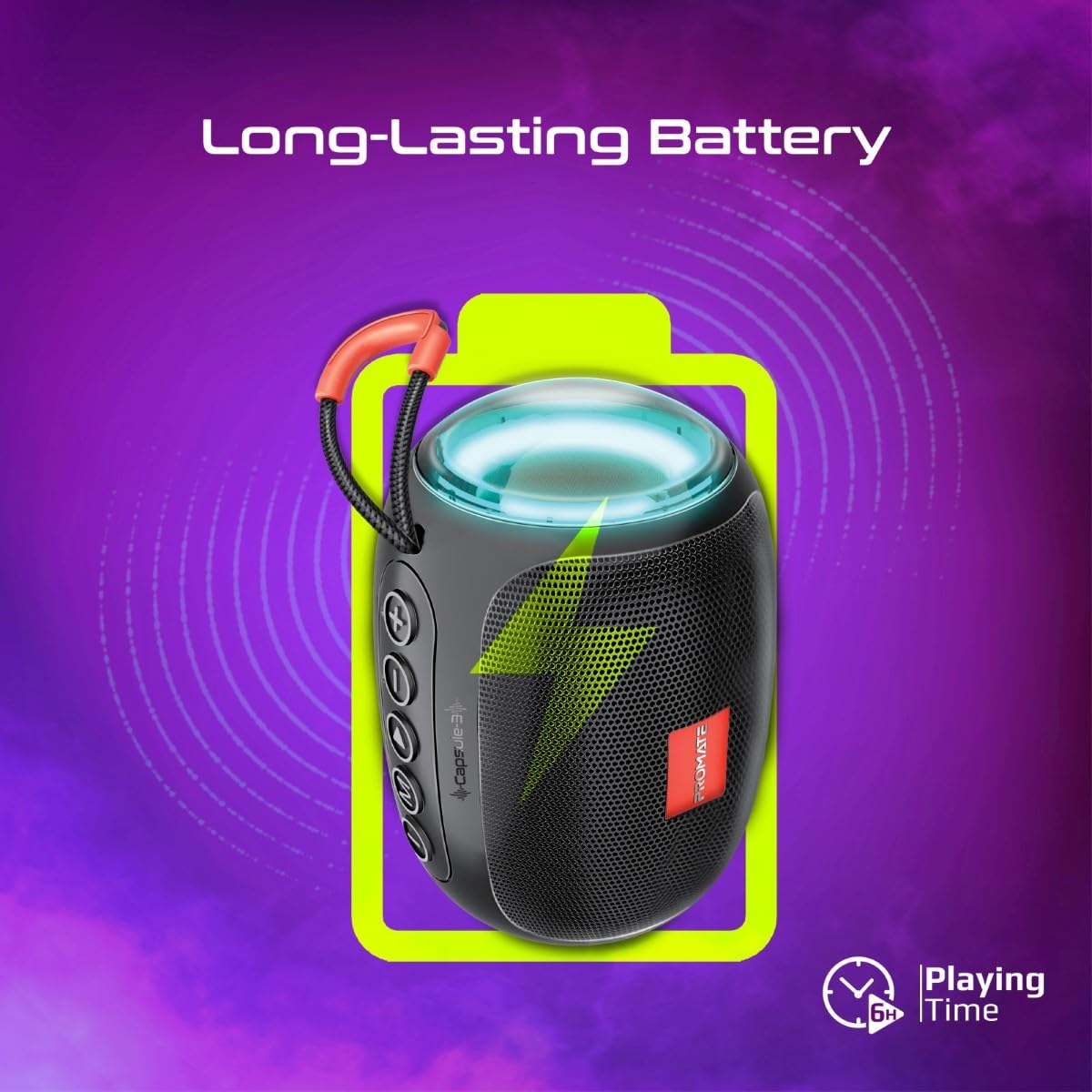
Image 5: Long-Lasting Battery. The image highlights the speaker's extended battery life, indicating over 6 hours of continuous playtime on a single charge.
8. Выпраўленне непаладак
| праблема | Магчымая прычына | Рашэнне |
|---|---|---|
| Дынамік не ўключаецца. | Нізкі акумулятар. | Цалкам зарадзіце дынамік. |
| Немагчыма падключыцца праз Bluetooth. | Дынамік не ў рэжыме спалучэння; Bluetooth прылады выключаны; занадта далёка ад дынаміка. | Ensure speaker is in pairing mode. Turn device Bluetooth off/on. Move device closer to speaker (within 10 meters). |
| Няма гуку. | Volume too low; incorrect input mode; paused playback. | Increase volume. Check input mode (Bluetooth, AUX, TF, USB). Ensure music is playing. |
| Памылка спалучэння TWS. | Дынамікі ўжо падключаны да іншай прылады; занадта далёка адзін ад аднаго. | Disconnect speakers from any Bluetooth devices. Ensure speakers are close to each other. Try re-initiating TWS pairing. |
9. Тэхнічныя характарыстыкі
| Асаблівасць | Дэталь |
|---|---|
| Назва мадэлі | Capsule-3 |
| Матэрыял | Акрыланітрылбутадыенстырол (АБС) |
| Выхад на дынамік | 5 ват |
| Версія Bluetooth | v5.3 |
| Далёкасць бесправадной сувязі | Да 10 метраў |
| Ёмістасць батарэі | Убудаваны літый-акумулятар ёмістасцю 500 мАг |
| Час гульні | Да 6 гадзін |
| Порт для зарадкі | 5 В пастаяннага току (USB) |
| Параметры падлучэння | Bluetooth, 3.5mm AUX, USB Port, TF Card Slot |
| Метад кантролю | Сэнсарныя кнопкі |
| Асаблівасці | LED Lights, True Wireless Stereo (TWS) support, Portable design |
| Памеры прадукту | 9 Г х 9 Ш х 16 В сантыметраў |
| Вага прадмета | 410 грам |
| Воданепранікальнасць | Не воданепранікальны |
10. Гарантыя і падтрымка
For warranty information, technical support, or service inquiries, please refer to the warranty card included with your product or visit the official Promate webсайт. Захоўвайце чэк аб куплі як пацверджанне пакупкі.

Image 6: Music On-The-Go. This image depicts the speaker in an outdoor setting, highlighting its compact and portable design, suitable for travel and outdoor activities.