
1. Уводзіны
Дзякуй за пакупкуasing the WiMiUS K9 Projector. This manual provides essential information for setting up, operating, and maintaining your projector. Please read it thoroughly before use to ensure proper functionality and to maximize your viewвопыту.
The WiMiUS K9 is a high-performance projector featuring native Full HD 1080P resolution with 4K support, AI auto-focus and keystone correction, WiFi 6, Bluetooth 5.2, and integrated Netflix certification with Dolby Audio support.
2. Інфармацыя па бяспецы
- Не глядзіце непасрэдна ў аб'ектыў праектара, калі ён уключаны.amp уключаны.
- Забяспечце належную вентыляцыю вакол праектара, каб прадухіліць перагрэў.
- Avoid placing the projector in dusty, humid, or extremely hot/cold environments.
- Выкарыстоўвайце толькі адаптар сілкавання, які пастаўляецца з праектарам.
- Трымайце праектар далей ад вады або іншых вадкасцей.
- Do not attempt to disassemble or repair the projector yourself. Contact customer support for assistance.
3. Змесціва ўпакоўкі
Праверце наяўнасць усіх прадметаў у камплекце:
- Праектар WiMiUS K9
- Кабель HDMI
- Пульт дыстанцыйнага кіравання
- Сілавы кабель
- Анучка для чысткі
- Cap аб'ектыў
- Кіраўніцтва карыстальніка (гэты дакумент)
4. Прадукт скончыўсяview
Familiarize yourself with the projector's components and connection ports.
Выява: спераду і збоку view of the WiMiUS K9 Projector, showing the lens and ventilation.
4.1. Парты і падключэнні
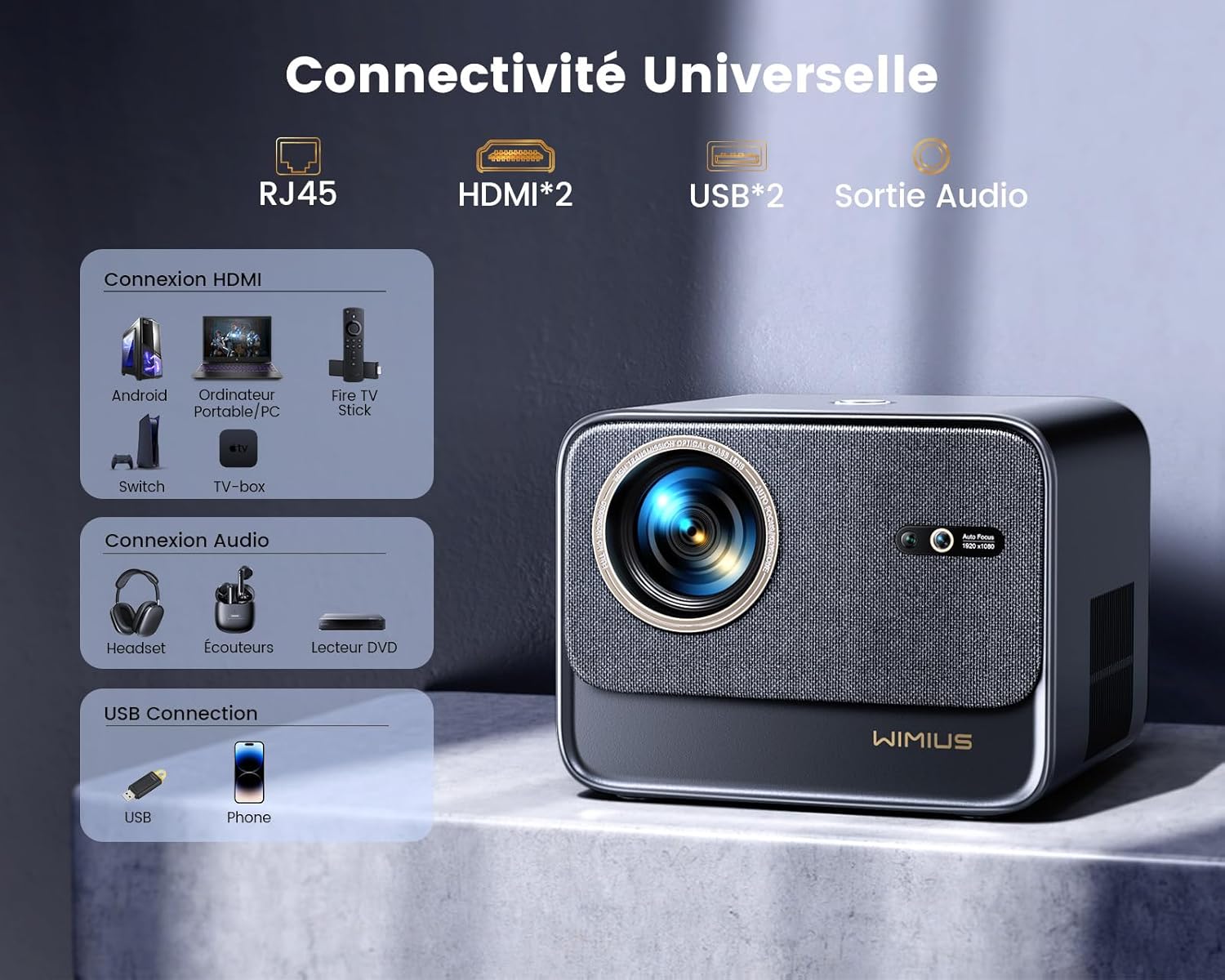
Выява: Задняя частка view of the WiMiUS K9 Projector, highlighting the Ethernet (RJ45), HDMI (x2), USB (x2), and Audio Out ports.
- RJ45 (Ethernet): Для праваднога падключэння да Інтэрнэту.
- HDMI (x2): Connect to devices like TV sticks, game consoles (PS5), laptops, or TV boxes. Supports HDMI ARC.
- USB (x2): Connect USB drives for media playback or charge compatible devices.
- Аўдыёвыхад (раздым 3.5 мм): Падключыце знешнія дынамікі або навушнікі.
5. Настройка
5.1. размяшчэнне
Place the projector on a stable, flat surface or mount it according to your preference. Ensure the lens is unobstructed. The projector supports a screen size of 50-300 inches with a projection ratio of 1.33:1.
5.2. Падключэнне сілкавання
- Падключыце кабель харчавання да ўваходу харчавання праектара.
- Устаўце другі канец кабеля сілкавання ў разетку.
- Націсніце кнопку харчавання на праектары або пульце дыстанцыйнага кіравання, каб уключыць яго.
5.3. Auto Focus and Keystone Correction
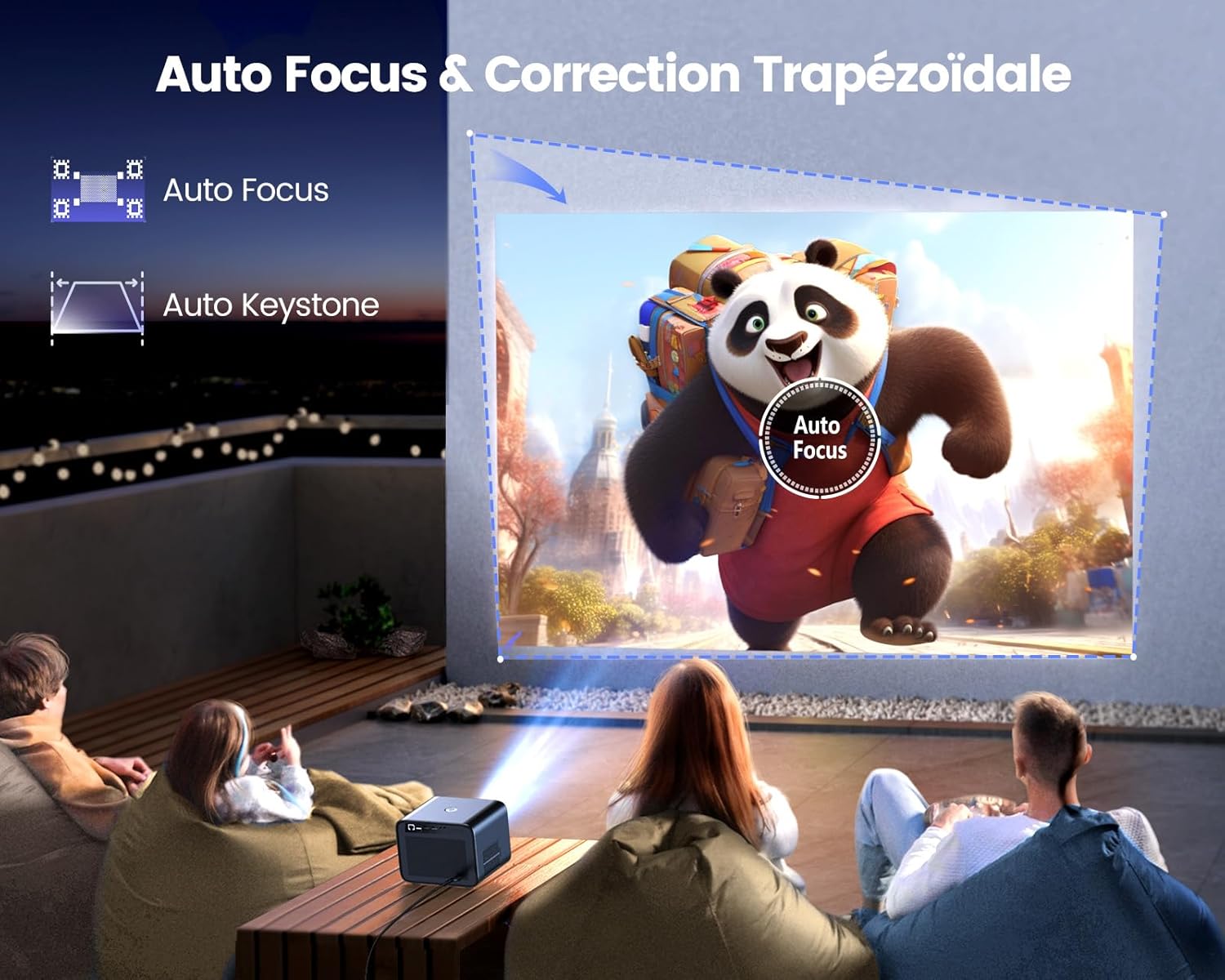
Image: Illustration of the projector automatically adjusting focus and keystone to achieve a rectangular image.
The WiMiUS K9 features AI-powered auto-focus and auto-keystone correction. Upon startup or movement, the projector will automatically adjust the image to be clear and rectangular within approximately 3 seconds. If manual adjustment is needed, use the remote control to fine-tune focus or keystone settings.
5.4. Функцыя маштабавання
The projector includes a 50%-100% zoom function, allowing you to adjust the image size without physically moving the projector. Access this feature through the projector's menu or dedicated remote control buttons.
6. Інструкцыя па эксплуатацыі
6.1. Навігацыя і карыстальніцкі інтэрфейс

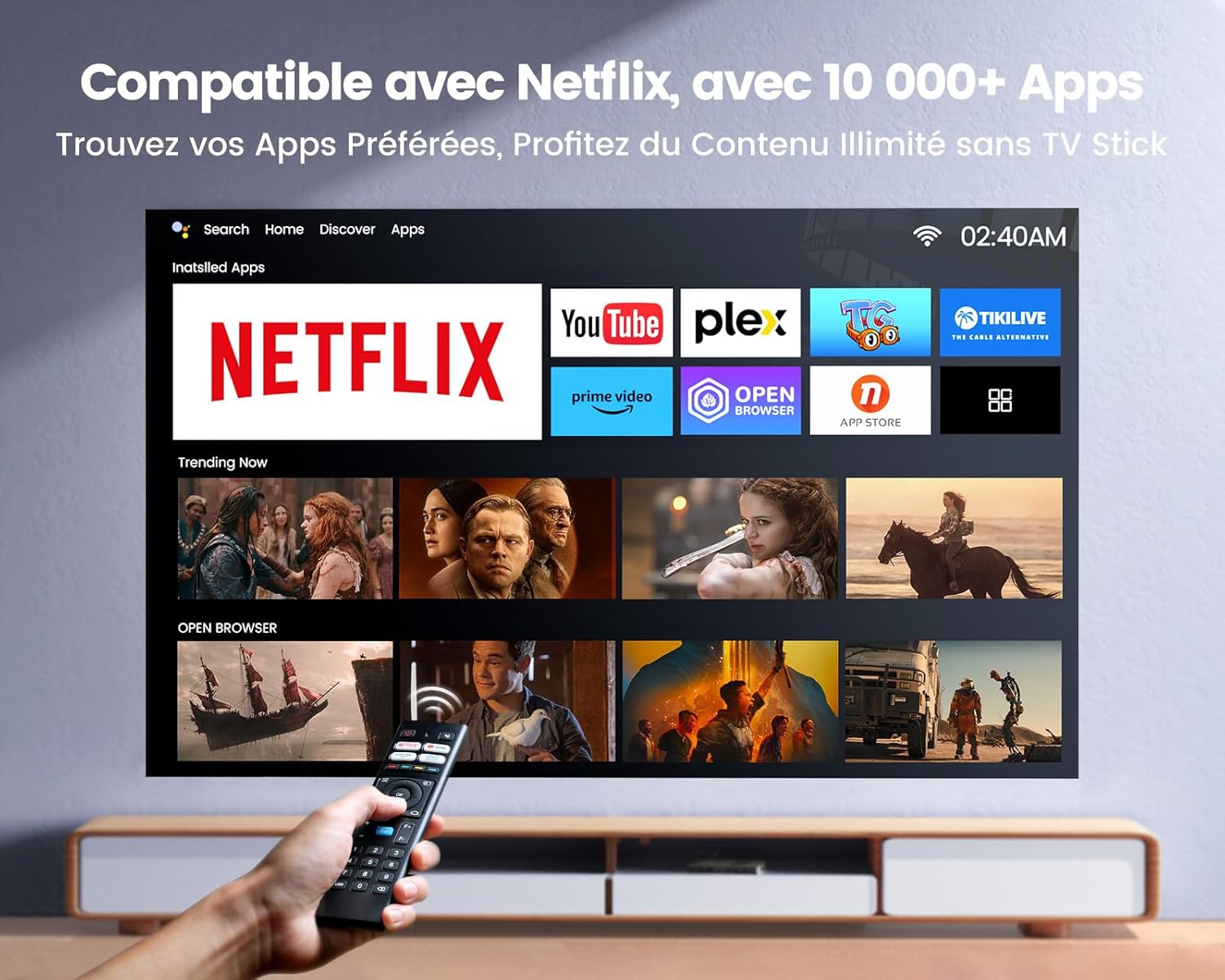
Image: The projector's home screen displaying various streaming applications like Netflix, YouTube, and Prime Video, controlled by a remote.
Use the provided remote control to navigate the projector's Linux-based operating system. The interface provides access to certified applications such as Netflix, Amazon Prime Video, and YouTube, along with other streaming services.
6.2. Падключэнне знешніх прылад
The K9 projector offers multiple connectivity options:
- HDMI: Connect your TV stick, game console (e.g., PS5), laptop, or TV box using an HDMI cable. Select the corresponding HDMI input from the projector's source menu.
- USB: Устаўце флэш-назапашвальнік USB у порт USB, каб прайграваць медыяфайлы files непасрэдна.
- Ethernet (RJ45): For a stable wired internet connection, plug an Ethernet cable into the RJ45 port.
6.3. Wireless Connectivity (WiFi 6 & Bluetooth 5.2)

Image: A person enjoying a video game projected by the WiMiUS K9, illustrating the fast WiFi 6 connection.
- WiFi 6: Connect to your wireless network for internet access and streaming. Navigate to the network settings in the projector's menu to connect to a WiFi 6 network. This enables seamless streaming and screen mirroring from iOS/Android phones and tablets.
- Bluetooth 5.2: Pair with Bluetooth headphones, speakers, or soundbars for enhanced audio. Go to Bluetooth settings in the menu, enable Bluetooth, and select your device to pair. The projector supports Dolby Audio output to connected Bluetooth devices.
6.4. Налады гуку (Dolby Audio)

Image: The WiMiUS K9 Projector prominently displaying the Dolby Audio logo, indicating its audio capabilities.
The K9 projector supports Dolby Audio, providing a cinematic sound experience. You can output audio through the built-in speakers, the 3.5mm audio jack, or wirelessly via Bluetooth 5.2 to compatible audio devices.
7. Тэхнічнае абслугоўванне
7.1. Ачыстка аб'ектыва
Gently wipe the projector lens with the provided cleaning cloth or a soft, lint-free cloth. Avoid using abrasive cleaners or excessive pressure, which can damage the lens coating.
7.2. Прадухіленне пылу
The WiMiUS K9 features a fully sealed optical machine design to effectively block dust and reduce black spots on the projection. Periodically clean the projector's exterior with a soft cloth. Ensure ventilation openings are clear of obstructions.
7.3. Захоўванне
When not in use for extended periods, store the projector in a cool, dry place, protected from dust and extreme temperatures. Use the lens cap to protect the lens.
8. Выпраўленне непаладак
If you encounter issues with your WiMiUS K9 Projector, refer to the following common problems and solutions:
- Няма выявы:
- Пераканайцеся, што кабель харчавання надзейна падключаны, і праектар уключаны.
- Check the input source selection (HDMI 1, HDMI 2, etc.) matches your connected device.
- Пераканайцеся, што падключаная прылада (ноўтбук, тэлевізар) уключана і выводзіць сігнал.
- Размытая выява:
- Allow the auto-focus function to complete its adjustment.
- If needed, manually adjust the focus using the remote control.
- Ensure the projection surface is flat and the projector lens is clean.
- Distorted Image (not rectangular):
- Allow the auto-keystone correction to complete.
- If necessary, manually adjust keystone correction via the projector's menu.
- Няма гуку:
- Праверце ўзровень гучнасці як на праектары, так і на падлучанай прыладзе-крыніцы.
- Ensure external speakers or headphones are correctly connected and powered on if used.
- Verify Bluetooth audio is correctly paired and selected as the output.
- Праблемы з падключэннем Wi-Fi/Bluetooth:
- Ensure the WiFi network is active and within range. Re-enter the password if necessary.
- Для Bluetooth пераканайцеся, што прылада знаходзіцца ў рэжыме спалучэння і знаходзіцца ў зоне дзеяння.
- Restart the projector and the device you are trying to connect.
Каб атрымаць дадатковую дапамогу, звярніцеся да кантактнай інфармацыі ў раздзеле «Гарантыя і падтрымка».
9. Тэхнічныя характарыстыкі
| Марка | WiMiUS |
| мадэль | K9 |
| Роднае дазвол | 1920 x 1080p (Full HD) |
| Падтрымліваецца дазвол | Up to 4K Ultra HD (60Hz) |
| Яркасць | 32000 люмен (1100 люменаў ANSI) |
| Каэфіцыент кантраснасці | 40000:1 |
| Аперацыйная сістэма | Linux (Netflix Certified) |
| Сувязь | WiFi 6, Bluetooth 5.2, 2x HDMI (ARC), 2x USB, Ethernet (RJ45), 3.5mm Audio Out |
| Асаблівасці | AI Auto Focus, AI Auto Keystone Correction, Dolby Audio Support, Fully Sealed Optical Machine, 50-100% Zoom |
| Рэкамендуемае выкарыстанне | Home Cinema, Gaming Console |
| Уключаныя кампаненты | Projector, HDMI Cable, Remote Control, Power Cable, Cleaning Cloth, Lens Cap, User Manual |
10. Гарантыя і падтрымка
The WiMiUS K9 Projector comes with a Гарантыя 3 год з дня пакупкі.
For technical support, warranty claims, or any questions regarding your projector, please contact WiMiUS customer service. Refer to the contact information provided in the physical user manual included with your product or visit the official WiMiUS webсайт для падрабязнай інфармацыі аб падтрымцы.
When contacting support, please have your product model (K9) and purchase details ready.