
1. Уводзіны
Thank you for choosing the EMANER Smart Security Light Motion Sensor. This device combines advanced motion detection with smart control features, offering adjustable brightness, color temperature, and seamless integration with smart home systems like Alexa and Google Home. This manual provides detailed instructions for safe installation, configuration, and operation of your new security light.

Image 1.1: EMANER Smart Security Lights with smart home integration.
2. Інфармацыя па бяспецы
WARNING: Risk of electric shock. Installation should be performed by a qualified electrician or a person with electrical knowledge. Disconnect power at the fuse box or circuit breaker before installation or servicing.
- Перад устаноўкай пераканайцеся, што крыніца харчавання адключаны.
- Follow all local electrical codes and ordinances.
- Не спрабуйце змяніць прадукт.
- Трымайце прадукт далей ад лёгкаўзгаральных матэрыялаў.
- This product is designed for outdoor use and is water-resistant. However, do not submerge it in water.
3. Змесціва ўпакоўкі
Перад пачаткам усталёўкі пераканайцеся, што ўсе кампаненты наяўныя:
- EMANER Smart Security Light (2 units for 2-Pack)
- Мантажныя прыналежнасці (шрубы, гайкі, мантажная пласціна)
- Інструкцыя па эксплуатацыі (гэты дакумент)
4. Тэхнічныя характарыстыкі
| Асаблівасць | Дэталь |
|---|---|
| Марка | ЭМАНЕР |
| Назва мадэлі | EMR-8030 |
| Святлоаддача | 2800 люмен (макс.) |
| Каляровая тэмпература | 2700K-6500K (рэгуляваная) |
| Зацямняецца | 1% to 100% via App |
| Крыніца харчавання | Правадная электрычная (120 вольт) |
| Сувязь | 2.4 ГГц Wi-Fi |
| Метады кантролю | App (Smart Life/Tuya Smart), Voice (Alexa, Google Assistant) |
| Дыяпазон датчыка руху | Да 26 футаў (рэгуляваная вышыня) |
| Працягласць святла | Ад 5 секунд да 60 хвілін (рэгулюецца) |
| Матэрыял | Пластыкавыя |
| Памеры | 12 см Д х 6.7 см Ш х 6 см В |
| Воданепранікальнасць | Water Resistant (Weatherproof) |

Image 4.1: Product dimensions and adjustable light heads.
5. Настройка
5.1. Ўстаноўка
- Выключыць харчаванне: Before starting, ensure the power to the junction box is turned off at the circuit breaker.
- Падрыхтоўка мантажу: Attach the mounting plate to your outdoor junction box using the provided screws.
- Правадныя злучэнні: Connect the light's wires to your household wiring:
- Чорны провад (фаза) да чорнага провада (фаза)
- Белы провад (нейтральны) да белага провада (нейтральны)
- Зялёны/неаголены медны провад (зазямленне) да зялёнага/неаголенага меднага провада (зазямленне)
- Мацаванне: Carefully tuck the wires into the junction box and secure the light fixture to the mounting plate.
- Адрэгулюйце галоўкі святла: The three light heads and the motion sensor are rotatable. Adjust them to cover your desired area.
- Аднавіць сілу: Зноў уключыце сілкаванне на аўтаматычным выключальніку.
5.2. App Connection (Smart Life / Tuya Smart)
The EMANER Smart Security Light connects via 2.4GHz Wi-Fi to the Smart Life or Tuya Smart app.
- Спампаваць прыкладанне: Запампуйце праграму «Smart Life» або «Tuya Smart» з крамы праграм для вашага смартфона (iOS або Android).
- Рэгістрацыя/Уваход: Адкрыйце праграму і зарэгіструйце новы ўліковы запіс або ўвайдзіце ў сістэму, калі ён у вас ужо ёсць.
- Дадаць прыладу:
- Пераканайцеся, што ваш тэлефон падключаны да сеткі Wi-Fi 2.4 ГГц.
- У дадатку націсніце значок «+» у правым верхнім куце, каб дадаць прыладу.
- Select "Lighting" or "Security & Sensor" and then "Light Source (Wi-Fi)" or "Floodlight (Wi-Fi)".
- Follow the in-app instructions to put the light into pairing mode. This usually involves turning the light off and on a few times until it blinks rapidly.
- Увядзіце пароль сеткі Wi-Fi, калі будзе прапанавана.
- Wait for the app to discover and connect to the device. Once connected, you can rename the light.
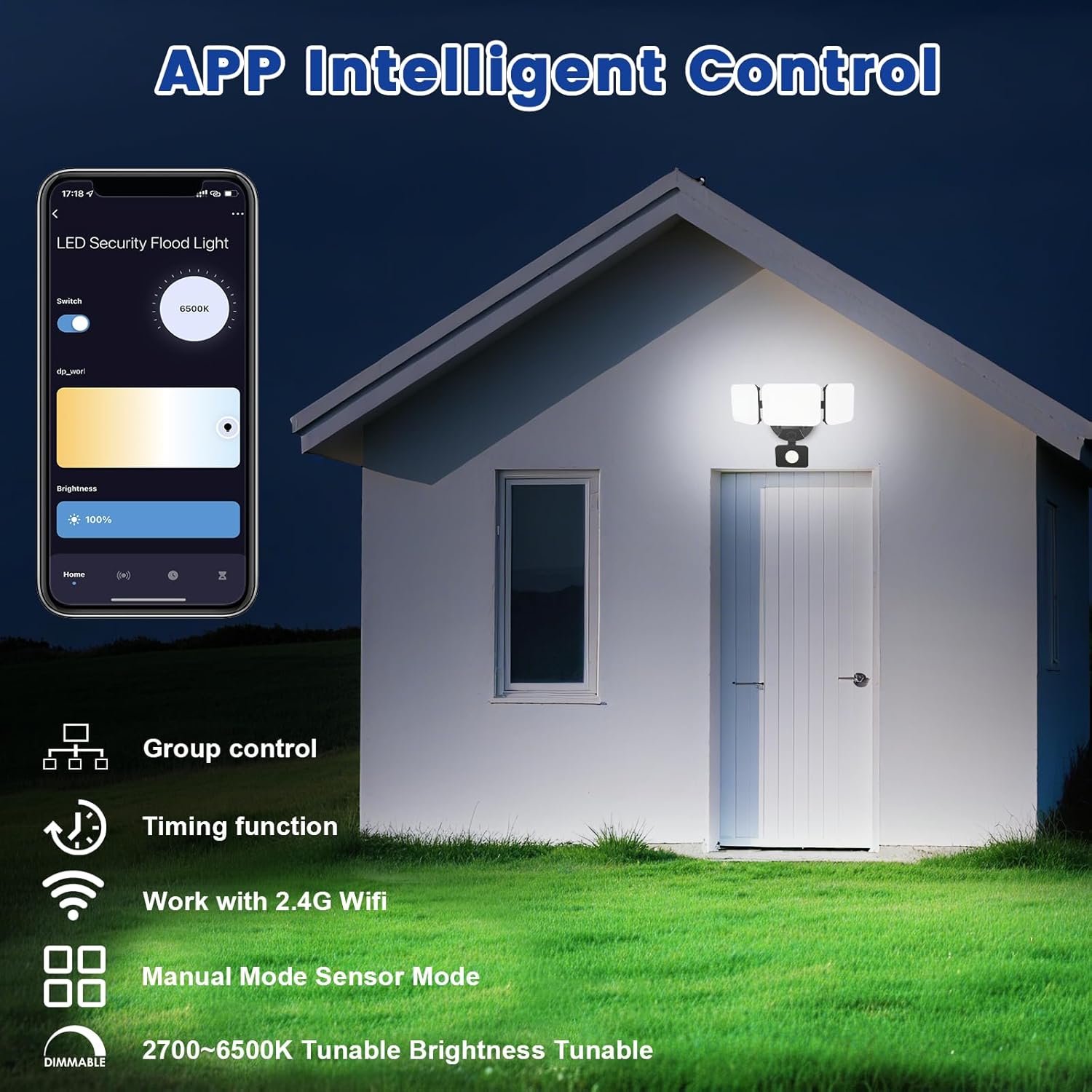
Image 5.1: App interface for intelligent control.
6. Інструкцыя па эксплуатацыі
6.1. Кіраванне праграмамі
Once connected, use the Smart Life/Tuya Smart app to control your security light:
- Рэгуляванне яркасці: Адрэгулюйце інтэнсіўнасць святла ад 1% да 100%.
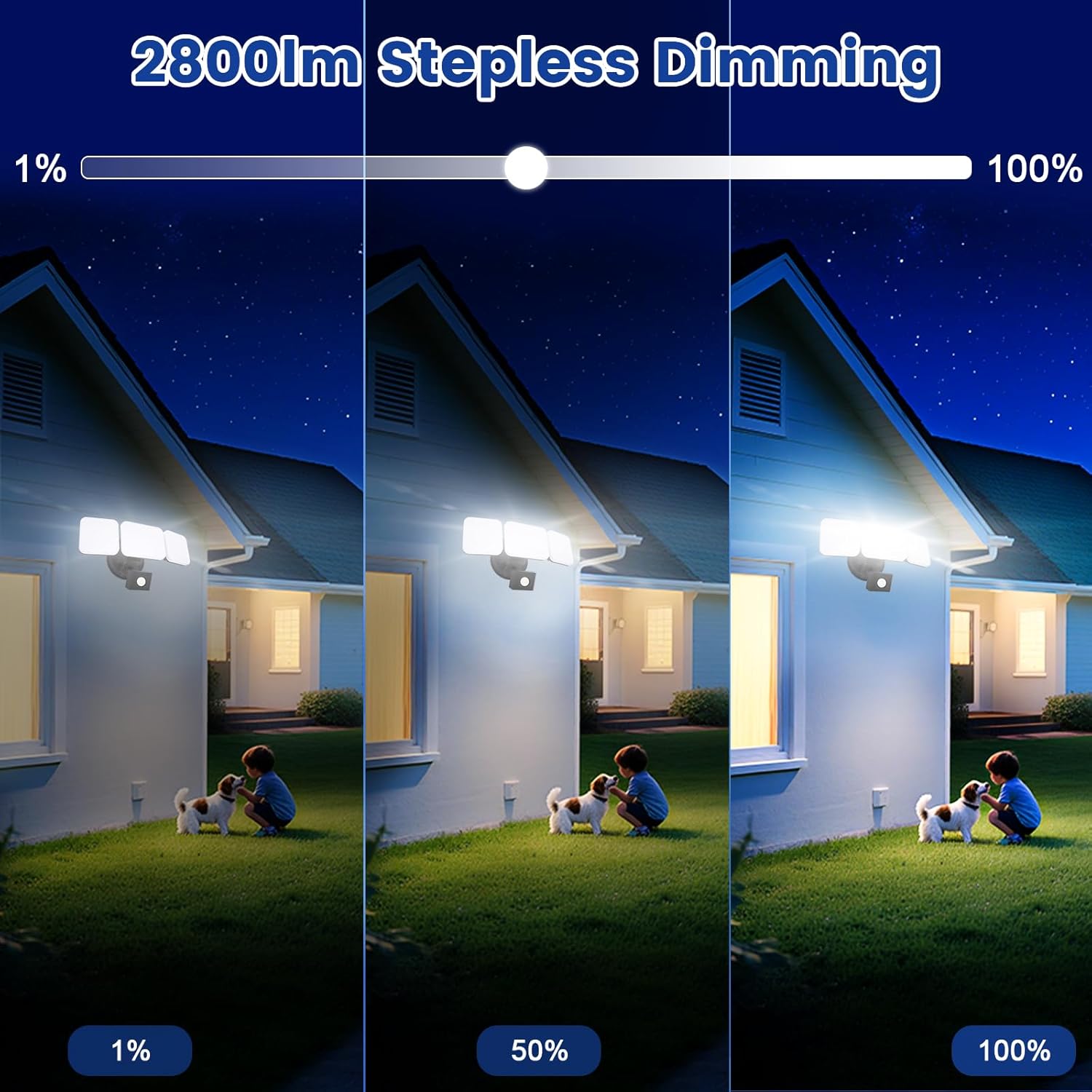
Image 6.1: Stepless dimming from 1% to 100% brightness.
- Рэгуляванне каляровай тэмпературы: Change the light color from warm white (2700K) to daylight white (6500K).
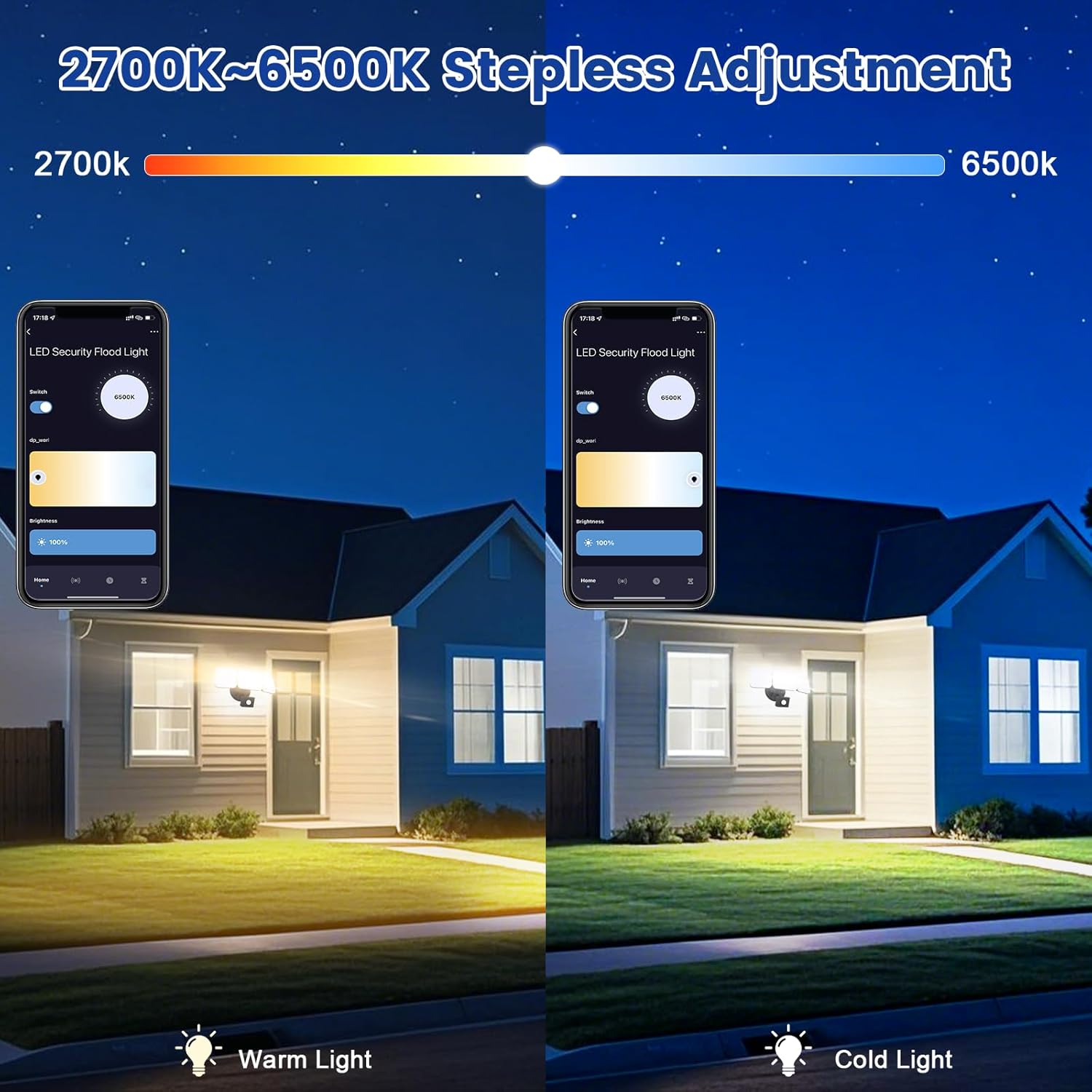
Image 6.2: Tunable white from 2700K (Warm) to 6500K (Daylight).
- Рэжымы працы:
- Ручной рэжым: Functions as a regular light. You can set it to turn on/off at specific times and adjust brightness/color temperature.
- Рэжым датчыка: Activates the motion sensor. Customize sensor settings like sensitivity and light duration.
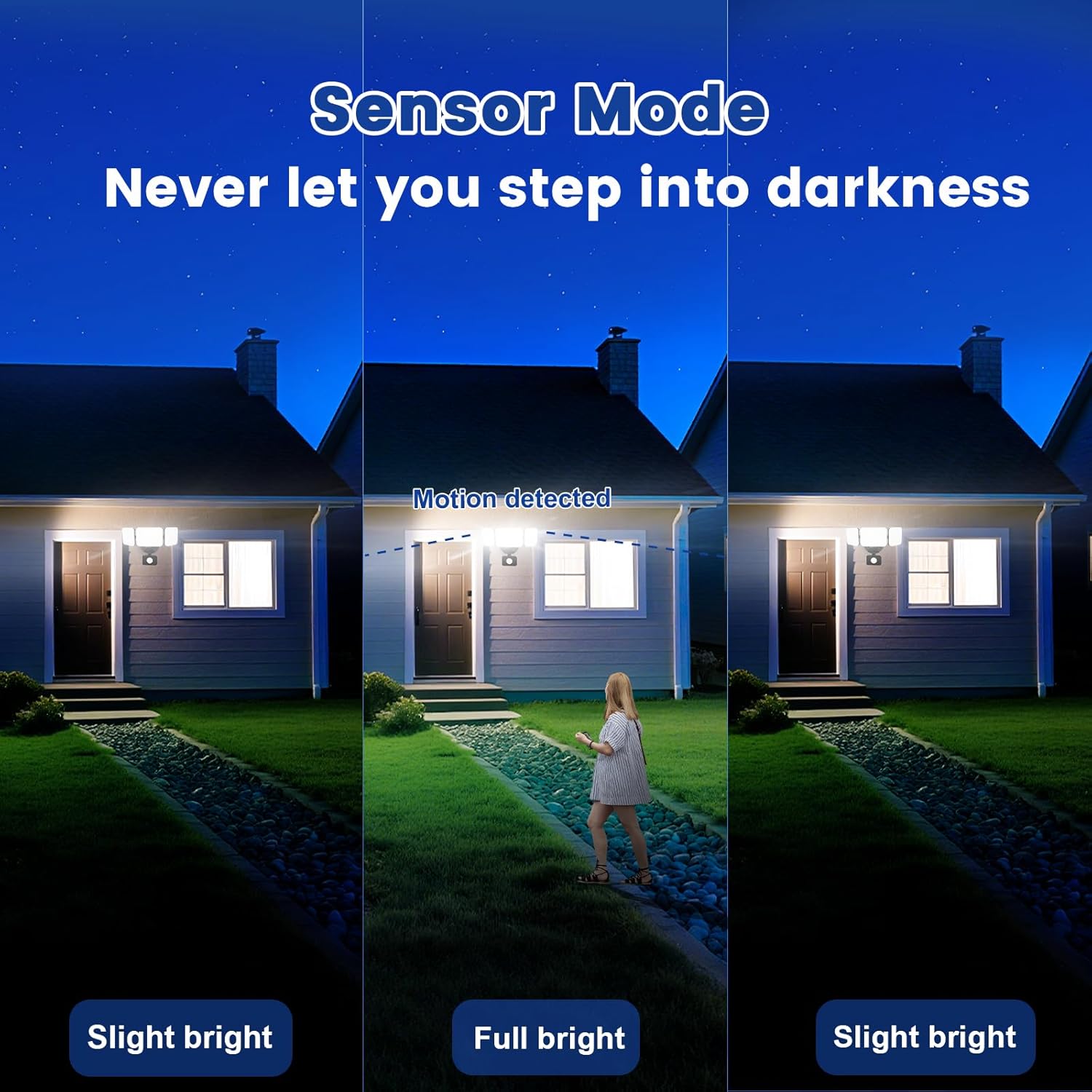
Image 6.3: Sensor Mode operation, detecting motion and adjusting brightness.
- Налады датчыка руху: Adjust the detection range (up to 26ft) and the duration the light stays on after motion is detected (5 seconds to 60 minutes).

Image 6.4: Adjustable full light duration time.
- Планаванне: Усталюйце расклад, па якім святло будзе ўключацца або выключацца ў пэўны час.

Image 6.5: Time scheduling and delay settings.
- Групавы кантроль: Group multiple EMANER smart lights together for simultaneous control.
6.2. Галасавое кіраванне (Alexa / Google Assistant)
Integrate your EMANER Smart Security Light with Amazon Alexa or Google Assistant for convenient voice commands.
- Прывязаць уліковы запіс: In the Alexa or Google Home app, enable the "Smart Life" or "Tuya Smart" skill/service and link your account.
- Адкрыйце для сябе прылады: Ask Alexa or Google Assistant to "Discover devices."
- Галасавыя каманды: Выкарыстоўвайце такія каманды, як:
- «Алекса, уключы святло бяспекі».
- "Hey Google, set the security light to 50% brightness."
- "Alexa, change the security light to warm white."
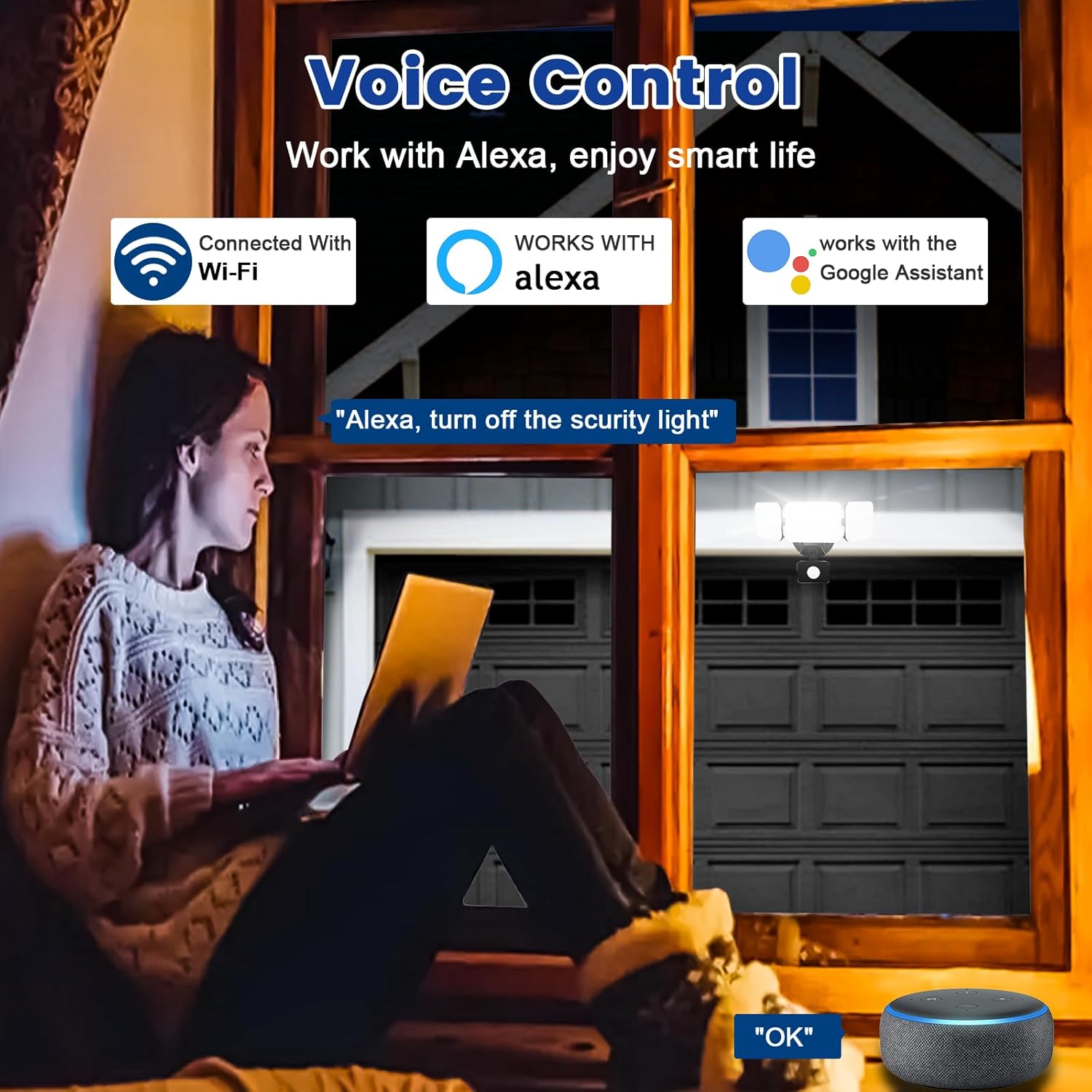
Image 6.6: Voice control integration with Alexa and Google Assistant.
7. Тэхнічнае абслугоўванне
- Уборка: Перыядычна чысціце свяцільнік мяккай губкайamp тканіна. Не выкарыстоўвайце абразіўныя ачышчальнікі або растваральнікі.
- агляд: Regularly check for any loose wiring or damage to the fixture.
- Абнаўленні прашыўкі: Keep the Smart Life/Tuya Smart app updated to ensure your device receives the latest firmware for optimal performance and security.
8. Выпраўленне непаладак
| праблема | Магчымая прычына | Рашэнне |
|---|---|---|
| Святло не ўключаецца. | Няма электрычнасці, няспраўная праводка, няспраўная сантэхніка. | Check circuit breaker. Ensure all wiring connections are secure. Contact support if issue persists. |
| Немагчыма падключыцца да Wi-Fi. | Incorrect Wi-Fi band (not 2.4GHz), wrong password, light not in pairing mode, weak signal. | Ensure your router is broadcasting 2.4GHz Wi-Fi. Verify password. Put light into pairing mode (turn off/on several times). Move router closer or use a Wi-Fi extender. |
| Датчык руху не працуе або занадта адчувальны. | Incorrect settings in app, obstruction, environmental factors. | Adjust sensitivity and detection range in the Smart Life/Tuya Smart app. Ensure sensor is not obstructed. Avoid aiming at heat sources or reflective surfaces. |
| Галасавое кіраванне не рэагуе. | App account not linked, device not discovered, incorrect commands. | Ensure Smart Life/Tuya Smart skill is enabled and linked in Alexa/Google Home app. Ask to "Discover devices." Use correct voice commands. |
9. Гарантыя і падтрымка
EMANER provides a Lifetime Warranty for this product, ensuring quality and customer satisfaction. For technical support, warranty claims, or any questions regarding your EMANER Smart Security Light, please contact EMANER customer service through the retailer's platform or visit the official EMANER webсайт для кантактнай інфармацыі.
Інтэрнэт-рэсурсы:
- For app-related issues, refer to the help section within the Smart Life or Tuya Smart application.
- Наведайце ст EMANER Store on Amazon для атрымання інфармацыі аб прадукце і падтрымкі.