
1. Уводзіны
The PhoFuta M832 is an ultra-portable wireless thermal printer designed for convenience and efficiency. Weighing approximately 1.5 pounds and compact in size, it is ideal for use in various settings including business trips, vehicles, offices, homes, and schools. This printer utilizes thermal technology, eliminating the need for ink cartridges and simplifying your printing experience.

2. Інфармацыя па бяспецы
Калі ласка, уважліва прачытайце ўсе інструкцыі па тэхніцы бяспекі перад выкарыстаннем прылады, каб забяспечыць бяспечную і правільную працу.
- Не падвяргайце прынтар уздзеянню экстрэмальных тэмператур, прамых сонечных прамянёў або высокай вільготнасці.
- Keep the printer away from water or other liquids to prevent electric shock or damage.
- Выкарыстоўвайце толькі зарадны кабель і адаптар, якія ўваходзяць у камплект.
- Не спрабуйце разбіраць або рамантаваць прынтар самастойна. Звярніцеся па дапамогу ў службу падтрымкі кліентаў.
- Забяспечце належную вентыляцыю падчас зарадкі прылады.
3. Што ў скрынцы
Праверце наяўнасць усіх кампанентаў у камплекце:
- 1 x PhoFuta M832 Portable A4 Printer
- 1 x USB Cable and Type-C Converter
- 1 x A4 Thermal Paper Roll
- 1 х Кіраўніцтва карыстальніка
4. Настройка
4.1 Зарадка прылады
Before first use, fully charge the printer. Connect the provided USB-C cable to the printer's charging port and the other end to a compatible power source (e.g., wall adapter, computer USB port). The indicator light will show charging status.

4.2 Загрузка тэрмапаперы
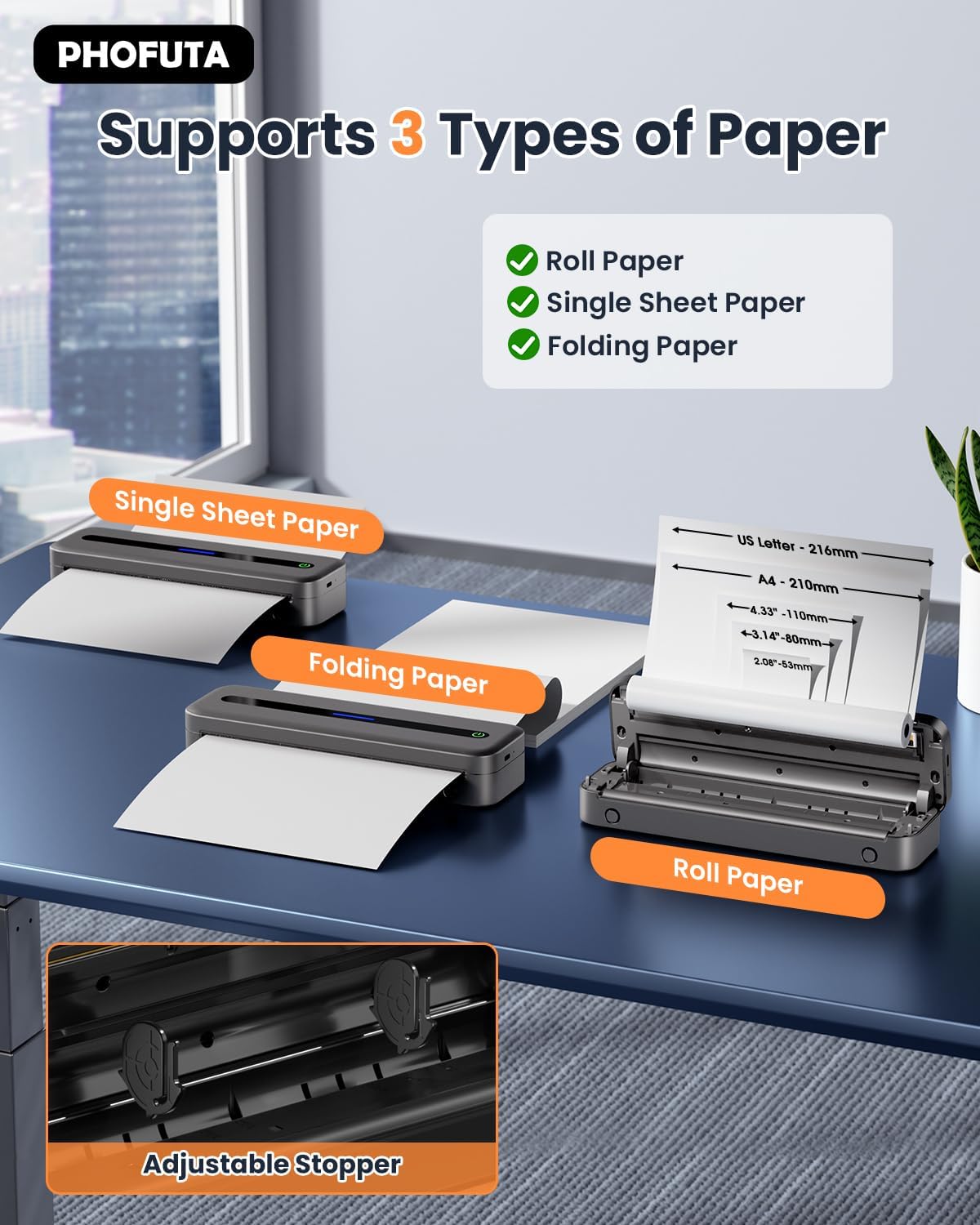
The PhoFuta M832 supports various thermal paper types, including roll paper, single sheets, and folding paper. Open the paper compartment cover, insert the thermal paper according to the diagram, ensuring the printable side faces the print head. Close the cover securely.
4.3 Падключэнне да прылады
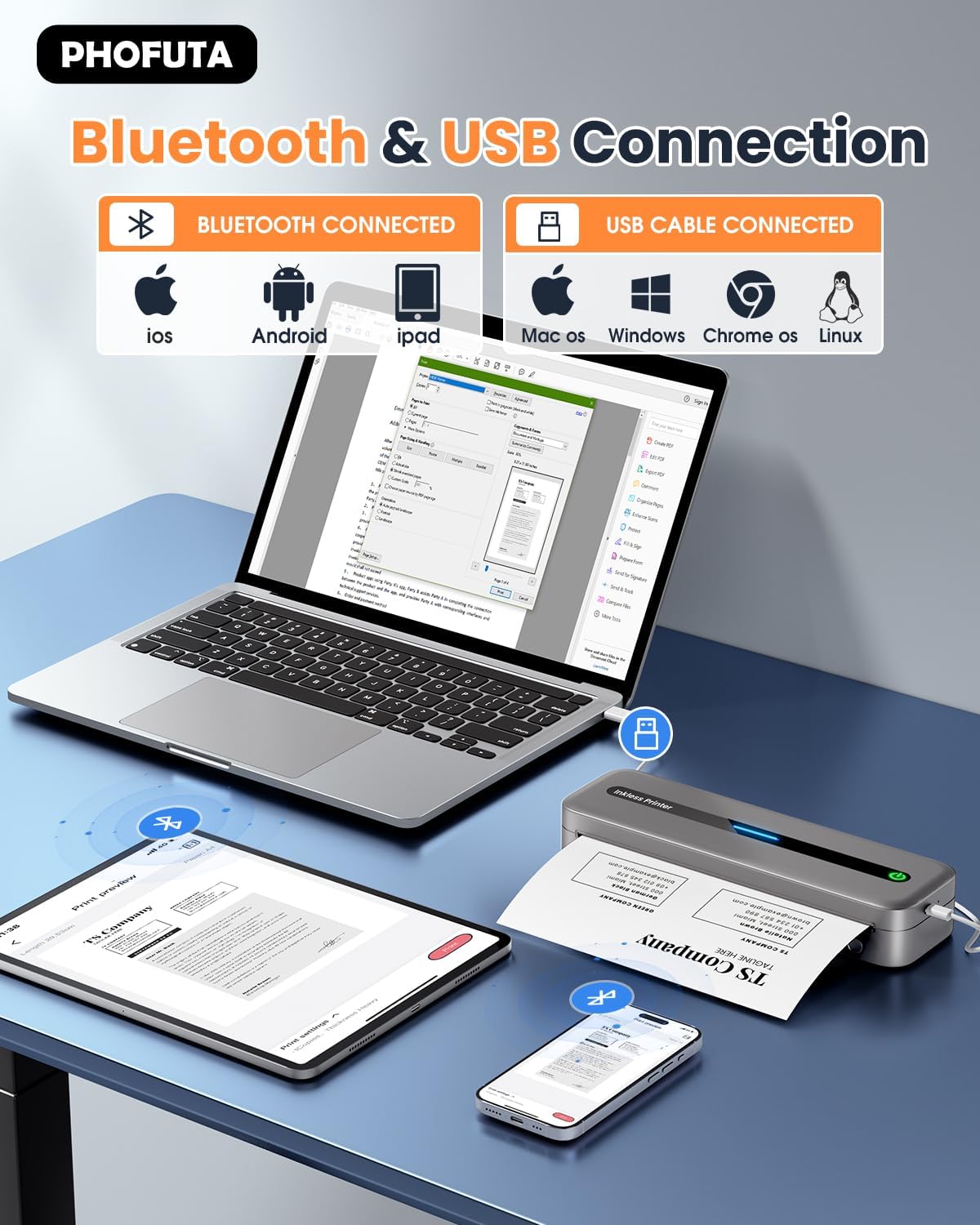
The printer offers both Bluetooth and USB connectivity options.
- Злучэнне Bluetooth: Turn on the printer and enable Bluetooth on your smartphone or tablet. Download the Phomemo app (available for iOS and Android). Open the app, search for the printer, and pair.
- USB-злучэнне: Connect the printer to your laptop or computer using the provided USB-C cable. Install the necessary drivers (usually available from the PhoFuta website or included on a small disk/QR code).
5. Інструкцыя па эксплуатацыі
5.1 Базавы друк
Once connected, open the document or image you wish to print from your device. Select the PhoFuta M832 as your printer. Adjust print settings as needed (e.g., paper size, orientation) and initiate the print command. The printer will feed the thermal paper and produce the printout.
5.2 Якасць друку
The PhoFuta M832 offers a maximum print resolution of 300 DPI (dots per inch) for black and white prints, ensuring clear and legible documents.

5.3 Supported Paper Sizes
The printer supports various paper sizes, including US Letter, A4, and smaller sizes like 4-inch, 3-inch, and 2-inch (216mm, 210mm, 110mm, 80mm, 53mm respectively). Ensure you use thermal paper compatible with these dimensions.
6. Тэхнічнае абслугоўванне
6.1 Чыстка прынтара
Regularly clean the printer to maintain optimal performance. Use a soft, dry, lint-free cloth to wipe the exterior. For the print head, use a cotton swab lightly dampened with isopropyl alcohol, wiping gently. Ensure the printer is off and disconnected from power before cleaning.
6.2 Thermal Paper Considerations
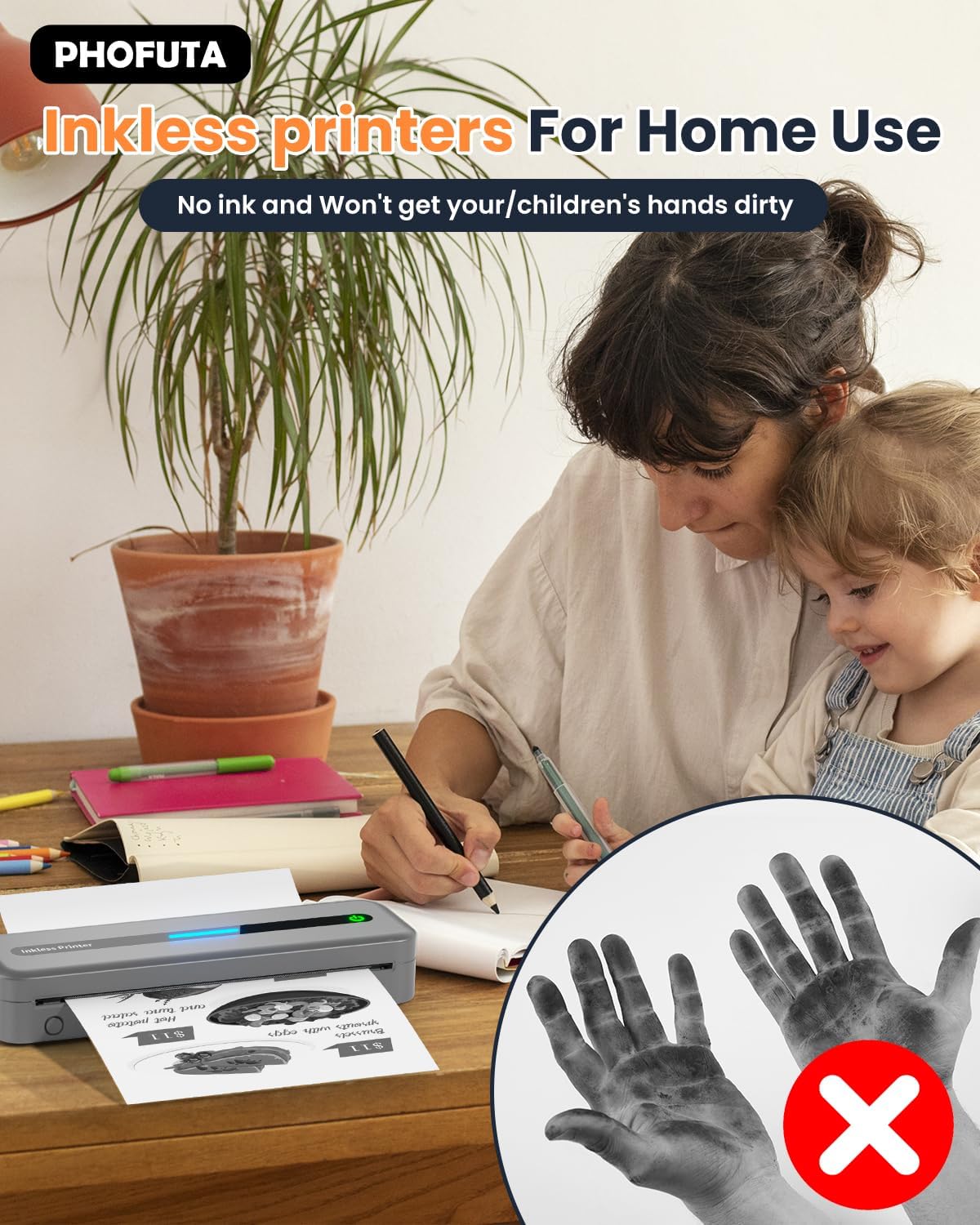
The PhoFuta M832 is an inkless printer, meaning it uses thermal paper that reacts to heat to create images. This eliminates the need for ink cartridges, preventing messy hands and reducing ongoing costs. However, it is crucial to use only thermal paper, as regular paper will not work. Thermal prints may fade over time if exposed to heat, light, or certain chemicals, so store important documents appropriately.

7. Выпраўленне непаладак
If you encounter issues with your PhoFuta M832 printer, refer to the following common problems and solutions:
- Прынтар не ўключаецца: Пераканайцеся, што акумулятар зараджаны. Падключыце прынтар да крыніцы харчавання і паспрабуйце яшчэ раз.
- Немагчыма падключыцца праз Bluetooth: Make sure Bluetooth is enabled on both devices. Restart the printer and your device. Ensure the Phomemo app is installed and updated.
- Нізкая якасць друку: Check if you are using thermal paper. Ensure the paper is loaded correctly. Clean the print head if smudges or lines appear.
- Замяцце паперы: Turn off the printer, open the paper compartment, and carefully remove any jammed paper. Ensure paper is loaded straight and not wrinkled.
- Прынтар не адказвае: Try restarting the printer. If the issue persists, perform a factory reset (refer to the Phomemo app or detailed user manual for instructions).
8. Тэхнічныя характарыстыкі
| Асаблівасць | Спецыфікацыя |
|---|---|
| Марка | ФоФута |
| мадэль | М832 |
| Нумар прадукту | PH-M832-GY |
| Колер | Шэры |
| Тэхналогія друку | Цеплавы |
| Вывад на прынтэр | Манахромны |
| Максімальнае разрозненне друку (чорна-белы) | 300 DPI |
| Максімальная хуткасць друку (монахромны) | 5 старонак у хвіліну |
| Максімальная ёмістасць аркуша ўводу | 300 лістоў |
| Тып носьбіта, які падтрымліваецца | Plain Paper (Thermal Paper) |
| Памер ліста | US Letter/A4/4"/3"/2" (216mm/210mm/110mm/80mm/53mm) |
| Двухбаковая друк | няма |
| Тэхналогія падлучэння | Bluetooth |
| Абсталяванне інтэрфейсу | USB-C |
| Сумяшчальныя прылады | Smartphones, Tablets, Laptops, Computers |
| Тып сканера | Партатыўны |
| Раздзяленне сканэра | 203 х 203 DPI |
| Памеры прадукту | 31 х 11.4 х 9.2 см |
| Вага прадукту | 992 г |
| акумулятар | 1 літый-іённы (у камплекце) |
| Склад батарэі | Літый |
| Абнаўленні праграмнага забеспячэння гарантаваныя да | Невядомы |
9. Гарантыя і падтрымка
9.1 Інфармацыя аб гарантыі
The PhoFuta M832 Portable Thermal Printer comes with a Пажыццёвая гарантыя. This warranty covers manufacturing defects and ensures the long-term reliability of your device. Please retain your proof of purchase for warranty claims.
9.2 Падтрымка кліентаў
For technical assistance, troubleshooting, or warranty inquiries, please contact PhoFuta customer support. Refer to the official PhoFuta website or the contact information provided with your purchase for the most up-to-date support channels.