
Уводзіны
This manual provides comprehensive instructions for the setup, operation, and maintenance of your TFA Dostmann 60.2036 Mini Digital Clock. Please read these instructions carefully before using the device to ensure proper function and longevity.
Прадукт скончаныview
The TFA Dostmann 60.2036 is a versatile mini digital clock designed for portability and multiple functions, including an alarm, stopwatch, and timer. It features a clear digital display and intuitive controls.
Асноўныя характарыстыкі:
- Digital alarm mode with stopwatch and timer functions.
- Compact size, ideal for travel, with a key lock feature to prevent accidental settings changes.
- Multiple mounting options: magnetic attachment or integrated stand.
- Powered by 1 AAA 1.5V alkaline battery (included).
- Can be used as a table clock, stopwatch, timer, or alarm clock in various settings.
Кампаненты:
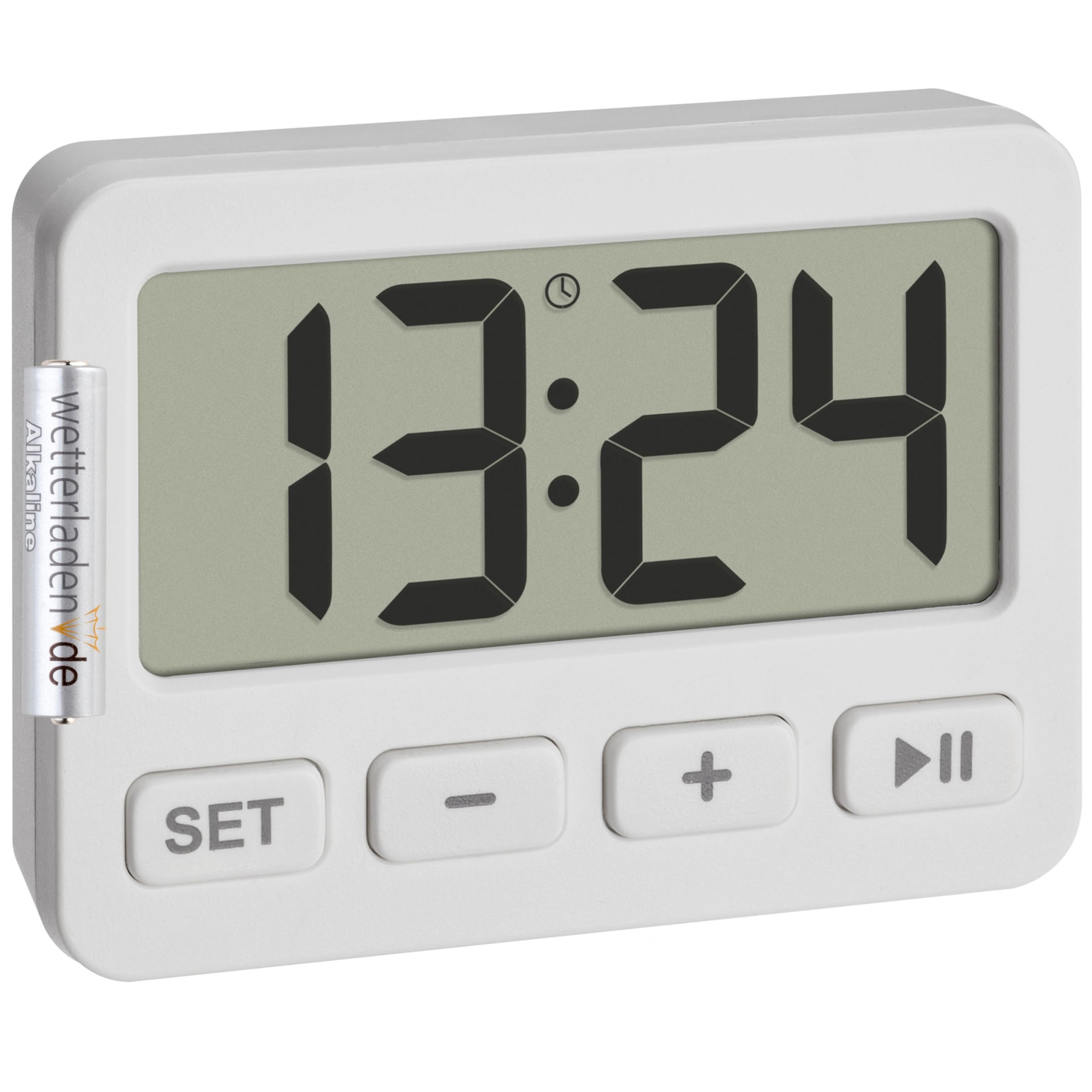
Малюнак 1: Спераду view of the TFA Dostmann 60.2036 Mini Digital Clock. The clock features a large digital display, a 'SET' button, a '-' (minus) button, a '+' (plus) button, and a 'Play/Pause' button. An alarm icon is visible on the display.
- Лічбавай дысплей: Shows time, alarm status, stopwatch, or timer.
- Кнопка SET: Выкарыстоўваецца для ўводу і пацверджання налад.
- - Кнопка (мінус): Памяншае значэнні або пераключаецца паміж опцыямі.
- Кнопка + (плюс): Павялічвае значэнні або пераключаецца паміж опцыямі.
- Кнопка прайгравання/паўзы: Starts/stops stopwatch or timer, activates/deactivates alarm.
- Battery Compartment (Rear): Holds 1 AAA battery.
- Integrated Stand (Rear): Для размяшчэння на стальніцы.
- Magnets (Rear): For attachment to metallic surfaces.
Настройка
1. Устаноўка батарэі
- Знайдзіце батарэйны адсек на задняй панэлі прылады.
- Адкрыйце крышку батарэйнага адсека.
- Insert one AAA 1.5V alkaline battery, ensuring correct polarity (+/-). A battery is included with the product.
- Надзейна зачыніце крышку батарэйнага адсека.
2. Пачатковая ўстаноўка часу
- After battery installation, the display will show a default time or flash.
- Націсніце і ўтрымлівайце НАБОР button for a few seconds until the hour digits begin to flash.
- Выкарыстоўвайце + or - кнопкі для рэгулявання гадзіны.
- Націсніце НАБОР button again to confirm the hour and move to the minute setting.
- Выкарыстоўвайце + or - кнопкі для налады хвілін.
- Націсніце НАБОР апошні раз націсніце кнопку, каб пацвердзіць хвіліны і выйсці з рэжыму ўстаноўкі часу.
Інструкцыя па эксплуатацыі
1. Switching Between Modes (Clock, Alarm, Stopwatch, Timer)
Націсніце НАБОР button briefly to cycle through the different modes: Time Display → Alarm Setting → Stopwatch → Timer.
2. Налада сігналізацыі
- Прэса НАБОР repeatedly until the alarm time is displayed (often indicated by an alarm icon).
- Націсніце і ўтрымлівайце НАБОР кнопку, пакуль не замігаюць лічбы гадзін будзільніка.
- Выкарыстоўвайце + or - каб усталяваць патрэбную гадзіну будзільніка.
- Прэса НАБОР каб пацвердзіць гадзіну і перайсці да хвілін.
- Выкарыстоўвайце + or - каб усталяваць патрэбныя хвіліны будзільніка.
- Прэса НАБОР каб пацвердзіць і выйсці з налад будзільніка.
Уключэнне/выключэнне будзільніка:
У рэжыме адлюстравання сігналізацыі націсніце кнопку Прайграванне/Паўза button to toggle the alarm ON or OFF. An alarm icon on the display indicates that the alarm is active.
Спыненне будзільніка:
When the alarm sounds, press any button to silence it. The alarm will reset for the next day.
3. Выкарыстанне секундамера
- Прэса НАБОР repeatedly until the stopwatch mode is displayed (usually showing "00:00:00").
- Націсніце Прайграванне/Паўза кнопку, каб запусціць секундамер.
- Націсніце Прайграванне/Паўза зноў націсніце кнопку, каб прыпыніць секундамер.
- Каб аднавіць, націсніце Прайграванне/Паўза зноў.
- Каб скінуць секундамер да нуля, націсніце кнопку - кнопку, пакуль секундамер прыпынены.
4. Using the Timer (Countdown)
- Прэса НАБОР repeatedly until the timer mode is displayed (usually showing "00:00:00" or the last set timer value).
- Націсніце і ўтрымлівайце НАБОР кнопку, пакуль не пачнуць міргаць лічбы гадзін.
- Выкарыстоўвайце + or - to set the desired timer hour.
- Прэса НАБОР каб пацвердзіць гадзіну і перайсці да хвілін.
- Выкарыстоўвайце + or - to set the desired timer minutes.
- Прэса НАБОР каб пацвердзіць і выйсці з налады таймера.
- Націсніце Прайграванне/Паўза кнопку, каб пачаць зваротны адлік.
- Калі таймер дасягне нуля, прагучыць сігнал трывогі. Націсніце любую кнопку, каб адключыць яго.
- To pause the timer, press Прайграванне/Паўза during countdown. Press again to resume.
- To reset the timer to its last set value, press the - button while the timer is paused or has finished.
5. Key Lock Function
To prevent accidental changes to settings, especially during travel, the device features a key lock function.
- To activate the key lock: Press and hold the Прайграванне/Паўза button for approximately 3 seconds. A lock icon may appear on the display.
- To deactivate the key lock: Press and hold the Прайграванне/Паўза button again for approximately 3 seconds. The lock icon will disappear.
6. Варыянты мантажу
- Інтэграваная падстаўка: Pull out the stand located on the back of the clock to place it on any flat surface.
- Магнітнае мацаванне: Use the integrated magnets on the back of the clock to attach it to metallic surfaces like refrigerators or whiteboards.
Тэхнічнае абслугоўванне
Уборка:
- Чысціце прылада мяккай сухой тканінай.
- Do not use abrasive cleaners or solvents, as these can damage the display or casing.
- Пазбягайце ўздзеяння празмернай вільгаці на прыладу.
Замена батарэі:
When the display becomes dim or the device stops functioning, it is time to replace the battery.
- Follow the battery installation steps outlined in the Настройка раздзел.
- Always use a fresh AAA 1.5V alkaline battery.
- Утылізуйце старыя батарэі адказна ў адпаведнасці з мясцовымі правіламі.
Ліквідацыю непаладак
| праблема | Магчымая прычына | Рашэнне |
|---|---|---|
| Дысплей пусты або цьмяны. | Low or dead battery. Incorrect battery installation. | Replace the AAA battery. Check battery polarity. |
| Кнопкі не рэагуюць. | Key lock is activated. | Deactivate the key lock by pressing and holding the Прайграванне/Паўза кнопку на працягу 3 секунд. |
| Сігналізацыя не гучыць. | Alarm is not activated. Alarm volume is too low (if adjustable, though not specified for this model). | Ensure the alarm icon is visible on the display. Check battery level. |
| Time/settings reset unexpectedly. | Battery removed or power interrupted. | Re-enter time and settings. Ensure battery is securely in place. |
Тэхнічныя характарыстыкі
- мадэль: TFA Dostmann 60.2036
- матэрыял: Пластыкавыя
- колер: Белы
- Крыніца харчавання: 1 x AAA 1.5V battery (included)
- Product Dimensions (Depth x Height): 15P x 15H millimeters
- Памеры ўпакоўкі: 6.5 х 5 х 3 см
- Вага прадмета: 21 грам
- Памер дысплея: 55 міліметра
- Функцыі: Clock, Alarm, Stopwatch, Timer, Key Lock
Гарантыя і падтрымка
For warranty information and customer support, please refer to the documentation provided with your purchase or visit the official TFA Dostmann webсайт. Захоўвайце пацвярджэнне пакупкі для любых гарантыйных прэтэнзій.
вытворца: ТФА Достман