
Уводзіны
The Blucalm Wired Headset UCH30 is designed for clear communication and comfort in various environments, from busy offices to home setups. Featuring advanced noise cancellation and intuitive controls, it ensures a productive and focused experience.
Key features include an enhanced 3-microphone array for superior noise cancellation, an integrated Busylight for status indication, easy plug-and-play USB-A connectivity, and comfortable design for all-day wear.
Што ў скрынцы
- Гарнітура
- Кіраўніцтва карыстальніка
- мяшочак

Image: The Blucalm UCH30 headset, user manual, and a storage pouch are neatly arranged, showcasinг усе ўключаныя тавары.
Настройка і падключэнне
The Blucalm UCH30 headset offers simple plug-and-play functionality, requiring no additional software installation.
- Падключэнне да прылады: Insert the USB-A cable into an available USB-A port on your computer or laptop. The headset will be automatically recognized by your operating system.
- Адрэгуляваць гарнітуру: Adjust the headband for a comfortable fit. The earcups are adjustable by 180 degrees, and the microphone boom can rotate 270 degrees to position it optimally for your voice.
- Праверце налады гуку: Ensure the Blucalm UCH30 is selected as the default audio input and output device in your computer's sound settings or communication application (e.g., Teams, Zoom).

Image: The Blucalm UCH30 headset with its USB-A connector and inline control unit, ready for connection to a computer.
Відэа: Оверview of the Blucalm Wired Headset, highlighting its noise-canceling microphone and Busylight feature, demonstrating its use in various work environments.
Інструкцыя па эксплуатацыі
Шумапрыглушэнне
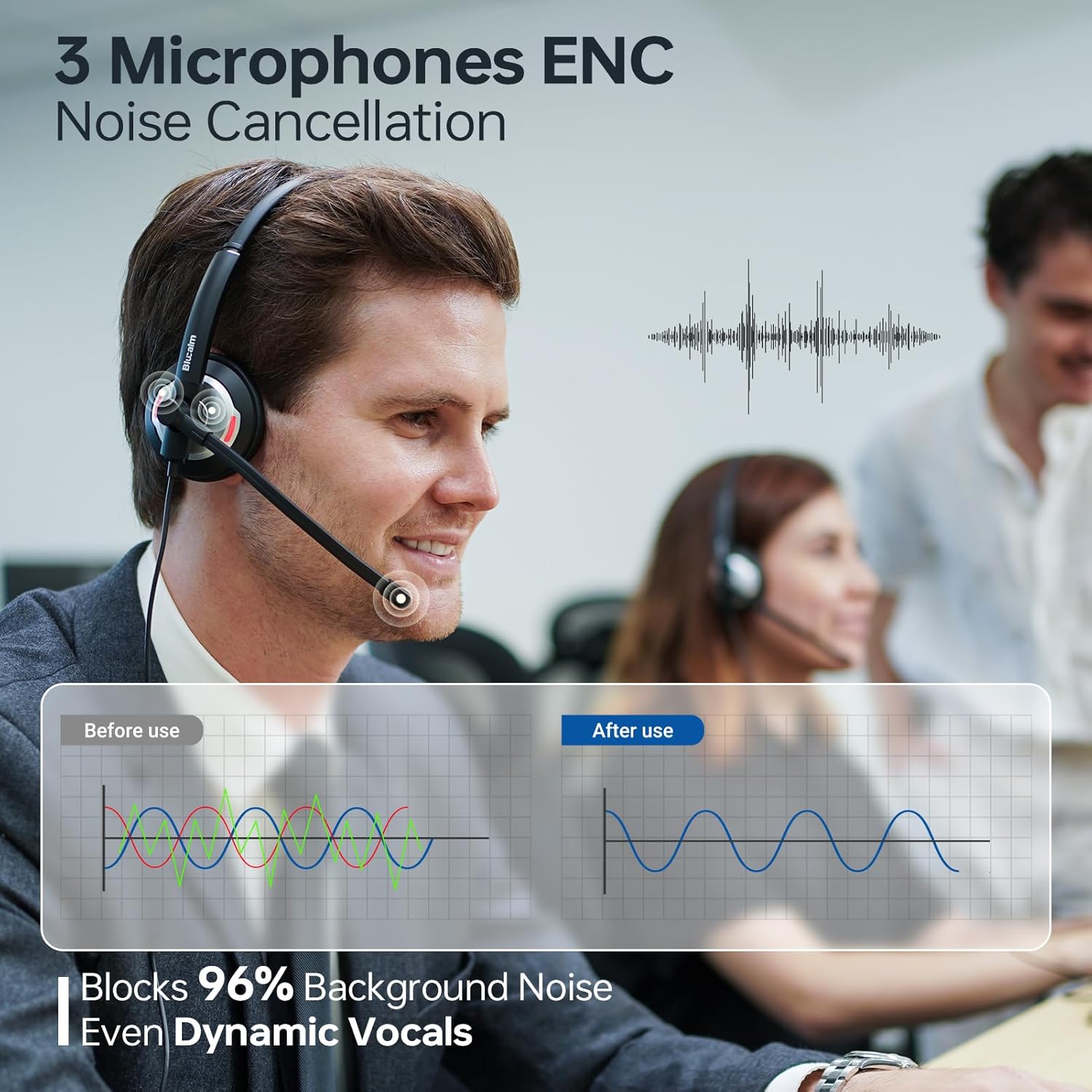
The UCH30 features a 3-microphone array with AI noise-canceling technology, blocking over 96% of background noise. This ensures your voice is captured clearly, even in noisy environments.

Image: A visual representation of the 3-microphone array and its effectiveness in canceling background noise, ensuring clear voice pickup.
Busylight Functionality
The integrated 360° visible Busylight provides a clear indication of your work status to others. This helps to minimize interruptions during important calls or focused work.
- Чырвонае святло: Indicates you are busy or on a call.
- Святло выключана: Indicates you are available for conversation.
- Мігае чырвонае святло: Alerts you to an incoming call (Teams only).
Выява: Падрабязны view of the headset's earcup with the Busylight illuminated, indicating active use or a busy status.
Video: Demonstrates the features of the Blucalm headset, including its noise cancellation and Busylight, showing how it enhances communication in different settings.
Лінія кіравання
The convenient in-line control unit provides easy access to essential functions:
- Mic Mute/Unmute: Press the microphone button to toggle mute. An indicator light on the control unit shows mute status.
- Гучнасць +/-: Use the '+' and '-' buttons to adjust the listening volume.
- MS Teams Call Answer/End: Press the call button to answer or end calls within Microsoft Teams.
Выява: Падрабязны view of the inline control unit, clearly showing the buttons for microphone mute, volume adjustment, and call answer/end, along with their respective icons.
Камфорт і дызайн
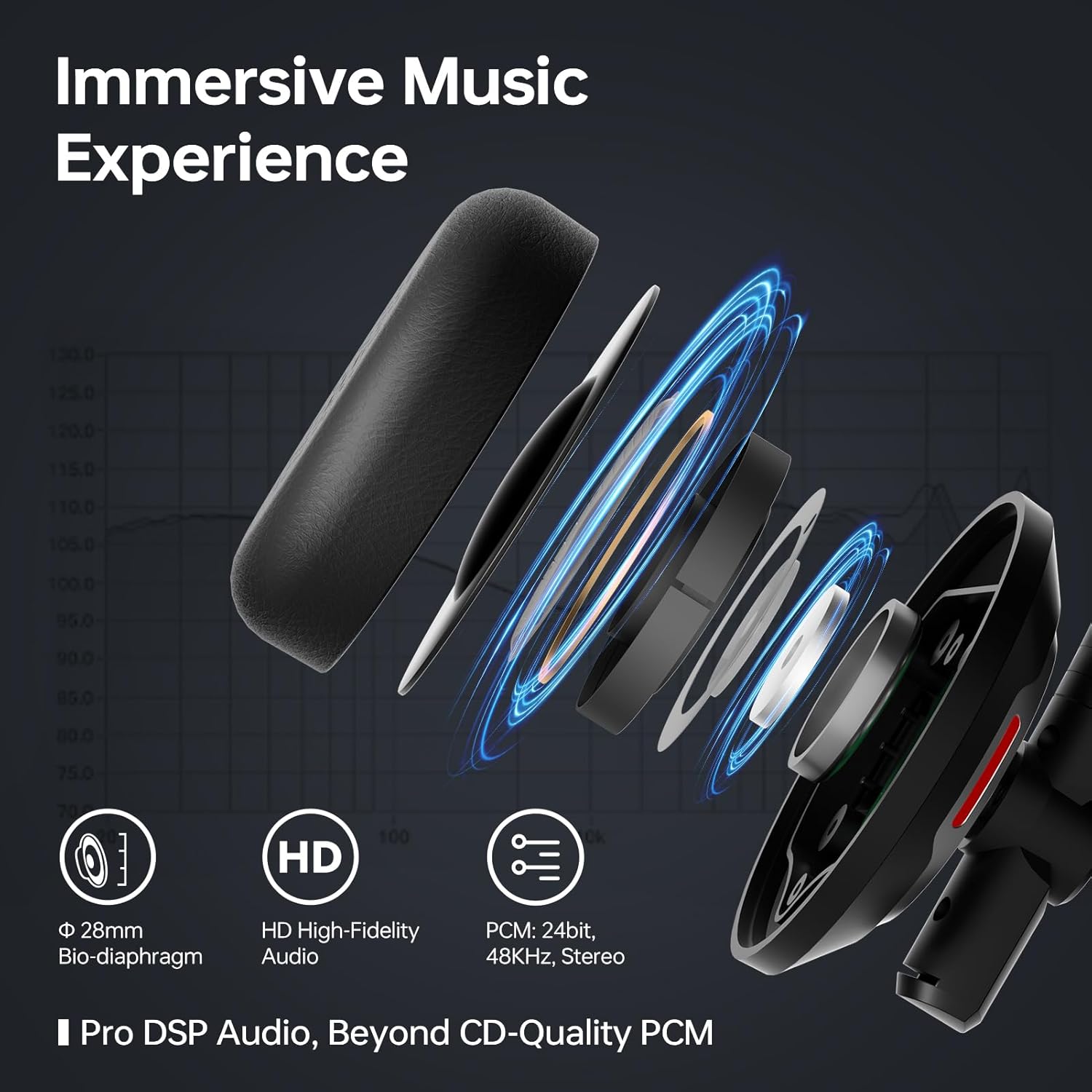
The UCH30 is designed for all-day comfort, featuring an adjustable headband, 180° adjustable earcups, and a lightweight body. The ear cushions are made from skin-friendly leather covering memory foam, providing a soft and breathable fit.

Image: A composite image illustrating the headset's ergonomic features, including the 270° rotating microphone, 180° adjustable earcups, adjustable headband, and soft, breathable ear cushions.
Тэхнічнае абслугоўванне
- Уборка: Для чысткі гарнітуры выкарыстоўвайце мяккую сухую тканіну. Пазбягайце выкарыстання агрэсіўных хімічных рэчываў або абразіўных матэрыялаў.
- захоўванне: When not in use, store the headset in the provided pouch to protect it from dust and damage.
- Сыход за кабелем: Пазбягайце рэзкіх выгібаў або празмернага нацягвання кабеля, каб пазбегнуць унутраных пашкоджанняў.
Ліквідацыю непаладак
| праблема | Магчымае рашэнне |
|---|---|
| Няма гуку з гарнітуры |
|
| Не працуе мікрафон |
|
| Busylight not functioning |
|
Тэхнічныя характарыстыкі
| Асаблівасць | Дэталь |
|---|---|
| Назва мадэлі | UCH30 |
| Гняздо для навушнікаў | USB-A |
| Тэхналогія падлучэння | Правадная |
| Кантроль шуму | Гукаізаляцыя |
| Масіў мікрафона | 3-microphone array with AI noise-canceling |
| Занятае святло | Integrated 360° visible Busylight |
| Тып кіравання | In-line control (Mic Mute/Unmute, Volume +/-, MS Teams Call Answer/End) |
| Матэрыял | Скура, пластык |
| Размяшчэнне вушэй | На вуха |
| Вага прадмета | 4.9 унцыі (0.14 кілаграма) |
| Памеры прадукту | 7 х 6.3 х 2.4 цалі |
| Уключаныя кампаненты | Headset, User Manual, Pouch |
Гарантыя і падтрымка
This Blucalm headset comes with a standard return policy of 30 days. For any product inquiries, technical support, or warranty claims beyond the return period, please contact Blucalm customer service directly through their official channels or the seller "Easilent" on Amazon.
Наведайце ст Blucalm Store для атрымання дадатковай інфармацыі і рэсурсаў падтрымкі.