
Уводзіны
Thank you for choosing the KIVI 43U750NB 43-inch UHD 4K Smart TV. This television combines advanced display technology with the versatility of Android 11, offering a superior entertainment experience. This manual provides essential information for setting up, operating, and maintaining your new TV. Please read it thoroughly before use and keep it for future reference.
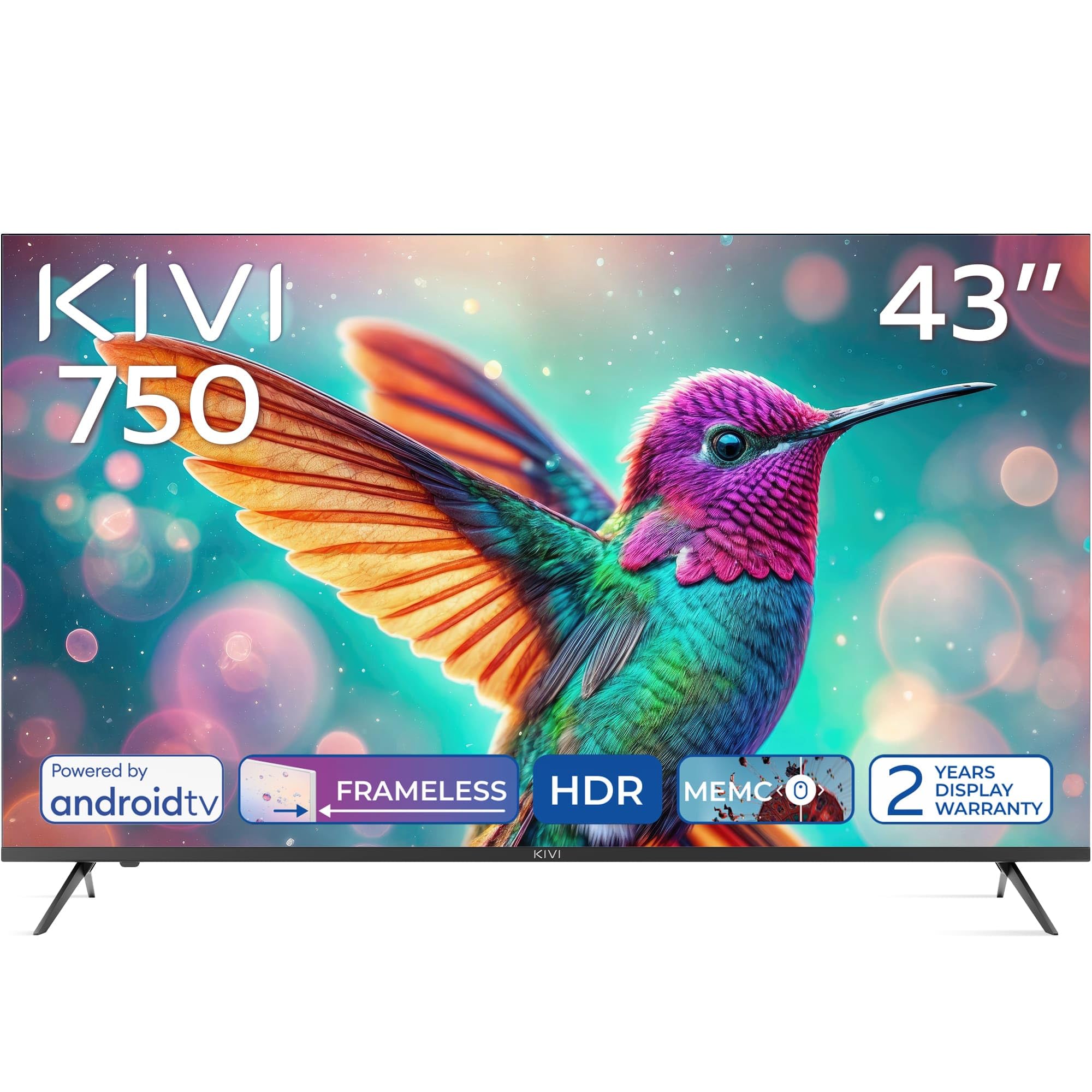
Фронт view of the KIVI 43U750NB 43-inch UHD 4K Smart TV.
Інфармацыя па бяспецы
Каб забяспечыць бяспечную працу і пазбегнуць пашкоджанняў, калі ласка, выконвайце наступныя меры бяспекі:
- Не падвяргайце тэлевізар уздзеянню дажджу або вільгаці.
- Не адчыняйце тэлевізарasinг; звяртайцеся да кваліфікаванага персаналу па ўсё абслугоўванне.
- Забяспечце належную вентыляцыю вакол тэлевізара.
- Пазбягайце размяшчэння тэлевізара побач з крыніцамі цяпла або пад прамымі сонечнымі прамянямі.
- Выкарыстоўвайце толькі шнур сілкавання, які пастаўляецца з тэлевізарам.
- Захоўвайце батарэі ў месцах, недаступных дзецям.
- Адключайце вілку ад сеткі падчас навальніцы або калі прылада не выкарыстоўваецца працяглы час.
Змест пакета
Праверце наяўнасць усіх прадметаў у камплекце:
- KIVI 43U750NB 43-inch UHD 4K Smart TV
- Пульт дыстанцыйнага кіравання
- 2 батарэйкі тыпу AAA (для пульта дыстанцыйнага кіравання)
- Шнур харчавання
- Кіраўніцтва карыстальніка (гэты дакумент)
- TV Stands (if included for tabletop setup)
- Шрубы для падстаўкі пад тэлевізар
Настройка
1. Усталёўка падставак для тэлевізара
If you are placing the TV on a flat surface, attach the included stands to the bottom of the TV using the provided screws. Ensure the stands are securely fastened before placing the TV upright.
2. Насценны мантаж
For wall mounting, use a VESA-compatible wall mount (not included) that supports a 200 x 200 mm pattern. Follow the instructions provided with your wall mount. Ensure the wall can support the weight of the TV.
3. Падключэнне знешніх прылад
Connect your external devices such as Blu-ray players, game consoles, or sound systems to the TV's ports.
- Парты HDMI (3): For high-definition audio and video. Supports HDMI (eARC) for enhanced audio return channel.
- Парты USB 2.0 (x2): Для падключэння USB-назапашвальнікаў для прайгравання медыяфайлаў або для абслугоўвання.
- Ethernet порт: Для праваднога падключэння да Інтэрнэту.
- Antenna (75Ω) Input: Для падключэння эфірнай або кабельнай антэны.
- Аптычны аўдыявыхад: For connecting to an external audio receiver or soundbar.
- Раз'ём для навушнікаў: Для падлучэння навушнікаў.
- Mini RCA: Для падключэння старых аналагавых прылад.

Тыл view of the KIVI 43U750NB TV, illustrating the various connection ports including HDMI, USB, Ethernet, and audio outputs.
4. Падключэнне сілкавання
After all connections are made, plug the power cord into the TV and then into a wall outlet (220 VAC, 50 Hz).
Інструкцыя па эксплуатацыі
1. Пульт дыстанцыйнага кіравання
Insert the two AAA batteries into the remote control. The remote uses Bluetooth technology for enhanced control.

The KIVI Smart TV remote control, powered by two AAA batteries.
2. Initial Setup (Android TV 11)
Пры першым уключэнні тэлевізар правядзе вас праз працэс пачатковай налады.
- Выбар мовы: Выберыце пераважную мову.
- Падключэнне да сеткі: Connect to your Wi-Fi network or use the Ethernet cable.
- Уваход у ўліковы запіс Google: Sign in with your Google account to access Android TV features, apps, and voice control.
- Сканаванне каналаў: Scan for available TV channels (DVB-T2 tuner).
- Налады прыватнасці: Наладзьце свае перавагі прыватнасці.

The Android TV 11 interface, providing access to a wide range of applications and services.
3. Функцыі Smart TV
- прыкладанні: Access popular streaming services like Netflix and HBO directly from the Android TV home screen. Download more apps from the Google Play Store.
- Галасавое кіраванне: Use the built-in voice control feature (via the remote) to search for content, control playback, and manage TV settings.
- Google Cast: Wirelessly cast content from your compatible smartphone, tablet, or computer to the TV screen.
4. Налады выявы
Адрэгулюйце параметры выявы, каб аптымізаваць viewвопыту.
- HDR10 і HLG: The TV supports HDR10 and HLG for enhanced contrast and color reproduction with compatible content.
- MEMC: Motion Estimation, Motion Compensation technology reduces motion blur in fast-moving scenes.
- Рэжымы выявы: Select from various preset picture modes (e.g., Standard, Vivid, Movie, Game) or customize your own.

Visual representation of KIVI TV's picture quality features, including Max Vivid, Super Contrast Control, Ultra Clear, and ALLM & Game Mode.
5. Налады гуку
Наладзьце аўдыёвыхад для аптымальнай якасці гуку.
- Dolby Audio: The TV features Dolby Audio for clear and powerful sound.
- Рэжымы гуку: Выберыце адзін з прадусталяваных рэжымаў гуку (напрыклад, «Стандартны», «Музыка», «Фільм», «Маўленне») або адрэгулюйце параметры эквалайзера.
- Аўдыявыхад: Select between TV speakers, optical output, or Bluetooth audio devices.
Тэхнічнае абслугоўванне
Regular maintenance helps prolong the life of your TV.
- Ачыстка экрана: Gently wipe the screen with a soft, lint-free cloth. For stubborn marks, use a screen-cleaning solution specifically designed for TVs, applied to the cloth, not directly to the screen.
- Ачыстка Casing: Выкарыстоўвайце мяккую сухую тканіну, каб праціраць тэлевізарasinг. Не выкарыстоўвайце абразіўныя ачышчальнікі або растваральнікі.
- Вентыляцыя: Каб пазбегнуць перагрэву, пераканайцеся, што вентыляцыйныя адтуліны на задняй панэлі тэлевізара не заблакаваныя.
Ліквідацыю непаладак
Калі ў вас узніклі праблемы з тэлевізарам, звярніцеся да наступных распаўсюджаных праблем і іх рашэнняў:
| праблема | Магчымая прычына / рашэнне |
|---|---|
| Няма сілы | Check if the power cord is securely plugged into the TV and the wall outlet. Ensure the wall outlet is functioning. |
| Няма выявы, але гук ёсць | Праверце крыніцу ўваходнага сігналу. Пераканайцеся, што падключаная прылада ўключана і працуе правільна. Паспрабуйце іншы кабель HDMI. |
| Няма гуку, але выява ёсць | Check the volume level. Ensure the TV is not muted. Verify audio output settings (TV speakers, optical, etc.). |
| Пульт дыстанцыйнага кіравання не працуе | Replace the AAA batteries. Ensure there are no obstructions between the remote and the TV. Re-pair the Bluetooth remote if necessary. |
| Немагчыма падключыцца да Wi-Fi | Ensure your Wi-Fi router is on and working. Re-enter the Wi-Fi password. Try restarting the TV and your router. |
| Праграмы не загружаюцца / павольная праца | Check your internet connection speed. Clear app cache or data. Restart the TV. Ensure sufficient storage space. |
Тэхнічныя характарыстыкі
| Асаблівасць | Дэталь |
|---|---|
| Нумар мадэлі | 43U750NB |
| Памер экрана | 43 цалі |
| дазвол | UHD 4K (3840 x 2160) |
| Тэхналогія адлюстравання | LED (Direct LED backlight, VA-panel) |
| Частата абнаўлення | 60 Гц |
| Падтрымка HDR | HDR10, HLG |
| Аперацыйная сістэма | Android 11.0 |
| Аўдыётэхналогія | Dolby Audio (2.0 channels) |
| Парты HDMI | 3 (including eARC) |
| Парты USB | 2 (USB 2.0) |
| Сувязь | Wi-Fi, Bluetooth 5.1, Ethernet |
| Асаблівасці | Voice Control, Google Cast, MEMC |
| Энергаспажыванне | 53 ват |
| Электразабеспячэнне | 220 В пераменнага току 50 Гц |
| Памеры прадукту (ДxШxВ) | 6.4 х 96 х 55.6 см |
| Вага прадукту | 9.7 кг |
| Стандарт мацавання VESA | 200 х 200 мм |

Energy label for KIVI 43U750NB, indicating energy efficiency class G and power consumption.
For detailed energy information, visit: https://eprel.ec.europa.eu/qr/1326921
Гарантыя і падтрымка
Your KIVI 43U750NB Smart TV comes with a limited warranty. KIVI offers a 3-year display warranty. Please retain your proof of purchase for warranty claims.
For technical support, troubleshooting assistance, or warranty inquiries, please contact KIVI customer service through their official webсайт або кантактную інфармацыю, прадастаўленую пры пакупцы.