
Linq LQ48038
LINQ 3-in-1 Qi2 Wireless Charging Base User Manual
Мадэль: LQ48038
Уводзіны
Thank you for choosing the LINQ 3-in-1 Qi2 Wireless Charging Base. This device is designed to provide a seamless and efficient charging experience for your compatible smartphone, Apple Watch, and wireless earbuds simultaneously. Please read this manual carefully before use to ensure proper operation and to maximize the lifespan of your product.

Figure 1: The LINQ 3-in-1 Qi2 Wireless Charging Base in operation, charging a smartphone, Apple Watch, and wireless earbuds.
Змест пакета
Калі ласка, пераканайцеся, што ўсе прадметы прысутнічаюць у вашай упакоўцы:
- LINQ 3-in-1 Qi2 Wireless Charging Base
- USB-C to USB-C Charging Cable (Power adapter not included)
- Кіраўніцтва карыстальніка
Інструкцыя па наладзе
- Распакуйце прыладу: Carefully remove the charging base and all accessories from the packaging.
- Падключыце харчаванне: Insert one end of the provided USB-C cable into the USB-C port on the back of the charging base. Connect the other end of the cable to a compatible USB-C power adapter (not included) with a minimum output of 20W or higher for optimal performance.
- Размяшчэнне: Place the charging base on a stable, flat surface away from direct sunlight, heat sources, and liquids.
- Уключэнне: Once connected to a power source, the base is ready for use.

Figure 2: The LINQ 3-in-1 Charging Stand positioned on a desk, illustrating its compact footprint and readiness for use.
Інструкцыя па эксплуатацыі
The LINQ 3-in-1 Qi2 Wireless Charging Base allows for simultaneous charging of up to three devices:
1. Charging a Smartphone (Qi2 Compatible)
- Place your Qi2-compatible smartphone onto the upright charging pad. The magnetic alignment will ensure correct positioning.
- The phone can be charged in either portrait or landscape orientation.
- A charging indicator will appear on your phone's screen to confirm charging has begun.
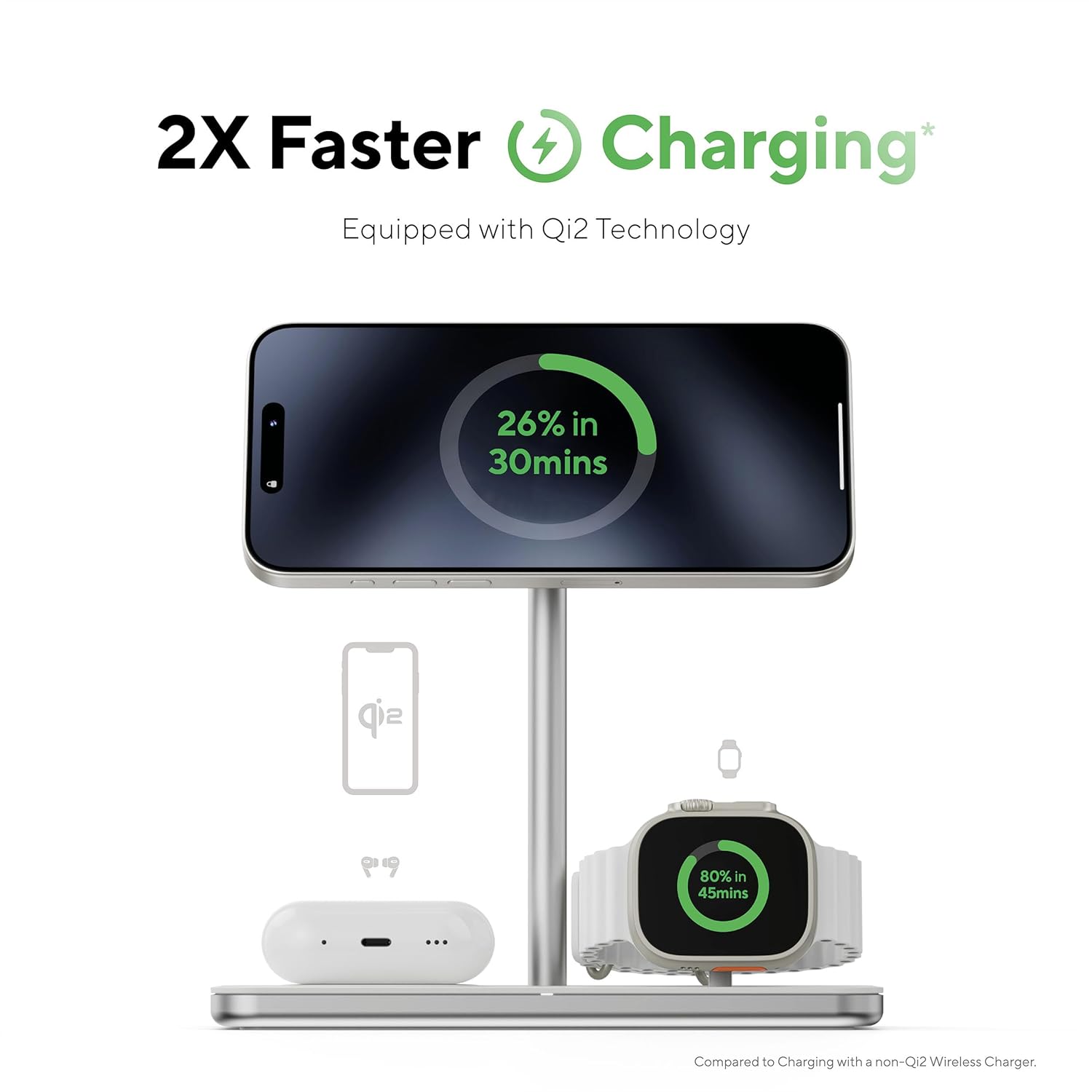
Figure 3: A smartphone charging on the main pad, demonstrating the fast charging capabilities of Qi2 technology.
2. Charging an Apple Watch
- Пастаўце Apple Watch на спецыяльны зарадны модуль Apple Watch.
- The module supports both upright (NightStand mode) and flat charging positions. Adjust the hinge as needed.
- Ensure the watch is securely seated and the charging icon appears on its screen.
- This charger is licensed by Apple and supports Apple Watch Fast Charge, reaching 80% charge in approximately 45 minutes.

Figure 4: An Apple Watch charging on its dedicated module, indicating fast charging performance and Apple licensing.
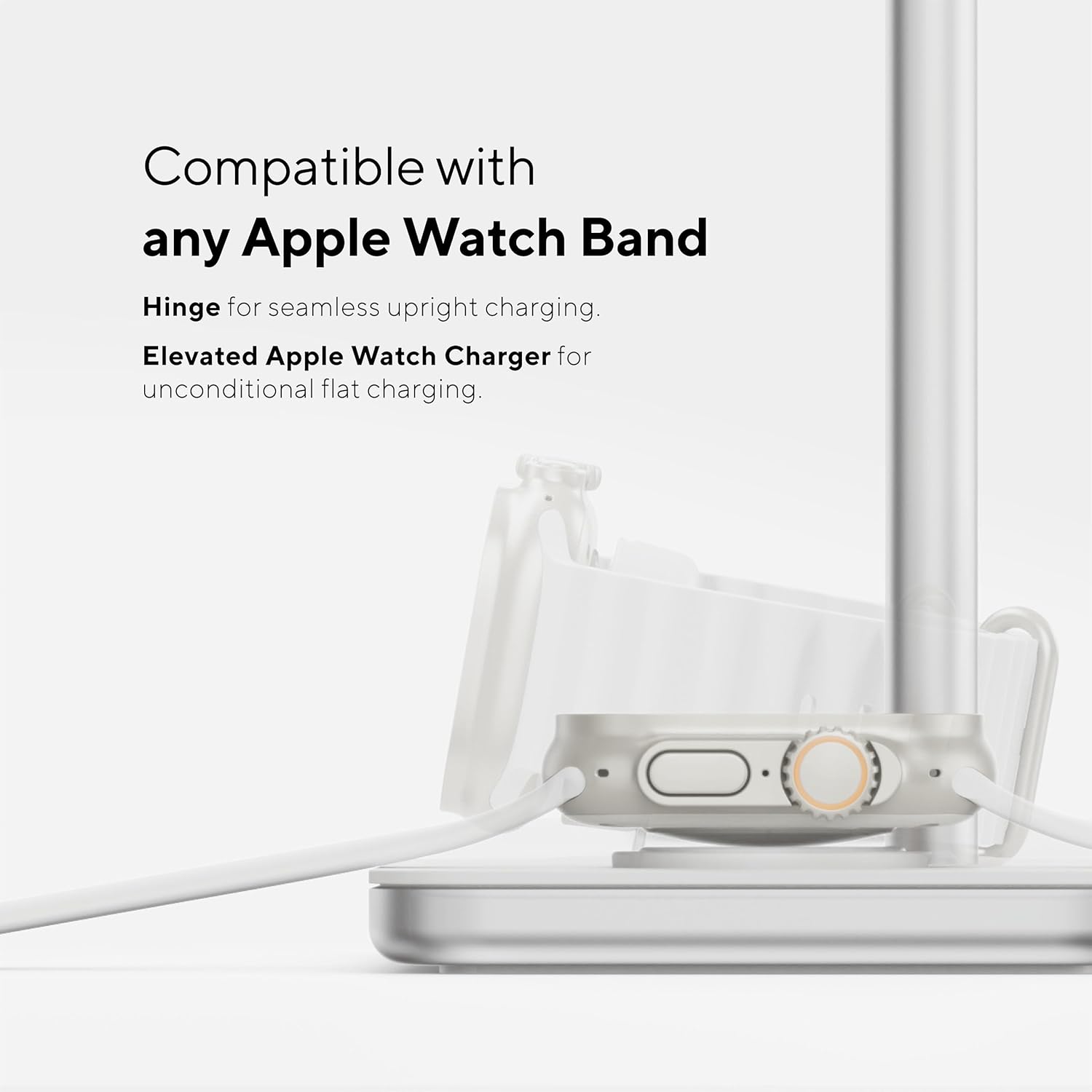
Figure 5: The Apple Watch charging module, demonstrating its adjustable hinge and compatibility with all Apple Watch bands for flexible charging.
3. Charging Wireless Earbuds
- Place your Qi-compatible wireless earbud case onto the flat charging pad located at the base of the stand.
- Ensure the earbud case is centered on the charging area.
- A charging indicator on your earbud case (if available) will confirm charging.

Figure 6: The LINQ 3-in-1 charging base demonstrating its ability to charge a phone upright, an Apple Watch flat, and earbuds simultaneously.
Асноўныя характарыстыкі
- Зарадка 3-у-1: Simultaneously charges a smartphone, Apple Watch, and wireless earbuds.
- Qi2 Technology: Provides faster and more efficient wireless charging for compatible smartphones with magnetic alignment.
- Apple Watch Fast Charge: Licensed by Apple, enabling rapid charging for your Apple Watch.
- Рэгуляваны Viewкут нахілу: The smartphone charging pad can be adjusted from 17 to 55 degrees for optimal viewпадчас зарадкі.
- Versatile Apple Watch Charging: Supports both upright (NightStand mode) and flat charging, compatible with all Apple Watch bands.
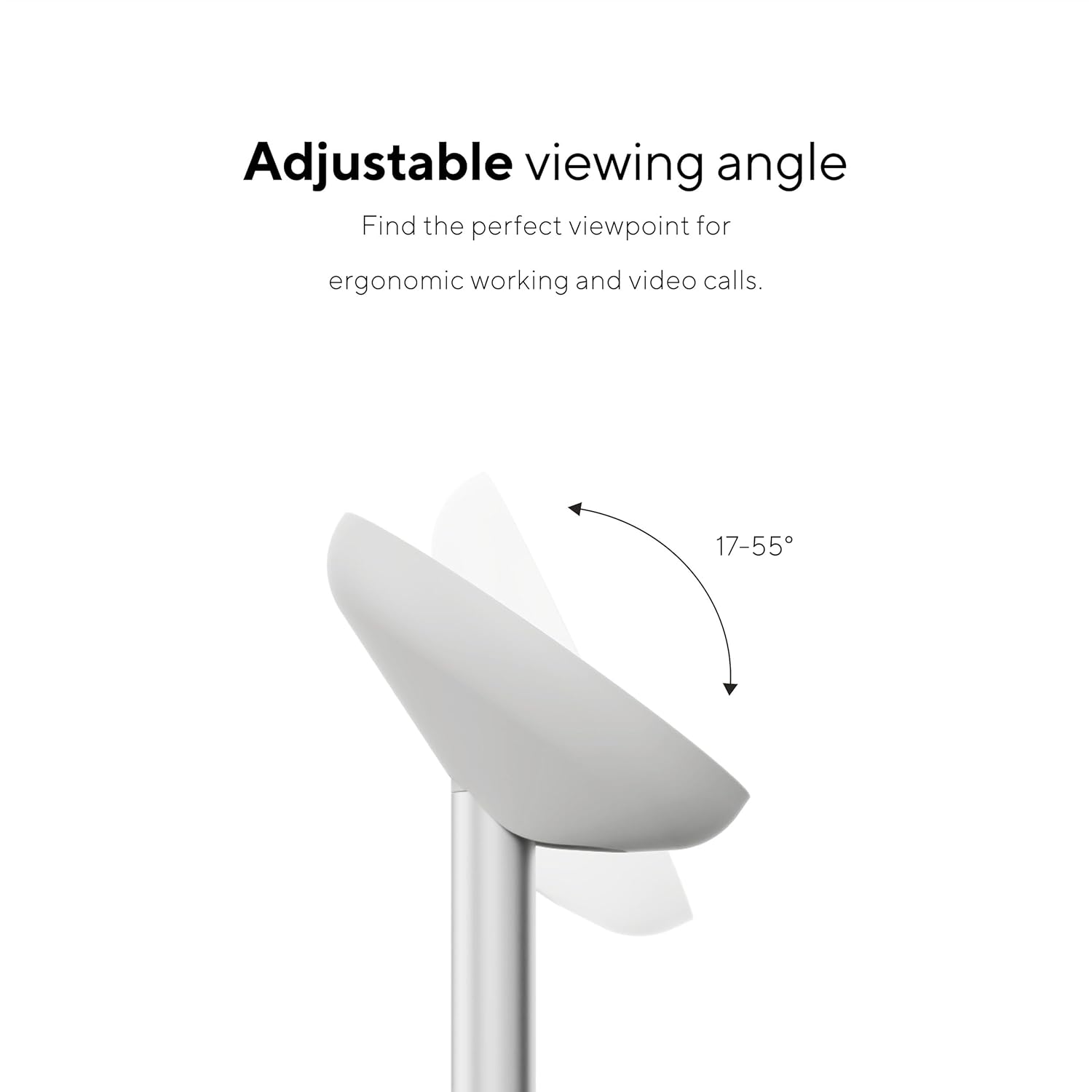
Figure 7: The adjustable viewing angle feature of the smartphone charging pad, allowing for ergonomic use and video calls.
Тэхнічнае абслугоўванне і догляд
- Уборка: Disconnect the power before cleaning. Use a soft, dry, lint-free cloth to wipe the surface of the charging base. Do not use abrasive cleaners, solvents, or chemical sprays.
- захоўванне: Калі прылада не выкарыстоўваецца працяглы час, захоўвайце яе ў прахалодным, сухім месцы.
- Пазбягайце пашкоджанняў: Do not drop, disassemble, or attempt to repair the device yourself. Avoid exposing it to extreme temperatures, humidity, or liquids.
Ліквідацыю непаладак
| праблема | Магчымая прычына | Рашэнне |
|---|---|---|
| Прылада не зараджаецца. |
|
|
| Павольная зарадка. |
|
|
| Перагрэў падчас зарадкі. |
|
|
Тэхнічныя характарыстыкі
| Нумар мадэлі | LQ48038 |
| Памеры | 6.77 х 6.69 х 3.35 цалі |
| Вага | 15.9 унцыі (450 грам) |
| Увод | USB-C (Power adapter not included) |
| Wireless Charging Standard | Qi2 (for smartphone), Qi (for earbuds), Apple Watch Fast Charge (for Apple Watch) |
| Вытворца | TELCO ACCESSORIES - LINQ PERIPHE |
| Дата першай даступнасці | 1 студзеня 2023 г |
Важная інфармацыя па бяспецы
- Не падвяргайце прыладу ўздзеянню вады і вільгаці.
- Do not place metal objects, magnetic cards, or other foreign materials between the charging base and your device during charging.
- Захоўваць у месцах, недаступных дзецям.
- Не разбірайце, не мадыфікуйце і не спрабуйце адрамантаваць прыладу.
- Пазбягайце экстрэмальных тэмператур (высокіх або нізкіх).
- Use only certified power adapters.
Гарантыя і падтрымка
For warranty information or technical support, please refer to the official LINQ website or contact their customer service. Details are typically provided on the product packaging or the manufacturer's webсайт.
вытворца: TELCO ACCESSORIES - LINQ PERIPHE
Ask a question about this manual
Ask about setup, troubleshooting, compatibility, parts, safety, or missing instructions. Manuals+ will review the question and use this page’s manual context to help answer it.