
Уводзіны
Thank you for choosing the Delux M700 PMW3389 RGB Lightweight Gaming Mouse. This manual provides essential information for setting up, operating, maintaining, and troubleshooting your new gaming mouse. Please read this manual carefully before use to ensure optimal performance and longevity of your device.
Настройка
Follow these steps to set up your Delux M700 gaming mouse:
- Распакуйце мыш: Асцярожна дастаньце мыш з упакоўкі. Пераканайцеся, што ўсе кампаненты наяўныя.
- Падключыцеся да кампутара: Plug the USB connector of the mouse cable into an available USB port on your computer. The mouse is plug-and-play, and your operating system should automatically detect and install the necessary drivers.
- Ўстаноўка праграмнага забеспячэння (неабавязкова): For advanced customization, including DPI settings, RGB lighting effects, and macro programming for the 7 buttons, download the official Delux M700 software from the manufacturer's webсайт. Выконвайце інструкцыі на экране для ўсталёўкі.

Image: The Delux M700 gaming mouse connected to a laptop, illustrating its top view with the honeycomb shell and vibrant RGB lighting.
Інструкцыя па эксплуатацыі
The Delux M700 mouse is designed for intuitive use. Here are its primary functions:
- Левы і правы клік: Standard mouse functions for selection and context menus.
- Кола пракруткі: Used for vertical scrolling. The scroll wheel also functions as a clickable middle button.
- Кнопка рэгулявання DPI: Located below the scroll wheel, this button allows you to cycle through different DPI (Dots Per Inch) sensitivity levels. The mouse supports adjustable DPI, with a default setting of 1600 DPI, allowing you to fine-tune cursor speed for various tasks and games.
- Бакавыя кнопкі: The mouse features additional buttons on the side, typically used for 'forward' and 'back' navigation in web browsers or customizable functions in gaming software.
- RGB асвятленне: The integrated RGB lighting provides dynamic visual effects. Lighting modes and colors can be customized using the dedicated software.
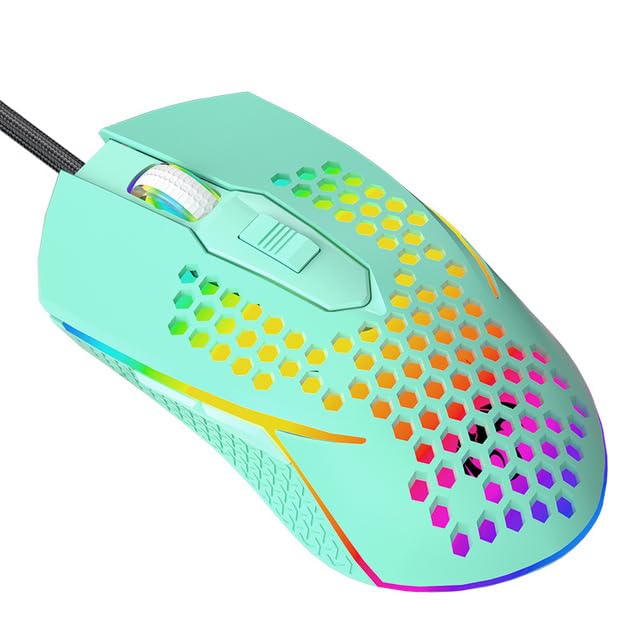
Выява: буйны план view of the Delux M700 gaming mouse, highlighting its vibrant RGB lighting along the base and scroll wheel, and the ergonomic shape.
Тэхнічнае абслугоўванне
Proper maintenance ensures the longevity and performance of your mouse:
- Уборка: Выкарыстоўвайце мяккую сухую тканіну для працірання паверхні мышы. Для выдалення ўстойлівага бруду злёгку працярыцеampпрамыйце тканіну вадой. Пазбягайце выкарыстання агрэсіўных хімічных рэчываў або абразіўных матэрыялаў.
- Ачыстка датчыка: Occasionally, use a cotton swab lightly dampened with isopropyl alcohol to gently clean the optical sensor on the underside of the mouse. Ensure no liquid enters the mouse.
- Сыход за кабелем: Avoid sharp bends or excessive pulling on the mouse cable to prevent damage. Store the cable neatly when not in use.
- захоўванне: Захоўвайце мыш у чыстым, сухім месцы, удалечыні ад экстрэмальных тэмператур і прамых сонечных прамянёў.
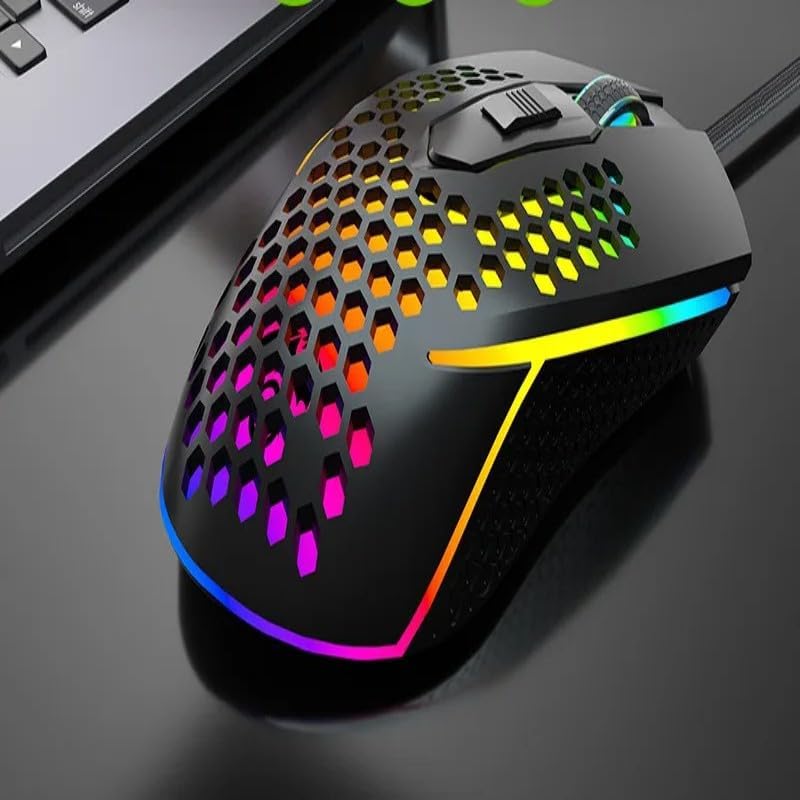
Image: The Delux M700 gaming mouse viewed from the side, clearly showing the lightweight honeycomb design on its shell and the subtle RGB glow.
Ліквідацыю непаладак
If you encounter issues with your Delux M700 mouse, try the following solutions:
- Мышка не рэагуе:
- Пераканайцеся, што кабель USB надзейна падключаны да спраўнага порта USB. Паспрабуйце іншы порт USB.
- Перазагрузіце кампутар.
- Праверце, ці працуе мыш на іншым кампутары, каб выключыць праблему, характэрную для сістэмы.
- Cursor Movement is Erratic or Slow:
- Ачысціце аптычны датчык на ніжняй частцы мышы.
- Пераканайцеся, што вы карыстаецеся мышшу на адпаведнай паверхні (напрыклад, кілімку для мышы).
- Адрэгулюйце параметры DPI з дапамогай кнопкі DPI або праграмнага забеспячэння.
- RGB-асвятленне не працуе:
- Verify that the mouse is properly connected to your computer.
- Check the mouse software for lighting settings and ensure they are enabled.
- If the issue persists, try reinstalling the mouse software.
- Кнопкі не працуюць:
- Check the mouse software for any custom button assignments that might be interfering.
- Пераканайцеся, што пад кнопкамі няма смецця.
Тэхнічныя характарыстыкі
| Асаблівасць | Дэталь |
|---|---|
| мадэль | M700 PMW3389 |
| Датчык | Аптычны датчык PMW3389 |
| Вага | 67 грамаў |
| Гузікі | 7 (праграмуемых) |
| Колы пракруткі | 1 |
| DPI | Adjustable, up to 1600 DPI (as per product description, higher possible with sensor) |
| Сувязь | Wired (Soft Cable) |
| Дызайн | Lightweight Honeycomb Shell |
| Асвятленне | RGB |
| Рука арыентацыі | Правша |
| Сумяшчальныя прылады | Персанальны кампутар |
Гарантыя і падтрымка
Гарантыя: Гэты прадукт пастаўляецца з a Гарантыя 12 месяцаў з даты пакупкі, пакрываючы вытворчыя дэфекты.
падтрымка: If you encounter any issues with your product, such as defective or incorrect items, please do not hesitate to contact us. We are committed to providing support and will respond to your inquiries within 24 hours.
For further assistance, please refer to the contact information provided with your purchase or visit the official Delux support webсайт.