
РОРЫ D12
RORRY 3-in-1 Wireless Charging Station User Manual
Мадэль: D12
1. Уводзіны
Thank you for choosing the RORRY 3-in-1 Wireless Charging Station. This versatile device is designed to simplify your charging experience by providing a centralized solution for your iPhone, Apple Watch, and AirPods. It features a detachable 10000mAh power bank for on-the-go charging and a foldable design for portability. Please read this manual carefully to ensure proper use and maintenance of your charging station.
2. Асноўныя магчымасці
- Зарадка 3-у-1: Simultaneously charges your iPhone (MagSafe compatible), Apple Watch, and AirPods.
- Detachable 10000mAh Power Bank: Provides portable power for your iPhone, allowing for charging on the go.
- Складаны дызайн: Compact and adjustable for easy storage and travel.
- Магнітнае выраўноўванне: Ensures precise and efficient charging for MagSafe-compatible iPhones.
- Аховы бяспекі: Built-in safeguards against overcharge, overcurrent, and short-circuiting.

Image: The RORRY 3-in-1 Wireless Charging Station in black, showcasing its ability to charge an iPhone, Apple Watch, and AirPods simultaneously. The detachable power bank and included PD 20W adapter are also visible.

Image: A comparison table illustrating the advantages of the RORRY charging station, including its 3-in-1 detachable battery, 10000mAh portable charger, foldable design, and effective heat dissipation.
3. Змесціва ўпакоўкі
Калі ласка, праверце змесціва пакета пасля распакавання:
- 1 x Detachable power bank
- 1 x PD 20W charging adapter
- 1 x MagSafe charger station (base unit)
- 1 кабель USB Type-C
4. Кіраўніцтва па наладцы
4.1 Пачатковая налада
- Connect the provided USB Type-C cable to the charging station's input port.
- Plug the other end of the USB Type-C cable into the included PD 20W charging adapter.
- Insert the PD 20W charging adapter into a wall outlet. The indicator light on the charging station will illuminate, indicating it is powered on and ready for use.
4.2 Detachable Power Bank Integration
The detachable power bank magnetically attaches to the main charging station. Ensure it is properly aligned and seated for charging when docked.

Image: The detachable 10000mAh power bank shown with an iPhone magnetically attached, demonstrating its strong suction and high capacity for portable charging.
5. Інструкцыя па эксплуатацыі
5.1 Charging iPhone (MagSafe)
Place your MagSafe-compatible iPhone onto the magnetic charging pad of the station. The phone will automatically align and begin charging. Ensure your iPhone is centered for optimal charging efficiency.
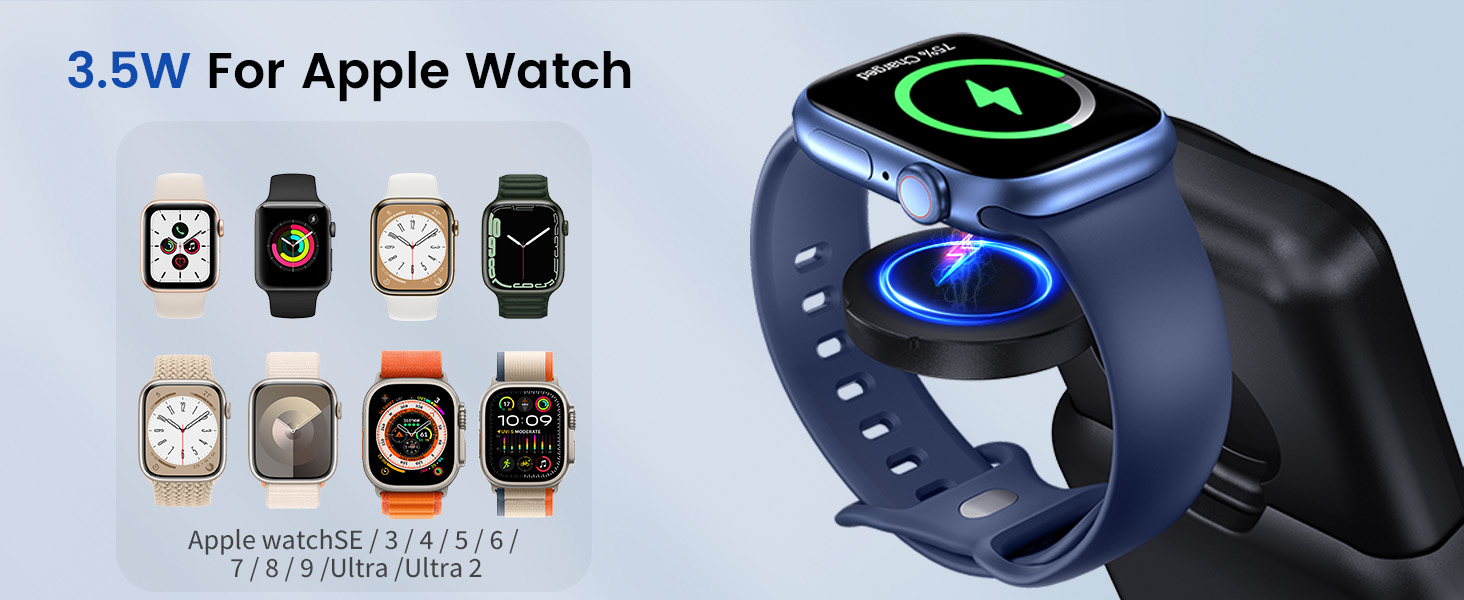
Image: An iPhone charging wirelessly on the station's MagSafe pad, illustrating its 15W charging capability for compatible iPhone models.
5.2 Charging Apple Watch
Place your Apple Watch onto the dedicated watch charging module. The watch will magnetically snap into place and begin charging. This module can be folded for compact storage or extended for use.
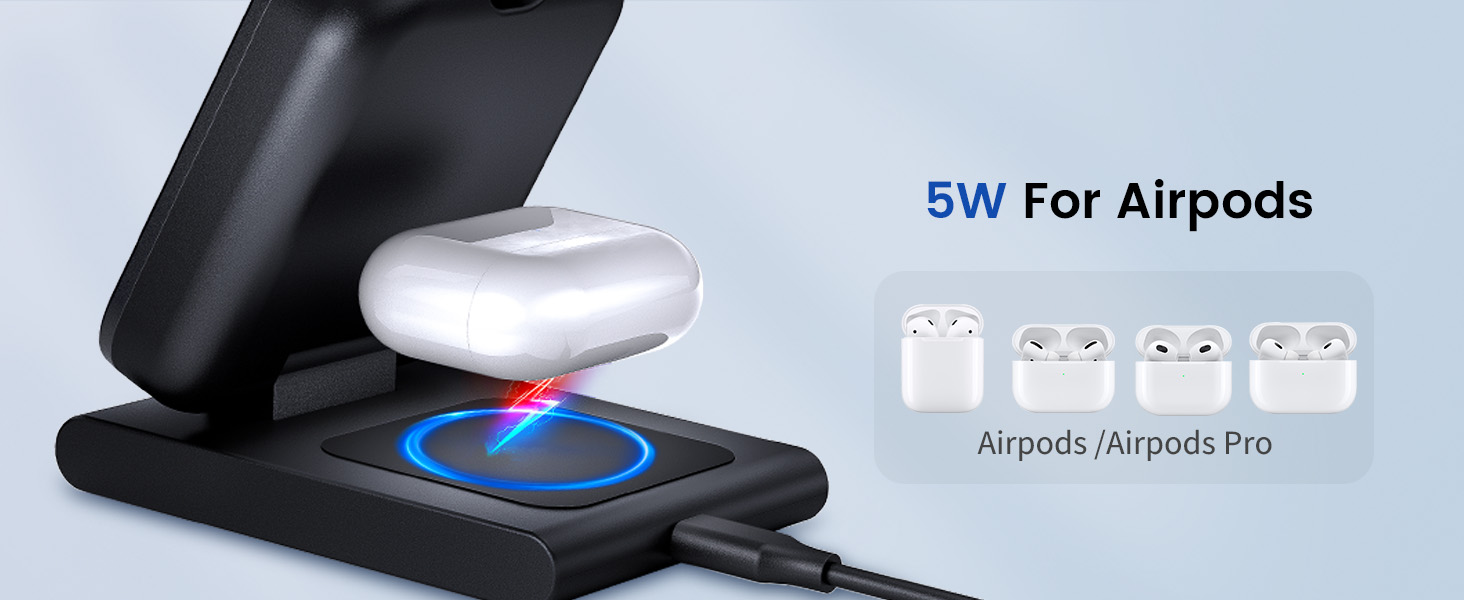
Image: An Apple Watch charging on its integrated module, highlighting its 3.5W charging output for various Apple Watch series.
5.3 Зарадка AirPods
Place your AirPods charging case onto the wireless charging pad located at the base of the station. Ensure the case is centered on the pad for effective charging.

Image: An AirPods charging case placed on the base wireless charging pad, demonstrating its 5W charging capability for AirPods and AirPods Pro models.
5.4 Using the Detachable Power Bank
To use the power bank independently, detach it from the main station. To activate the power bank, press the power button twice to turn it on. Attach your MagSafe-compatible iPhone to the power bank for portable wireless charging. The integrated watch charger can also be used when detached.
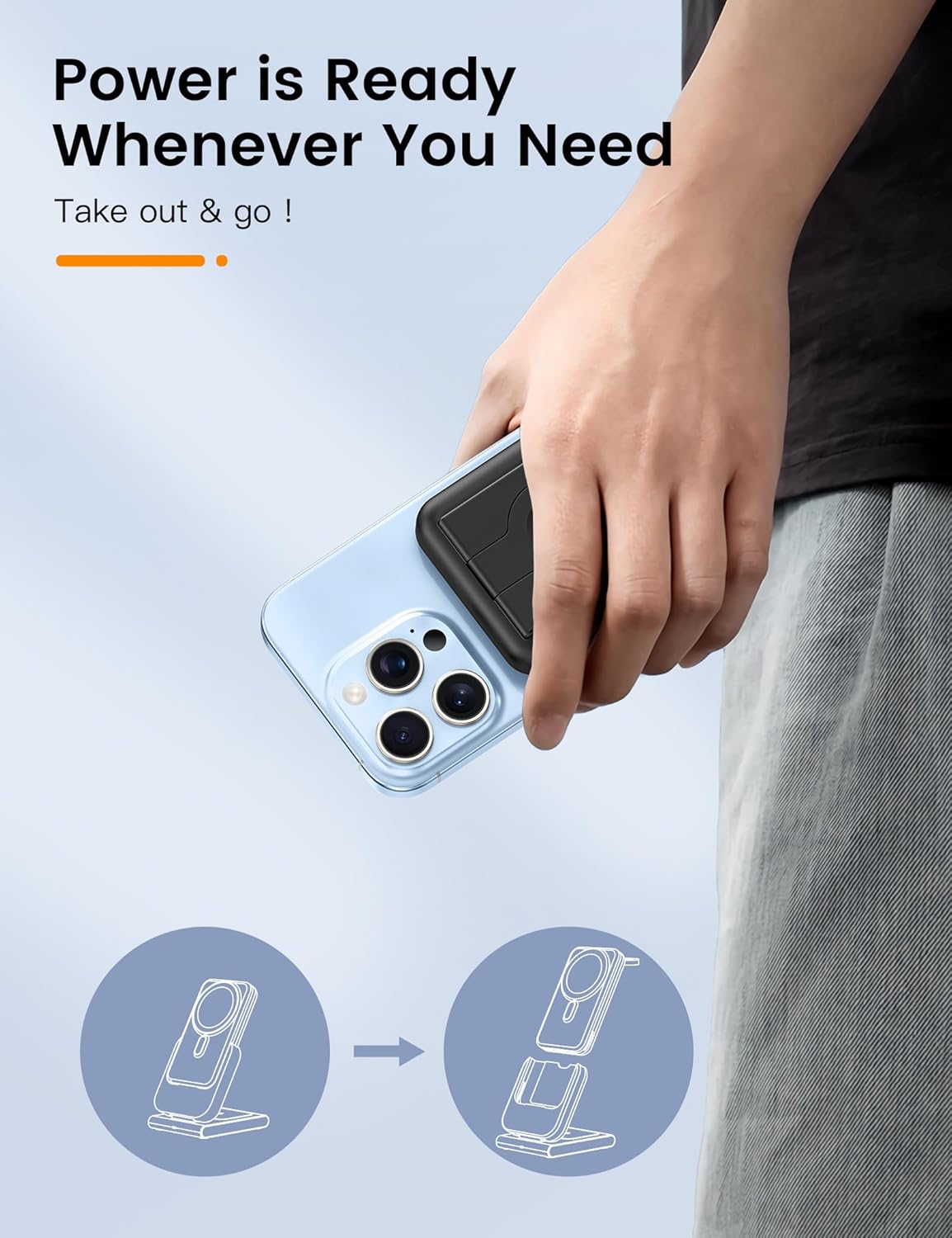
Image: A hand holding an iPhone with the detachable power bank magnetically attached, emphasizing its readiness for on-the-go use.

Image: A visual representation showing how the detachable power bank can be used both as a portable charger and as a stand for your device.
5.5 Foldable Stand Functionality
The charging station features a foldable design, allowing you to adjust the angle of your iPhone for optimal viewing while charging. This also makes it highly portable for travel.

Image: The RORRY charging station demonstrating its foldable and adjustable design, highlighting its suitability for travel and compact storage.
6. Тэхнічнае абслугоўванне і догляд
- Keep the charging station away from water, moisture, and extreme temperatures.
- Працірайце паверхню мяккай сухой тканінай. Не выкарыстоўвайце абразіўныя ачышчальнікі або растваральнікі.
- Не кідайце прыладу і не падвяргайце яе моцным ударам.
- Захоўвайце ў прахалодным сухім месцы, калі не выкарыстоўваеце яго працяглы час.
7. Выпраўленне непаладак
| праблема | Магчымая прычына | Рашэнне |
|---|---|---|
| Прылада не зараджаецца | Incorrect power adapter; loose connection; device misalignment; foreign object on charging pad. | Ensure using the provided PD 20W adapter. Check all cable connections. Realign device on the charging pad. Remove any metal objects or thick cases. |
| Detachable power bank not turning on/charging | Not activated; low battery. | Двойчы націсніце кнопку харчавання to activate the power bank. Ensure it is fully charged by docking it on the main station. |
| Charging station or device gets hot | Normal during wireless charging; poor ventilation; foreign object. | Slight warmth is normal. Ensure adequate ventilation around the charger. Remove any foreign objects. If excessively hot, disconnect and allow to cool before resuming use. |
| Павольная зарадка | Using non-optimal power adapter; device case interference. | Use the included PD 20W adapter. Remove thick phone cases or cases with metal components. |
8. Тэхнічныя характарыстыкі прадукту
| Асаблівасць | Дэталь |
|---|---|
| Нумар мадэлі | D12 |
| Памеры | 6.34 х 3.23 х 2.17 цалі |
| Вага прадмета | 15.5 унцыі |
| Тып батарэі | 1 літый-іённы акумулятар (у камплекце) |
| Сувязь | Бесправадная сувязь |
| Тып раздыма | USB тыпу C |
| Уваходны кнtage | 5 вольт |
| Колер | Чорны |
| Сумяшчальныя прылады | iPhone 12/13/14/15/16 series (MagSafe compatible), Apple Watch Series Ultra 2/Ultra/10/9/8/7/6/5/4/3/2/SE, AirPods 2/3/Pro/Pro 2/4 |
| Уключаныя кампаненты | Detachable power bank, PD 20W charging adapter, MagSafe charger station |
9. Гарантыя і падтрымка
RORRY is committed to providing high-quality products and excellent customer service. Your RORRY 3-in-1 Wireless Charging Station comes with the following support:
- 7x24H After-sales Service: Спецыяльная падтрымка даступная кругласутачна.
- 30-Day Exchange Service: Hassle-free exchanges within 30 days of purchase.
- 12-Months Care Plan: Comprehensive coverage for 12 months.
For any inquiries, technical assistance, or warranty claims, please contact RORRY customer support through the platform where you purchased the product or visit the official RORRY store page.

Image: RORRY's commitment to customer satisfaction, detailing their 24/7 after-sales service, 30-day exchange policy, and 12-month care plan.
Ask a question about this manual
Ask about setup, troubleshooting, compatibility, parts, safety, or missing instructions. Manuals+ will review the question and use this page’s manual context to help answer it.