
glo 10189920
glo HYPER PRO Device User Manual
Мадэль: 10189920
1. Уводзіны
The glo HYPER PRO is an advanced tobacco heating device designed to provide an enhanced experience. It features an EasyView LED display for monitoring device status, a TasteSelect selector for choosing between Standard and Boost modes, and HeatBoost technology for consistent intensity. The device also includes fast charging capabilities and extended battery life.
Important Safety Notice: This product is not risk-free and contains nicotine, which is addictive.
2. Папярэджанні па тэхніцы бяспекі
- This product, when used with its intended tobacco sticks, is not risk-free and delivers nicotine, a highly addictive substance.
- The device itself does not contain tobacco sticks, liquids, pre-filled cartridges, or refills. These must be purchased separately.
- The glo HYPER PRO operates without combustion, producing zero ash and less odor compared to traditional cigarettes.
- Always read the label, warnings, and instructions provided on the product packaging before use. Information on the packaging may differ from online descriptions.
- Захоўваць у месцах, недаступных дзецям і хатнім жывёлам.
- Не падвяргайце прыладу ўздзеянню экстрэмальных тэмператур, прамых сонечных прамянёў або вады.
- Use only the charging cable provided or a certified USB-C cable with a compatible power adapter.
3. Змесціва ўпакоўкі
Please check that your glo HYPER PRO package contains the following items:
- glo HYPER PRO Device
- Зарадны кабель USB-C
- Шчотка для чысткі
- Кіраўніцтва карыстальніка (гэты дакумент)
4. Прылада скончанаview
Familiarize yourself with the components of your glo HYPER PRO device.
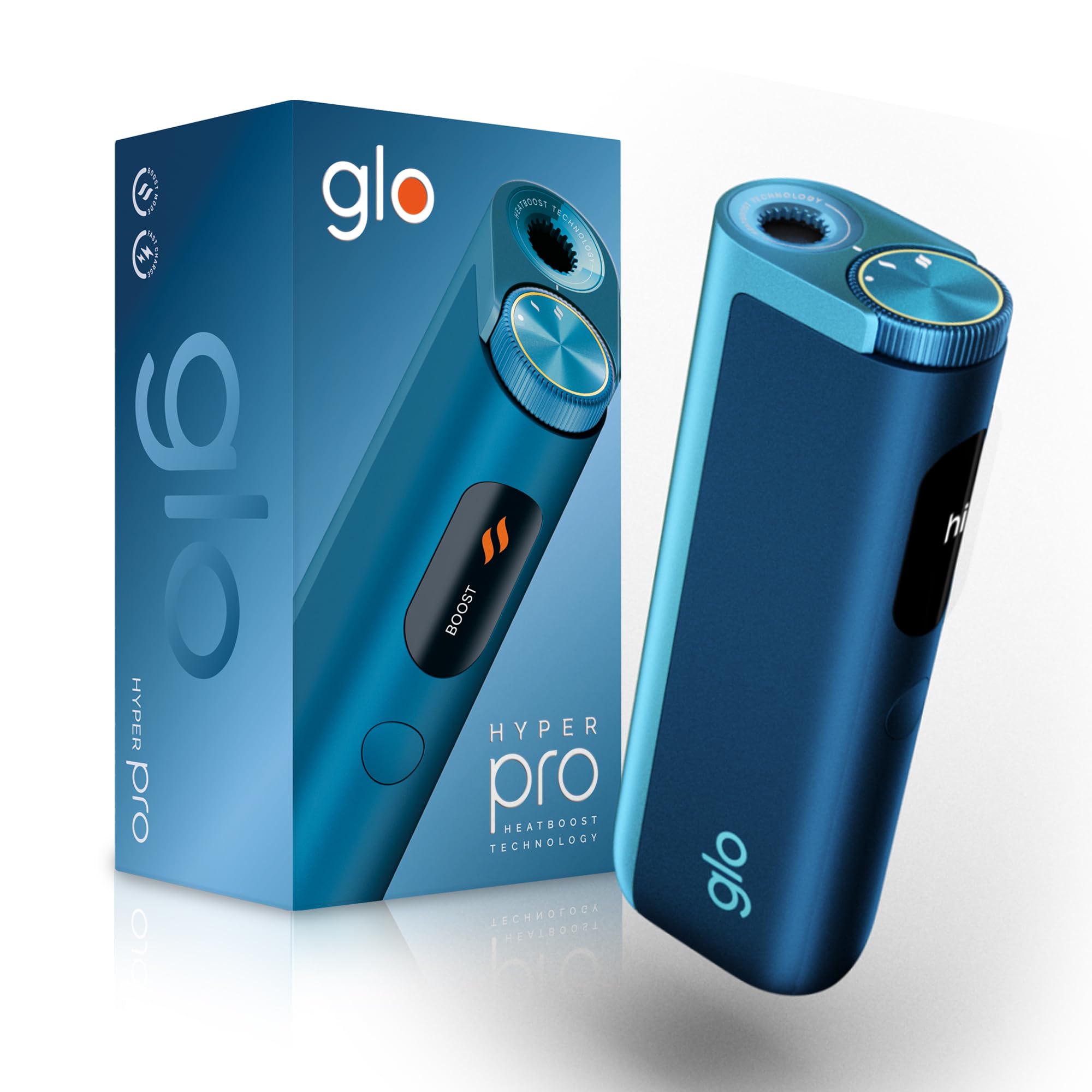
This image displays the glo HYPER PRO device in blue, highlighting its compact dimensions (96.4mm height, 36.5mm width) and weight (92 grams). Key features such as Boost Mode, EasyView Display, and Fast Charge are indicated.
- Heating Chamber: Where the tobacco stick is inserted.
- TasteSelect Selector: Button to switch between Standard and Boost modes.
- лёгкаView Святлодыёдны дысплей: Shows selected mode, session progress, and battery status.
- Порт USB-C: Для зарадкі прылады.
5. Пачатковая налада
5.1 Зарадка прылады
Before first use, fully charge your glo HYPER PRO device. The device features fast charging and extended battery life.
- Connect the USB-C charging cable to the device's USB-C port.
- Plug the other end of the cable into a compatible USB power adapter.
- The EasyView LED display will indicate the charging progress.
- Пасля поўнай зарадкі адключыце прыладу ад зараднай прылады.
5.2 Першае выкарыстанне
To turn on the device for the first time:
- Press the TasteSelect button 5 times rapidly.
- The device will vibrate and the EasyView LED display will illuminate, indicating it is ready for use.
6. Эксплуатацыя прылады
6.1 Inserting a Tobacco Stick
Ensure the device is clean before inserting a tobacco stick.
- Gently insert a compatible tobacco stick into the heating chamber at the top of the device.
- Do not force the stick.
6.2 Selecting a Mode (Standard or Boost)
The TasteSelect selector allows you to choose your preferred intensity.

This image illustrates two glo HYPER PRO devices, demonstrating the selection between Standard and Boost intensity modes.
- Стандартны рэжым: For a balanced experience. Press and hold the TasteSelect button until the device vibrates once.
- Рэжым павышэння: For superior intensity, featuring HeatBoost technology. Press and hold the TasteSelect button until the device vibrates twice.
The EasyView LED display will show the selected mode and the heating progress.
6.3 Пачатак сеансу
- After inserting the tobacco stick and selecting your mode, the device will begin heating.
- The EasyView LED display will show a countdown or progress indicator.
- The device will vibrate when it is ready for use.
- Once the session is complete, the device will vibrate again and the display will turn off.
6.4 Ending a Session
Пасля сесіі:
- Remove the used tobacco stick from the heating chamber.
- Dispose of the used stick responsibly.
- Перад чысткай або захоўваннем дайце прыладзе астыць.
7. Тэхнічнае абслугоўванне і ачыстка
Regular cleaning ensures optimal performance and longevity of your glo HYPER PRO device.
7.1 Cleaning the Heating Chamber
- Перад чысткай пераканайцеся, што прылада выключана і цалкам астыла.
- Use the provided cleaning brush to gently remove any tobacco residue from the heating chamber.
- Avoid using water or liquid cleaners directly on the heating element.
- For stubborn residue, a dry cotton swab can be used carefully.
7.2 Знешняя ачыстка
Wipe the exterior of the device with a soft, dry cloth as needed.
8. Выпраўленне непаладак
If you encounter issues with your glo HYPER PRO, refer to the following common problems and solutions:
| праблема | Магчымая прычына | Рашэнне |
|---|---|---|
| Прылада не ўключаецца | Нізкі зарад батарэі або яе адсутнасць | Цалкам зарадзіце прыладу з дапамогай кабеля USB-C, які ўваходзіць у камплект. |
| Прыбор не награваецца | Tobacco stick not inserted correctly; Device malfunction | Ensure the tobacco stick is fully and correctly inserted. Try restarting the device. If the issue persists, contact customer support. |
| Зарадка павольная або не працуе | Faulty cable or adapter; Dirty charging port | Check the USB-C cable and power adapter for damage. Try a different compatible cable/adapter. Clean the charging port gently with a dry, soft brush. |
| Святлодыёдны дысплей не працуе | Няспраўнасць прылады | Паспрабуйце перазагрузіць прыладу. Калі праблема не знікне, звярніцеся ў службу падтрымкі кліентаў. |
9. Тэхнічныя характарыстыкі
| Асаблівасць | Дэталь |
|---|---|
| Марка | гла |
| Нумар мадэлі | 10189920 |
| Памеры (ДхШхВ) | 9.6 х 3.6 х 2.1 см |
| Вага | 150 грамаў |
| Ёмістасць батарэі | 2580 мАг (літый-іённы) |
| Порт для зарадкі | USB-C |
| Асаблівасць | Кампактны дызайн |
| Вытворца | Nicoventures Trading Limited |
10. Гарантыя і падтрымка
10.1 Інфармацыя аб гарантыі
For detailed warranty information, please refer to the warranty card included in your product packaging or visit the official glo webсайт. Умовы гарантыі могуць адрознівацца ў залежнасці ад рэгіёна.
10.2 Падтрымка кліентаў
If you have any questions, require assistance, or need to report an issue with your glo HYPER PRO device, please contact glo customer support through their official webсайт або кантактную інфармацыю, указаную ў дакументацыі да прадукту.