
Уводзіны
This manual provides comprehensive instructions for the IMGadgets Karaoke Microphone, model KRK1. This versatile 5-in-1 device functions as a handheld cordless microphone, a portable speaker, a music player, a karaoke machine, and a voice recorder. It features colorful LED lights and is designed for ease of use across various age groups and settings.
Асаблівасці прадукту
- Чыстая якасць гуку: Equipped with high-quality inner-magnet loudspeakers for clear and loud audio output.
- Funny Sound Changes: Offers 4 distinct voice modes to enhance entertainment during singing sessions.
- Easy to Use & Multiple Connections: Features multi-function buttons for adjusting music, echo, and volume. Supports both wired and cordless connections to smartphones, TVs, laptops, or tablets. Includes an SD card slot for music playback (SD card not included).
- 5-in-1 Multifunctional Device: Combines the functions of a cordless microphone, cordless speaker, music player (with headphone connectivity), cordless karaoke machine, and voice recorder.
- Працяглая батарэя: Integrated 1200 mAh battery provides approximately 4-6 hours of continuous music listening or singing.
- Дынамічныя святлодыёдныя ліхтары: Built-in LED lights flash in rhythm with the music, adding a visual element to performances.
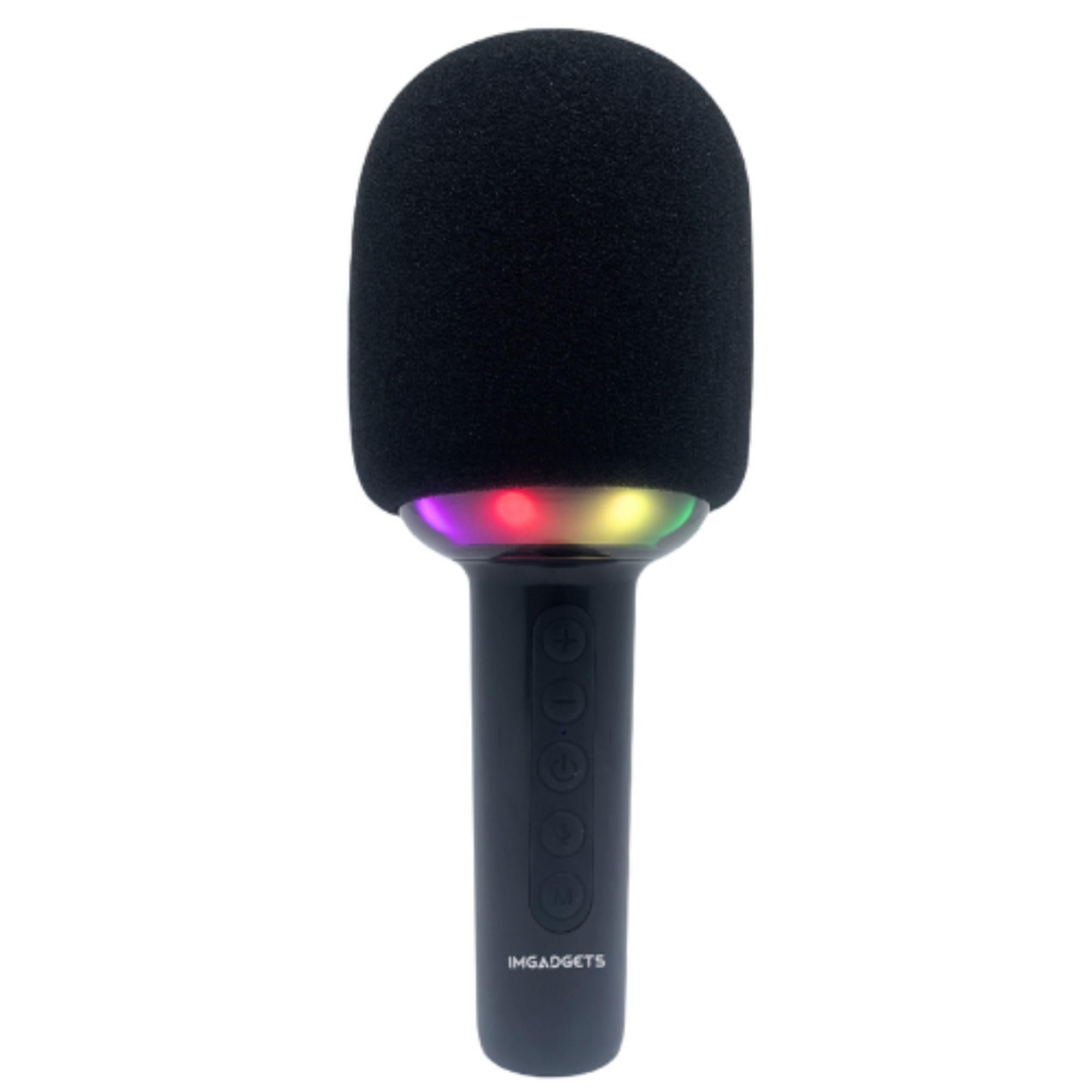
Image: The IMGadgets Karaoke Microphone, highlighting its key features such as Micro SD support, 10W speaker, echo function, Bluetooth 5.0, and voice changer capabilities.
Настройка
- Зарадка мікрафона: Connect the provided USB Type-C cable to the charging port at the bottom of the microphone and to a compatible USB power source. The power indicator light will show charging status.
- Уключэнне/выключэнне харчавання: Press and hold the power button (ⓘ) for a few seconds to turn the microphone on or off. The LED lights will illuminate upon power-on.
- Спалучэнне праз Bluetooth: Once powered on, the microphone will enter Bluetooth pairing mode. On your device (smartphone, tablet, etc.), search for "IMGadgets KRK1" in the Bluetooth settings and connect. A confirmation sound will indicate successful pairing.
- Устаўка SD-карты: For music playback directly from an SD card, insert a formatted Micro SD card into the designated slot at the bottom of the microphone.
Video: Demonstration of powering on the IMGadgets Karaoke Microphone, showing the LED lights activating and the sound output. This video also highlights the various ports at the base of the microphone.
Інструкцыя па эксплуатацыі
Функцыі кнопак:
- Кнопка «+»: Single click to increase microphone volume. Double click to increase echo effect. Long press to play the next song.
- Кнопка «-»: Single click to decrease microphone volume. Double click to decrease echo effect. Long press to play the previous song.
- Кнопка харчавання (ⓘ): Short press to play/pause music. Double click for duet mode (if supported). Long press to power on/off.
- Кнопка мікрафона (🎤): Activates voice changer effects (4 effects + no effect).
- Кнопка «М»: Short press to switch between Bluetooth and TF (SD card) modes. Long press to toggle LED light effects.
Змена голасу:
Press the microphone button (🎤) repeatedly to cycle through the 4 available voice changing effects and the normal voice mode. Experiment to find your preferred effect.
Функцыя запісу:
When connected to a smartphone via Bluetooth, you can use a compatible karaoke app to record your singing. The microphone acts as both input and output for this function.

Image: A group of people enjoying singing with the IMGadgets Karaoke Microphone, illustrating its voice recorder capability.

Image: A diagram illustrating the control panel buttons and their functions on the IMGadgets Karaoke Microphone.
Тэхнічнае абслугоўванне
- Уборка: Use a soft, dry cloth to clean the exterior of the microphone. Do not use harsh chemicals or abrasive materials.
- захоўванне: Захоўвайце мікрафон у прахалодным, сухім месцы, удалечыні ад прамых сонечных прамянёў і экстрэмальных тэмператур.
- Сыход за батарэяй: To prolong battery life, avoid fully discharging the battery frequently. Charge the microphone regularly, even if not in use for extended periods.
Ліквідацыю непаладак
- Няма выхаду гуку: Ensure the microphone is powered on and fully charged. Check the volume levels on both the microphone and the connected device. Verify Bluetooth connection is active.
- Немагчыма падключыцца праз Bluetooth: Make sure the microphone is in pairing mode. Turn off and on Bluetooth on your device, then try searching again. Ensure no other devices are currently connected to the microphone.
- Святлодыёдныя ліхтары не працуюць: Check if the LED lights have been turned off using the 'M' button's long press function. Ensure the microphone has sufficient battery.
- Дрэнная якасць гуку: Ensure the microphone is not too close to the speaker, which can cause feedback. Adjust echo and volume settings.
Тэхнічныя характарыстыкі
| Асаблівасць | Дэталь |
|---|---|
| Памеры прадукту | 7 х 7 х 21 см |
| Вага прадмета | 0.32 кілаграма (320 г) |
| Нумар мадэлі | КРК1 |
| Марка | IMGadgets |
| Тэхналогія падлучэння | Auxiliary, USB (Bluetooth 5.0) |
| Тып раздыма | USB Type-C |
| Асаблівасці | 1-Touch Recording, Voice Changer, Volume Control, Dynamic LED Lights |
| Сумяшчальныя прылады | Smartphone, Tablet, Television, Laptop, PC |
| Крыніца харчавання | Акумулятар (1200 мАг) |
| Дыяпазон частот | 80 Гц - 15 кГц |
| Уключаныя кампаненты | Мікрафон |
Гарантыя і падтрымка
The IMGadgets Karaoke Microphone KRK1 comes with a 90-day warranty. For technical support, warranty claims, or any inquiries, please contact IMGadgets customer service:
- тэлефон: +1 647-797-3804
- электронная пошта: customercare@imgadgets.com