
Уводзіны
Сардэчна запрашаем у кіраўніцтва карыстальніка для вашага Blackview Active 8 Pro Rugged Tablet. This device is engineered for durability and performance, designed to withstand challenging environments while providing a robust computing experience. Featuring a 10.36-inch display, a powerful MediaTek Helio G99 Octa-core processor, and a massive 22000mAh battery, the Active 8 Pro is built for extended use and demanding tasks. It is MIL-STD-810H certified and boasts IP68 & IP69K waterproof ratings, ensuring resilience against water, dust, and drops.
This manual provides essential information on setting up, operating, maintaining, and troubleshooting your tablet to ensure optimal performance and longevity.
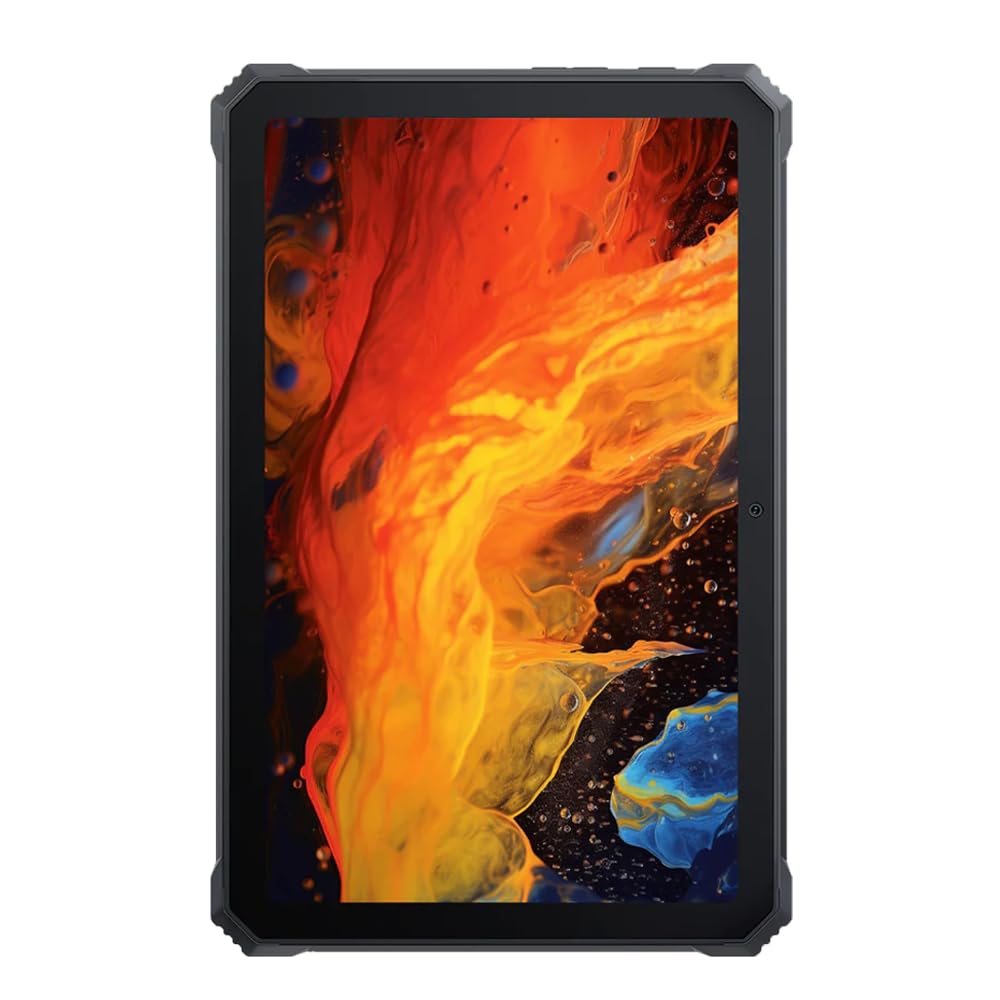
Выява: спераду view Чорнагаview Трывалы планшэт Active 8 Pro, дэманстрацыяasing its display and robust bezel.
Змест пакета
Калі ласка, пераканайцеся, што ўсе прадметы прысутнічаюць у камплекце з вашым прадуктам:
- Чорныview Трывалы планшэт Active 8 Pro
- Padded Leather Strap
- Зарадны кабель
- Адаптар сілкавання
- Інструмент для выцягвання SIM-карты (пры наяўнасці)
- Кароткае кіраўніцтва
Макет прылады
Familiarize yourself with the physical components and ports of your Active 8 Pro tablet.

Выява: спераду view Чорнагаview Active 8 Pro tablet, highlighting the display and front camera location.

Выява: Задняя частка view Чорнагаview Active 8 Pro tablet, showing the camera module, speaker grilles, and the attached padded leather strap for secure handling.

Image: Angled rear view Чорнагаview Active 8 Pro tablet, providing a perspective of its ruggedized corners and the ergonomic padded leather strap.
Настройка
1. Зарадка прылады
Before first use, fully charge your Active 8 Pro tablet. Connect the provided charging cable to the tablet's charging port and the power adapter to a wall outlet. The tablet supports 33W fast charging for quick power replenishment.
- Use only the original Blackview charger and cable to ensure optimal charging speed and safety.
- На экране з'явіцца індыкатар зарадкі.
2. Уключэнне / выключэнне харчавання
- Каб уключыць: Press and hold the Power button (typically located on the side) until the Blackview на экране з'яўляецца лагатып.
- Каб выключыць: Націсніце і ўтрымлівайце кнопку харчавання, пакуль не з'явіцца меню харчавання. Выберыце з опцый «Выключыць харчаванне».
- Каб перазапусціць: У меню харчавання абярыце «Перазагрузка».
3. Пачатковая канфігурацыя
Пры першым уключэнні планшэт правядзе вас праз працэс пачатковай налады. Выконвайце падказкі на экране, каб:
- Выберыце сваю мову.
- Падключыцеся да сеткі Wi-Fi.
- Увайдзіце ў свой уліковы запіс Google або стварыце новы.
- Наладзьце блакаванне экрана (PIN-код, узор, пароль або адбітак пальца).
- Review і прыняць умовы.
Інструкцыя па эксплуатацыі
1. Базавая навігацыя
Your Active 8 Pro runs on Android 14, offering an intuitive user interface. Use standard touchscreen gestures:
- Націсніце: Выберыце элемент або адкрыйце праграму.
- Націсніце і ўтрымлівайце: Доступ да кантэкстных меню або перамяшчэнне значкоў.
- Правядзіце пальцам: Пракручвайце старонкі, спісы або пераключайцеся паміж галоўнымі экранамі.
- Звядзенне пальцамі для павелічэння: Павялічваць або памяншаць маштаб малюнкаў і web старонкі.
2. Сувязь
- Wi-Fi: Go to Settings > Network & internet > Wi-Fi to connect to available networks. The tablet supports 802.11ac, 802.11ax, 802.11g, and 802.11n standards.
- Bluetooth: Go to Settings > Connected devices > Connection preferences > Bluetooth to pair with Bluetooth accessories like headphones or speakers.
- Mobile Data (if applicable): Insert a SIM card into the designated slot to access mobile data services.
3. Выкарыстанне камеры
The tablet features a 48 MP rear camera. Open the Camera app to capture photos and videos. Tap on the screen to focus, and use the on-screen shutter button to take a picture.
4. Audio Enhancement
Experience enhanced audio quality with Sound By Harman AudioEFX. Adjust audio settings in the tablet's sound preferences to optimize your listening experience for music, movies, or calls.
5. Using the Padded Leather Strap
The included padded leather strap is designed to provide extra grip and comfort, reducing hand fatigue during extended use. Securely attach the strap to the designated points on the back of the tablet. Adjust for a snug fit that allows for comfortable one-handed or two-handed holding.
Тэхнічнае абслугоўванне
1. Чыстка планшэта
- Use a soft, lint-free cloth to wipe the screen and body of the tablet.
- Для ўстойлівага бруду злёгку ачысціцеampпрацярыце тканіну вадой або растворам для чысткі экранаў.
- Avoid using harsh chemicals, abrasive materials, or excessive moisture, especially near ports.
- Ensure all port covers are securely closed before cleaning if exposing to water.
2. Захоўванне
When not in use for extended periods, store your tablet in a cool, dry place away from direct sunlight and extreme temperatures. Ensure the battery is charged to approximately 50% before long-term storage to preserve battery health.
3. Абнаўленне праграмнага забеспячэння
Regularly check for and install software updates to ensure your tablet has the latest features, security patches, and performance improvements. Go to Settings > System > System update to check for available updates.
Ліквідацыю непаладак
У гэтым раздзеле разглядаюцца распаўсюджаныя праблемы, з якімі вы можаце сутыкнуцца пры выкарыстанні вашага Blackview Active 8 Pro tablet.
- Прылада не ўключаецца:
Ensure the tablet is sufficiently charged. Connect it to the charger for at least 30 minutes before attempting to power it on again. If it still doesn't power on, try holding the power button for 10-15 seconds to force a restart.
- Screen Unresponsive or Display Issues:
If the screen becomes unresponsive, try restarting the device. If the display fails or shows abnormalities, ensure the tablet has not sustained severe physical damage. Contact customer support if the issue persists after a restart.
- Праблемы з зарадкай:
Verify that the charging cable and adapter are securely connected and undamaged. Try using a different compatible charger and cable if available. Ensure the charging port is free of debris.
- Праблемы з падключэннем Wi-Fi/Bluetooth:
Toggle Wi-Fi or Bluetooth off and on. Restart your tablet and the router/Bluetooth device. Ensure you are within range and have the correct password for Wi-Fi networks.
- Нізкая прадукцыйнасць:
Close unnecessary background applications. Clear cache data for apps that are frequently used. Consider performing a factory reset as a last resort (back up your data first).
Тэхнічныя характарыстыкі
| Асаблівасць | Спецыфікацыя |
|---|---|
| Назва мадэлі | Active 8 Pro |
| Памер дысплея | 10.36 цалі |
| Дазвол экрана | 1920 х 1080 пікселяў |
| Працэсар | Васьміядзерны працэсар MediaTek Helio G99 (2.2 ГГц) |
| АЗП | 8 ГБ (DDR4 SDRAM) |
| Унутраная памяць | 256 ГБ |
| Аперацыйная сістэма | Android 14 |
| Ёмістасць батарэі | 22000 мАг |
| Хуткая зарадка | 33W Support |
| Ацэнкі трываласці | MIL-STD-810H Certified, IP68 & IP69K Waterproof |
| Абарона экрана | Corning Gorilla Glass 5 |
| Задняя камера | 48 МП |
| Бесправоднае падключэнне | 802.11ac, 802.11ax, 802.11g, 802.11n |
| Памеры (ДхШхВ) | 10.09 х 6.53 х 0.66 цалі |
| Вага прадмета | 3.34 фунта |
Гарантыя і падтрымка
Твой чорныview Active 8 Pro tablet comes with a limited warranty. Please refer to the warranty card included in your package for specific terms and conditions, including coverage duration and limitations. Keep your proof of purchase for warranty claims.
For technical support, service, or warranty inquiries, please visit the official Blackview падтрымка website or contact their customer service department. Contact information can typically be found on the Blackview webна сайце або ў дакументацыі, якая пастаўляецца з вашым прадуктам.
Для атрымання дадатковай інфармацыі вы можаце наведаць Чорныview Крама на Amazon.