
VTech ES2050
Кіраўніцтва карыстальніка бесправаднога тэлефона VTech ES2050 DECT
Мадэль: ES2050
1. Прадукт скончыўсяview
The VTech ES2050 is a DECT cordless phone designed for home and office use, featuring an integrated digital answering machine, call blocking capabilities, and enhanced audio functions. This manual provides detailed instructions for setting up, operating, and maintaining your phone.

The VTech ES2050 DECT Cordless Phone with its base unit, showcasing the handset's backlit display and keypad, and the base unit's answering machine controls.

The VTech ES2050 DECT Cordless Phone positioned in a contemporary living space, highlighting its sleek design and integration into a home environment.

Illustration of the VTech ES2050's Nuisance Call Blocker feature, showing how it helps prevent unwanted calls from ringing through. Up to 100 numbers can be blacklisted.

The VTech ES2050's Digital Answering System, capable of recording up to 30 minutes of messages, with a digital message counter on the base unit.

Depiction of the VTech ES2050's easy one-touch features, including Mute/Alarm, adjustable ring volume and melodies, and a high-quality handsfree speakerphone.

Visual representation of the VTech ES2050's Volume Booster function, which amplifies incoming sounds for enhanced clarity and loudness, beneficial for hearing-impaired users.

The VTech ES2050 handset with its backlit display and keypad illuminated, demonstrating improved visibility in low-light conditions.

A composite image illustrating key features: 100 name and number phonebook, calling numbers displayed with 20 call list records, 10 last number redial, and up to 18 hours talk time / 250 hours standby time.
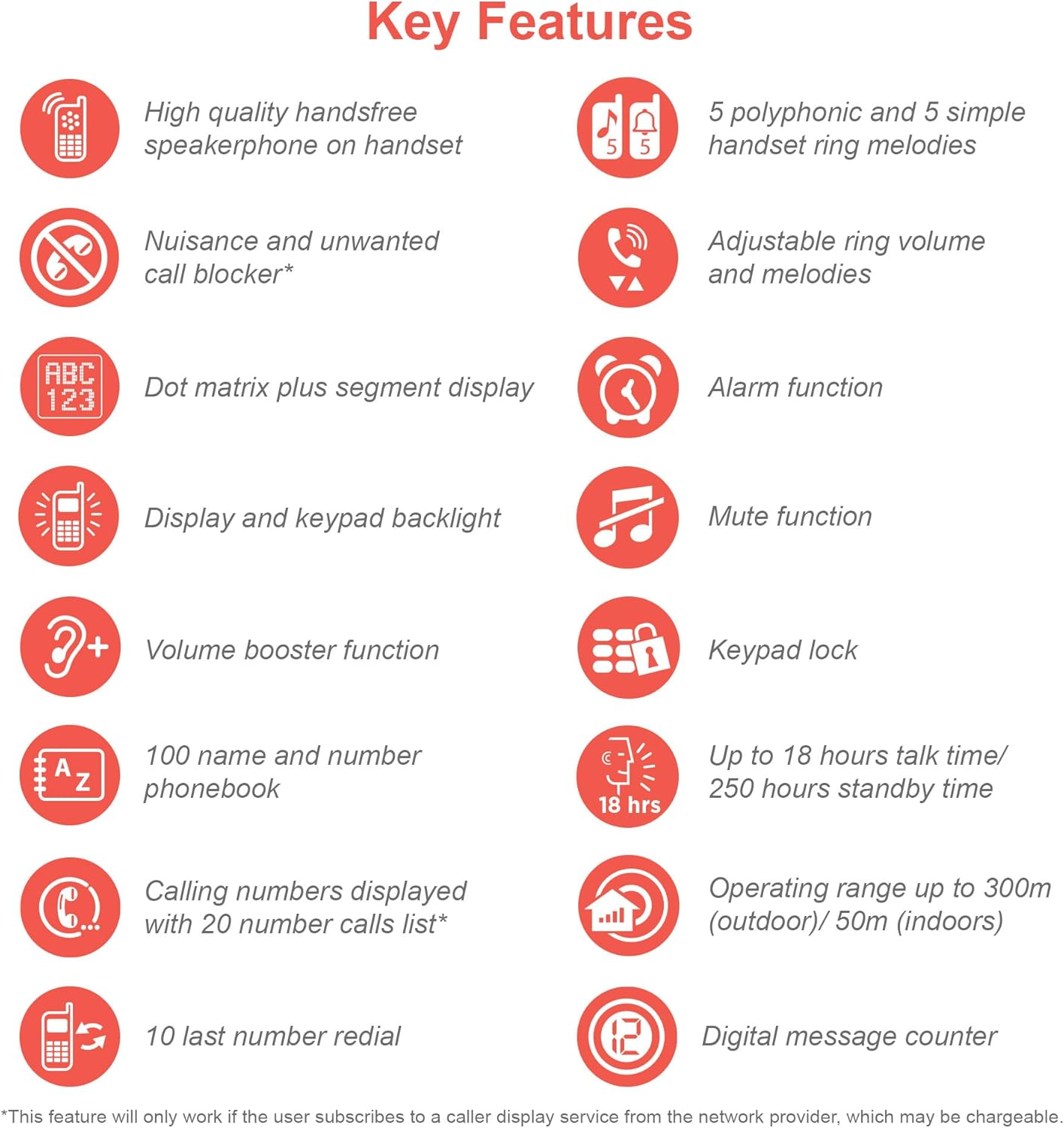
An infographic summarizing the VTech ES2050's key features, including speakerphone, call blocker, polyphonic ringtones, alarm, mute, keypad lock, volume booster, phonebook, call list, redial, talk time, operating range, and digital message counter.
Асноўныя характарыстыкі:
- Лічбавы аўтаадказчык: 30 minutes recording time.
- Nuisance Call Blocker: Block up to 100 blacklisted numbers.
- Volume Booster: Amplifies incoming sounds for enhanced clarity.
- Доўгі тэрмін службы батарэі: Up to 18 hours talk time / 250 hours standby time.
- Дысплей і клавіятура з падсветкай: лёгка viewпры цьмяным святле.
- Handsfree Speakerphone: High-quality speakerphone on handset.
- Тэлефонная кніга: 100 name and number capacity.
- Хуткі набор: 3 speed dial numbers.
- Рэжым ECO: For reduced power consumption.
- Ідэнтыфікатар абанента / Чаканне выкліку: Stores 20 records.
- Паўторны набор: 10 last number redial.
- Функцыя сігналізацыі: Integrated alarm.
- Функцыя адключэння гуку: For privacy during calls.
- Блакаванне клавіятуры: Prevents accidental dialing.
2. Што ў скрынцы
Перад пачаткам пераканайцеся, што ўсе кампаненты наяўныя:
- Базавая адзінка 1
- 1 бесправадная трубка
- 1 Charger (for handset)
- 1 Battery Pack (2 AAA batteries included)
- Тэлефонны шнур
- Кароткае кіраўніцтва па запуску (поўную інфармацыю глядзіце ў гэтым кіраўніцтве)
3. Кіраўніцтва па наладцы
3.1. Усталёўка і зарадка акумулятара
- Locate the battery compartment cover on the back of the handset. Slide it open.
- Шчыльна падключыце штэкер акумулятарнай батарэі да раздыма ўнутры адсека.
- Place the 2 AAA batteries (included) into the compartment, ensuring correct polarity (+ and -).
- Замяніце крышку батарэйнага адсека.
- Place the handset on the base unit or charger. The charging indicator light on the handset should illuminate.
- Перад першым выкарыстаннем дайце тэлефону зарадзіцца не менш за 16 гадзін, каб забяспечыць поўную зарадку батарэі.
3.2. Падключэнне базавага блока
- Падключыце адзін канец тэлефоннага шнура да раздыма TEL LINE на задняй панэлі базавага блока.
- Падключыце другі канец тэлефоннага шнура да тэлефоннай разеткі на сцяне.
- Plug the small end of the power adapter into the POWER jack on the back of the base unit.
- Падключыце вялікі канец адаптара харчавання да звычайнай электрычнай разеткі.
- Ensure all cables are securely connected and routed to prevent tripping hazards.
3.3. Пачатковая налада (дата і час)
After the handset is charged, you will need to set the date and time. Follow the on-screen prompts on the handset display. If prompted multiple times, ensure each step is confirmed before proceeding.
- Націсніце МЕНЮ / Добра кнопка.
- Перайсці да Дата і час з дапамогай клавіш са стрэлкамі.
- Прэса МЕНЮ / Добра каб выбраць.
- Увядзіце бягучую дату і час з дапамогай клавіятуры.
- Прэса МЕНЮ / Добра каб захаваць.
4. Інструкцыя па эксплуатацыі
4.1. Здзяйсненне і прыём званкоў
- Каб зрабіць званок: Вазьміце слухаўку альбо націсніце ГАВАРЫЦЬ button. Dial the number.
- Каб прыняць выклік: Калі тэлефон зазваніць, падніміце слухаўку або націсніце ГАВАРЫЦЬ кнопка.
- Каб завяршыць выклік: Пастаўце трубку назад на базу/зарадную прыладу або націсніце кнопку КАНЕЦ кнопка.
4.2. Выкарыстанне гучнагаварыцеля
Падчас размовы націсніце СПІКЕР button to activate the handsfree speakerphone. Press it again to switch back to the handset earpiece.
4.3. Лічбавы аўтаадказчык
- Прайграванне паведамленняў: На базавым блоку націсніце ПРАЙГРАЦЬ/СТОП.
- Выдаленне паведамленняў: Падчас прайгравання паведамлення націсніце ВЫДАЛІЦЬ на базавым блоку.
- Запіс выходнага паведамлення (OGM): Refer to the handset menu for OGM recording options.
4.4. Nuisance Call Blocker
This feature allows you to block unwanted calls. You can add numbers to a blacklist.
- To Block a Number from Call History: Access the Call History, select the number, and choose the "Block" option.
- To Manually Add a Number to Blacklist: Navigate to the Call Blocker menu in the handset settings and add the number.
- The phone can store up to 100 blacklisted numbers.
4.5. Volume Booster
каб amplify the incoming sound during a call, press the ПАДВЫШЧЭННЕ button (often marked with a speaker icon or "+") on the handset. Press it again to deactivate.
4.6. Тэлефонная кніга і хуткі набор
- Даданне кантактаў: Access the Phonebook menu, select "Add New Entry", and enter the name and number.
- Набор з тэлефоннай кнігі: Націсніце ТЭЛЕФОННАЯ КНІГА button, scroll to the desired contact, and press ГАВАРЫЦЬ.
- Хуткі набор: Assign frequently called numbers to speed dial keys (e.g., 1, 2, 3). Refer to the handset menu for speed dial setup.
4.7. Рэжым ECO
The phone automatically enters ECO mode when the handset is close to the base unit, reducing power consumption and transmission power. This mode is indicated by an ECO icon on the display.
5. Тэхнічнае абслугоўванне
- Уборка: Працярыце тэлефон і базу мяккай губкайamp тканіна. Не выкарыстоўвайце абразіўныя ачышчальнікі або растваральнікі.
- Сыход за батарэяй: For optimal battery life, avoid overcharging by leaving the handset off the charger for extended periods once fully charged. If the phone will not be used for a long time, remove the batteries.
- Размяшчэнне: Place the base unit in a central location away from other electronic devices that may cause interference.
6. Выпраўленне непаладак
If you experience issues with your VTech ES2050 phone, try the following solutions:
| праблема | Магчымае рашэнне |
|---|---|
| Няма гудка / Немагчыма рабіць або прымаць званкі. |
|
| Дрэнная якасць гуку / Статычны шум. |
|
| Аўтаадказчык не запісвае паведамленні. |
|
| Handset display is blank or unresponsive. |
|
| Difficulty with menu navigation or settings. |
|
7. Тэхнічныя характарыстыкі
| Асаблівасць | Дэталь |
|---|---|
| Нумар мадэлі | ES2050 |
| Тып тэлефона | Бесправадная DECT |
| Тып аўтаадказчыка | Лічбавы |
| ёмістасць запісу | 30 хвілін |
| Час размовы па тэлефоне | Да 18 гадзін |
| Час чакання тэлефона | Да 250 гадзін |
| Батарэі | 2 батарэйкі AAA (у камплекце) |
| Крыніца харчавання | Харчаванне ад батарэі |
| Тып набору нумара | Адзіная клавіятура |
| Сумяшчальныя прылады | Standard Landline Telephone Networks |
| Колер | Чорны |
| Вытворца | VTech |
| Краіна паходжання | Кітай |
8. Гарантыя і падтрымка
For warranty information and technical support, please refer to the official VTech website or contact VTech customer service. Keep your purchase receipt as proof of purchase.
вытворца: VTech
For the most up-to-date support resources, visit the VTech support page or refer to the contact information provided with your product packaging.