
1. Уводзіны
This manual provides instructions for the iTOMA Model CKS507 Clock Radio. This device combines an alarm clock with a large LED display, FM radio, dual alarms, two USB charging ports, a night light, and both automatic and manual dimmer functions. It also features APP control for enhanced functionality and ease of use.

Figure 1: iTOMA CKS507 Clock Radio overview.
2. Асноўныя магчымасці
- Ultra Clear 1.4-inch White LED Display: Large numbers for easy readability from any angle, with 4-level manual and auto brightness adjustment.
- Упраўленне APP: Manage alarms, radio, and other settings via the dedicated iTOMA App for iOS and Android.
- Падвойныя будзільнікі: Set two independent alarms with customizable wake-up modes (radio or buzzer) and 4 alarm week modes (Every day, single day, weekdays, weekends).
- FM-радыё: Digital tuning with memory storage for up to 20 programmable stations (87.5-108MHz). Features a sleep-to-music timer (10-90 minutes).
- Злучэнне Bluetooth: Бесправадная трансляцыя аўдыё з прылад з падтрымкай Bluetooth.
- Two USB Charging Ports: Includes one USB Type-A and one USB Type-C port (2.1A 5V) for charging mobile devices.
- Начнік: Two-level night light for ambient illumination.
- Функцыя затрымкі: 9-minute snooze, up to 6 times.
- Crescendo Wake-up Control: Гучнасць будзільніка паступова павялічваецца.
3. Змесціва ўпакоўкі
Праверце наяўнасць усіх прадметаў у камплекце:
- 1 x iTOMA CKS507 Clock Radio
- 1 х адаптар сілкавання
- 1 x User Manual (Six languages)
4. Настройка
4.1 Падключэнне харчавання
- Unpack the iTOMA CKS507 Clock Radio and its power adapter.
- Connect the power adapter to the DC input port on the back of the clock radio.
- Plug the power adapter into a standard electrical outlet. The clock will automatically set itself to the correct year, month, date, day, and time upon initial power-up and after any power interruption.
4.2 App Control Setup
The iTOMA App provides convenient control over various clock functions.
- Спампаваць прыкладанне: Пошук "iTOMA" in the App Store (iOS) or Google Play Store (Android) and download the application.
- Power On and Bluetooth Activation: Ensure the clock radio is powered on. Press the BT button on the clock. The Bluetooth indicator on the clock display should flash, indicating it is in pairing mode.
- Падключэнне праз праграму:
- Open the iTOMA App on your mobile device.
- Tap "Connect" within the App.
- In the pop-up interface, select "Settings" and then connect to the Bluetooth device named "507".
- Пацверджанне: A successful connection will be indicated by an audible tone from the clock. The App and Bluetooth indicator lights on the clock will remain steadily on.
- Пошук і ліквідацыю непаладак падключэння: If the App cannot connect, ensure your mobile device's Bluetooth is enabled and the clock's Bluetooth is active (indicator flashing or steady).

Figure 2: Steps for connecting the iTOMA App.
5. Інструкцыя па эксплуатацыі
5.1 Устаноўка часу і даты
The clock automatically sets the time upon power-up. Manual adjustment is also possible.
- Ручная ўстаноўка часу: Выкарыстоўвайце УСТАНОВА ЧАСУ button to adjust the year, date, day of the week, and time. Refer to the detailed instructions in the included multi-language manual for specific button sequences.
- Часавы пояс: Адкарэктуйце гадзінны пояс у адпаведнасці з вашым месцазнаходжаннем.
- 12/24-гадзінны фармат: Выберыце патрэбны фармат адлюстравання часу.
5.2 функцый сігналізацыі
Радыёгадзіннік мае два незалежныя будзільнікі.

Figure 3: Dual alarm clock functionality.
- Налада будзільнікаў: Use the dedicated alarm buttons or the iTOMA App to set Alarm 1 and Alarm 2.
- Wake-up Modes: Choose to wake up to the FM radio or a buzzer sound.
- Alarm Week Modes: Select from four options: Every day, single day only, weekdays only, or weekends only.
- Гучнасць будзільніка: Adjust the alarm volume (16 levels). The alarm sound will gradually increase (crescendo wake-up).
- Адклад: Калі гучыць будзільнік, націсніце кнопку СНАОЗ button to temporarily silence it for 9 minutes. This can be repeated up to 6 times.
- Адключэнне сігналізацыі: To turn off an alarm, use the physical alarm switch on the back of the unit or disable it via the App. Remember to re-enable it for the next day if needed.
5.3 FM -радыё
Атрымлівайце асалоду ад любімых радыёстанцый з дапамогай лічбавага наладжвання.

Figure 4: FM Radio tuning and presets via App.
- налада: Use the tuning controls on the unit or the App to find FM stations (87.5-108MHz).
- Прэсеты: Store up to 20 favorite radio stations for quick access.
- Аб'ём: Adjust the radio volume from 0-16 levels.
- Антэна: Ensure the external cable antenna is properly extended for optimal reception.
- Таймер сну: Set a programmable sleep-to-music timer (10-90 minutes) to fall asleep to your chosen radio station. The radio will automatically turn off after the set duration.
5.4 Струменевая перадача аўдыё праз Bluetooth
Connect your mobile device to stream music wirelessly.

Figure 5: Bluetooth music streaming.
- Націсніце BT button on the clock radio to enter Bluetooth pairing mode. The Bluetooth indicator will flash.
- On your mobile device, go to Bluetooth settings and select "507" from the list of available devices to pair.
- Once paired, the Bluetooth indicator on the clock will stop flashing and remain steady. You can now stream audio from your device to the clock radio.
5.5 Рэгулятар яркасці дысплея
Adjust the display brightness for comfort.

Figure 6: Display brightness levels and auto dimmer.
- Manual Dimmer: Выкарыстоўвайце ДЫММЕР button to cycle through 4 brightness levels (L-1, L-2, L-3, OFF).
- Auto Dimmer: The clock features an auto-dimmer function that adjusts the display brightness based on ambient light conditions, reducing brightness for uninterrupted sleep.
5.6 Начное святло
Убудаваная начная лямпачка забяспечвае мяккае асвятленне.
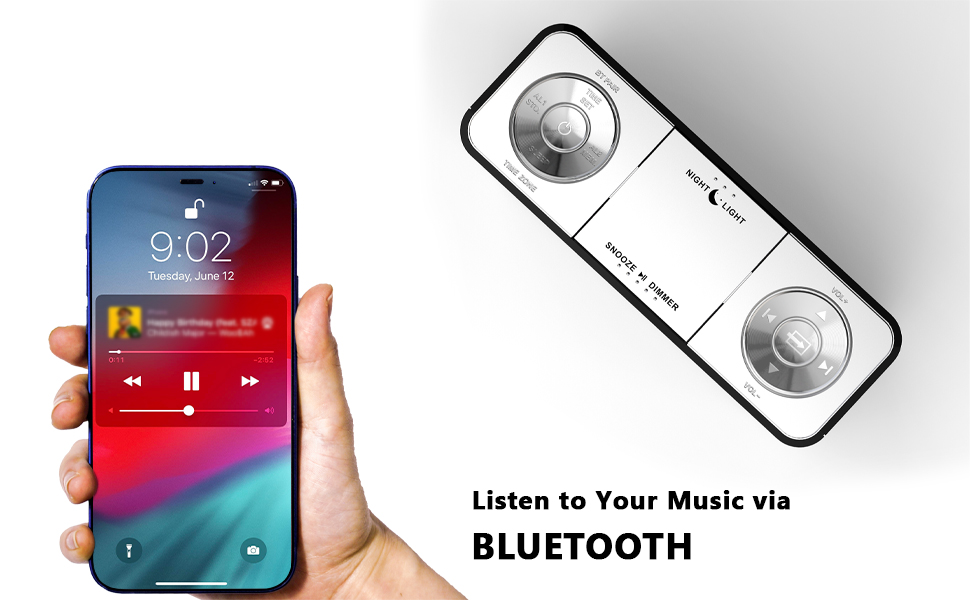
Figure 7: Night light feature.
- Націсніце НАЧНІЧНІК button to activate or adjust the two-level night light.
5.7 порта USB для зарадкі
Charge your mobile devices conveniently.
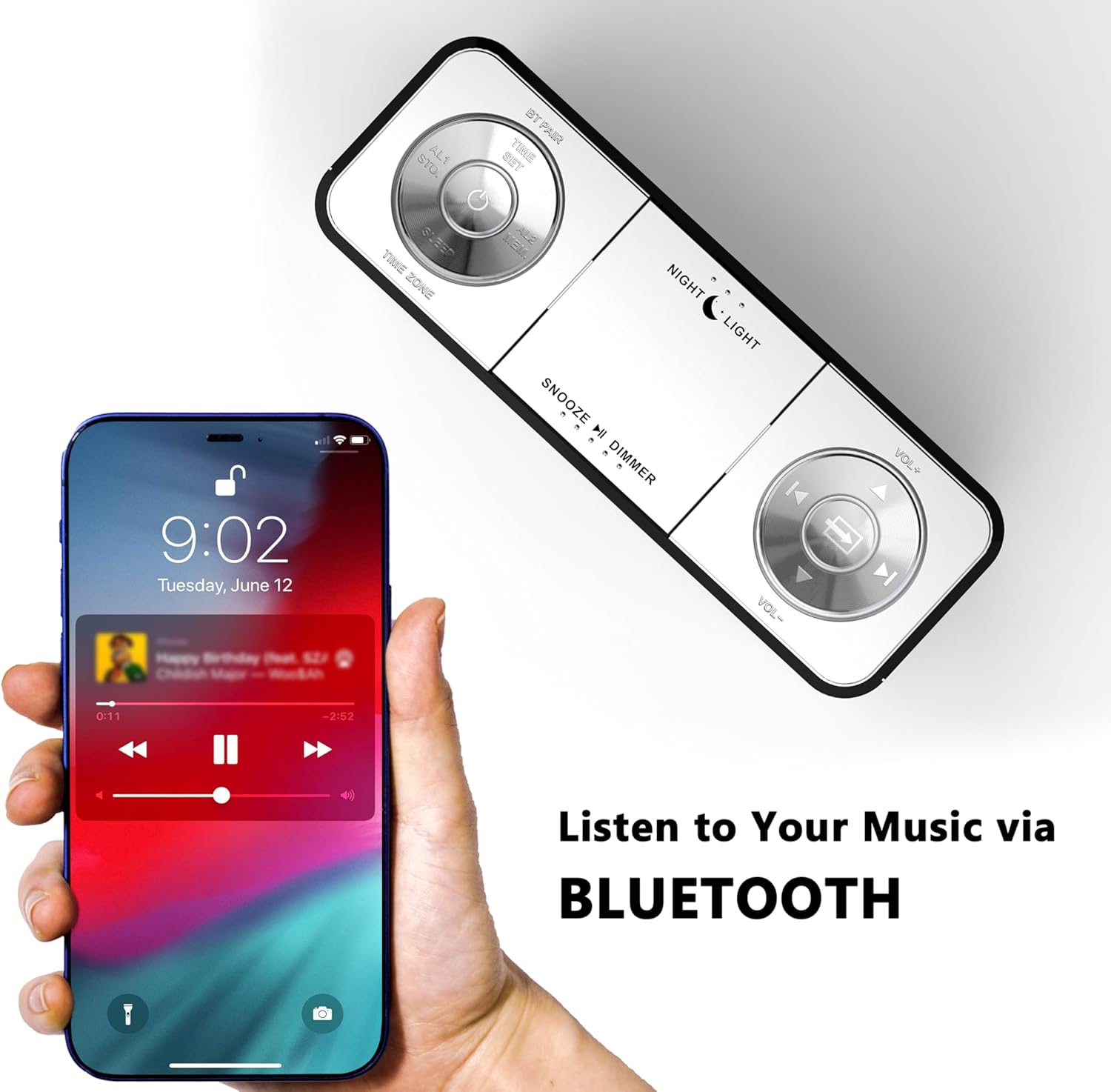
Figure 8: USB charging ports in use.
- The clock radio includes one USB Type-A and one USB Type-C charging port (2.1A 5V total output).
- Connect your mobile phone, tablet, or other USB-powered devices to these ports for charging.
6. Тэхнічнае абслугоўванне
- Уборка: Працірайце прыладу мяккай сухой тканінай. Не выкарыстоўвайце абразіўныя ачышчальнікі або растваральнікі.
- Адключэнне сілкавання: Адключыце адаптар сілкавання ад разеткі, калі прылада не будзе выкарыстоўвацца працяглы час.
- Размяшчэнне: Place the clock radio on a stable, flat surface away from direct sunlight, heat sources, and moisture.
7. Выпраўленне непаладак
| праблема | Магчымая прычына | Рашэнне |
|---|---|---|
| Дысплей гадзінніка пусты або не працуе. | No power or power interruption. | Пераканайцеся, што адаптар сілкавання надзейна падключаны да гадзінніка і спраўнай электрычнай разеткі. |
| Time/Date is incorrect after power interruption. | No battery backup for settings. | The clock automatically resets time upon power restoration. If manual settings were lost, re-enter them using the TIME SET button or App. |
| Cannot connect to the iTOMA App. | Bluetooth is off on the clock or mobile device; incorrect pairing process. | Ensure Bluetooth is enabled on your mobile device. Press the BT button on the clock to activate pairing mode. Follow App connection steps carefully. |
| Слабы прыём FM-радыё. | Антэна не выцягнутая або сігнал слабы. | Fully extend the external cable antenna. Try repositioning the antenna or the clock radio for better signal. |
| Сігналізацыя не гучыць. | Alarm is not set, turned off, or volume is too low. | Verify alarm settings (time, mode, active days) via the clock or App. Ensure alarm volume is set to an audible level. Check the physical alarm switch on the back. |
| Зарадка ад USB не працуе. | Прылада несумяшчальная або няспраўны кабель. | Ensure your device is compatible with 5V USB charging. Try a different USB cable. Confirm the clock radio is powered on. |
8. Тэхнічныя характарыстыкі
| Марка | іТОМА |
| Нумар мадэлі | CKS507 |
| Колер | Белы святлодыёд |
| Тып дысплея | Лічбавы святлодыёд |
| Памеры прадукту | 6.22"W x 3.54"H (158mm x 90mm) |
| Крыніца харчавання | Правадная электрычная |
| Матэрыял каркаса | Пластыкавыя |
| Вага прадмета | 1.19 фунта |
| Дыяпазон частот FM | 87.5-108 МГц |
| USB-выхад для зарадкі | 2.1A 5V (Type-A and Type-C ports) |

Малюнак 9: Памеры вырабу.
9. Падтрымка кліентаў
For further assistance, troubleshooting, or warranty information, please contact iTOMA customer support.
- вытворца: іТОМА
- Інтэрнэт-падтрымка: Refer to the official iTOMA webсайт або кантактную інфармацыю, указаную на ўпакоўцы прадукту, каб атрымаць найбольш актуальныя каналы падтрымкі.