
Уводзіны
This manual provides detailed instructions for the setup, operation, and maintenance of your XIAOVV Indoor Surveillance Camera, Model XVV-3630S-Q2. This device is designed for indoor monitoring, offering features such as 2K resolution, motion detection, night vision, two-way audio, and 360-degree pan/tilt capabilities. Please read this manual thoroughly before using the product to ensure proper functionality and safety.
Прадукт скончаныview
The XIAOVV Indoor Surveillance Camera is a compact device designed for comprehensive indoor monitoring. It features a high-resolution lens, integrated microphone and speaker for two-way audio, and a motorized base for pan and tilt functions.

Малюнак 1: Фронт view of the XIAOVV Indoor Surveillance Camera alongside a smartphone displaying its control application.
Змест пакета
- XIAOVV Indoor Surveillance Camera
- Кабель USB-C да USB-A
- Адаптар сілкавання (5 В, 2 А)
- Мантажная пласціна
- Шрубы і дзюбелі
- Кіраўніцтва карыстальніка

Малюнак 2: Тыл view of the camera, highlighting the speaker grille and USB-C power input.

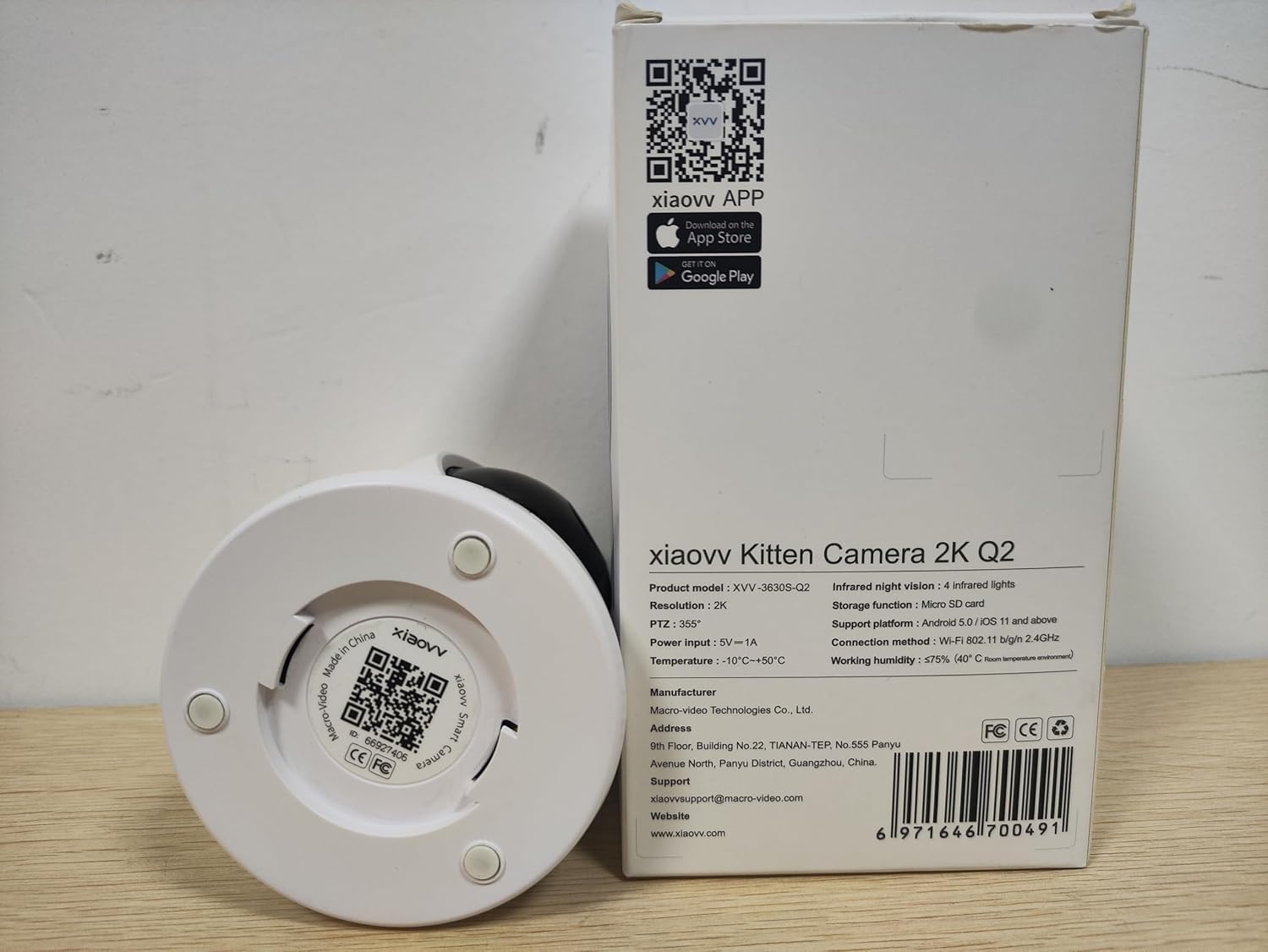
Малюнак 3: Underside of the camera, displaying the product model (XVV-3630S-Q2), QR code for app download, and regulatory markings.
Настройка
- Падключэнне сілкавання: Connect the provided USB-C cable to the camera's power port and the USB-A end to the power adapter. Plug the adapter into a standard electrical outlet. The camera will power on and initiate its startup sequence.
- Ўстаноўка прыкладання: Download the XIAOVV application to your smartphone. You can find the app by scanning the QR code located on the bottom of the camera (refer to Figure 3) or by searching for "XIAOVV" in your device's app store (App Store for iOS, Google Play for Android).
- Рэгістрацыя акаўнта: Open the XIAOVV app and follow the on-screen instructions to create a new user account or log in if you already have one.
- Спалучэнне прылад:
- У дадатку абярыце «Дадаць прыладу» або значок «+».
- Choose your camera model from the list.
- Пераканайцеся, што ваш смартфон падключаны да сеткі Wi-Fi 2.4 ГГц. Камера падтрымлівае толькі Wi-Fi 2.4 ГГц.
- Выконвайце падказкі праграмы, каб падключыць камеру да сеткі Wi-Fi. Звычайна гэта прадугледжвае сканаванне QR-кода, згенераванага праграмай, з дапамогай аб'ектыва камеры.
- Размяшчэнне: Place the camera on a flat surface or mount it to a wall or ceiling using the included mounting plate, screws, and wall plugs. Ensure the camera has a clear line of sight to the area you wish to monitor and is within range of your Wi-Fi signal.
Інструкцыя па эксплуатацыі
1. Жыць View і кіраванне панарамаваннем/нахілам
Once connected, open the XIAOVV app and select your camera to access the live video feed. Use the on-screen controls to remotely adjust the camera's viewкут нахілу.
- Пан: Rotate the camera horizontally up to 355 degrees.
- Нахіл: Adjust the camera vertically up to 90 degrees.
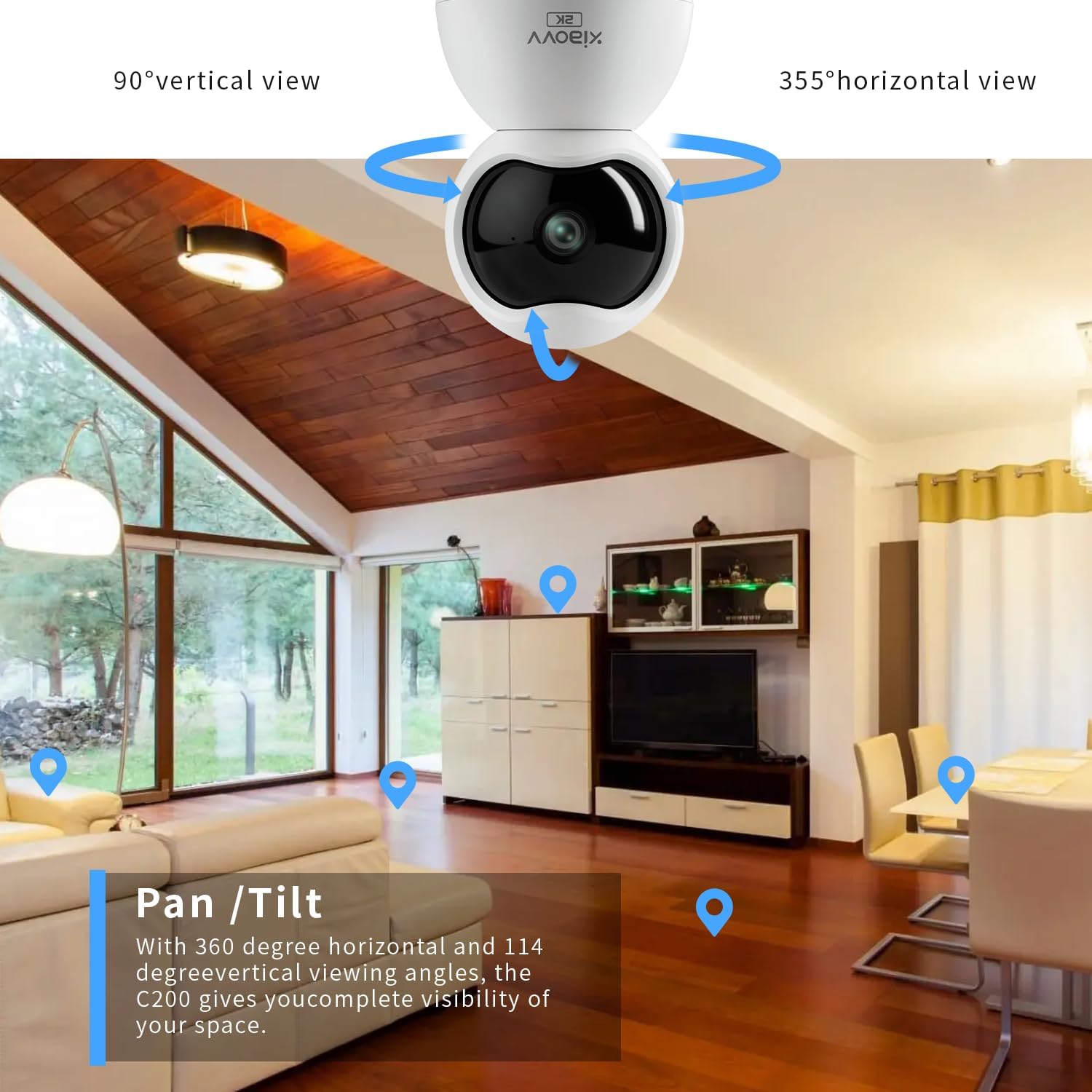
Малюнак 4: Illustration of the camera's pan and tilt capabilities, providing extensive coverage of an indoor space.
2. Двухбаковая аўдыёсувязь
The camera features a built-in microphone and speaker, enabling two-way communication. From the live view screen in the app, tap the microphone icon to speak through the camera, and listen to audio from the camera's environment.

Малюнак 5: The mobile application interface demonstrating the two-way audio function, allowing interaction with the monitored area.
3. Выяўленне руху і абвесткі
Configure motion detection settings within the app to receive real-time alerts on your smartphone when movement is detected. You can adjust sensitivity levels and set specific detection zones.

Малюнак 6: Былыample of a push notification received on a smartphone when the camera detects motion.
4. Начное бачанне
The camera is equipped with infrared LEDs for automatic night vision, providing clear black-and-white video footage in low-light or no-light conditions.
5. Запіс і захоўванне
The camera supports local storage via a Micro-SD card (up to 128GB, not included). Insert the Micro-SD card into the designated slot on the camera. Recordings can also be stored on a cloud server, accessible through a subscription service via the XIAOVV app.
6. Рэжым прыватнасці
Activate Privacy Mode through the app to physically obscure the camera lens, ensuring privacy when monitoring is not desired.
Малюнак 7: The camera's night vision capability and the concept of privacy mode for enhanced user control.
Тэхнічныя характарыстыкі
| Асаблівасць | Спецыфікацыя |
|---|---|
| Назва мадэлі | XVV-3630S-Q2 |
| Выкарыстанне ў памяшканні/на вуліцы | У памяшканні |
| Дазвол відэазахопу | 2K (2304x1296 пікселяў) |
| Пратакол злучэння | Wi-Fi (толькі 2.4 ГГц) |
| Крыніца харчавання | Электрычны шнур (5 В, 3 Вт) |
| Асаблівасці | 2-Way Audio, Motion Detection, Night Vision, 360-degree Pan, 90-degree Tilt |
| Захоўванне | Micro-SD card (up to 128GB), Cloud Storage (subscription) |
| Сумяшчальныя прылады | Smartphone (Android 5.0 / iOS 11 and above) |
| Тып мацавання | Насценнае мацаванне, настольнае |
| Памеры (Д х Ш х У) | 2.36 х 2.36 х 3.15 цалі |
| Працоўная тэмпература | -10°C да +50°C |
| Працоўная вільготнасць | ≤75% (40°C room temperature conditions) |
Ліквідацыю непаладак
- Камера не падключаецца да Wi-Fi: Ensure your Wi-Fi network is 2.4GHz. The camera does not support 5GHz networks. Verify your Wi-Fi password and ensure the camera is within range of your router.
- Няма відэастужкі: Check if the camera is properly powered on. Restart the camera by unplugging and re-plugging the power adapter. Ensure your internet connection is stable.
- Loud voice prompts from camera: Some camera voice prompts (e.g., during setup or when reaching pan/tilt limits) may be loud and currently cannot be adjusted or muted via the app.
- Дрэнная якасць выявы: Ensure the camera lens is clean. Check your network speed; a slow connection can affect streaming quality. Verify the app settings for video resolution.
- Датчык руху не працуе: Check the motion detection settings in the app, including sensitivity and detection zones. Ensure the camera's view не перашкаджае.
Тэхнічнае абслугоўванне
- Уборка: Акуратна працярыце аб'ектыў і корпус камеры мяккай сухой тканінай. Пазбягайце выкарыстання агрэсіўных хімічных рэчываў або абразіўных матэрыялаў.
- Абнаўленні прашыўкі: Regularly check the XIAOVV app for available firmware updates. Keeping your camera's firmware updated ensures optimal performance and security.
- Цыкл харчавання: If the camera experiences issues, a simple power cycle (unplugging and re-plugging) can often resolve minor glitches.
Гарантыя і падтрымка
For warranty information, please refer to the documentation included with your purchase or contact XIAOVV customer support. The manufacturer is XIAOVV.
вытворца: Macro-Video Technologies Co., Ltd.
Адрас электроннай пошты падтрымкі: xiaovvsupport@macro-video.com
Webсайт: www.xiaovv.com
Адрас: 9th Floor, Building No. 22, TIANAN-TEP, No. 555 Panyu Avenue North, Panyu District, Guangzhou, China.