
1. Уводзіны
Thank you for choosing the DURAGS Smart Fingerprint Door Lock. This manual provides detailed instructions for installation, operation, and maintenance to ensure optimal performance and security. Please read this manual carefully before installation and use.
2. Прадукт скончыўсяview
The DURAGS Smart Fingerprint Door Lock offers multiple convenient and secure ways to access your property. Designed for ease of use and installation, it integrates advanced biometric technology with traditional locking mechanisms.

Image: The smart fingerprint door lock, showing both the exterior keypad and fingerprint sensor, and the interior unit.
Асноўныя характарыстыкі:
- Некалькі спосабаў разблакіроўкі: Fingerprint, Password, IC Card, Smartphone (via app), and Traditional Key.
- Advanced Biometric Recognition: Equipped with an upgraded 508 DPI fingerprint sensor (120x120 pixel effective resolution) for over 98% recognition rate in 0.3 seconds.
- Кіраванне карыстальнікамі: Stores up to 50 fingerprints (first fingerprint is administrative) and 200 password sets.
- Flexible Locking Modes: Features automatic locking after unlock and an always-open mode for convenience.
- Нізкае энергаспажыванне: Operates on 4 AAA batteries for approximately one year. Includes low battery alerts and an emergency Micro USB power option.
- Простая ўстаноўка сваімі рукамі: Designed for quick installation with a screwdriver, no additional drilling required for most standard American single-cylinder doors.
- Рэгуляваная зашчапка: Fits door thicknesses between 35-40mm with an adjustable latch (60mm or 70mm).

Image: Visual representation of the five different ways to unlock the smart door lock: fingerprint, password, smartphone app, physical key, and IC card.
3. Змесціва ўпакоўкі
Калі ласка, пераканайцеся, што ўсе кампаненты прысутнічаюць у вашай упакоўцы:
- 1 x Front Handle Assembly
- 1 x Rear Handle Assembly
- 1 х Кіраўніцтва карыстальніка (гэты дакумент)
- 1 x Screw Bag (for door thickness 35-55mm)
- 1 x Adjustable Latch (60mm/70mm)
4. Тэхнічныя характарыстыкі
| Асаблівасць | Дэталь |
|---|---|
| мадэль | WF-M4 |
| Колер | Black/Coffee Gold |
| Матэрыял | Сплаў цынку |
| Электразабеспячэнне | 4 х ААА батарэі (не ўключаны) |
| Метады разблакоўкі | Fingerprint, Password, IC Card, Key, Smartphone App |
| Ёмістасць адбіткаў пальцаў | 50 (First is administrative) |
| Ёмістасць пароля | 200 камплектаў |
| Разблакіраваць хуткасць | <0.3 секунд |
| Працоўная тэмпература | -20°C ~ 60°C (-4°F ~ 140°F) |
| Працоўная вільготнасць | 0-90% адноснай вільготнасці |
| Сумяшчальная таўшчыня дзвярэй | 35-40 мм (1.38-1.57 цалі) |
| Рэгуляваная зашчапка | 60mm (2-3/8 inches) or 70mm (2-3/4 inches) |
5. Усталёўка (Усталёўка)
The DURAGS Smart Fingerprint Door Lock is designed for easy DIY installation, typically taking only minutes with a screwdriver (included). No additional drilling is required for most standard American single-cylinder doors. Please ensure your door's dimensions are compatible before beginning.
Праверка перад устаноўкай:
- Verify your door thickness is between 35-40mm.
- Confirm your door's backset (distance from door edge to center of bore hole) is either 60mm (2-3/8 inches) or 70mm (2-3/4 inches). The latch is adjustable.
Этапы ўстаноўкі:
- Падрыхтуйце дзверы: Ensure the existing deadbolt or knob is removed.
- Усталюйце зашчапку: Insert the adjustable latch into the door edge. Ensure the latch bolt faces the correct direction for your door swing. Adjust the backset if necessary.
- Усталюйце знешнюю зборку: Feed the cable from the exterior handle through the door hole. Position the exterior handle flush against the door.
- Усталяваць унутраную зборку: Connect the cable from the exterior assembly to the interior assembly. Align the interior assembly with the mounting posts and secure it with the provided screws.
- Устаўце батарэі: Open the battery cover on the interior assembly and insert 4 AAA alkaline batteries (not included), ensuring correct polarity.
- Праверце замак: After installation, test all unlock methods (key, fingerprint, password) to ensure proper functionality.
Note: For detailed visual instructions, please refer to the product installation video if available (not provided in current data).
6. Інструкцыя па эксплуатацыі
6.1 Initial Setup and Administrator Fingerprint/Password
Upon first use, you will need to set up an administrator fingerprint or password. The first fingerprint registered will automatically be assigned administrative privileges.
- Refer to the specific instructions in the included user manual for programming the first administrator fingerprint/password.
- The administrator can then add or delete other user fingerprints and passwords.

Image: An infographic detailing the lock's core technologies, including user management, remote password capabilities, lock time settings, and operation record queries.
6.2 Спосабы разблакіроўкі
- Разблакіроўка адбіткам пальца: Place your registered finger on the fingerprint sensor. The lock will unlock in less than 0.3 seconds upon successful recognition.
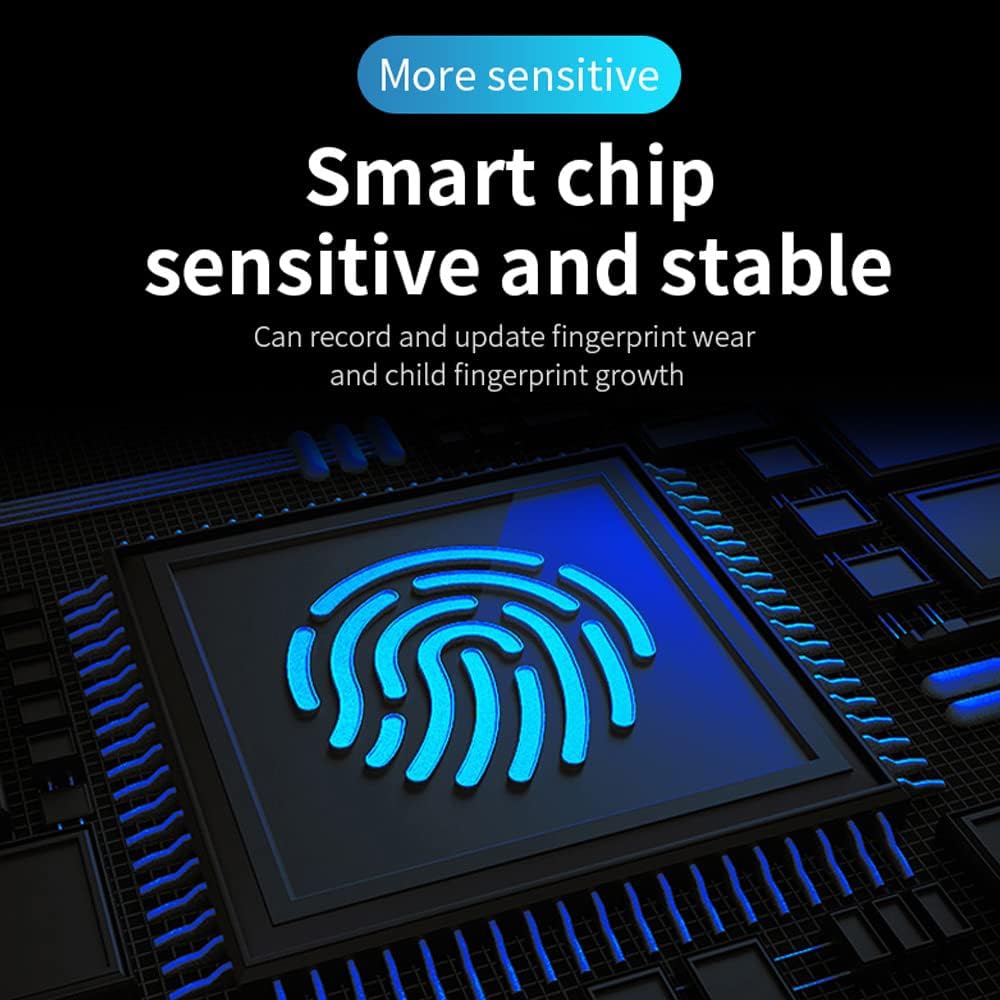
Image: Illustrates the smart chip's sensitive and stable fingerprint recognition, capable of adapting to fingerprint wear and growth.
- Разблакіроўка паролем: Увядзіце зарэгістраваны пароль на клавіятуры, а затым націсніце клавішу «#».
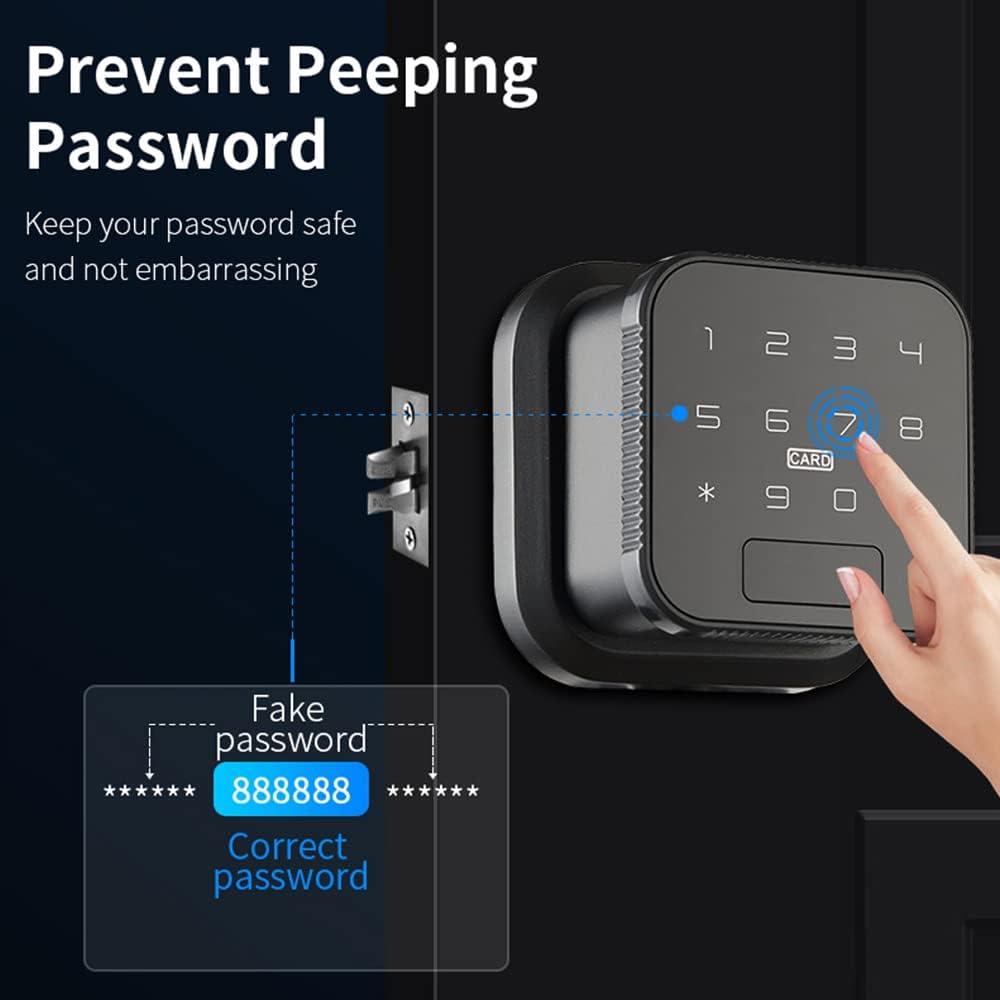
Image: Demonstrates the "Prevent Peeping Password" feature, allowing users to input random numbers before and after their actual password for enhanced security.
- Разблакіроўка IC-карты: Swipe your registered IC card over the designated card reader area on the lock.

Image: Shows the IC card unlock method, highlighting encrypted recognition and the ability to delete lost cards.
- Разблакіроўка праграмы для смартфона: Use the dedicated smartphone application (e.g., Dada Lock app) to remotely unlock the door. Follow the app's instructions for pairing and operation.

Image: Illustrates the APP Management feature, showing the lock's compatibility with the Dada Lock app for various residential and commercial applications.
- Разблакіроўка ключом: In case of emergency or battery depletion, use the physical key provided to unlock the door.
6.3 Locking Modes
- Аўтаматычная блакіроўка: The lock will automatically re-lock after a set period (e.g., 3-10 seconds) once it has been unlocked. This feature ensures your door is always secure.
- Звычайна адкрыты рэжым: This mode allows the door to remain unlocked for extended periods, useful for high-traffic situations. This can typically be set via the lock's settings or the smartphone app.

Image: Compares the "Automatically lock after unlock" feature with the "Normally Open Mode," showing how the lock can be configured for different security and convenience needs.
6.4 Сцэнарыі прымянення
The lock's versatile features make it suitable for various environments:
- Жылы: Bedrooms, apartments, homes.
- Камерцыйны: Offices, store rooms, hotels, short-term rentals.
- Часовы доступ: Grant access to visitors, nannies, or for moving purposes with time-limited passwords or access records.

Image: Depicts multiple application scenarios for the smart lock, including managing access for visitors, short-term rentals, nannies, and during moving processes.
7. Тэхнічнае абслугоўванне
7.1 Кіраванне батарэяй
- The lock operates on 4 AAA alkaline batteries, which typically last about one year.
- When the batteries are running low, the lock will emit an audible alert to remind you to replace them.
- Аварыйнае харчаванне: If the batteries are completely depleted, you can use a Micro USB cable to provide emergency power to unlock the door. Connect the Micro USB cable to the emergency power port on the lock and a power bank or USB charger.
- Always replace all four batteries at once with new, high-quality alkaline batteries.
7.2 Ачыстка
- Clean the lock's exterior with a soft, dry cloth.
- Не выкарыстоўвайце абразіўныя ачышчальнікі, растваральнікі або агрэсіўныя хімікаты, бо яны могуць пашкодзіць пакрыццё або электронныя кампаненты.
- Keep the fingerprint sensor and keypad clean and free of debris for optimal performance.
8. Выпраўленне непаладак
If you encounter any issues with your DURAGS Smart Fingerprint Door Lock, please refer to the following common solutions:
- Замак не рэагуе: Check battery levels. Replace batteries if low. Use the emergency Micro USB power or physical key.
- Адбітак пальца не распазнаны: Ensure your finger is clean and dry. Try re-registering your fingerprint if the issue persists. Ensure you are using a registered fingerprint.
- Пароль не працуе: Double-check the entered password. Ensure you are pressing '#' after the password. Try re-programming the password.
- IC Card not working: Ensure the card is properly swiped over the sensor. Verify the card is registered.
- Lock not auto-locking: Check the auto-lock settings in the lock's menu or smartphone app. Ensure it's enabled and the delay time is set correctly.
If you still have any doubts or issues after following these steps, please do not hesitate to contact our customer service for assistance.
9. Гарантыя і падтрымка
Your satisfaction is our greatest joy. We are committed to providing high-quality products and excellent customer service.
- 12-месячная гарантыя: Your DURAGS Smart Fingerprint Door Lock is covered by a 12-month warranty from the date of purchase, covering manufacturing defects.
- Пажыццёвая тэхнічная падтрымка: We offer free lifetime technical support for our product.
If you have any questions, concerns, or require technical assistance, please do not hesitate to contact our customer service team. We are here to help!
Contact information (e.g., email, phone number, website) can typically be found on the product packaging or our official webсайт.