
Docooler 14 Inch 2-in-1 Touchscreen Laptop
Docooler 14 Inch 2-in-1 Touchscreen Laptop User Manual
Model: 14 Inch 2-in-1 Touchscreen Laptop
1. Прадукт скончыўсяview
The Docooler 14 Inch 2-in-1 Touchscreen Laptop is a versatile computing device designed for both productivity and entertainment. Featuring a 4K UHD IPS display and a 360-degree convertible design, it adapts to various usage scenarios, from traditional laptop mode to tablet mode. Powered by an Intel N95 processor, it offers efficient performance for daily tasks.

Image: The Docooler 14 Inch 2-in-1 Touchscreen Laptop in its tent configuration, showcasinяго гнуткі дызайн і яркі дысплей.
2. Змесціва ўпакоўкі
Калі ласка, пераканайцеся, што ўсе прадметы прысутнічаюць у камплекце:
- Docooler 14 Inch 2-in-1 Touchscreen Laptop
- Кабель для зарадкі
- Кіраўніцтва карыстальніка
3. Пачатак працы
3.1 Пачатковая налада
- Зарадка ноўтбука: Before first use, connect the charging cable to the laptop's USB-C port and plug it into a power outlet. Allow the battery to charge fully.
- Уключэнне: Press and hold the power button located on the side of the laptop until the screen illuminates.
- Настройка Windows: Выконвайце падказкі на экране, каб завяршыць пачатковую наладу Windows 11, у тым ліку выбар мовы, падключэнне да сеткі і стварэнне ўліковага запісу карыстальніка.
4. Understanding Your Laptop
4.1 Асноўныя магчымасці
- Дысплей: 14-inch 4K UHD (3840x2160) IPS touchscreen with 500 Nits brightness for a clear visual experience.
- Працэсар: Equipped with the 12th Gen Intel N95 CPU (4-core, 4-thread, up to 3.4GHz) for efficient performance.
- Памяць і захоўванне: 12GB LPDDR5 4800MHz high-frequency memory and 512GB/1TB NVMe SSD for fast operation and ampле захоўвання.
- Дызайн кабрыялета: 360-degree flip-and-fold design allows for multiple modes of use.
- Сэнсарны экран: 10-level multi-touch screen with gravity sensing for intuitive interaction.
- Бяспека: Fingerprint unlock for quick and secure access.
- Клавіятура: Падсветленая клавіятура для камфортнага набору тэксту ў розных умовах асвятлення.
- Падключэнне: Dual-band Wi-Fi (2.4G/5.0G Hz 802.11ac) and Bluetooth for stable wireless connections.

Image: Visual representation of the laptop's 4K UHD display capabilities, highlighting its high resolution and brightness.

Image: Illustration of the Intel N95 12th Generation processor, emphasizing its role in the laptop's performance.
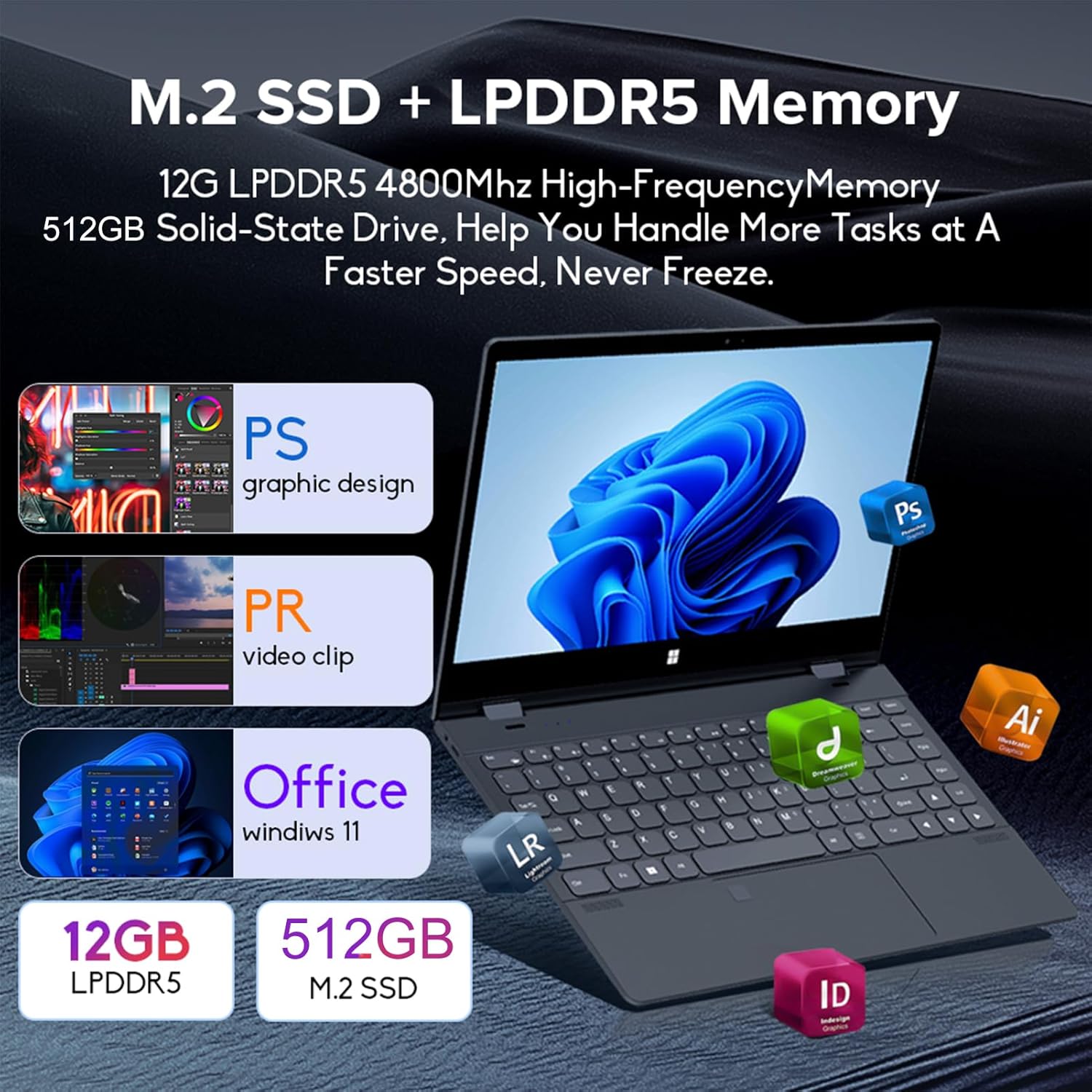
Image: Depiction of the laptop's memory and storage, showing 12GB LPDDR5 RAM and 512GB/1TB M.2 SSD, suitable for various applications.
4.2 Парты і раздымы
Familiarize yourself with the available ports on your laptop:
- USB-C (Full-featured): Supports audio, video, data transmission, and PD2.0 fast charging.
- USB 3.0: Для падлучэння прылад USB.
- Аўдыя ўваход: Для навушнікаў або знешніх дынамікаў.
- Уваход пастаяннага току: Power input (if applicable, though USB-C is primary charging).
- Счытвальнік карт TF: Для карт памяці.

Выява: Падрабязны view of the laptop's side ports, including USB-C, USB 3.0, audio jack, and TF card slot.
4.3 Канвертаваныя рэжымы
The 360-degree hinge allows the laptop to transform into four distinct modes:
- Рэжым наўтбука: Traditional laptop experience for typing and productivity.
- Рэжым планшэта: Fold the screen back completely for a tablet experience, ideal for touch-based applications and gaming.
- Viewing Mode (Tent Mode): Stand the laptop in a tent shape for watching videos or presentations.
- Conference Mode (Stand Mode): Flip the keyboard under the screen to share content easily in a group setting.

Image: Visual guide demonstrating the four convertible modes of the laptop: Notebook, Tablet, Viewing, and Conference.
5. Аперацыя
5.1 Выкарыстанне сэнсарнага экрана
The 10-point multi-touch screen allows for intuitive navigation. Use gestures similar to a smartphone or tablet. The gravity sensing feature enhances the experience, especially in tablet mode.

Image: Demonstrates the ease of touchscreen operation and the benefit of gravity sensing for gaming.
5.2 Using the Backlit Keyboard and Fingerprint Unlock
- Клавіятура з падсветкай: Press the Function (Fn) key combined with the appropriate F-key (usually F3 or F4, check keyboard icons) to toggle the keyboard backlight on/off or adjust its brightness.
- Разблакіроўка адбіткам пальца: Set up your fingerprint in Windows Settings > Accounts > Sign-in options. Once configured, you can unlock your laptop quickly by placing your registered finger on the fingerprint sensor.
5.3 Падключэнне да Wi-Fi і Bluetooth
The laptop supports dual-band Wi-Fi (2.4G/5.0G Hz 802.11ac) and Bluetooth for wireless connectivity.
- Wi-Fi: Click the Wi-Fi icon in the taskbar, select your desired network, enter the password if prompted, and click Connect.
- Bluetooth: Go to Windows Settings > Bluetooth & devices. Ensure Bluetooth is turned on, then click 'Add device' to pair with Bluetooth peripherals like headphones or mice.

Image: Visual representation of the laptop's dual-band Wi-Fi and Bluetooth connectivity features.
6. Тэхнічнае абслугоўванне і догляд
- Уборка: Выкарыстоўвайце мяккую безворсовую тканіну, злёгку dampПрамыйце дысплей вадой або сродкам для чысткі экрана. Для клавіятуры і корпуса выкарыстоўвайце сухую мяккую тканіну. Пазбягайце выкарыстання агрэсіўных хімічных рэчываў.
- Сыход за батарэяй: Каб падоўжыць тэрмін службы батарэі, пазбягайце частай поўнай разрадкі батарэі. Захоўвайце ноўтбук у прахалодным, сухім месцы, калі ён не выкарыстоўваецца працяглы час.
- Вентыляцыя: Каб пазбегнуць перагрэву, пераканайцеся, што вентыляцыйныя адтуліны ноўтбука не заблакаваныя. Выкарыстоўвайце ноўтбук на цвёрдай, роўнай паверхні.
- Абнаўленні праграмнага забеспячэння: Рэгулярна абнаўляйце аперацыйную сістэму і драйверы, каб забяспечыць аптымальную прадукцыйнасць і бяспеку.
7. Выпраўленне непаладак
| праблема | Магчымае рашэнне |
|---|---|
| Ноўтбук не ўключаецца. | Ensure the charging cable is securely connected and the power outlet is functional. Allow the laptop to charge for at least 30 minutes before attempting to power on again. |
| Праблемы з падключэннем да Wi-Fi. | Restart your router and modem. On the laptop, disable and re-enable Wi-Fi. Ensure you are within range of the Wi-Fi signal. |
| Сэнсарны экран не рэагуе. | Restart the laptop. Check for any physical obstructions on the screen. Ensure Windows updates are current. |
| Не працуе падсветка клавіятуры. | Press Fn + F-key (check keyboard icon) to toggle or adjust backlight brightness. Ensure drivers are up to date. |
| Ноўтбук працуе павольна. | Закрыйце непатрэбныя праграмы. Праверце фонавыя працэсы. Забяспечце дастаткова вольнай прасторы для захоўвання. Запусціце сканаванне сістэмы на наяўнасць шкоднасных праграм. |
8. Тэхнічныя характарыстыкі
| Асаблівасць | Спецыфікацыя |
|---|---|
| Памер экрана | 14 цалі |
| дазвол | 3840 x 2160 пікселяў (4K UHD) |
| Працэсар | Intel N95 (up to 3.4GHz) |
| Памер усталяванай аператыўнай памяці | 12 ГБ LPDDR5 |
| Апісанне жорсткага дыска | 512GB/1TB NVMe SSD |
| Аперацыйная сістэма | Windows 11 хатняя |
| Графічны супрацэсар | Інтэграваная відэакарта Intel UHD |
| Бесправоднае падключэнне | 2.4G/5.0G Hz 802.11ac Wi-Fi, Bluetooth |
| Усяго партоў USB | 2 (including 1 full-featured USB-C) |
| Колер | Серабрыста-шэры |
| Вага прадмета | 3.46 фунта (1570 грамаў) |
| Памеры ўпакоўкі | 15.35 х 9.84 х 3.35 цалі |
| Краіна паходжання | Кітай |
9. Гарантыя і падтрымка
For warranty information and technical support, please refer to the documentation provided with your purchase or visit the official Docooler webсайт. Захоўвайце пацвярджэнне пакупкі для прэтэнзій па гарантыі.
Docooler is committed to providing quality products and customer satisfaction. For further assistance, please contact Docooler customer service.
Note: Protection plans may be available for extended coverage. Please check with your retailer for details.