
typecase KB206129
Чахол-клавіятура typecase для iPad Pro 12.9 (6-га, 5-га, 4-га, 3-га пакалення) Інструкцыя па эксплуатацыі
Мадэль: KB206129
Уводзіны
This manual provides detailed instructions for the setup, operation, maintenance, and troubleshooting of your typecase Keyboard Case for iPad Pro 12.9. Please read this manual thoroughly before using the product to ensure optimal performance and longevity.
The typecase Keyboard Case is designed to enhance your iPad Pro 12.9 experience, offering a versatile keyboard with a trackpad and backlit keys. It is compatible with iPad Pro 12.9-inch (6th, 5th, 4th, 3rd Generation) models.
Змест пакета
- 1 x typecase Keyboard Case (for iPad Pro 12.9 6th/5th/4th/3rd Gen)
- 1 х кабель для зарадкі USB-C
- 1 х Кіраўніцтва карыстальніка
Настройка
1. Зарадка клавіятуры
Before initial use, fully charge the keyboard. Connect the provided USB-C charging cable to the charging port on the side of the keyboard and to a USB power adapter (not included). The charging indicator light will show the charging status.
- Charging Port Location: Typically on the right side of the keyboard.
- Тэрмін службы батарэі: The keyboard features a built-in rechargeable lithium polymer battery. Battery level can be checked on your iPad (like other connected Bluetooth devices) or via a shortcut key (Fn + Spacebar, if available, to show 1/3, 2/3, 3/3 battery life).
2. Attaching Your iPad Pro
The keyboard case features a magnetic attachment system. Align your iPad Pro 12.9 with the magnetic panel on the case. The magnets will securely hold the iPad in place.
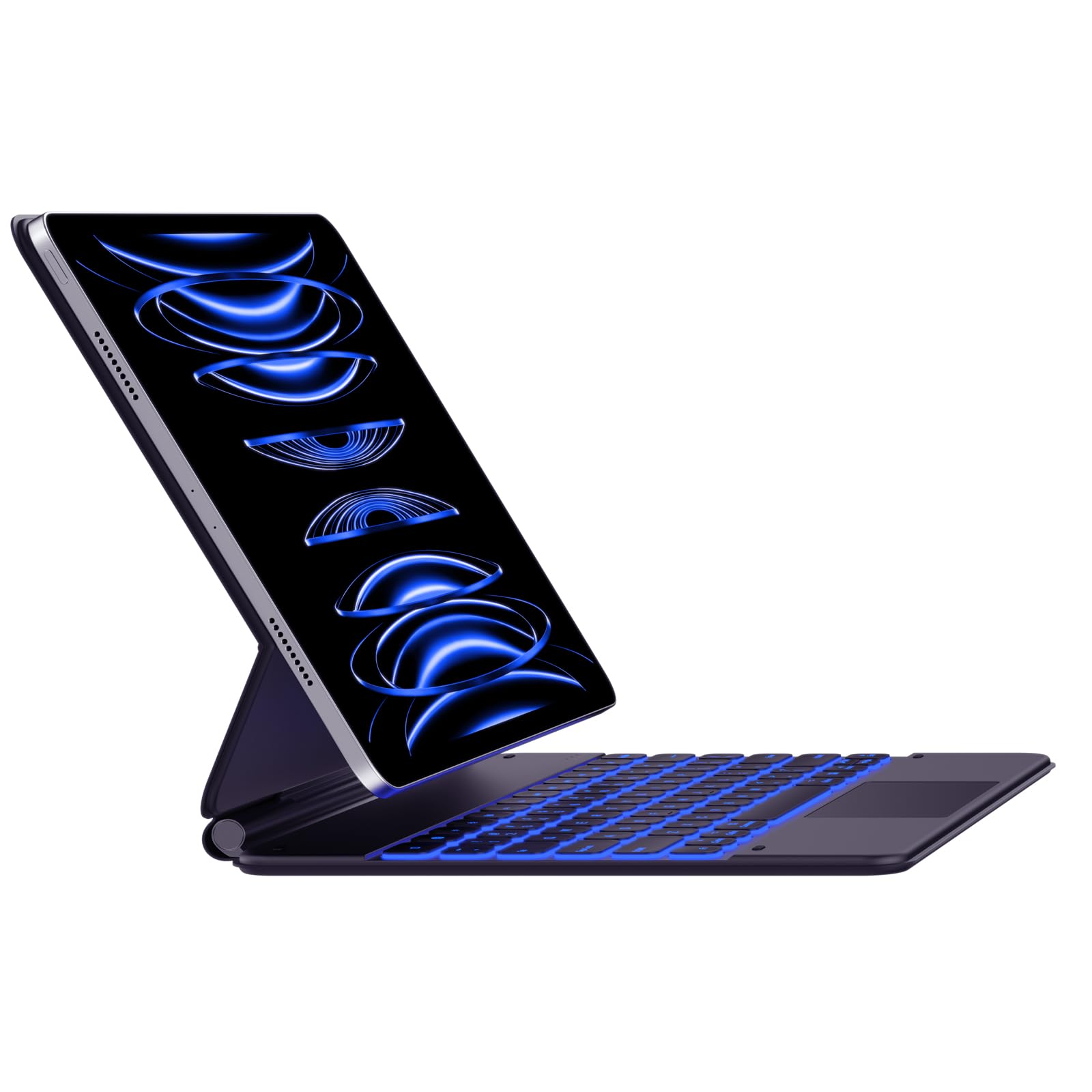
Image: The typecase Keyboard Case with an iPad Pro magnetically attached, displaying blue backlit keys and a vibrant screen.
- Ensure the camera cutout on the case aligns with your iPad's camera.
- The magnetic connection is designed to be strong, but always handle with care.
3. Pairing with Your iPad (Bluetooth Connection)
- Уключэнне: Locate the power switch on the side of the keyboard and slide it to the "ON" position.
- Актываваць рэжым спалучэння: Націсніце і ўтрымлівайце Злучыцца button (or a similar Bluetooth pairing key, often indicated by a Bluetooth icon) on the keyboard. The Bluetooth indicator light will start blinking, indicating it's in pairing mode.
- On Your iPad: Перайсці да Налады > Bluetooth.
- Выберыце прыладу: In the Bluetooth devices list, you should see "typecase Keyboard" or a similar name. Tap on it to connect.
- Пацверджанне: Once paired, the Bluetooth indicator light on the keyboard will stop blinking and remain solid (or turn off), and your iPad will show the keyboard as "Connected."
Note: The keyboard will automatically attempt to reconnect to the last paired device when powered on. If connection issues occur, repeat the pairing steps.
Інструкцыя па эксплуатацыі
Keyboard Layout and Function Keys
The keyboard features a standard QWERTY layout with an additional row of function keys at the top for quick access to iPad features.
- Escape (Esc): Functions as a Home button.
- Клавішы яркасці: Adjust iPad screen brightness.
- Keyboard Backlight Keys: Adjust backlight color and brightness.
- Клавішы кіравання медыя: Прайграванне/Паўза, Папярэдні трэк, Наступны трэк.
- Ключы гучнасці: Адключэнне гуку, памяншэнне гучнасці, павелічэнне гучнасці.
- Клавіша блакіроўкі: Блакуе экран iPad.
- Globe Key: Used for switching between keyboard languages or emoji keyboard (functionality may vary based on iPadOS settings).
Кіраванне падсветкай
The keyboard offers 11 backlight colors and 3 levels of brightness. Use the dedicated backlight keys (often marked with a light bulb icon or similar) in the function row to cycle through colors and adjust brightness.
- Press the backlight key once to change color.
- Press the brightness key (often combined with backlight key or separate) to cycle through brightness levels.
Выкарыстанне трэкпада
The integrated trackpad supports multi-touch gestures, similar to a laptop trackpad. Ensure your iPadOS is updated to support trackpad functionality.
| Жэст | Дзеянне |
|---|---|
| Адным дотыкам пальца | Click, select item. |
| Two Fingers Swipe | Scroll up/down/left/right. |
| Two Fingers Pinch | Павелічэнне/памяншэнне. |
| Правядзіце трыма пальцамі ўверх | Go to Home Screen. |
| Правядзіце трыма пальцамі налева/направа | Пераключэнне паміж адкрытымі праграмамі. |
Note: Trackpad precision and responsiveness are optimized for general use. For specific settings or advanced gestures, refer to your iPad's accessibility settings.
Функцыя аўтаматычнага сну
The keyboard case is designed with an auto-sleep feature to conserve battery. If inactive for a period, the keyboard will enter sleep mode. Press any key to wake it up and reconnect to your iPad.
Тэхнічнае абслугоўванне
- Уборка: Выкарыстоўвайце мяккі, damp, lint-free cloth to clean the keyboard and case. Avoid harsh chemicals or abrasive materials.
- захоўванне: When not in use, close the case to protect both the iPad and the keyboard. Store in a cool, dry place away from direct sunlight.
- Сыход за батарэяй: Каб падоўжыць тэрмін службы батарэі, не разраджайце яе часта цалкам. Рэгулярна зараджайце, нават калі яна не цалкам разрадзілася.
- Magnetic Clasp: Ensure the magnetic clasp is free from debris to maintain a secure closure.
Ліквідацыю непаладак
- Клавіятура не падключаецца:
- Пераканайцеся, што клавіятура ўключана і зараджана.
- Check that Bluetooth is enabled on your iPad.
- Forget the device in your iPad's Bluetooth settings and re-pair it.
- Restart both the keyboard and your iPad.
- Клавішы не рэагуюць:
- Verify the keyboard is connected via Bluetooth.
- Пераканайцеся, што клавіятура не знаходзіцца ў рэжыме сну.
- Праверце на наяўнасць фізічных перашкод пад клавішамі.
- Праблемы з трэкпадам:
- Confirm the keyboard is connected.
- Праверце налады iPadOS на наяўнасць функцыянальнасці трэкпада.
- Clean the trackpad surface.
- iPad Slipping from Magnetic Mount:
- Ensure the iPad is correctly aligned with the magnetic panel.
- Check for any debris between the iPad and the magnetic surface.
- Avoid excessive force or sudden movements that could dislodge the iPad.
Тэхнічныя характарыстыкі
| Асаблівасць | Дэталь |
|---|---|
| Нумар мадэлі | KB206129 |
| Сумяшчальнасць | iPad Pro 12.9-inch (6th, 5th, 4th, 3rd Gen) |
| Сувязь | Bluetooth |
| Тып батарэі | Літый-палімер (у камплекце) |
| Порт для зарадкі | USB-C |
| Падсвятленне | 11 Colors, 3 Brightness Levels (RGB support) |
| Асаблівасці | Backlit, Lightweight, Integrated Trackpad, Magnetic Clasp |
| Матэрыял | Акрыланітрыл бутадыен стырол |
| Вага прадмета | 1.13 кілаграма |
| Памеры ўпакоўкі | 30.48 х 25.4 х 3.56 см |
Гарантыя і падтрымка
Your typecase Keyboard Case is covered by a limited warranty against manufacturing defects. For specific warranty terms and conditions, please refer to the documentation included with your purchase or visit the official typecase webсайт.
For technical support, troubleshooting assistance, or warranty claims, please contact typecase customer service through their official support channels. Contact information can typically be found on the product packaging or the brand's webсайт.