
Juno WF6 ALO20 SWW5 90CRI MVOLT MW M6
Juno WF6 ALO20 SWW5 90CRI MVOLT MW M6 Canless LED Wafer Downlight Instruction Manual
Model: WF6 ALO20 SWW5 90CRI MVOLT MW M6
Брэнд: Juno
1. Прадукт скончыўсяview
The 6-inch Canless Wafer Downlight from Juno features an innovative, slim design that allows for quick and easy installation into as little as 3 inches of plenum space. This makes it suitable for ceiling spaces where traditional recessed housings may not fit. Wafers install directly into drywall, eliminating the need for separate recessed housings. Once installed, this versatile downlight offers an all-in-one design with switchable white color temperature and adjustable lumen output technology, providing the equivalent of 15 static products in one unit.
2. Асноўныя магчымасці
- Безрамная канструкцыя: No housing required, installs directly from below the ceiling.
- Эканомія энергіі: Long-life LEDs with a high-efficiency driver for superior illumination and extended service life.
- Зацямненне: Smooth dimming capability down to 10 percent.
- Ratings & Listings: Certified for wet locations, CSA certified, and IC Rated for direct contact with insulation.
- Лёгкая ўстаноўка: Designed for quick retrofit, remodel, or new construction without the need for housing.
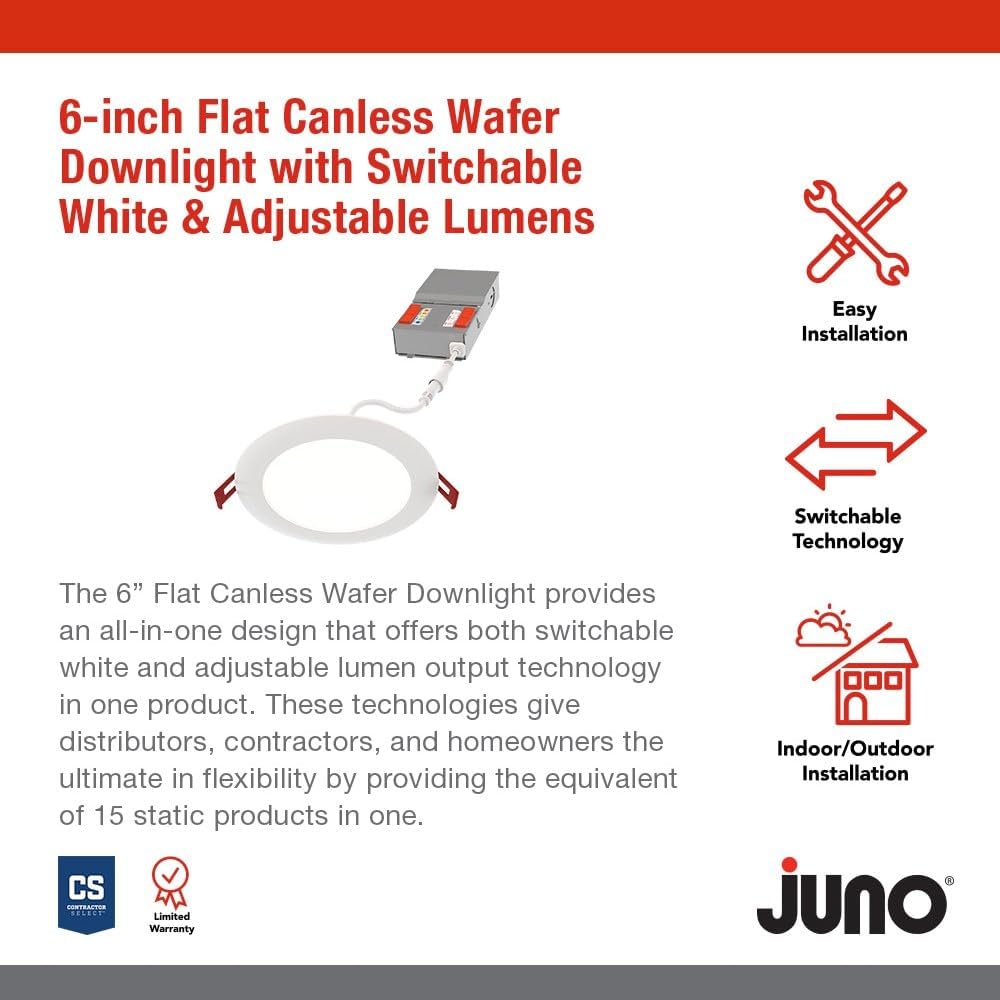
Выява: Зверхуview of key features including easy installation and switchable technology.
3. Усталёўка і налада
The Juno Canless LED Wafer Downlight is designed for straightforward installation. Please ensure power is turned off at the circuit breaker before beginning any electrical work.
3.1. Кампаненты
The product includes the LED wafer downlight and a remote driver box. The fixture and remote driver box are IC rated for direct contact with insulation.

Image: The main components of the downlight system, showing the LED wafer and its remote driver box.
3.2. Этапы ўстаноўкі
- Ensure power is disconnected at the main circuit breaker.
- Cut a hole in the ceiling according to the specified diameter for the 6-inch model. Refer to the product dimensions for precise measurements.
- Connect the remote driver box to the building's electrical wiring. Follow local electrical codes and guidelines.
- Connect the LED wafer downlight to the remote driver box.
- Insert the remote driver box into the ceiling opening.
- Push the LED wafer downlight into the ceiling opening. The spring clips will secure the fixture in place.
- Аднавіце харчаванне і праверце святло.

Image: Detailed dimensions of the 6-inch downlight, showing its slim profile для лёгкай ўстаноўкі.
4. Інструкцыя па эксплуатацыі
This downlight offers adjustable settings to customize your lighting experience.
4.1. Рэгуляванне каляровай тэмпературы
The remote driver box features a switch to select from five color temperature options:
- Мяккі белы 2700K
- Цёплы белы 3000K
- 3500K Нейтральны белы
- Халодны белы 4000K
- Дзённае святло 5000K
4.2. Lumen Output Adjustment
The remote driver box also includes a switch for three adjustable lumen output settings:
- Нізкі
- Сярэдні
- Высокі

Image: Close-up of the remote driver box, highlighting the switches for adjusting color temperature and lumen output.
4.3. Зацямненне
The downlight is dimmable to 10 percent with compatible dimmers. Ensure your dimmer switch is suitable for LED lighting to achieve optimal performance.
5. Тэхнічнае абслугоўванне
The Juno Canless LED Wafer Downlight requires minimal maintenance. To clean the fixture, ensure power is off and gently wipe the surface with a soft, dry cloth. Avoid using abrasive cleaners or solvents, as these may damage the finish or electrical components.
6. Выпраўленне непаладак
If you experience issues with your downlight, consider the following common solutions:
- Няма святла: Check the circuit breaker to ensure power is on. Verify all electrical connections are secure.
- Мігатлівае святло: Ensure the dimmer switch is compatible with LED lighting. Check for loose connections.
- Incorrect Color/Brightness: Verify the switches on the remote driver box are set to your desired color temperature and lumen output.
Каб даведацца больш падрабязныя інструкцыі па ліквідацыі непаладак, звярніцеся да афіцыйнага Кіраўніцтва па ліквідацыі непаладак (PDF).
7. Тэхнічныя характарыстыкі
| Атрыбут | Каштоўнасць |
|---|---|
| Марка | Юнона |
| Назва мадэлі | Безкансервны |
| Нумар дэталі | WF6 ALO20 SWW5 90CRI MVOLT MW M6 |
| Памер | 6-цалевы |
| Колер | Белы матавы |
| Матэрыял | Алюміній |
| стыль | Плоская аздабленне |
| Бланк свяцільні | Паглыбленыя |
| Тып нумара | Bathroom, Bedroom, Conference Room, Game Room, Living Room |
| Памеры прадукту | 6.69 см Д х 6.69 см Ш х 1.25 см В |
| Выкарыстанне ў памяшканні/на вуліцы | У памяшканні, на адкрытым паветры |
| Крыніца харчавання | Праводная |
| Тып ўстаноўкі | для ўстаноўкі западліцо |
| Асаблівасць | Adjustable Color Temperature, Dimmable, Energy Efficient, Low Voltage, Waterproof |
| Тып крыніцы святла | святлодыёд |
| тtage | 120 вольт |
| Светлы колер | Рэгуляваны белы |
| Ватtage | 16 ват |
| Узровень воданепранікальнасці | Воданепранікальны |
| Вытворца | Асвятленне брэндаў вастрыні |
| UPC | 197589217360 |
8. Гарантыя і падтрымка
This Juno product comes with a Limited Warranty. For specific terms and conditions, please refer to the warranty documentation included with your purchase or contact the manufacturer directly.
For additional support and to explore other Juno products, visit the official Juno Store on Amazon.