
Прадукт скончаныview
This manual provides detailed instructions for the Syncwire Bluetooth 5.4 FM Transmitter Car Adapter, Model SW-XC965. This device allows you to stream audio wirelessly from your Bluetooth-enabled devices to your car's FM radio, make hands-free calls, and fast charge multiple devices simultaneously.
Асноўныя характарыстыкі
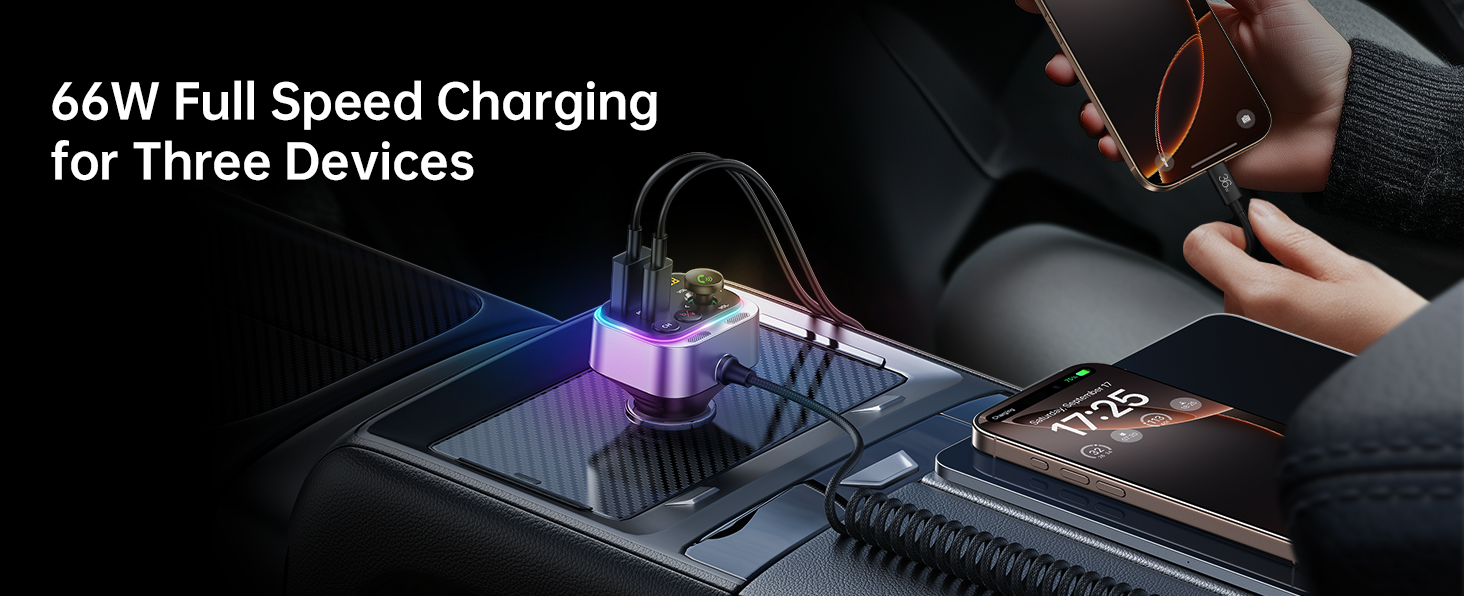
- 66W Fast Charge Adapter with USB-C Coiled Cable
- Latest Bluetooth 5.4 Chip for stable connection
- Stronger Dual Mics with CVC Noise Reduction for clear calls
- Bass Boosted & Hi-Fi Stereo Music
- LED Ambient Light Control
- Wide Compatibility with smartphones and vehicles (12-24V)


Што ў скрынцы
- Аўтамабільны адаптар FM-перадатчыка Syncwire Bluetooth 5.4
- 3 год гарантыі
Інструкцыя па наладзе
Крок 1: Уключэнне
Insert the Syncwire FM Transmitter into your car's cigarette lighter socket. The device will power on automatically and its LED display will light up.
Step 2: Tune FM Radio
Select an unused FM frequency on your car's radio. Choose a frequency that has no existing radio station broadcasting on it, typically indicated by static or a clear, empty channel.

Adjust your car's FM radio to an empty frequency, such as 103.00 MHz. Step 3: Match FM Frequency
On the Syncwire FM Transmitter, adjust its FM frequency to match the one you selected on your car radio. Use the 'CH' button or the multi-function knob to change the frequency.
Step 4: Pair Bluetooth
On your smartphone or Bluetooth-enabled device, enable Bluetooth and search for available devices. Select "SW-XC965" from the list to pair. Once paired, audio from your device will be transmitted to your car's speakers.
Pair your mobile device with the transmitter by selecting "SW-XC965" in your Bluetooth settings.
Інструкцыя па эксплуатацыі
Кантроль надview
- FM Display: Паказвае бягучую FM-частоту.
- Multifunction Button (FM+/- / Volume+/- / Answer/Hang up/Reject):
- Павярніце, каб адрэгуляваць гучнасць.
- Націсніце, каб адказаць/завяршыць выклікі.
- Long press to reject calls.
- Кароткае націсканне для прайгравання/прыпынення музыкі.
- Rotate to change FM frequency (after pressing CH button).
- Кнопка CH: Press to enter FM frequency adjustment mode.
- Deep Bass/Light Switch ('b' button):
- Short press to activate/deactivate Deep Bass mode.
- Long press to turn the LED ambient light on/off.
- Large Mic: Для званкоў па гучнай сувязі.
- Кабель USB-C: Integrated coiled cable for charging.
- Порт QC 3.0: Quick Charge 3.0 USB-A port for fast charging.
- PD 30W Port: Power Delivery 30W USB-C port for fast charging.
Прайграванне музыкі
Once paired via Bluetooth, music from your device will automatically play through your car's FM radio.
Deep Bass & Hi-Fi Stereo
To enhance your audio experience, press the 'b' button to toggle between standard mode and deep bass mode. This feature provides authentic Hi-Fi sound with boosted bass.

Званок па гучнай сувязі
The transmitter features a dual-mic system with CVC noise suppression and echo-canceling technology for clear call quality.

- Адказаць на званок: Каротка націсніце шматфункцыянальную кнопку.
- Завяршыць выклік: Short press the Multifunction Button during a call.
- Адхіліць выклік: Long press the Multifunction Button.
Зарадныя прылады
The Syncwire FM Transmitter is equipped with a 66W combined power output, including a PD 3.0 port, a QC 3.0 port, and a 6ft built-in coiled USB-C cable. This allows you to charge up to three devices simultaneously.


LED Ambient Light Control
The transmitter features a vibrant LED display. You can turn the light on or off by long pressing the 'b' button according to your preference.

Тэхнічнае абслугоўванне
To ensure optimal performance and longevity of your Syncwire FM Transmitter:
- Трымайце прыладу ў чысціні, праціраючы яе мяккай сухой тканінай.
- Пазбягайце ўздзеяння на прыладу экстрэмальных тэмператур, прамых сонечных прамянёў або вільгаці.
- Не спрабуйце разбіраць або рамантаваць прыладу самастойна. Звярніцеся да аўтарызаванага сэрвіснага персаналу для любога рамонту.
- Для стабільнага злучэння пераканайцеся, што раз'ём прыпальвальніка чысты і без смецця.
Ліквідацыю непаладак
| праблема | Рашэнне |
|---|---|
| Няма харчавання/прылада не ўключаецца |
|
| Статычны гук або дрэнная якасць гуку |
|
| Bluetooth не падключаецца |
|
| Зарадка павольная або не працуе |
|
Тэхнічныя характарыстыкі
| Асаблівасць | Дэталь |
|---|---|
| Нумар мадэлі | SW-XC965 |
| Версія Bluetooth | 5.4 |
| Уваходны кнtage | 12-24В |
| Парты для зарадкі | 1x PD 3.0 (USB-C), 1x QC 3.0 (USB-A), 1x Integrated USB-C Coiled Cable |
| Агульная магутнасць | Да 66 Вт |
| Мікрафон | Dual Mics with CVC Noise Reduction |
| Даўжыня кабеля | 6ft (1.8m) coiled USB-C cable |
| Вага прадмета | 3.84 унцыі (0.11 кілаграма) |
| Памеры | 3.62 х 3.46 х 1.93 цалі |
Гарантыя і падтрымка
This Syncwire product comes with a 3-year warranty. For technical support, warranty claims, or further assistance, please visit the official SYNCWIRE webсайт або звярніцеся ў службу падтрымкі кліентаў.
Official SYNCWIRE Store: SYNCWIRE Amazon Store
Інфармацыя па бяспецы
Refer to general wireless audio adapter safety guidelines.
Відэа прадукту
Гэта відэа дае візуальнае ўяўленне праview of the Syncwire Bluetooth 5.4 FM Transmitter, showcasinяго асаблівасці і дызайн.