
1. Уводзіны
The Foscam FNA108HE is an 8-channel Network Video Recorder (NVR) designed for surveillance systems. It supports up to 8 PoE (Power over Ethernet) IP cameras, allowing for simplified installation with power and data transmission over a single Ethernet cable. This NVR records video at up to 8MP resolution per channel and utilizes H.264+ video compression for efficient storage. It offers continuous, motion-detection, and scheduled recording options, and supports a hard drive up to 16TB (not included) for extensive storage. View and manage your surveillance system locally via HDMI/VGA monitor or remotely through a web інтэрфейс.
2. Змесціва ўпакоўкі
- Foscam FNA108HE 8-Channel PoE NVR
- Адаптар сілкавання
- USB мыш
- Кабель Ethernet
- Кароткае кіраўніцтва
- Mounting Screws for HDD (Hard Disk Drive not included)
3. Прадукт скончыўсяview
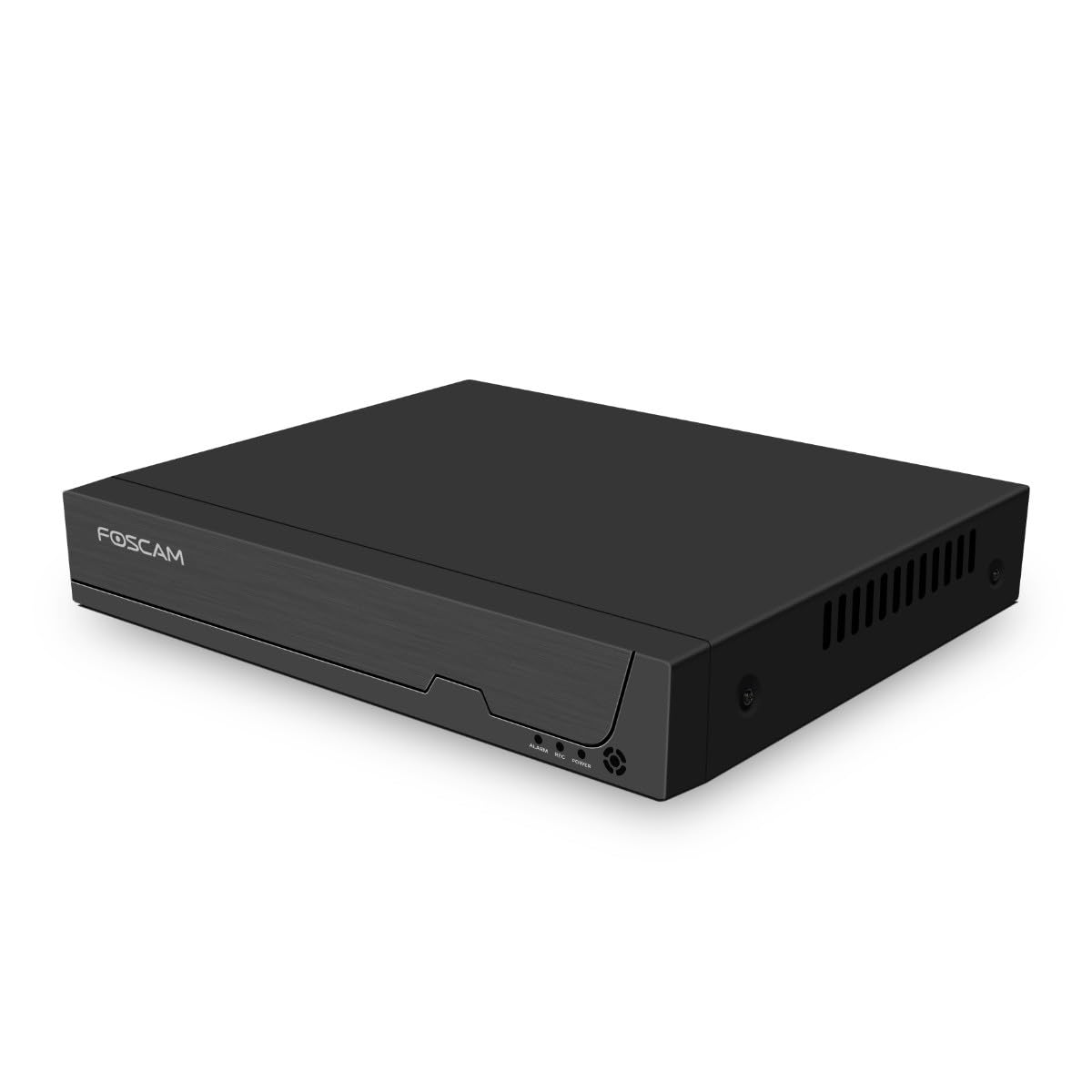
Малюнак 3.1: Пярэдняя панэль
This image shows the front of the Foscam FNA108HE NVR, featuring the Foscam logo on the left and indicator lights (ALARM, REC, POWER) on the right, along with a navigation button.

Малюнак 3.2: Пад вуглом View
An angled perspective of the Foscam FNA108HE NVR, highlighting its compact design and the Foscam branding.

Малюнак 3.3: Задняя панэль
This image displays the rear panel of the Foscam FNA108HE NVR, showing various ports including the power switch, DC 48V power input, 8 PoE ports, LAN port, A-OUT (audio output), VGA port, HD-OUT (HDMI port), and two USB ports.
3.1 Індыкатары пярэдняй панэлі
- Магутнасць: Indicates the NVR is powered on.
- ЗАПІС: Flashes when video is being recorded.
- ТРЫВОГА: Illuminates when an alarm event (e.g., motion detection) is triggered.
3.2 Парты на задняй панэлі
- Пераключальнік уключэння/выключэння: Powers the NVR on or off.
- 48 В пастаяннага току: Power input for the NVR.
- Парты PoE (1-8): Connect PoE IP cameras. These ports provide both power and data.
- Порт LAN: Connects the NVR to your local network/router for internet access and remote viewінж.
- A-OUT (Audio Output): Connects to an external speaker for audio output.
- Порт VGA: Connects to a VGA monitor for local display.
- HD-OUT (HDMI Port): Connects to an HDMI monitor or TV for local display.
- USB-парты (x2): Connect a USB mouse for local control and for USB backup devices.
4. Настройка
4.1 Hard Drive Installation (Optional, HDD not included)
For video recording, a 3.5-inch SATA hard drive is required. Ensure the NVR is powered off before installation.
- Адкруціце і зніміце верхнюю крышку NVR.
- Connect the SATA data and power cables from the NVR to the hard drive.
- Secure the hard drive to the NVR chassis using the provided screws.
- Устаўце верхнюю крышку на месца і замацуйце яе шрубамі.
4.2 Падлучэнне абсталявання
- Connect your PoE IP cameras to the PoE ports (1-8) on the NVR's rear panel using Ethernet cables.
- Connect a monitor to the NVR's HD-OUT (HDMI) or VGA port.
- Падключыце USB-мыш да аднаго з USB-партоў відэарэгістратара.
- Падключыце LAN-порт відэарэгістратара да маршрутызатара або сеткавага камутатара з дапамогай кабеля Ethernet.
- Connect the power adapter to the DC 48V input on the NVR and then plug it into a power outlet.
- Press the ON/OFF switch to power on the NVR.
5. Аперацыйная
5.1 Пачатковая налада і доступ
Upon first boot, the NVR will guide you through an initial setup wizard (password creation, network settings, etc.). You can access the NVR interface locally via the connected monitor and mouse, or remotely via a web браўзер на кампутары, падлучаным да той жа сеткі.
5.2 У прамым эфіры View
After logging in, the NVR will display the live video feeds from connected cameras. You can switch between single-camera view, шматкамерная сетка view, and customize the display layout.
5.3 Рэжымы запісу
The NVR supports the following recording modes:
- Бесперапынная запіс: Records 24/7 without interruption.
- Запіс выяўлення руху: Records only when motion is detected by the cameras.
- Запланаваны запіс: Records according to a predefined schedule (e.g., specific hours of the day).
Configure these settings in the NVR's menu under 'Record' or 'Schedule'.
5.4 Прайграванне
Каб паўторнаview запісана footage:
- Access the 'Playback' menu on the NVR interface.
- Выберыце патрэбную(-ыя) камеру(-ы) і дыяпазон даты/часу.
- Use the timeline to navigate through recordings and play back events.
5.5 Аддалены доступ
Каб атрымаць аддалены доступ да NVR:
- Пераканайцеся, што відэарэгістратар падключаны да Інтэрнэту.
- Configure network settings (e.g., port forwarding) on your router if necessary, or use Foscam's cloud service/P2P feature if available.
- Use the Foscam web interface or mobile application to view live feeds and manage settings from anywhere.
6. Тэхнічнае абслугоўванне
6.1 Кіраванне жорсткімі дыскамі
Regularly check the status of your hard drive in the NVR's storage settings. If the hard drive is new or has issues, it may need to be formatted through the NVR interface. Ensure sufficient free space for continuous recording.
6.2 Абнаўленне прашыўкі
Periodically check the Foscam official website for firmware updates. Keeping your NVR's firmware updated ensures optimal performance, security, and access to new features. Follow the instructions provided with the firmware update carefully.
7. Выпраўленне непаладак
- Няма відэадысплея: Check HDMI/VGA cable connections, ensure monitor is on and set to correct input. Verify NVR is powered on.
- Cameras Not Showing: Ensure cameras are properly connected to PoE ports. Check camera power and network status. Verify camera IP addresses are within the NVR's range.
- Няма запісу: Confirm a hard drive is installed and formatted. Check recording schedules and motion detection settings. Ensure HDD has free space.
- Праблемы з аддаленым доступам: Verify NVR has internet access. Check network settings, port forwarding, or P2P status. Ensure correct login credentials.
- NVR Not Powering On: Check power adapter connection and power outlet. Ensure the ON/OFF switch is in the 'ON' position.
8. Тэхнічныя характарыстыкі
| Асаблівасць | Спецыфікацыя |
|---|---|
| Нумар мадэлі | FNA108HE |
| Марка | Фоскам |
| Колькасць каналаў | 8 |
| Максімальная ёмістасць захоўвання | 16 TB (Hard Drive not included) |
| Кампрэсія відэа | Н.264 + |
| Тып відэаўваходу | IP-камера PoE |
| Відэавыхад | HDMI, VGA |
| Аўдыёвыхад | А-ВЫХОД |
| Парты USB | 2 |
| Тэхналогія падлучэння | HDMI, USB, VGA, Ethernet (LAN, PoE) |
| Сумяшчальныя прылады | Camera, Smartphone, Television |
| Вага прадмета | 880 грам |
| Наяўнасць запасных частак | 1 год |
9. Гарантыя і падтрымка
This Foscam NVR (Model FNA108HE) typically comes with a manufacturer's warranty. Spare parts are available for 1 year. For detailed warranty information, technical support, or service inquiries, please refer to the official Foscam webсайт або звярніцеся непасрэдна ў службу падтрымкі кліентаў. Захоўвайце чэк аб куплі для прэтэнзій па гарантыі.