
Уводзіны
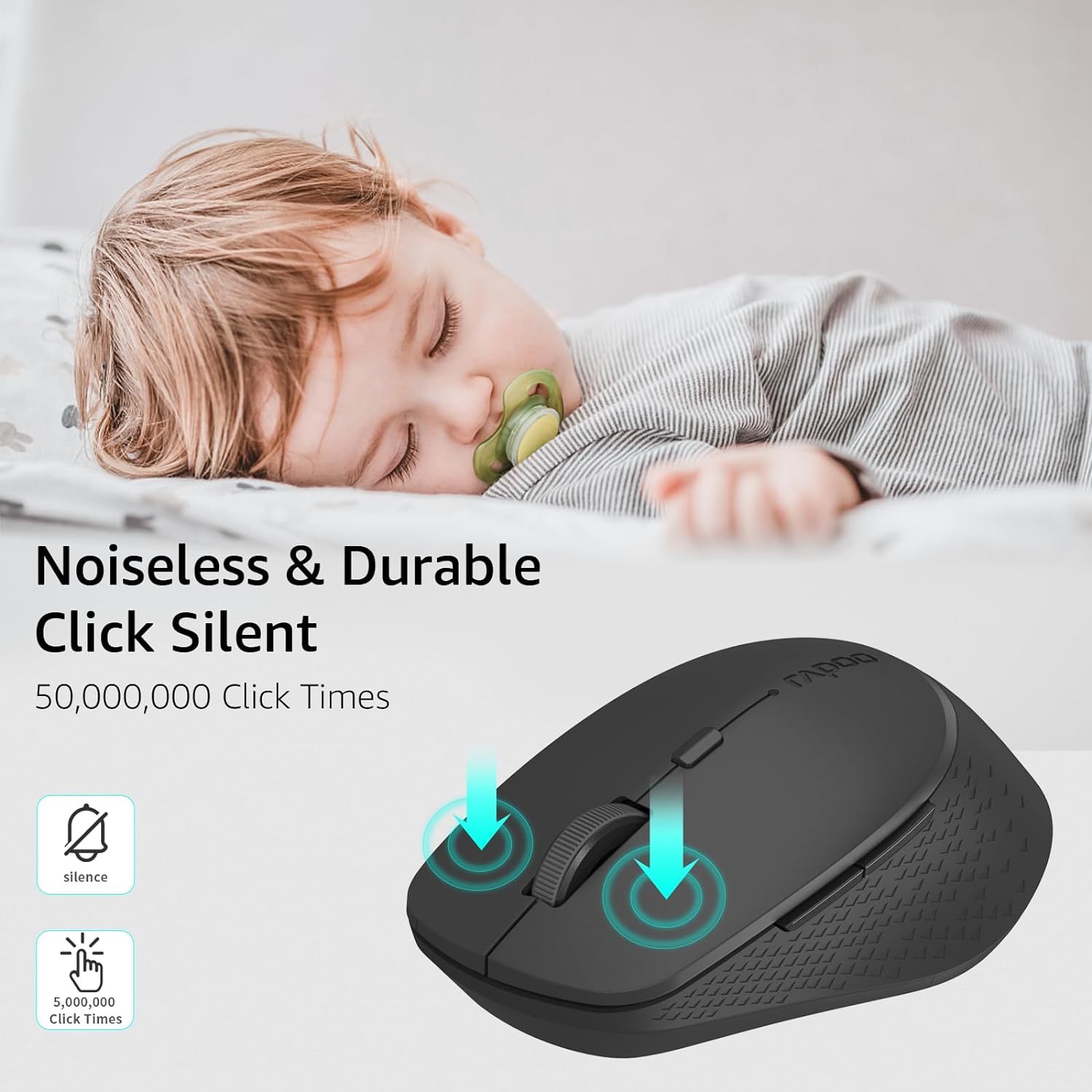
This manual provides detailed instructions for the setup, operation, and maintenance of your Rapoo M300G Silent Wireless Mouse. Please read this guide thoroughly to ensure proper use and to maximize the performance of your device. The Rapoo M300G offers versatile connectivity options, silent clicking, and adjustable DPI settings for an optimized user experience.
Змест пакета
Праверце наяўнасць усіх прадметаў у камплекце:
- Rapoo M300G Wireless Mouse x 1
- Батарэя AA x 1
- USB Receiver x 1 (typically stored inside the mouse)
- Кіраўніцтва па прадукцыі x 1
Прадукт скончаныview
Familiarize yourself with the components of your Rapoo M300G mouse:

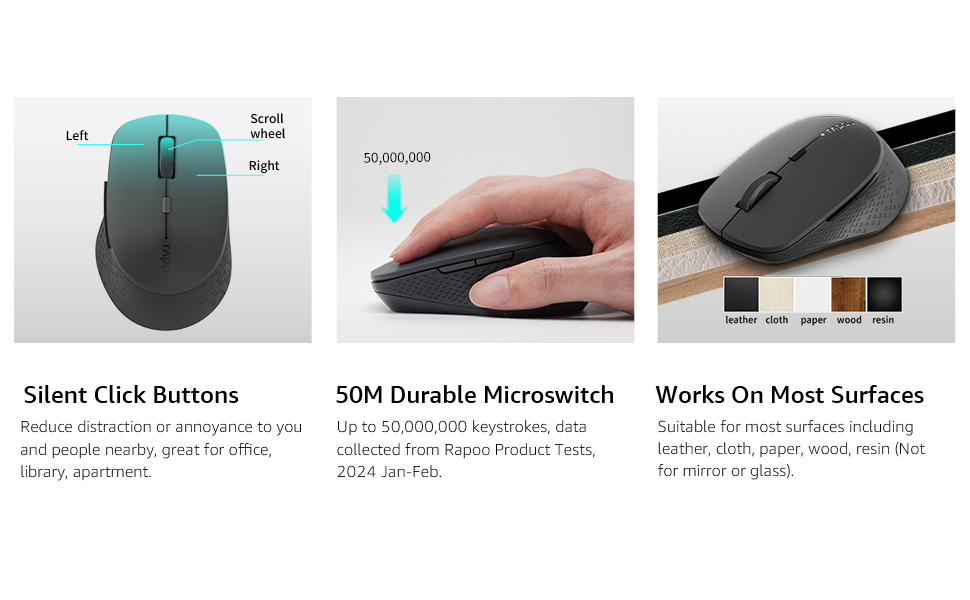
- Левая кнопка: Стандартная функцыя пстрычкі мышы.
- Правая кнопка: Стандартная функцыя правай кнопкі мышы.
- Кола пракруткі: Для пракруткі дакументаў і web старонкі. Таксама можна націснуць для выканання функцыі сярэдняй кнопкай мышы.
- Кнопка пераключэння DPI: Рэгулюе адчувальнасць мышы (DPI).
- Кнопка "Наперад": Перамяшчаецца наперад web браўзэры або file даследчыкі.
- Кнопка "Назад": Пераходзіць назад у web браўзэры або file даследчыкі.
- Multi-function Button Switch (Underside): Used to switch between 2.4GHz and Bluetooth modes, and for Bluetooth pairing.
Настройка
1. Устаноўка батарэі
The Rapoo M300G mouse requires one AA battery (included).
- Знайдзіце вечка адсека для батарэй на ніжняй частцы мышы.
- Адкрыйце крышку.
- Устаўце батарэйку тыпу АА, пераканаўшыся, што станоўчая (+) і адмоўная (-) клемы правільна сумяшчаюцца з пазнакамі ўнутры адсека.
- Надзейна зачыніце крышку батарэйнага адсека.

2. Бесправадное злучэнне 2.4 ГГц
To connect via the 2.4GHz USB receiver:
- Выміце USB-прыёмнік з адсека для батарэй мышы.
- Падключыце USB-прыёмнік да вольнага порта USB на вашым кампутары.
- Уключыце мыш з дапамогай выключальніка харчавання на ніжняй панэлі.
- Set the multi-function button switch on the underside of the mouse to the 2.4G mode (indicated by a small icon).
- Ваш камп'ютар павінен аўтаматычна выявіць і ўсталяваць неабходныя драйверы. Мыш гатовая да выкарыстання.
3. Злучэнне Bluetooth
The Rapoo M300G supports Bluetooth 5.0 and 4.0. To connect via Bluetooth:
- Уключыце мыш з дапамогай выключальніка харчавання на ніжняй панэлі.
- Set the multi-function button switch on the underside of the mouse to the Bluetooth mode (indicated by a Bluetooth icon).
- Press and hold the multi-function button switch for 3-5 seconds until the indicator light on the mouse starts blinking, indicating it is in pairing mode.
- На камп'ютары або прыладзе адкрыйце налады Bluetooth і знайдзіце новыя прылады.
- Select "Rapoo M300G" from the list of available devices to pair.
- Once paired, the indicator light on the mouse will stop blinking and remain solid for a few seconds, then turn off. The mouse is now connected.

Аперацыя
1. Рэгуляванне DPI
The Rapoo M300G features 5 adjustable DPI levels: 800, 1000, 1200, 1600, and 2400. To change the DPI:
- Націсніце Кнопка перамыкача DPI located behind the scroll wheel.
- Each press cycles through the available DPI settings. The mouse cursor speed will change accordingly.

2. Пераключэнне некалькіх прылад
The M300G supports connection to two devices simultaneously (one via 2.4GHz, one via Bluetooth). To switch between connected devices:
- Каротка націсніце Multi-function Button Switch on the underside of the mouse.
- The mouse will switch between the 2.4GHz connection and the Bluetooth connection.
3. Сумяшчальнасць з паверхнямі
The advanced optical tracking technology allows the Rapoo M300G to operate effectively on various surfaces without a mouse pad, including leather, cloth, paper, wood, and resin. Performance may vary on glass or mirrored surfaces.

Тэхнічнае абслугоўванне
- Уборка: Для чысткі мышы выкарыстоўвайце мяккую сухую тканіну. Пазбягайце выкарыстання агрэсіўных хімічных рэчываў або абразіўных матэрыялаў.
- Замена батарэі: Replace the AA battery when the mouse performance degrades or the indicator light signals low power.
- захоўванне: When not in use for extended periods, turn off the mouse to conserve battery life. Store the USB receiver in its dedicated slot to prevent loss.

Ліквідацыю непаладак
| праблема | Магчымая прычына | Рашэнне |
|---|---|---|
| Мышка не рэагуе | Low battery; Mouse turned off; Incorrect connection mode; USB receiver not connected (2.4GHz); Bluetooth not paired (Bluetooth). | Replace battery; Turn on mouse; Switch to correct mode (2.4G or BT); Plug in USB receiver; Re-pair Bluetooth. |
| Рух курсора няўстойлівы | Брудны аптычны датчык; непрыдатная паверхня; нізкі ўзровень зарада батарэі. | Clean optical sensor; Use on a suitable surface or mouse pad; Replace battery. |
| Немагчыма пераключацца паміж прыладамі | Incorrect button press; Device not properly paired. | Ensure a brief press of the multi-function button; Verify both devices are correctly paired/connected. |
| Side buttons not working (Mac OS) | Limited Mac OS compatibility for side buttons. | This is a known limitation. Side buttons may not function on Mac OS. |
Тэхнічныя характарыстыкі
- мадэль: M300G
- Падключэнне: Bluetooth 5.0, Bluetooth 4.0, 2.4GHz Wireless
- Налады DPI: 800, 1000, 1200, 1600, 2400 (Adjustable)
- кнопкі: 6 (Налева, Направа, Кола пракруткі, Пераключальнік DPI, Наперад, Назад)
- Магутнасць: 1 х АА батарэя
- Тэрмін службы батарэі: Да 12 месяцаў (пры нармальных умовах)
- Памеры: 4.09 х 2.57 х 0.04 цалі (103.91 х 65.43 х 37.29 мм)
- Вага: 2.46 унцый (прыблізна 70 г)
- Сумяшчальнасць: Windows, Mac OS, Linux, iOS, Android, Chrome OS
Гарантыя і падтрымка
Your Rapoo M300G Silent Wireless Mouse comes with a Адзін год гарантыі з даты пакупкі. Акрамя таго, 30-day return and refund or replacement policy is offered. For technical support or warranty claims, please refer to the contact information provided on the Rapoo official website or your retailer's support channels.