
Rapoo M300G
Rapoo M300G Silent Wireless Mouse User Manual
Мадэль: M300G
Уводзіны
This manual provides detailed instructions for the setup, operation, and maintenance of your Rapoo M300G Silent Wireless Mouse. Please read this manual thoroughly to ensure proper use and to maximize the performance of your device.
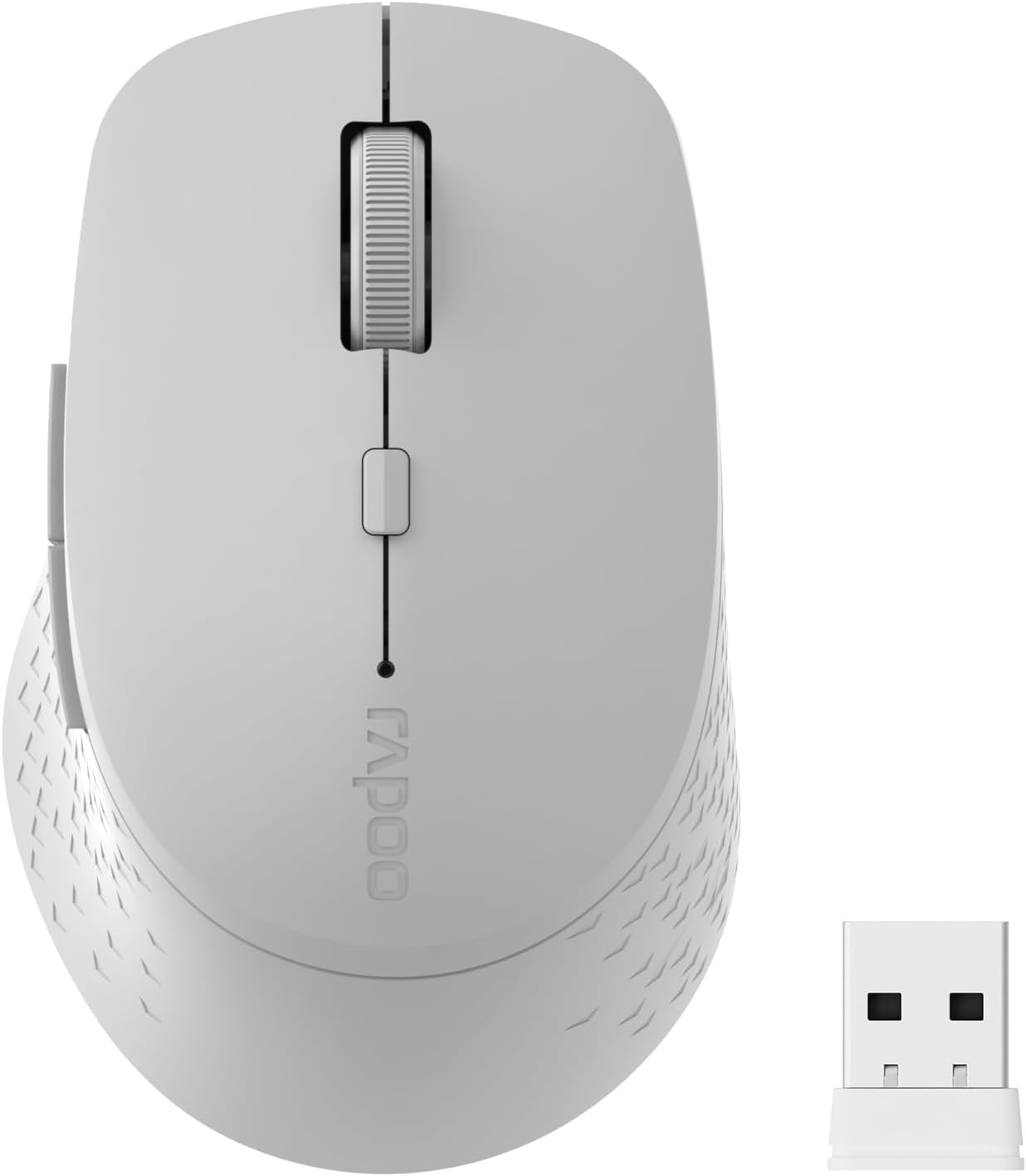
Image: The Rapoo M300G Silent Wireless Mouse in light grey, shown with its accompanying USB receiver.
Змест пакета
Праверце наяўнасць усіх прадметаў у камплекце:
- Rapoo M300G Wireless Mouse (x1)
- USB Receiver (x1)
- Батарэя AA (x1)
- Кіраўніцтва па эксплуатацыі прадукту (x1)
Прадукт скончаныview
Familiarize yourself with the components of your Rapoo M300G mouse.
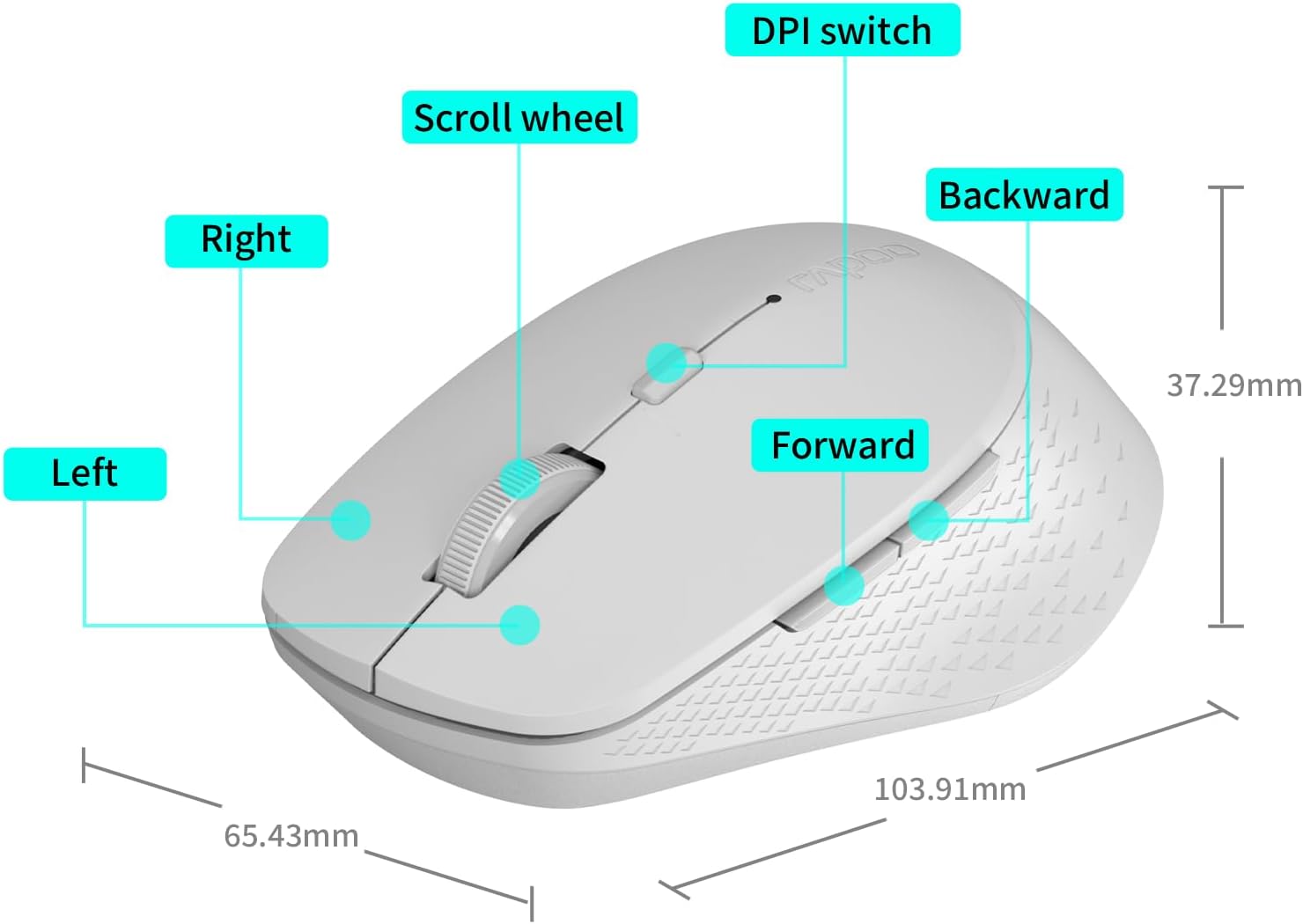
Image: A diagram illustrating the various parts of the Rapoo M300G mouse, including the left and right click buttons, scroll wheel, DPI switch, and forward/backward side buttons.
- Левая кнопка: Стандартная функцыя пстрычкі мышы.
- Правая кнопка: Context menu function.
- Кола пракруткі: Для вертыкальнай пракруткі і клік сярэдняй кнопкай мышы.
- Пераключальнік DPI: Рэгулюе адчувальнасць курсора.
- Кнопка "Наперад": Перамяшчаецца наперад web браўзэры або file даследчыкі.
- Кнопка "Назад": Пераходзіць назад у web браўзэры або file даследчыкі.
Інструкцыя па наладзе
The Rapoo M300G mouse supports both 2.4GHz wireless and Bluetooth connectivity. Choose the method that best suits your device.
1. Устаноўка батарэі
Open the battery compartment on the underside of the mouse. Insert the provided AA battery, ensuring correct polarity. Close the compartment.

Image: Illustration of the mouse's underside, highlighting the battery compartment and the integrated USB receiver storage slot.
2. Connecting via 2.4GHz Wireless Mode
- Locate the USB receiver inside the mouse's battery compartment.
- Remove the USB receiver and plug it into an available USB port on your computer.
- Уключыце мыш з дапамогай выключальніка харчавання на ніжняй панэлі.
- The mouse should automatically connect to your computer. No additional drivers are typically required.
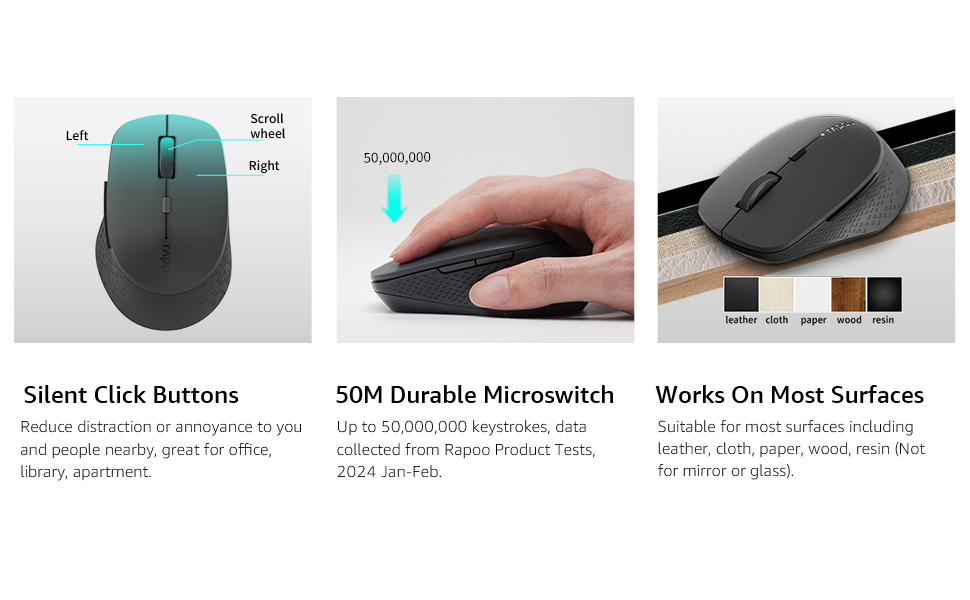
Image: Visual guide for connecting the mouse. The 2.4GHz mode shows the USB receiver being inserted into a computer.
3. Падключэнне праз рэжым Bluetooth
The mouse supports Bluetooth 5.0 and 4.0.
- Уключыце мыш з дапамогай выключальніка харчавання на ніжняй панэлі.
- Press and hold the multifunction button on the underside of the mouse for 3-5 seconds until the indicator light flashes slowly. This indicates pairing mode.
- На вашым камп'ютары або прыладзе адкрыйце налады Bluetooth.
- Пошук new devices and select "Rapoo M300G" (or similar) from the list.
- Выконвайце падказкі на экране, каб завяршыць працэс спалучэння. Пасля падключэння індыкатар перастане міргаць.

Image: Diagram detailing the multifunction button on the mouse's underside, explaining its use for DPI adjustment (short press) and Bluetooth pairing (long press).
Image: Visual guide for connecting the mouse. The Bluetooth mode shows the mouse pairing with a laptop.
Інструкцыя па эксплуатацыі
1. Switching Between Devices (Multi-Mode)
The Rapoo M300G can connect to two devices simultaneously (one via 2.4GHz, one via Bluetooth). To switch between connected devices, briefly press the multifunction button on the underside of the mouse. The indicator light will change to confirm the active connection mode.

Image: The Rapoo M300G mouse demonstrating its ability to connect to two devices simultaneously, one via 2.4GHz and another via Bluetooth.
2. Рэгуляванне DPI (адчувальнасці)
The mouse offers 5 adjustable DPI levels: 800, 1000, 1200, 1600, and 2400. To change the DPI, press the DPI switch button located on the top of the mouse, below the scroll wheel. Each press cycles through the available DPI settings.

Image: A visual representation of the mouse's adjustable DPI settings, ranging from 800 to 2400, with an arrow pointing to the DPI switch button.
3. Функцыя бясшумнага кліку
The Rapoo M300G features silent click buttons, reducing operational noise by 90%. This design is intended for quiet environments, minimizing disturbance to others.
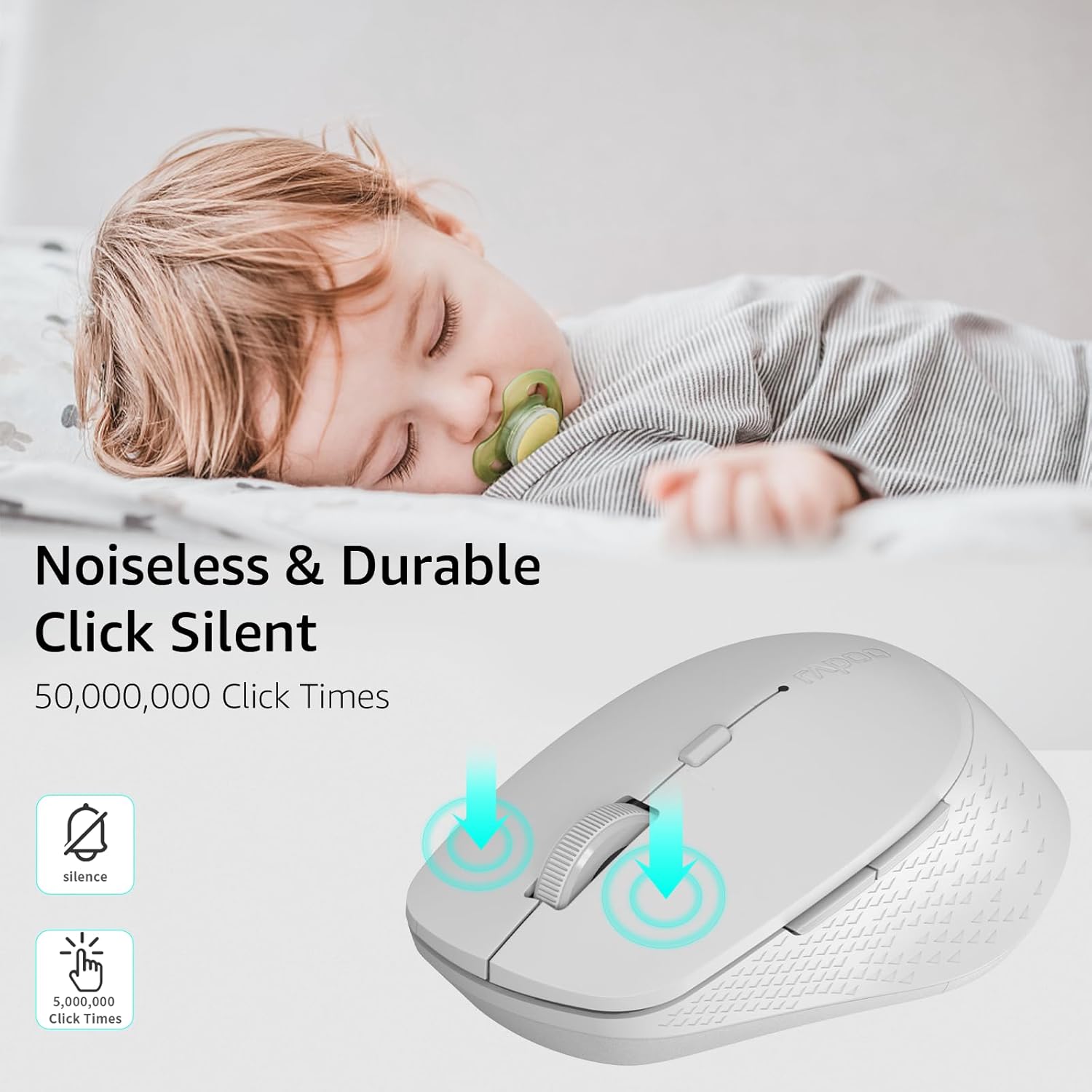
Image: The Rapoo M300G mouse, emphasizing its silent click functionality, suitable for quiet environments.

Выява: Падрабязная view of the mouse's silent click buttons, durable microswitches, and its ability to function on various surfaces.
4. Сумяшчальнасць з паверхнямі
The advanced optical tracking engine allows the mouse to operate effectively on various surfaces, including leather, cloth, paper, wood, and resin, without requiring a mouse pad. Performance may vary on glass or mirrored surfaces.

Image: The Rapoo M300G mouse positioned on different materials, highlighting its capability to track on diverse surfaces.
Тэхнічнае абслугоўванне
1. Замена батарэі
When the mouse performance degrades or the indicator light signals low battery, replace the AA battery. The mouse is designed for low power consumption, offering up to 12 months of battery life under normal conditions.

Image: An illustration emphasizing the Rapoo M300G mouse's extended battery life of up to 12 months.
2. Уборка
Для чысткі мышы выкарыстоўвайце мяккую сухую тканіну. Для ўстойлівага бруду злёгкуamp можна выкарыстоўваць тканіну, сачыце за тым, каб вільгаць не трапляла ўнутраныя кампаненты. Пазбягайце выкарыстання агрэсіўных хімічных рэчываў або абразіўных матэрыялаў.
Ліквідацыю непаладак
Мыш не рэагуе
- Праверце акумулятар: Пераканайцеся, што батарэйка тыпу АА ўсталявана правільна і мае дастатковы зарад. Пры неабходнасці замяніце яе.
- Выключальнік сілкавання: Пераканайцеся, што мыш уключана.
- USB Receiver (2.4GHz Mode): Пераканайцеся, што USB-прыёмнік надзейна падключаны да спраўнага USB-порта. Паспрабуйце іншы USB-порт.
- Bluetooth Connection (Bluetooth Mode):
- Пераканайцеся, што Bluetooth уключаны на вашай прыладзе.
- Re-enter pairing mode on the mouse (long press multifunction button) and re-pair with your device.
- Remove the mouse from your device's Bluetooth list and attempt to pair again.
- Перашкоды: Перамясціце мыш бліжэй да прымача/прылады. Пазбягайце выкарыстання мышы побач з іншымі бесправаднымі прыладамі, якія могуць выклікаць перашкоды.
Рух курсора няўстойлівы
- Чысты датчык: Ensure the optical sensor on the underside of the mouse is clean and free from dust or debris.
- Паверхня: Try using the mouse on a different surface. While the mouse works on many surfaces, some highly reflective or uneven surfaces may affect tracking.
- Налада DPI: Adjust the DPI setting using the DPI switch button to see if a different sensitivity improves performance.
Тэхнічныя характарыстыкі
| мадэль | M300G |
| Тэхналогія падлучэння | Bluetooth 5.0, Bluetooth 4.0, 2.4GHz Wireless |
| Тэхналогія выяўлення руху | Аптычны |
| Рэгуляваны DPI | 800 / 1000 / 1200 / 1600 / 2400 |
| Асаблівасці | Silent Clicks, Multi-Device Switching, Portable, Ergonomic Design |
| Тып батарэі | 1 батарэі АА (у камплекце) |
| Тэрмін службы батарэі | Да 12 месяцаў |
| Памеры прадукту | 4.09 х 2.57 х 0.04 цалі (103.91 х 65.43 х 37.29 мм) |
| Вага прадмета | 3.52 унцыі (100 г) |
| Сумяшчальнасць | Windows, Mac OS, Linux, iOS, Android, Chrome OS |
Гарантыя і падтрымка
Your Rapoo M300G Silent Wireless Mouse comes with a адзін год гарантыі з даты пакупкі. Акрамя таго, 30-day return and refund or replacement policy is offered. For warranty claims, technical support, or product inquiries, please contact your retailer or visit the official Rapoo webсайт для дапамогі.
Для атрымання дадатковай інфармацыі вы можаце наведаць Фірмовая крама Rapoo на Amazon.
Ask a question about this manual
Ask about setup, troubleshooting, compatibility, parts, safety, or missing instructions. Manuals+ will review the question and use this page’s manual context to help answer it.