
1. Уводзіны
This manual provides comprehensive instructions for the Symcode USB 1D Barcode Scanner. This handheld wired CCD laser barcode reader is designed for efficient and accurate scanning of 1D barcodes from both paper and digital screens. It is suitable for various applications including warehouses, libraries, supermarkets, and point-of-sale (POS) systems.
Please read this manual thoroughly before operating the device to ensure proper usage and optimal performance.
2. Прадукт скончыўсяview і Асаблівасці
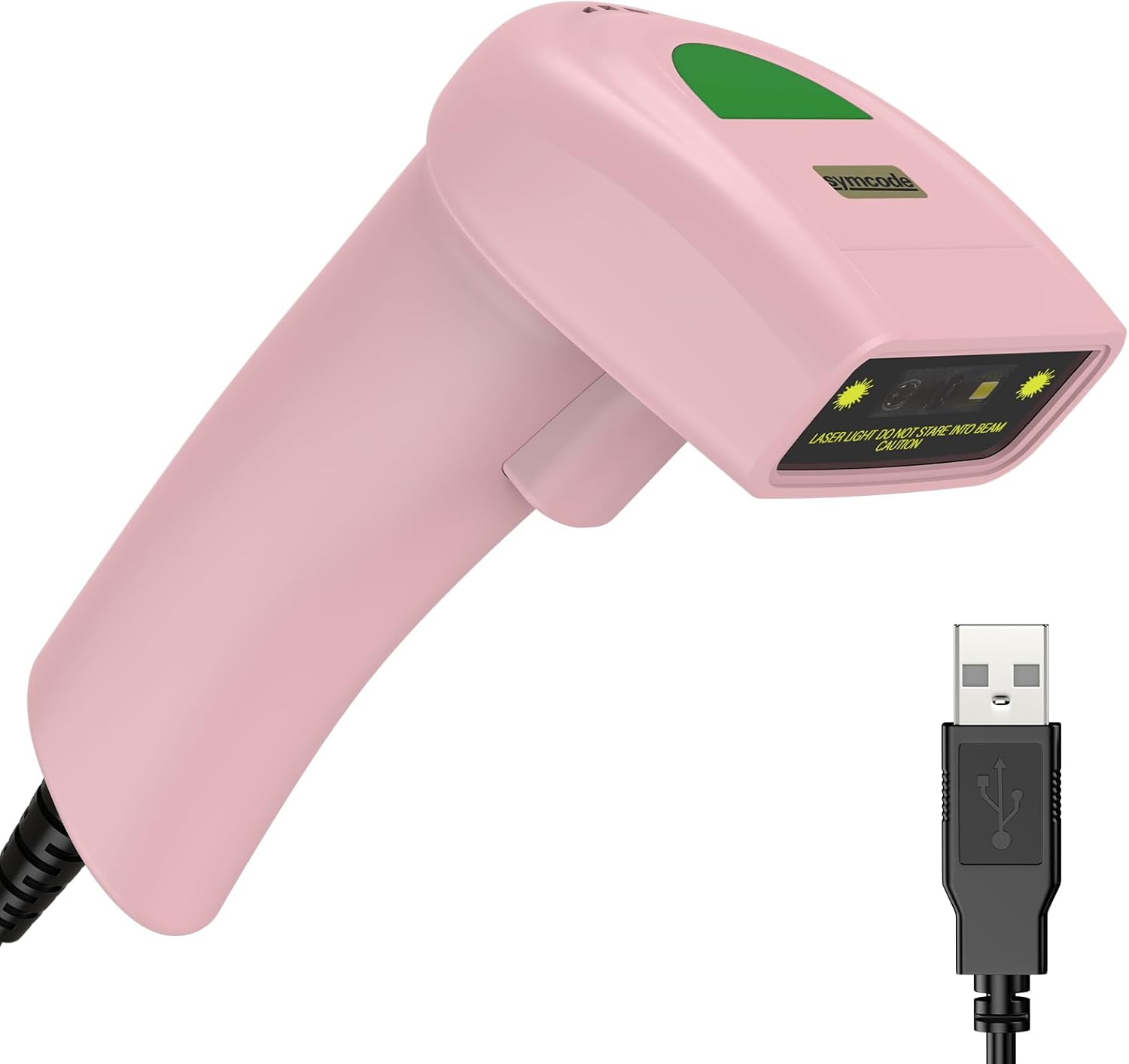
Figure 2.1: Symcode USB 1D Barcode Scanner (Pink model) with its integrated USB cable.
The Symcode 1D Barcode Scanner incorporates advanced CCD image scanning technology, offering reliable performance for various scanning needs.
Асноўныя характарыстыкі:
- 1D CCD Image Scanning Technology: Equipped with an advanced CCD sensor for quick capture of 1D codes from both paper and digital screens. Capable of reading deformed, smudged, damaged, fuzzy, or reflective barcodes.
- Некалькі рэжымаў сканавання: Supports Key Trigger mode, Auto-induction mode, and Continuous mode for flexible operation.
- Трывалы дызайн: Constructed with high-quality ABS material, designed to withstand repeated drops from up to 2 meters onto concrete, ensuring long service life.
- Падтрымліваюцца 1D штрых-коды: Compatible with a wide range of 1D barcode types including UPC/EAN, UCC/EAN 128, Code 39, Code 93, Code 128, Codabar, Interleaved 2 of 5, MSI, Code 11, and more.
- Наладжвальныя параметры: Offers 180 configurable options for adding prefixes, suffixes, and termination strings to scanned data.
- Кампактны і лёгкі: Designed for comfortable handheld use.
3. Настройка
The Symcode USB 1D Barcode Scanner is designed for plug-and-play operation, requiring no driver installation for most operating systems.

Figure 3.1: The scanner connects via USB for immediate plug-and-play functionality. The cable serves both for power and data transmission.
- Падключыце сканер: Insert the USB cable of the scanner into an available USB port on your computer (Laptop or Desktop).
- Распазнаванне сістэмы: Your operating system (Windows, macOS, Linux) will typically recognize the device automatically and install any necessary generic drivers. This process usually takes a few seconds.
- Гатовы да выкарыстання: Once recognized, the scanner is ready to be used with any application that accepts keyboard input, such as Notepad, Word, Excel, or POS software.
Note: The USB cable functions as both a power supply and a data transmission cable.
4. Інструкцыя па эксплуатацыі
4.1 Сканіраванне штрых-кодаў

Figure 4.1: The scanner is capable of reading 1D barcodes from both printed labels and digital screens.
To scan a barcode, point the scanner's laser beam at the barcode you wish to read. Ensure the entire barcode is covered by the laser line.
- Рэжым запуску клавіш: Press and hold the trigger button to activate the laser. Release the button after a successful scan.
- Рэжым аўтаіндукцыі: The scanner automatically activates the laser when a barcode is detected within its scanning range.
- Бесперапынны рэжым: The laser remains continuously active, allowing for rapid, successive scans without pressing the trigger.
Note: For optimal performance, ensure sufficient lighting and a clear view штрых-кода.
4.2 Падтрымліваемыя тыпы штрых-кодаў

Figure 4.2: The scanner's 1D Super Decoding Ability allows it to easily capture common 1D barcodes on labels, even if they are damaged or irregular.
The scanner supports a wide range of 1D barcode symbologies, including but not limited to:
- EAN-8/13
- UPC-A/E (e.g., UPC A: 0123456789012)
- Code 39/93/128 (e.g., CODE 128: 1234567890)
- EAN-128
- Кодабар
- Industrial 2 of 5 (e.g., Industrial 2 of 5: 987612)
- Чаргаванне 2 з 5
- Матрыца 2 з 5
- MSI
- Кітайскі 2 з 5
- And variations like Frauded Barcode (e.g., 1234567890135), Profiled Barcode (e.g., 4603146002134), Folded Barcode, and Color Barcode.
4.3 Customizing Output (Prefix/Suffix)

Figure 4.3: The scanner supports customization of scanned data by adding prefixes or suffixes, or inserting characters in the middle.
The scanner allows for configuration of prefixes and suffixes to be added to the scanned barcode data. This feature is useful for integrating scanned data into specific software systems or for data formatting.
For detailed instructions on how to configure these options, please refer to the programming barcodes provided in the supplementary user guide (often a separate sheet of barcodes for configuration).
- Дадаць прэфікс: E.g., "RL" + "123456789" becomes "RL123456789"
- Дадаць суфікс: E.g., "123456789" + "RL" becomes "123456789RL"
- Insert in Middle: E.g., "12345" + "RL" + "6789" becomes "12345RL6789"
4.4 Налады гуку

Figure 4.4: The scanner's sound can be toggled on or off according to user preference.
The scanner provides audible feedback for successful scans. You can turn this sound on or off as needed.
To change the sound setting, scan the appropriate configuration barcode provided in the supplementary user guide. Typically, there are specific barcodes for "Turn on the Sound" and "Turn off the Sound".
5. Тэхнічнае абслугоўванне
Правільнае абслугоўванне забяспечвае даўгавечнасць і аптымальную прадукцыйнасць вашага сканера штрых-кодаў.
- Уборка: Для чысткі вонкавай паверхні сканера выкарыстоўвайце мяккую сухую тканіну. Для акна сканавання выкарыстоўвайце тканіну для чысткі аб'ектыва або мяккую тканіну, злёгку працёртуюampened with a non-abrasive cleaner. Avoid harsh chemicals or abrasive materials.
- захоўванне: Захоўвайце сканер у прахалодным, сухім месцы, удалечыні ад прамых сонечных прамянёў і экстрэмальных тэмператур.
- Сыход за кабелем: Пазбягайце празмернага згінання або скручвання USB-кабеля, бо гэта можа пашкодзіць унутраныя правады.
- Абарона ад падзення: While designed to be durable, avoid unnecessary drops or impacts to prevent potential damage.
6. Выпраўленне непаладак
| праблема | Магчымая прычына | Рашэнне |
|---|---|---|
| Сканер не ўключаецца. | USB-кабель няправільна падключаны або USB-порт няспраўны. | Ensure the USB cable is securely plugged into both the scanner and the computer. Try a different USB port. |
| Сканер не счытвае штрых-коды. | Incorrect scanning angle, barcode damaged/unreadable, or scanner in an incorrect mode. | Ensure the laser covers the entire barcode. Try scanning a known good barcode. Check the scanning mode (Key Trigger, Auto-induction, Continuous). Ensure the barcode type is supported. |
| Адсканаваныя дадзеныя няправільныя або няпоўныя. | Barcode partially scanned, or incorrect prefix/suffix settings. | Rescan the barcode, ensuring full coverage. Review prefix/suffix settings using the configuration barcodes. |
| No sound feedback after scanning. | Sound feature is turned off. | Scan the "Turn on the Sound" configuration barcode from the supplementary guide. |
| Scanner is slow or unresponsive. | System resource issues or temporary glitch. | Disconnect and reconnect the scanner. Restart the computer if necessary. |
7. Тэхнічныя характарыстыкі

Figure 7.1: The compact dimensions and lightweight design of the scanner make it comfortable for extended use.
| Атрыбут | Дэталь |
|---|---|
| Памеры | 165 мм (В) х 63 мм (Ш) х 87 мм (Г) / 6.5 цалі (В) х 2.48 цалі (Ш) х 3.43 цалі (Г) |
| Вага | 156g (5.5 oz) (excluding cable) |
| Крыніца святла | 650nm~670nm visible laser |
| Хуткасць сканавання | 100 сканаванняў/сек |
| Read Precision | 0.1 мм (4 мілы) |
| Кантраст друку | 30% мінімум |
| Глыбіня рэзкасці | 0~600mm (0.33mm, PCS 90%) |
| Scan Scope | 10 мм ~ 250 мм |
| Дыстанцыя чытання | 2.5~600mm (100% UPC/EAN) |
| Магчымасць дэкадавання | EAN-8/13, UPC-A/E, Code 39/93/128, EAN-128, Codabar, Industrial 2 of 5, Interleave 2 of 5, Matrix 2 of 5, MSI, etc. |
| Частата бітавых памылак | 1/5 мільёна |
| Ток | 85 мА (праца), 36 мА (захоўванне) |
| Інтэрфейс | USB |
| Працоўная тэмпература | 0℃~45℃ (32℉~113℉) |
| Тэмпература захоўвання | -20℃~60℃ (-4℉~140℉) |
| Вільготнасць | 5%~95% без кандэнсацыі |
| Матэрыял | АБС+ПК |
| Сумяшчальныя прылады | Ноўтбук, Desktop |
| Крыніца харчавання | Электрычны шнур (праз USB) |

Figure 7.2: The light and ergonomic design of the Symcode scanner enhances practicality and user comfort compared to bulkier alternatives.
8. Гарантыя і падтрымка
For warranty information and technical support, please refer to the documentation included with your product packaging or visit the official Symcode website. You may also contact Symcode customer service directly for assistance with product setup, operation, or troubleshooting.
The package typically includes: 1*CCD barcode scanner, 1*User manual (this document refers to the digital version), and 1*USB Cable.