
1. Уводзіны
Thank you for choosing the LENVII R800 Portable 2D Barcode Scanner. This device is designed for efficient and versatile barcode scanning, supporting both 1D and 2D barcodes. It offers multiple connection options including Bluetooth, 2.4G wireless, and wired USB, making it compatible with a wide range of devices and operating systems. This manual provides detailed instructions for setup, operation, and maintenance to ensure optimal performance.

Image 1.1: LENVII R800 Barcode Scanner and included accessories (USB cable, 2.4G wireless receiver).
2. Прадукт скончыўсяview
Familiarize yourself with the components and features of your LENVII R800 scanner.
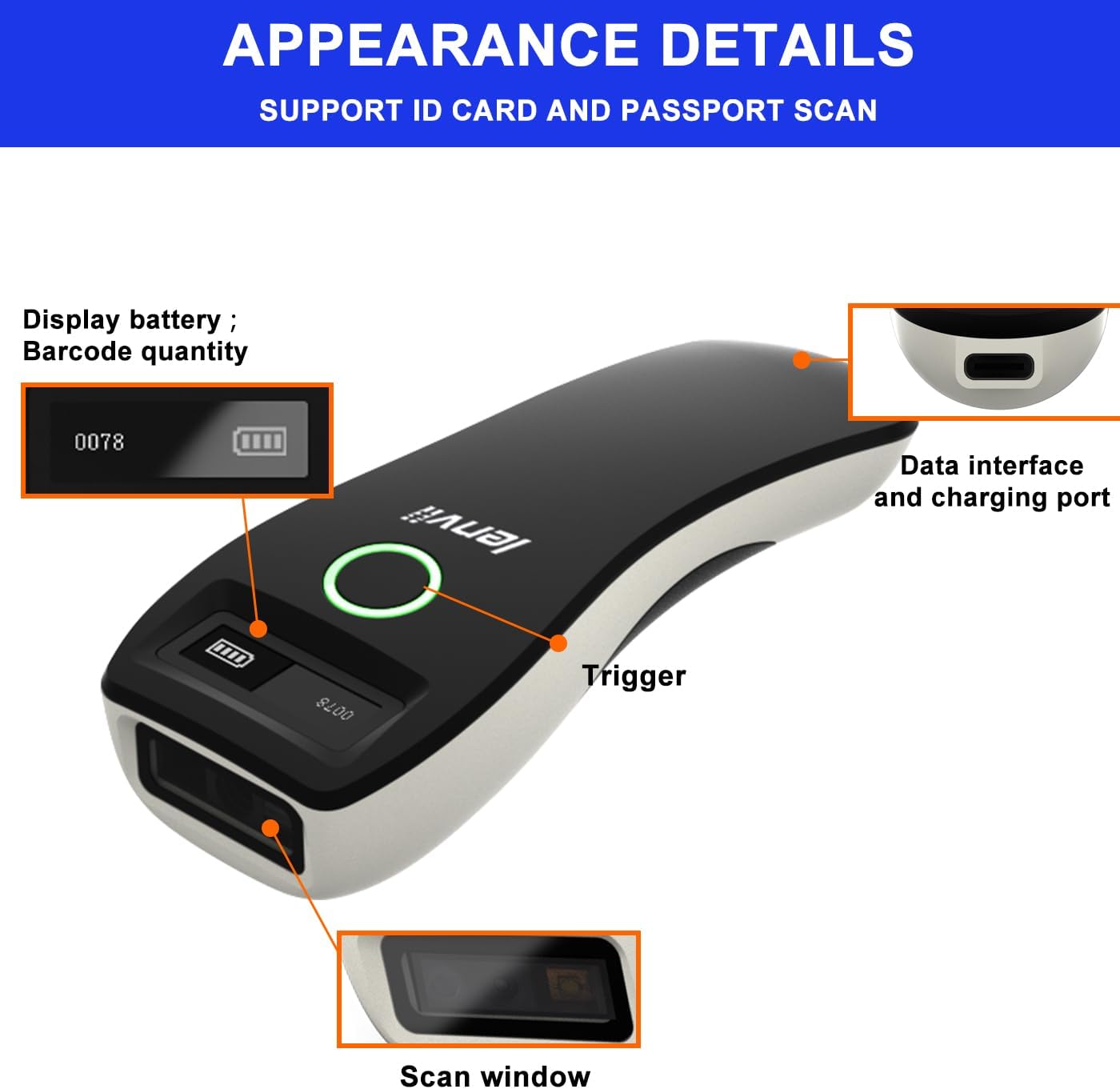
Малюнак 2.1: Падрабязны view of the LENVII R800 scanner, highlighting the display (battery, barcode quantity), data interface/charging port, trigger button, and scan window.
- Дысплей: Shows battery level and scanned barcode quantity.
- Data Interface/Charging Port: Type-C port for wired connection and charging.
- Трыгер: Button to initiate scanning.
- Акно сканавання: Area through which barcodes are read.
3. Настройка
3.1 Зарадка сканера
Before first use, fully charge the scanner. Connect the provided Type-C USB cable to the scanner's charging port and the other end to a USB power source (e.g., computer USB port, USB wall adapter). The charging indicator light will show the charging status.
The scanner is equipped with a 1500mAh rechargeable lithium battery.
3.2 Рэжымы падключэння
The LENVII R800 offers three connection methods:

Image 3.1: Illustration of the three connection modes: 2.4GHz Wireless, USB Wired, and Bluetooth.
3.2.1 Бесправадное злучэнне 2.4G
- Insert the 2.4G wireless receiver into a USB port on your computer or host device.
- Turn on the scanner. It should automatically connect to the receiver.
- A successful connection is indicated by a specific sound or light on the scanner.
3.2.2 Злучэнне Bluetooth
- Уключыце сканер.
- Activate Bluetooth on your host device (e.g., smartphone, tablet, laptop).
- Scan the Bluetooth pairing barcode (usually found in the full manual or quick start guide). The scanner will enter pairing mode.
- On your host device, search for Bluetooth devices and select "LENVII R800" (or similar name) to pair.
- A successful connection is indicated by a specific sound or light on the scanner.
3.2.3 Правадное злучэнне
- Connect the scanner to your computer using the provided Type-C USB cable.
- Сканер будзе працаваць як правадная прылада і адначасова зараджацца.
- No additional drivers are typically required for this plug-and-play connection.
3.3 Сумяшчальнасць
The LENVII R800 scanner is compatible with various operating systems and devices:
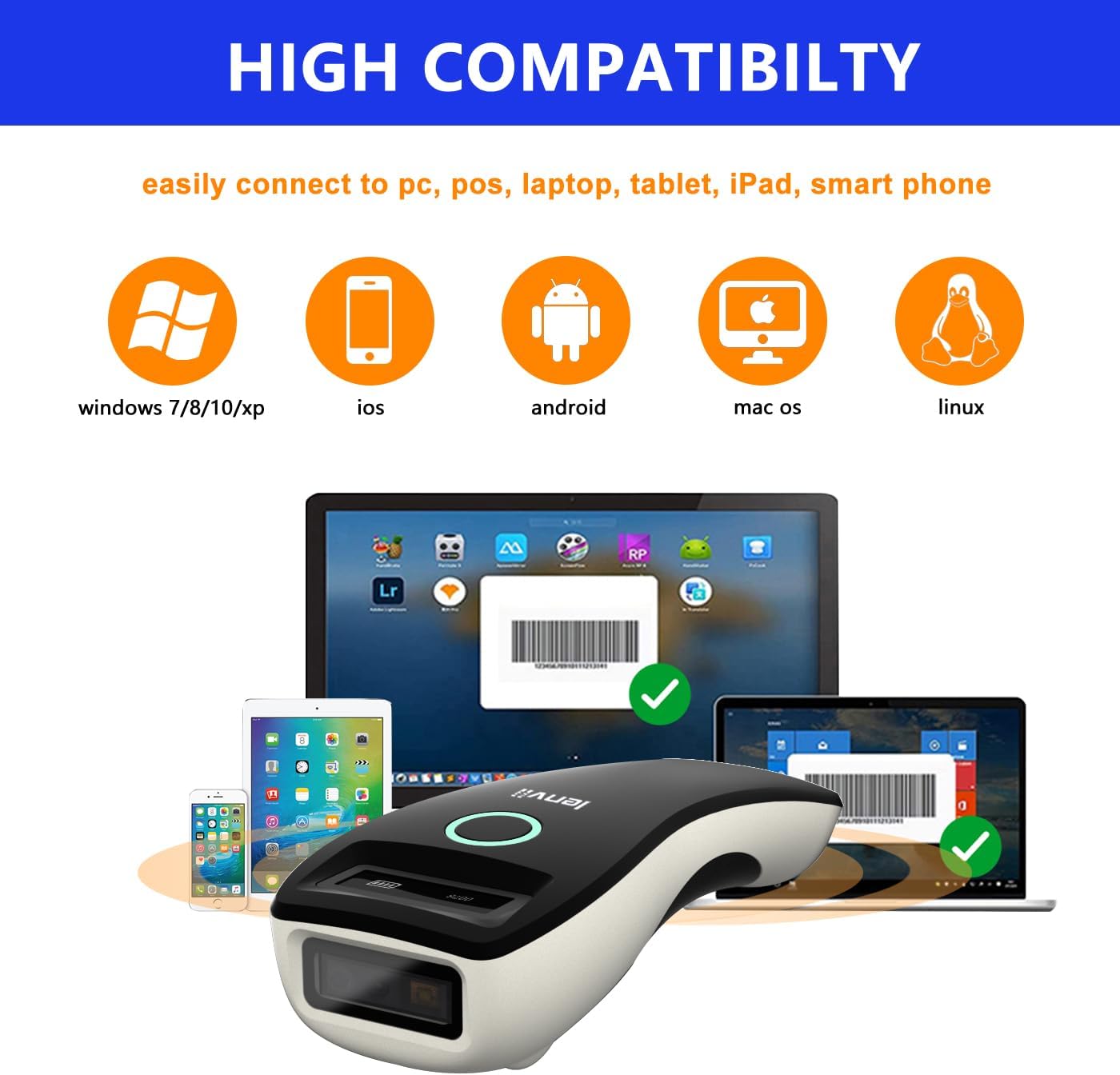
Image 3.2: Compatibility icons for Windows, iOS, Android, Mac OS, and Linux, indicating broad device support.
- Аперацыйныя сістэмы: Windows XP/7/8/10, Mac OS, Windows Mobile, аперацыйныя сістэмы Android, iOS, Linux.
- прылады: Ноўтбукі, ПК, мабільныя тэлефоны, планшэты, айфоны, айпады, POS-сістэмы.
4. Інструкцыя па эксплуатацыі
4.1 Асноўнае сканаванне
- Ensure the scanner is powered on and connected to your host device via your preferred method.
- Open an application on your host device where you want the scanned data to appear (e.g., a text editor, spreadsheet, or inventory software).
- Point the scan window of the scanner at the barcode.
- Press the trigger button. A successful scan will be indicated by a beep and/or a light confirmation.
- The scanned data will be transmitted to your host device.
4.2 Рэжымы перадачы дадзеных
Сканер падтрымлівае два рэжымы загрузкі дадзеных:

Image 4.1: Depiction of Instant Upload Mode (data sent immediately) and Offline Storage Mode (data stored for later upload).
- Рэжым імгненнай загрузкі: Barcodes are transmitted to the connected device immediately after scanning. This is the default mode.
- Рэжым захоўвання (аўтаномны рэжым): Barcodes are stored in the scanner's internal memory (up to 35,000 EAN 13 codes) and can be uploaded later. This mode is useful when working out of range of the host device. To switch to storage mode and upload data, refer to the full programming manual for specific barcode commands.
4.3 Падтрымліваемыя тыпы штрых-кодаў
The LENVII R800 is capable of scanning a wide array of 1D and 2D barcode symbologies:
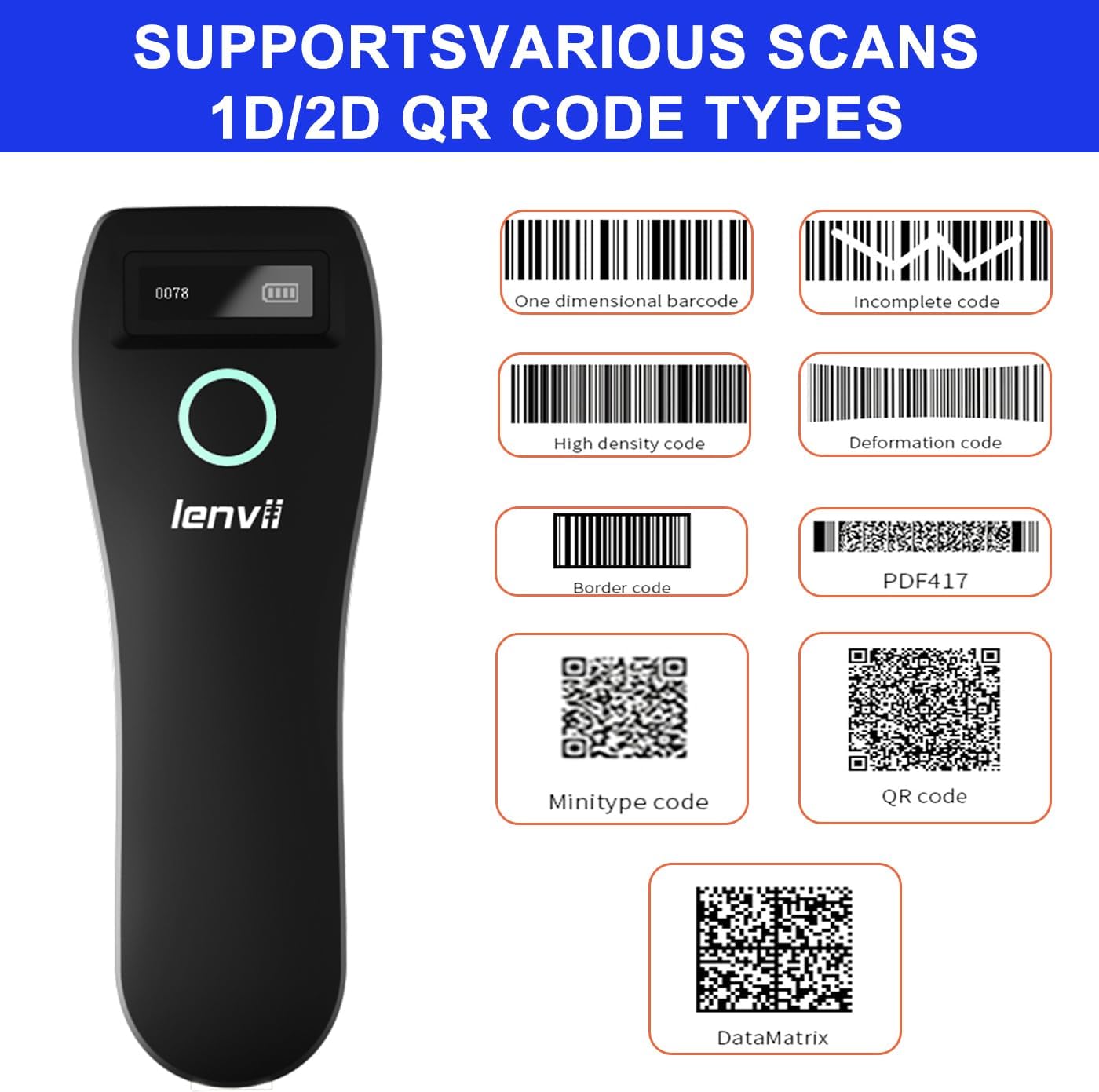
Малюнак 4.2: Прыкладamples of supported barcode types including 1D (e.g., Code 39, Code 128) and 2D (e.g., QR Code, Data Matrix, PDF417).
- 1D штрых-коды: UPC/EAN/JAN, UPC-A, UPC-E, EAN-8, EAN-13, JAN-8, JAN-13, ISBN/ISSN, Code 39 (with full ASCII), Codabar (NW7), Code 128 & EAN 128, Code 93, Interleaved 2 of 5 (ITF), Appendix 2 of 5 IATA code, MSI/Plessy, Chinese postal code, Code 32 (Italian Pharmacopoeia), RSS 14, RSS Limited, RSS Extension.
- 2D штрых-коды: QR Code, Data Matrix, PDF417, Aztec, Maxicode, GS1 DataBar Stack.
4.4 Эрганоміка і партатыўнасць
The LENVII R800 is designed for comfortable, one-handed operation and easy portability, making it suitable for various mobile business applications.
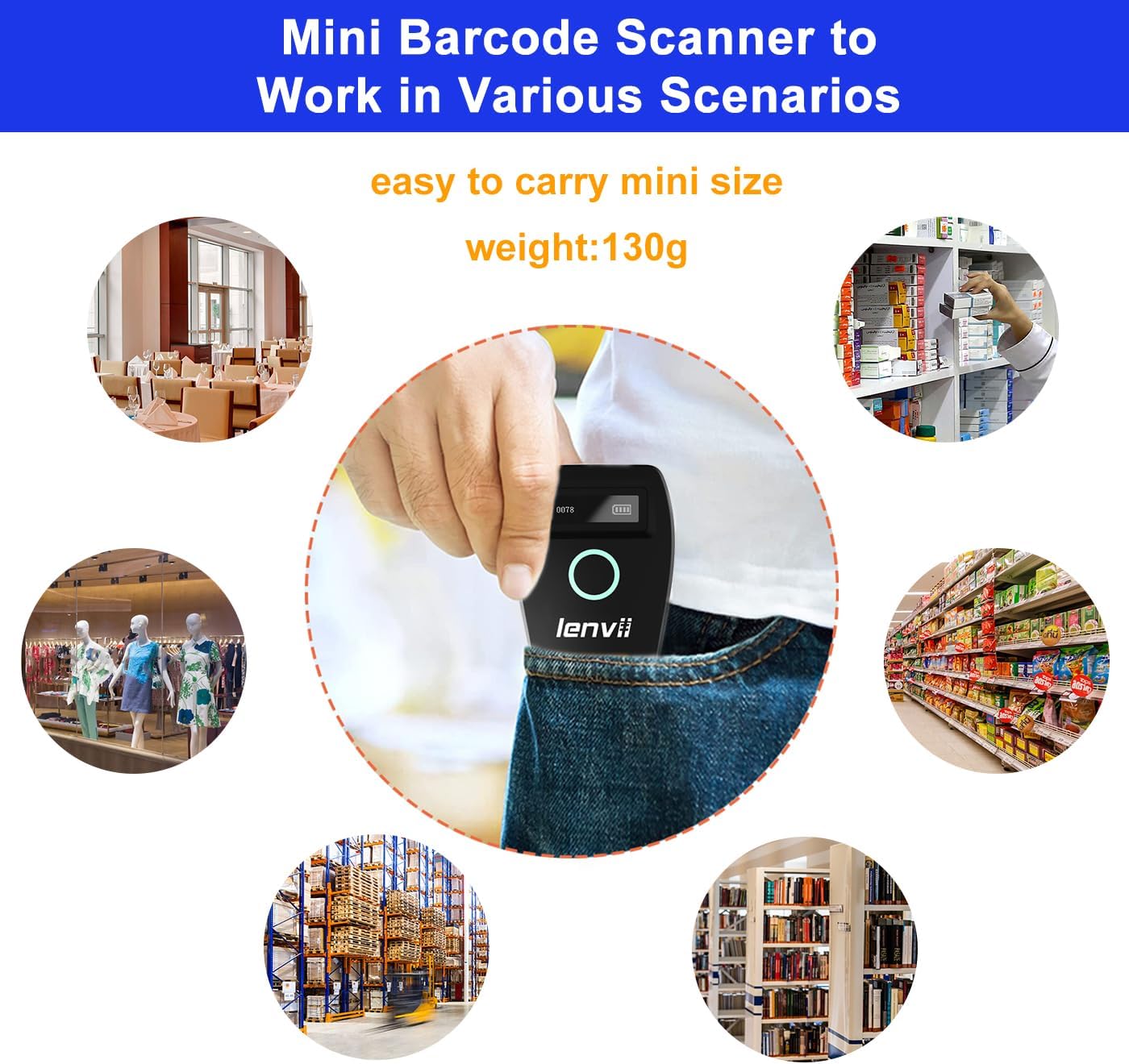
Image 4.3: The compact LENVII R800 scanner shown in different environments, emphasizing its portability and suitability for retail, inventory, and field service.
5. Тэхнічнае абслугоўванне
- Уборка: Use a soft, dry cloth to clean the scanner's exterior. For the scan window, use a soft, lint-free cloth lightly dampачышчайце мяккім неабразіўным ачышчальнікам. Пазбягайце выкарыстання агрэсіўных хімічных рэчываў або абразіўных матэрыялаў.
- захоўванне: Захоўвайце сканер у прахалодным, сухім месцы, удалечыні ад прамых сонечных прамянёў і экстрэмальных тэмператур.
- Сыход за батарэяй: Каб падоўжыць тэрмін службы акумулятара, пазбягайце частай поўнай разрадкі. Пры працяглым захоўванні зараджайце акумулятар прыкладна да 50% і падзараджайце яго кожныя некалькі месяцаў.
- Фізічная абарона: While designed to withstand drops from 2 meters, avoid unnecessary impacts.
6. Выпраўленне непаладак
-
Сканер не ўключаецца:
- Ensure the battery is charged. Connect the scanner to a power source using the Type-C cable.
-
Scanner not connecting to device:
- Для бесправадной сеткі 2.4G: Ensure the USB receiver is properly inserted and the scanner is within range.
- Для Bluetooth: Ensure Bluetooth is enabled on your host device, the scanner is in pairing mode, and you have selected the correct device from the Bluetooth list.
- Для правадной сувязі: Праверце падключэнне USB-кабеля. Паспрабуйце іншы USB-порт або кабель.
-
Сканер не чытае штрых-коды:
- Пераканайцеся, што штрых-код чысты, непашкоджаны і знаходзіцца ў дыяпазоне счытвання сканера.
- Check if the barcode type is supported by the scanner.
- Ensure there is sufficient lighting on the barcode.
- Clean the scan window if it is dirty.
-
Адсканаваныя дадзеныя не адлюстроўваюцца на экране:
- Ensure the scanner is successfully connected to your host device.
- Verify that an active input field or application is open on your host device to receive the data.
- Check if the scanner is in 'Storage Mode'. If so, switch to 'Instant Upload Mode' or upload stored data.
7. Тэхнічныя характарыстыкі
| Параметр | Дэталь |
|---|---|
| Выява (пікселі) | 640 pixels (horizontal) * 480 pixels (vertical) |
| Крыніца святла | Нацэльванне: святлодыёд 617 нм; падсвятленне: святлодыёд 4000K |
| Датчык выявы | CMOS |
| Хуткасць сканавання | 30 кадраў у секунду |
| Filling Depth | 40-200mm @ UPC / EAN13mil PCS = 90%; 20-250mm @ QR 20mil PCS = 100% |
| Вугал сканавання | Elevation angle 65°, Tilt angle 30°, Deflection angle 55° |
| Поле в View | Па гарызанталі 34°, па вертыкалі 28° |
| Дазвол чытання | Exceeds 5 million |
| Кантраст друку | Exceeds 25% |
| Візуальны індыкатар | Blue LED light, Red charging light, and Buzzer |
| Рэжымы сувязі | 2.4G, Bluetooth BLE4.0, and Type-C (Wired) |
| Адлегласць сувязі | 2.4G: 100 meters (open air), Bluetooth: 40 meters (open air) |
| Ёмістасць памяці | Up to 512,000 bits (approx. 35,000 EAN 13 codes) |
| Памеры (Д*Ш*У) | 135 мм * 51 мм * 40 мм |
| Вага | 104 грамаў |
| Матэрыял | ABS + ПК |
| Кабель | Кабель Type-C |
| Уваходны кнtage | 5 В пастаяннага току ±10% |
| Працоўны ток | 400 мА |
| акумулятар | Літыевая акумулятарная батарэя 1500 мАг |
| Спосаб зарадкі | Кабель Type-C для зарадкі |
| Трываласць падзення | Can withstand a drop of 2 meters |
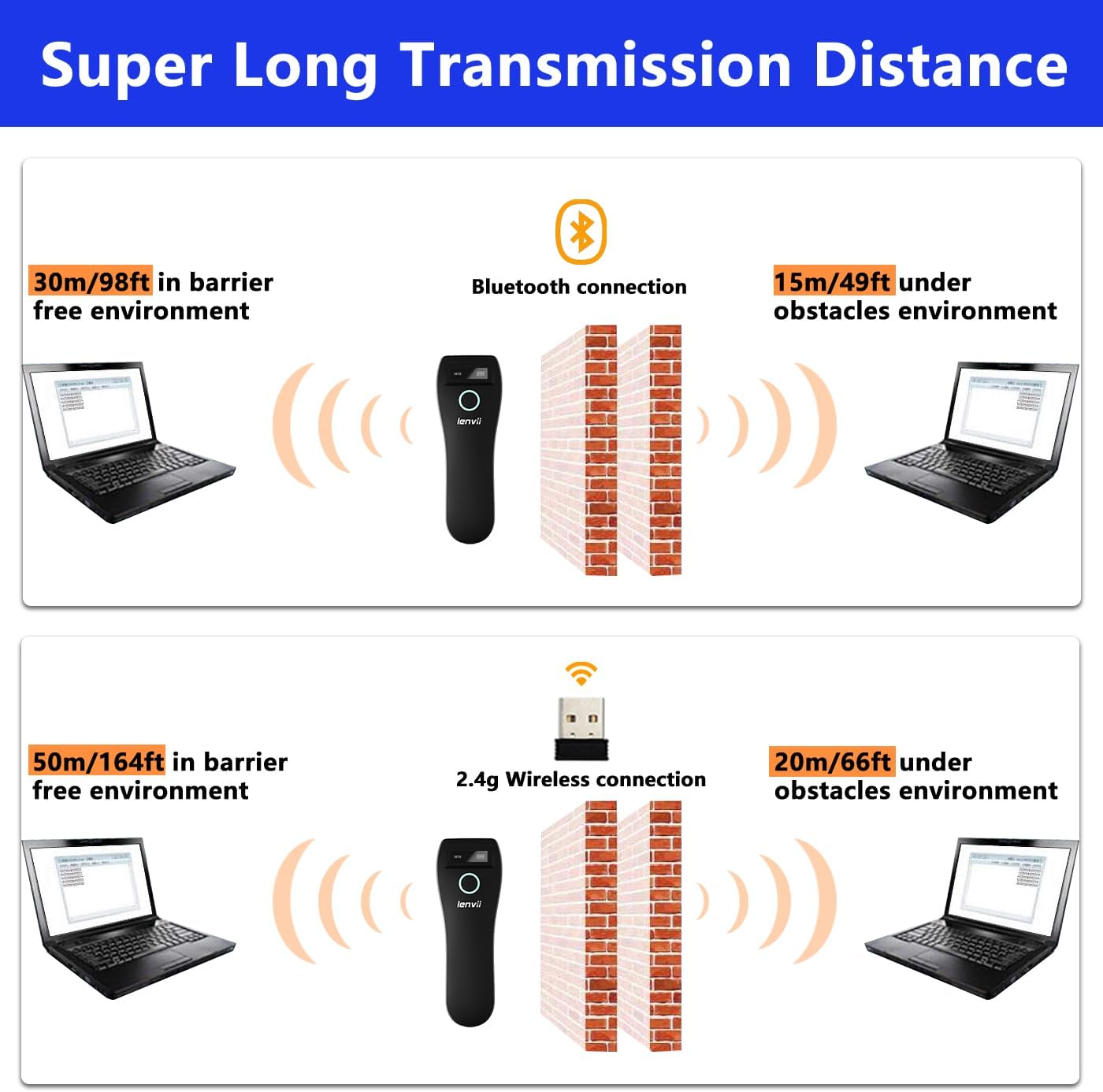
Image 7.1: Comparison of Bluetooth and 2.4G wireless transmission distances in barrier-free and obstacle environments.
8. Гарантыя і падтрымка
LENVII products are manufactured to high-quality standards. For warranty information, please refer to the documentation included with your purchase or contact your retailer. For technical support or inquiries, please visit the official LENVII webсайт або звярніцеся ў іх аддзел абслугоўвання кліентаў.
Больш падрабязную інфармацыю і рэсурсы падтрымкі можна знайсці, наведаўшы LENVII Store on Amazon.