
Уводзіны
Thank you for choosing the EasyAcc N602 Small Desk Fan. This portable and rechargeable fan is designed to provide personal cooling in various indoor and outdoor settings. This manual provides essential information for the safe and efficient operation, maintenance, and troubleshooting of your device. Please read it thoroughly before use and retain it for future reference.
Прадукт скончаныview
The EasyAcc N602 is a compact and lightweight personal fan featuring a 2000mAh rechargeable battery, USB-C charging, and four adjustable speed settings. Its design includes a foldable stand and a removable front cover for easy cleaning.

Малюнак 1: EasyAcc N602 Small Desk Fan
Асноўныя характарыстыкі:
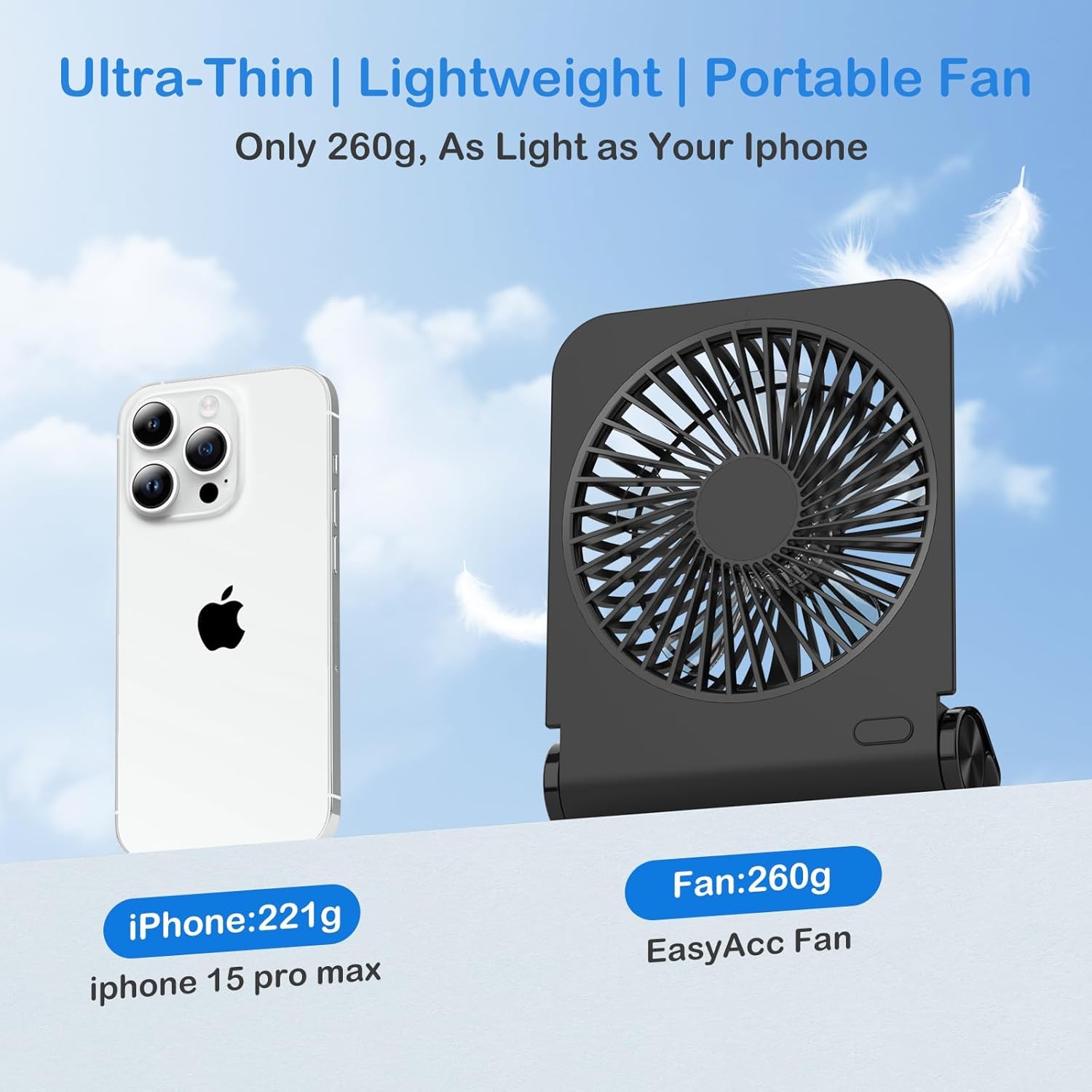
- Партатыўны дызайн: Lightweight (260g) and ultra-thin for easy transport.
- Акумулятарная батарэя: Built-in 2000mAh battery for cordless operation.
- Зарадка USB-C: Магчымасць хуткай зарадкі.
- Чатыры рэжымы хуткасці: Рэгуляваны паток паветра ад лёгкага ветрыку да моцнага ветру.
- Ціхая праца: Noise level as low as 25 dB.
- 220° Swivel Stand: Allows for flexible positioning.
- Здымная пярэдняя вечка: Facilitates easy cleaning of fan blades.
Настройка
Першапачатковая зарадка:
- Before first use, fully charge the fan.
- Connect the provided USB-C cable to the fan's charging port and the other end to a USB power source (e.g., wall adapter, computer, power bank).
- Індыкатар зарадкі загарыцца. Поўная зарадка звычайна займае ад 2.5 да 3 гадзін.
- Пасля поўнай зарадкі індыкатар можа змяніцца або выключыцца ў залежнасці ад мадэлі.

Малюнак 2: USB-C Charging Port and Battery Life Indication
Positioning the Fan:
The fan features a 220° swivel stand. Adjust the stand to your desired angle for optimal airflow. Ensure the fan is placed on a stable, flat surface to prevent tipping. The integrated rubber pads on the base help maintain stability.
Малюнак 3: Removable Front Cover, Foldable Stand, and Anti-Slip Pads
Інструкцыя па эксплуатацыі
Уключэнне/выключэнне харчавання і рэгуляванне хуткасці:
- Locate the power button, typically on the base or side of the fan.
- Press the power button once to turn the fan on at the lowest speed (Speed 1).
- Subsequent presses of the power button will cycle through the speed settings: Speed 2, Speed 3, Speed 4.
- Press the button a fifth time to turn the fan off.

Малюнак 4: Fan Blades and Speed Indicators
Тэрмін службы батарэі:
The 2000mAh battery provides approximately 2 to 6 hours of operation, depending on the selected speed setting. For extended use, connect the fan to a power source via the USB-C cable.

Малюнак 5: Quiet Operation of the EasyAcc N602 Fan at 25dB
Тэхнічнае абслугоўванне
Ачыстка вентылятара:
Рэгулярная чыстка дапамагае падтрымліваць аптымальную прадукцыйнасць і падаўжае тэрмін службы вентылятара.
- Перад чысткай пераканайцеся, што вентылятар выключаны і адключаны ад любой крыніцы харчавання.
- Gently twist the front cover counter-clockwise to remove it.
- Use a soft, dry cloth or a small brush to remove dust from the fan blades and the inside of the cover.
- Wipe the exterior of the fan with a slightly damp cloth. Do not use abrasive cleaners or immerse the fan in water.
- Align the front cover with the fan body and twist clockwise to secure it back in place.
захоўванне:
When not in use for extended periods, store the fan in a cool, dry place, away from direct sunlight and extreme temperatures. Ensure the battery is partially charged (around 50%) before storage to prolong its life.
Ліквідацыю непаладак
- Вентылятар не ўключаецца:
- Ensure the battery is charged. Connect the fan to a power source using the USB-C cable.
- Праверце, ці правільна націснута кнопка харчавання.
- Слабы паток паветра:
- Check the selected speed setting; increase it if necessary.
- Clean the fan blades and front cover to remove any dust buildup that may obstruct airflow.
- Fan makes unusual noise:
- Turn off the fan and inspect the blades for any obstructions.
- Пераканайцеся, што пярэдняя крышка надзейна прымацавана.
- Fan does not charge:
- Verify the USB-C cable is properly connected to both the fan and the power source.
- Паспрабуйце іншы кабель USB-C або адаптар сілкавання.
- Пераканайцеся, што крыніца харчавання спраўная.
Тэхнічныя характарыстыкі
| Асаблівасць | Спецыфікацыя |
|---|---|
| Назва мадэлі | N602 |
| Марка | EasyAcc |
| Крыніца харчавання | Акумулятар (2000 мАг) |
| Порт для зарадкі | USB тыпу C |
| Колькасць узроўняў хуткасці | 4 |
| Максімальная хуткасць | 3970 XNUMX абаротаў у хвіліну |
| Узровень шуму | 25 дБ |
| Памеры прадукту | 6.22" Г x 1.77" Ш x 4.8" У |
| Вага прадмета | 8.4 унцыі |
| Сертыфікаты | CE, FCC, RoHS |
Інфармацыя па бяспецы
- Не ўстаўляйце пальцы або якія-небудзь прадметы ў рашотку вентылятара падчас працы вентылятара.
- Keep the fan away from water and moisture. Do not use in wet environments.
- Do not disassemble or attempt to repair the fan yourself. Contact customer support for assistance.
- Захоўваць у месцах, недаступных дзецям і хатнім жывёлам.
- Выкарыстоўвайце для зарадкі толькі той зарадны кабель, які ўваходзіць у камплект, або сертыфікаваны кабель USB-C.
- Пазбягайце працяглага ўздзеяння экстрэмальных тэмператур або прамых сонечных прамянёў на вентылятар.
Гарантыя і падтрымка
EasyAcc is committed to providing quality products and excellent customer support. Your EasyAcc N602 Small Desk Fan comes with a commitment to lifetime customer support. If you encounter any issues or have questions regarding your product, please contact EasyAcc customer service for assistance.
For more information or support, please visit the official EasyAcc webсайт або звярніцеся ў іх аддзел абслугоўвання кліентаў.