
1. Уводзіны
This manual provides detailed instructions for the installation, operation, and maintenance of your EZoneTronics RM-26VW93-2G32 9-inch Android 11 Car Stereo. This universal car radio is designed for various VW models including Passat, Golf MK5, Golf MK6, Jetta, T5, EOS, POLO, Touran, Seat, and Sharan. It features an Android 11 operating system, integrated CarPlay and Android Auto, Bluetooth 5.0, FM/RDS radio, and GPS navigation. Please read this manual thoroughly before using the product to ensure proper function and safety.
2. Інфармацыя па бяспецы
- Заўсёды карыстайцеся прыладай адказна і ў адпаведнасці з мясцовымі правіламі дарожнага руху. Неўважлівае кіраванне можа прывесці да аварый.
- Do not attempt to install or repair the unit yourself if you are not qualified. Improper installation can cause damage to the vehicle's electrical system or the unit itself.
- Пераканайцеся, што ўся праводка правільна падключана і ізалявана, каб пазбегнуць кароткага замыкання.
- Трымайце прыладу далей ад вады і празмернай вільгаці.
- Пазбягайце ўздзеяння на прыладу экстрэмальных тэмператур.
3. Змесціва ўпакоўкі
Праверце, ці ўсе пералічаныя ніжэй прадметы ўваходзяць у вашу ўпакоўку:
- 1 x EZoneTronics Android Car Stereo Unit
- 1 х GPS антэна
- 1 x VW Wiring Harness
- 1 х CANBUS скрынка
- 1 x Radio Antenna Adapter
- 1 х USB-адаптар
- 1 х Кіраўніцтва карыстальніка (гэты дакумент)
4. Прадукт скончыўсяview
The EZoneTronics RM-26VW93-2G32 is a 9-inch universal car stereo designed to enhance your driving experience with advanced features and seamless integration. Key features include:
- Сістэма Android 11: Provides a fast, stable, and user-friendly operating environment.
- 9-inch TFT Capacitive Touchscreen: High-definition display with 1280 x 720 pixels for clear visuals.
- Integrated CarPlay & Android Auto: Connect your smartphone via USB for navigation, music, calls, and messages.
- Bluetooth 5.0: For hands-free calling, phonebook access, and audio streaming (A2DP).
- GPS-навігацыя: Built-in receiver compatible with various navigation apps like Waze, Navfree, and Google Maps.
- FM/RDS-радыё: Automatic memory and preset scanning for your favorite stations.
- Падтрымка кіравання на рулі: Retains original vehicle steering wheel control functionality via CANBUS.
- Мультымедыйны прайгравальнік: Supports various audio and video formats.
- Уваход для камеры задняга віду: Supports CVBS/AHD cameras for parking assistance.
- 32 ГБ флэш-памяці: Ample storage for music, map data, and videos.
- 4 x 45W Output Power: Забяспечвае чысты і магутны гук.
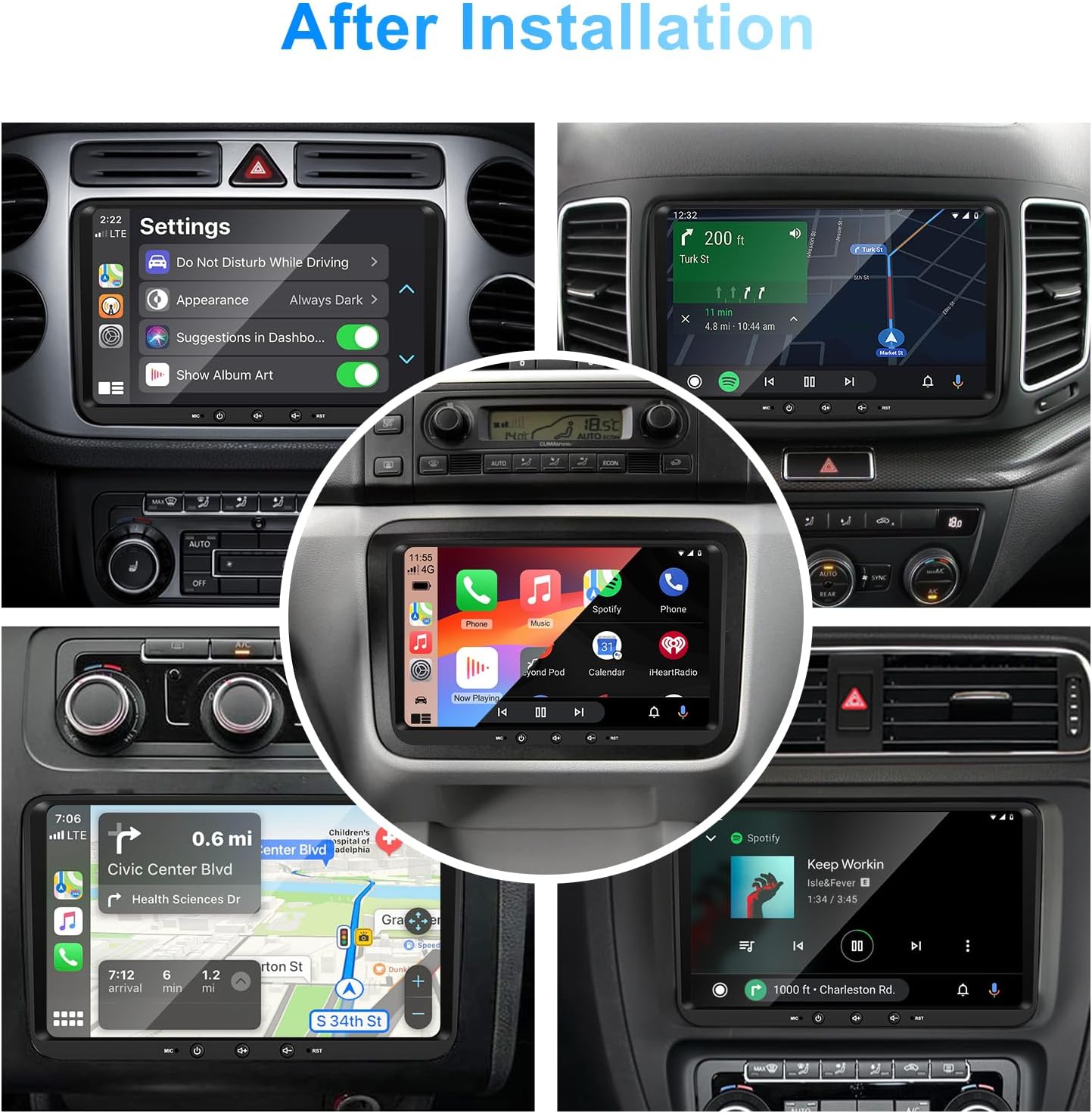
Выява 1: Спераду view of the EZoneTronics 9-inch Android 11 Car Stereo unit, showcasing its large touchscreen display and sleek design.
5. Усталёўка і налада
Рэкамендуецца прафесійная ўстаноўка. Перад пачаткам усталёўкі пераканайцеся, што харчаванне аўтамабіля адключана.
5.1 Электрычная схема
Refer to the following diagram for proper wiring connections. Each connector is labeled for clarity.

Image 2: Detailed wiring diagram illustrating connections for the power harness, CANBUS box, USB extension, backup camera video input, radio antenna adapter, and GPS antenna.
5.2 Этапы ўстаноўкі (агульныя)
- Выдаліць арыгінальны блок: Carefully remove your vehicle's existing car stereo unit and trim panels.
- Падключыце джгут сілкавання: Connect the provided VW wiring harness to the vehicle's wiring and then to the car stereo unit. Ensure all connections are secure.
- Connect CANBUS Box: Integrate the CANBUS box as shown in the wiring diagram. This enables steering wheel controls and other vehicle data integration.
- Connect GPS Antenna: Усталюйце антэну GPS у месцы з добра прагляднай паверхняй view of the sky (e.g., dashboard or windshield corner) and connect it to the unit.
- Connect Radio Antenna: Use the provided radio antenna adapter to connect the vehicle's radio antenna to the unit.
- Connect USB Adapters: Connect the USB extension harnesses for external USB devices.
- Дадатковыя падключэнні: Connect any optional accessories such as a backup camera (CVBS/AHD), external amplifier (RCA output), or additional video inputs/outputs.
- Праверка функцыянальнасці: Before fully reassembling the dashboard, temporarily connect the unit and test all functions (power, audio, radio, GPS, Bluetooth, steering wheel controls, camera).
- Бяспечны блок: Once all functions are verified, secure the car stereo unit in the dashboard and reassemble all trim panels.
6. Інструкцыя па эксплуатацыі
This section details the primary functions and operations of your EZoneTronics car stereo.
6.1 Асноўныя аперацыі
- Уключэнне/выключэнне харчавання: Press and hold the power button (usually on the front panel) to turn the unit on or off. A short press typically mutes/unmutes audio.
- Рэгулятар гучнасці: Use the physical volume knob or the on-screen controls to adjust the audio level.
- Інтэрфейс сэнсарнага экрана: Navigate through menus and applications by tapping, swiping, and pinching on the 9-inch capacitive touchscreen.
6.2 Сістэма Android 11
The unit runs on Android 11, providing a familiar smartphone-like experience. You can download and install various applications from the Google Play Store.

Image 3: Screenshot of the Android 11 system interface, showing various applications and media options available on the car stereo.
6.3 CarPlay і Android Auto
Connect your iPhone or Android smartphone via USB to access CarPlay or Android Auto. This allows for safe and convenient use of phone features while driving.
- падключэнне: Connect your smartphone to one of the unit's USB ports using a certified USB cable.
- Актывацыя: The unit should automatically detect and prompt you to launch CarPlay or Android Auto. Follow on-screen instructions.
- Асаблівасці: Access navigation, make calls, send/receive messages, and play music using voice commands (Siri or Google Assistant) or the touchscreen.

Image 4: Display showing the CarPlay interface with Siri voice commands and the Android Auto interface with Google Assistant commands, demonstrating smartphone integration.
6.4 GPS-навігацыя
The unit includes a built-in GPS receiver and supports various navigation applications.
- Pre-installed Maps: Sygic Maps are typically pre-installed. For offline use, download regional map data as needed.
- Інтэрнэт-навігацыя: Connect to Wi-Fi or use a mobile hotspot to access real-time traffic information and online map services like Google Maps.
- Знешняя GPS-антэна: Ensure the external GPS antenna is properly connected and positioned for optimal signal reception.

Image 5: The car stereo displaying an online navigation map, showing a route and real-time traffic conditions within a vehicle dashboard.
6.5 Bluetooth 5.0
Connect your smartphone via Bluetooth for hands-free communication and audio streaming.
- Спалучэнне: Enable Bluetooth on your smartphone and search for the car stereo (e.g., "EZoneTronics"). Select the device and confirm the pairing code.
- Гучная сувязь: Make and receive calls directly from the car stereo. Access your phonebook and recent call history.
- Струменевая перадача аўдыё (A2DP): Play music from your smartphone through the car stereo's speakers.

Image 6: The car stereo displaying music playback via Bluetooth 5.0, with a smartphone shown next to it also playing music, illustrating the wireless audio connection.
6.6 FM/RDS радыё
Access local radio stations with the built-in FM/RDS tuner.
- налада: Use the on-screen controls to manually tune to frequencies or perform an automatic scan for available stations.
- Прэсеты: Захавайце свае любімыя станцыі на кнопкі загадзя падрыхтаваных станцый для хуткага доступу.
- RDS (сістэма радыёданых): Displays station information such as song title, artist, or program type where available.
6.7 Кіраванне рулявым колам
The unit supports your vehicle's original steering wheel controls through the CANBUS box, allowing you to manage audio and other functions without taking your hands off the wheel.
- Функцыянальнасць: Control volume, change tracks, answer calls, and switch modes directly from your steering wheel.
- Канфігурацыя: In some cases, steering wheel controls may require initial configuration in the unit's settings menu.

Image 7: Illustration showing a steering wheel with control buttons and corresponding icons on the car stereo display, indicating seamless integration of steering wheel controls.
6.8 Audio Settings (32-Band EQ)
Customize your audio experience with the built-in 32-band equalizer and other sound controls.
- Эквалайзер: Adjust frequency bands to fine-tune the sound output to your preference.
- Preset EQ Modes: Select from various preset equalizer modes (e.g., Pop, Rock, Jazz, Classic).
- Фейдэр/Баланс: Адрэгулюйце размеркаванне гуку паміж пярэднімі/заднімі і левымі/правымі дынамікамі.
- Гучнасць: Enhance bass and treble at low volume levels.

Image 8: Screenshot of the car stereo's 32-band equalizer interface, showing adjustable frequency sliders and preset sound modes, along with a visual representation of sound distribution in a car cabin.
6.9 After Installation Overview
Once installed, the unit provides a comprehensive interface for various functions, including system settings, navigation, media playback, and vehicle information.
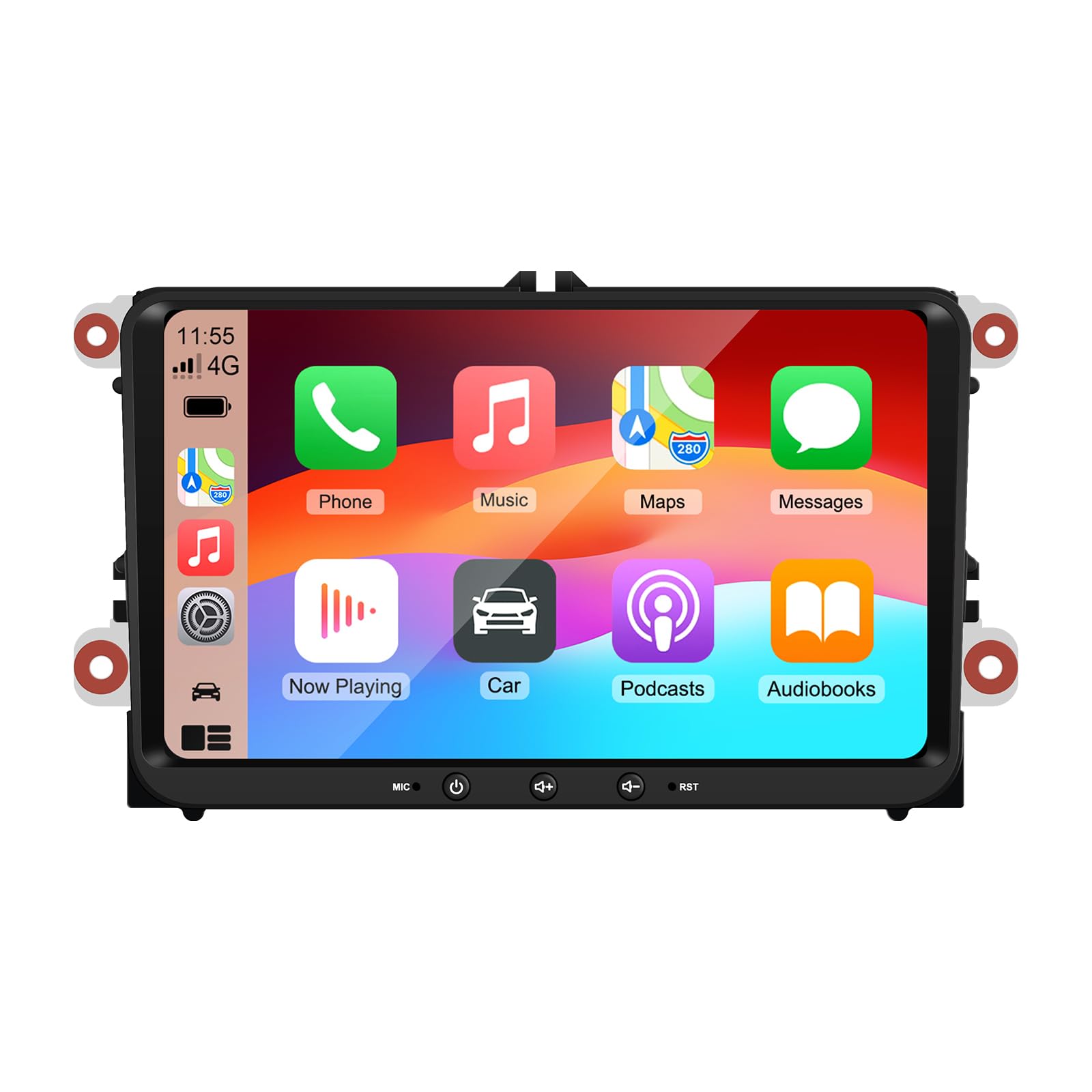
Image 9: A collage of various screen displays from the car stereo after installation, showing settings, navigation, CarPlay, Spotify, and vehicle information screens.
7. Тэхнічнае абслугоўванне
- Ачыстка экрана: Выкарыстоўвайце мяккую тканіну без ворса, каб акуратна працерці сэнсарны экран. Для выдалення ўстойлівых плям злёгкуampпрацярыце тканіну вадой або сродкам для ачысткі экрана. Пазбягайце агрэсіўных хімічных рэчываў.
- Абнаўленні праграмнага забеспячэння: Periodically check for software updates through the unit's settings menu or the manufacturer's webсайт, каб забяспечыць аптымальную прадукцыйнасць і доступ да новых функцый.
- Скід сістэмы: If the unit experiences persistent issues, a factory reset option is available in the settings. Note that this will erase all user data and settings.
8. Выпраўленне непаладак
If you encounter problems with your EZoneTronics car stereo, refer to the following common issues and solutions:
| праблема | Магчымая прычына | Рашэнне |
|---|---|---|
| Прылада не ўключаецца. | Няправільная праводка; перагарэлы засцерагальнік; праблема з электрасілкаваннем аўтамабіля. | Check power connections and fuses. Consult a professional installer. |
| Няма гуку. | Volume muted; Speaker wiring incorrect; AmpLifier пытанне. | Check volume and mute settings. Verify speaker connections. |
| Сігнал GPS страчаны або недакладны. | Няправільна размешчана або адключана антэна GPS. | Пераканайцеся, што антэна GPS мае чысты view неба і надзейна падключаны. |
| Збой спалучэння Bluetooth. | Bluetooth not enabled on phone/unit; Incorrect pairing process. | Ensure Bluetooth is active on both devices. Restart pairing process. |
| Не працуе кіраванне на рулі. | CANBUS box not connected; Incorrect configuration. | Verify CANBUS box connection. Check steering wheel control settings in the unit. |
9. Тэхнічныя характарыстыкі
Technical specifications for the EZoneTronics RM-26VW93-2G32 car stereo:
| Асаблівасць | Спецыфікацыя |
|---|---|
| Нумар мадэлі | RM-26VW93-2G32 |
| Аперацыйная сістэма | Android 11 |
| Памер экрана | 9 цаляў |
| Дазвол дысплея | 1280 х 720 пікселяў |
| Працэсар | Quad Core 1.5G |
| АЗП | 2G DDR4 |
| Унутраная памяць | 32 ГБ флэш-памяці |
| Версія Bluetooth | 5.0 |
| Выходная магутнасць | 4 x 45W (180 Watts total) |
| Колькасць каналаў | 2 |
| GPS-прыёмнік | Built-in, with external antenna |
| Wi-Fi | Убудаваны |
| USB ўваход | 2 х USB на задняй панэлі |
| Увод з камеры | CVBS/AHD compatible |
| Вытворца | Rhythm Electronics Limited |
10. Гарантыя і падтрымка
10.1 Інфармацыя аб гарантыі
The EZoneTronics RM-26VW93-2G32 car stereo comes with a Гарантыя 1 год з даты пакупкі. Гэтая гарантыя распаўсюджваецца на вытворчыя дэфекты і няспраўнасці пры нармальным выкарыстанні. Яна не распаўсюджваецца на пашкоджанні, выкліканыя няправільнай устаноўкай, няправільным выкарыстаннем, няшчаснымі выпадкамі або несанкцыянаванымі мадыфікацыямі.
10.2 Падтрымка кліентаў
For technical assistance, warranty claims, or any questions regarding your product, please contact our customer support team:
- электронная пошта: support@ezonetronics.com
When contacting support, please provide your product model number (RM-26VW93-2G32) and a detailed description of the issue.