
NGS Roller Furia 2
NGS Roller Furia 2 Portable Bluetooth Speaker User Manual
Model: Roller Furia 2 | Brand: NGS
1. Уводзіны
Thank you for choosing the NGS Roller Furia 2 Portable Bluetooth Speaker. This manual provides essential information for the safe and efficient use of your device. Please read it carefully before use and retain it for future reference.
2. Інфармацыя па бяспецы
- Не падвяргайце дынамік уздзеянню экстрэмальных тэмператур або прамых сонечных прамянёў.
- Пазбягайце падзення дынаміка і не падвяргайце яго моцным ударам.
- Трымайце дынамік далей ад медыцынскіх прылад.
- Не спрабуйце разбіраць або рамантаваць дынамік самастойна. Звярніцеся да кваліфікаванага абслугоўваючага персаналу.
- Ensure the charging port cover is securely closed when near water to maintain IPX7 waterproofing.
3. Змесціва ўпакоўкі
Пакет уключае наступныя рэчы:
- NGS Roller Furia 2 Portable Bluetooth Speaker
- Зарадны кабель USB Type-C
- Кіраўніцтва карыстальніка (гэты дакумент)
4. Асаблівасці прадукту
- Падключэнне Bluetooth 5.3: Advanced and stable wireless connection for music streaming.
- Магутны гук: 30W output for high-quality audio.
- IPX7 воданепранікальны: Can be submerged up to 1 meter for 30 minutes.
- Сапраўднае бесправадное стэрэа (TWS): Pair two Roller Furia 2 speakers for enhanced sound.
- Некалькі варыянтаў прайгравання: Bluetooth, USB port, TF card slot, and 3.5mm AUX input.
- Доўгі тэрмін службы батарэі: Да 9 гадзін прайгравання пры гучнасці 50%.
- Інтэграваныя элементы кіравання: Easy music control directly from the speaker.
- Святлодыёдныя ліхтары: Party mode with dynamic LED lighting.
5. Элементы кіравання і сувязі
Азнаёмцеся з элементамі кіравання дынамікам і партамі падключэння.

Image: Top controls and side connection panel of the NGS Roller Furia 2 speaker.
5.1. Верхнія элементы кіравання
- Кнопка харчавання: Націсніце і ўтрымлівайце, каб уключыць/выключыць. Кароткачасовае націсканне для прайгравання/паўзы.
- Павялічыць гучнасць (+): Павялічыць гучнасць.
- Памяншэнне гучнасці (-): Паменшыць гучнасць.
- Кнопка рэжыму: Switch between Bluetooth, AUX, USB, and TF card modes.
- Кнопка святлодыёднага святла: Change LED light modes or turn off lights.
5.2. Парты падключэння

Выява: Падрабязная view of the connection ports on the NGS Roller Furia 2 speaker, including AUX, USB, and Micro SD slots.
- AUX-уваход (раздым 3.5 мм): Падключыце знешнія аўдыёпрылады з дапамогай аўдыёкабеля 3.5 мм.
- USB ўвод: Connect a USB flash drive for MP3 playback (up to 32GB).
- Слот для карты памяці TF (Micro SD): Insert a TF/Micro SD card for MP3 playback (up to 32GB).
- Зарадны порт USB Type-C: Connect the provided USB-C cable for charging.
6. Настройка
6.1. Пачатковая аплата
Before first use, fully charge the speaker. Connect the USB Type-C cable to the speaker's charging port and the other end to a USB power adapter (not included) or a computer's USB port. The LED indicator will show charging status.
6.2. Уключэнне/выключэнне харчавання
Націсніце і ўтрымлівайце кнопку харчавання (ⓘ) for approximately 3 seconds to turn the speaker on or off.
7. Інструкцыя па эксплуатацыі
7.1. Спарванне Bluetooth
- Уключыце дынамік. Ён аўтаматычна пяройдзе ў рэжым спалучэння Bluetooth, пра што будзе сведчыць мігценне святлодыёда.
- Уключыце Bluetooth на вашым смартфоне, планшэце або іншай прыладзе.
- Пошук "NGS Roller Furia 2" in the list of available Bluetooth devices.
- Select it to connect. Once connected, you will hear a confirmation sound, and the LED will stop flashing.
- The speaker will automatically reconnect to the last paired device when turned on, if available.
7.2. Функцыя сапраўднай бесправадной стэрэасістэмы (TWS)
To pair two NGS Roller Furia 2 speakers for a stereo sound experience:
- Пераканайцеся, што абодва дынамікі ўключаны і не падключаны да прылад Bluetooth.
- On one speaker (this will be the primary speaker), press and hold the TWS button (often indicated by a Wi-Fi-like symbol or two interlocking circles) for 2-3 seconds.
- Асноўны дынамік пачне шукаць другасны дынамік. Пасля падключэння вы пачуеце гук пацверджання.
- Now, connect your Bluetooth device to the primary speaker as described in section 7.1. Both speakers will play audio in stereo.
7.3. Playing Music from USB/TF Card
- Insert a USB flash drive or TF/Micro SD card (with MP3 files) у адпаведны порт.
- The speaker will automatically switch to USB/TF card mode and begin playing music. If not, press the Mode button to select the correct input.
7.4. Увод AUX
- Падключыце адзін канец аўдыёкабеля 3.5 мм (не ўваходзіць у камплект) да ўваходнага порта AUX на дынаміку.
- Connect the other end to the audio output of your external device (e.g., MP3 player, computer).
- The speaker will automatically switch to AUX mode. If not, press the Mode button to select AUX input.
7.5. Рэжымы святлодыёднага асвятлення
Press the LED Light button to cycle through different light modes or turn the lights off. The speaker features dynamic LED lighting for a party atmosphere.
Video: Demonstrates the NGS Roller Furia series features, including LED lights, TWS pairing, robust design, waterproofing, various connection options, and battery life.
8. Зарадка
When the battery is low, the speaker will indicate this with an audible alert or LED behavior. Connect the USB Type-C cable to the speaker and a power source to recharge. A full charge takes approximately 3-4 hours. The speaker can be used while charging.
9. Тэхнічнае абслугоўванне
- Працірайце дынамік мяккай сухой тканінай. Не выкарыстоўвайце абразіўныя ачышчальнікі або растваральнікі.
- Захоўвайце дынамік у прахалодным, сухім месцы, калі ён не выкарыстоўваецца працяглы час.
- Ensure the charging port cover is sealed when not charging, especially in wet environments.
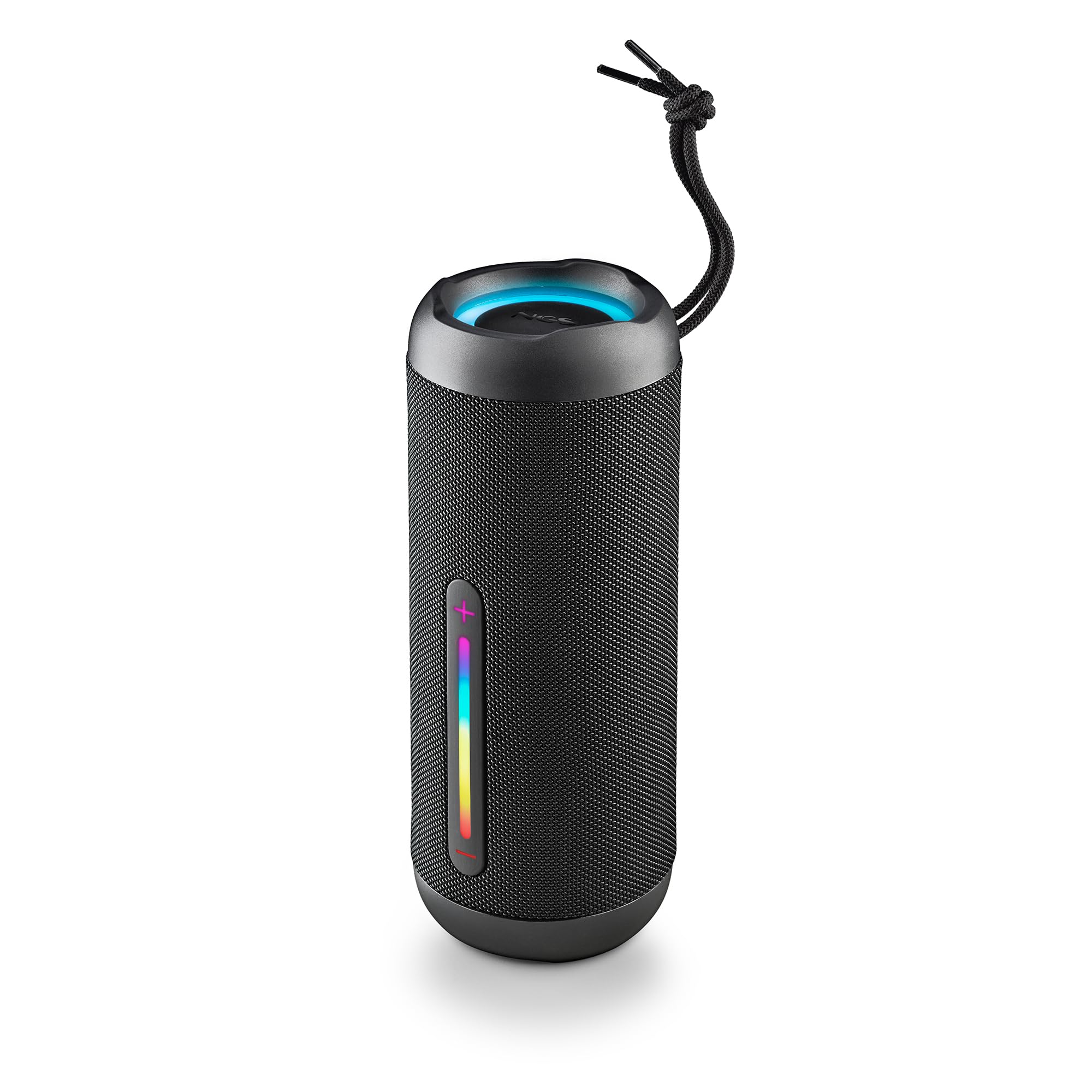
Image: The NGS Roller Furia 2 speaker demonstrating its IPX7 water resistance by being partially submerged in water.
10. Выпраўленне непаладак
| праблема | Магчымае рашэнне |
|---|---|
| Дынамік не ўключаецца. | Пераканайцеся, што акумулятар зараджаны. Падключыце да крыніцы харчавання і паспрабуйце яшчэ раз. |
| Немагчыма падключыцца праз Bluetooth. | Пераканайцеся, што дынамік знаходзіцца ў рэжыме спалучэння. Адключыце і зноў уключыце Bluetooth на прыладзе. Пераканайцеся, што да дынаміка не падключаны іншыя прылады. Падыдзіце бліжэй да дынаміка. |
| Няма гуку. | Праверце ўзровень гучнасці як на дынаміку, так і на падлучанай прыладзе. Пераканайцеся, што выбраны правільны рэжым уваходу (Bluetooth, AUX, USB, TF). |
| Памылка спалучэння TWS. | Ensure both speakers are not connected to any other Bluetooth device before initiating TWS pairing. Try resetting both speakers. |
11. Тэхнічныя характарыстыкі
| Асаблівасць | Дэталь |
|---|---|
| Назва мадэлі | Roller Furia 2 Black |
| Нумар мадэлі | ELEC-SPK-0871 |
| Марка | NGS |
| Тэхналогія падлучэння | Bluetooth 5.3, AUX, USB, TF-карта |
| Выходная магутнасць дынаміка | 30 Вт (RMS) |
| Узровень воданепранікальнасці | IPX7 (воданепранікальны) |
| Тып батарэі | 2 літый-іённы акумулятар (у камплекце) |
| Ёмістасць батарэі | 7.4 В/2500 мАг |
| Час прайгравання | Да 9 гадзін (пры гучнасці 50%) |
| Дыяпазон Bluetooth | Да 10 метраў |
| Памеры (Д х Ш х У) | 7.4 х 7.4 х 19.4 см |
| Вага | 712 грамаў |
| Сумяшчальныя прылады | MP3 Player, Laptop, Projector, Smartphone, Tablet, TV |
12. Гарантыя і падтрымка
Гэты прадукт пастаўляецца з a 2-гадовая абмежаваная гарантыя з даты пакупкі. Калі ласка, захавайце пацвярджэнне пакупкі для прэтэнзій па гарантыі.
For technical support or warranty inquiries, please visit the official NGS webсайт або звярніцеся да мясцовага прадаўца.
Ask a question about this manual
Ask about setup, troubleshooting, compatibility, parts, safety, or missing instructions. Manuals+ will review the question and use this page’s manual context to help answer it.