
Ctronics CTIPC-640C-M12B
Ctronics 4K 8MP Wi-Fi PTZ Outdoor Security Camera
Кіраўніцтва карыстальніка
1. Уводзіны
Thank you for choosing the Ctronics 4K 8MP Wi-Fi PTZ Outdoor Security Camera. This manual provides detailed instructions for the installation, operation, and maintenance of your new security camera. Please read this manual thoroughly before use to ensure proper functionality and safety.
This camera is designed to provide comprehensive outdoor surveillance with advanced features such as 4K Ultra HD resolution, Pan-Tilt-Zoom capabilities, intelligent detection, and versatile storage options.

Image: The Ctronics 4K 8MP Wi-Fi PTZ Outdoor Security Camera, showcasing its sleek black design and dual antennas.
2. Інфармацыя па бяспецы
Please observe the following safety precautions to prevent damage to the product or injury to yourself and others:
- Ensure the power supply matches the camera's specifications (12 Volts, 24 Watts).
- Не падвяргайце камеру ўздзеянню экстрэмальных тэмператур па-за межамі яе працоўнага дыяпазону.
- Пазбягайце працяглага знаходжання пад прамымі сонечнымі прамянямі, гэта можа паўплываць на якасць выявы.
- Трымайце камеру далей ад моцных магнітных палёў.
- Не спрабуйце разбіраць або мадыфікаваць камеру. Звяртайцеся па ўсё абслугоўванне да кваліфікаванага персаналу.
- Ensure all cables are properly secured to prevent tripping hazards or accidental disconnection.
3. Змесціва ўпакоўкі
Праверце, ці ўсе прадметы ўваходзяць у ваш пакет:
- Ctronics 4K 8MP Wi-Fi PTZ Outdoor Security Camera
- Адаптар сілкавання
- Мантажныя шрубы і дзюбелі
- Waterproof Kit for Network Cable
- Кароткае кіраўніцтва
4. Прадукт скончыўсяview
Азнаёмцеся з асноўнымі кампанентамі вашай камеры:
- Аб'ектыў: Захоплівае відэа footage.
- ВК-святлодыёды: Provide infrared illumination for night vision.
- Пражэктары: Enhance color night vision and act as deterrents.
- Мікрафон: Запісвае гук для двухбаковай сувязі.
- Дакладчык: Outputs audio for two-way communication and alarms.
- Антэны: Для падключэння да Wi-Fi.
- Слот для карты Micro SD: For local storage (supports up to 256GB, not included).
- Кнопка скіду: Выкарыстоўваецца для скіду камеры да заводскіх налад.
- Порт харчавання: Падключаецца да адаптара сілкавання.
- Ethernet порт: Для падключэння да правадной сеткі (неабавязкова).
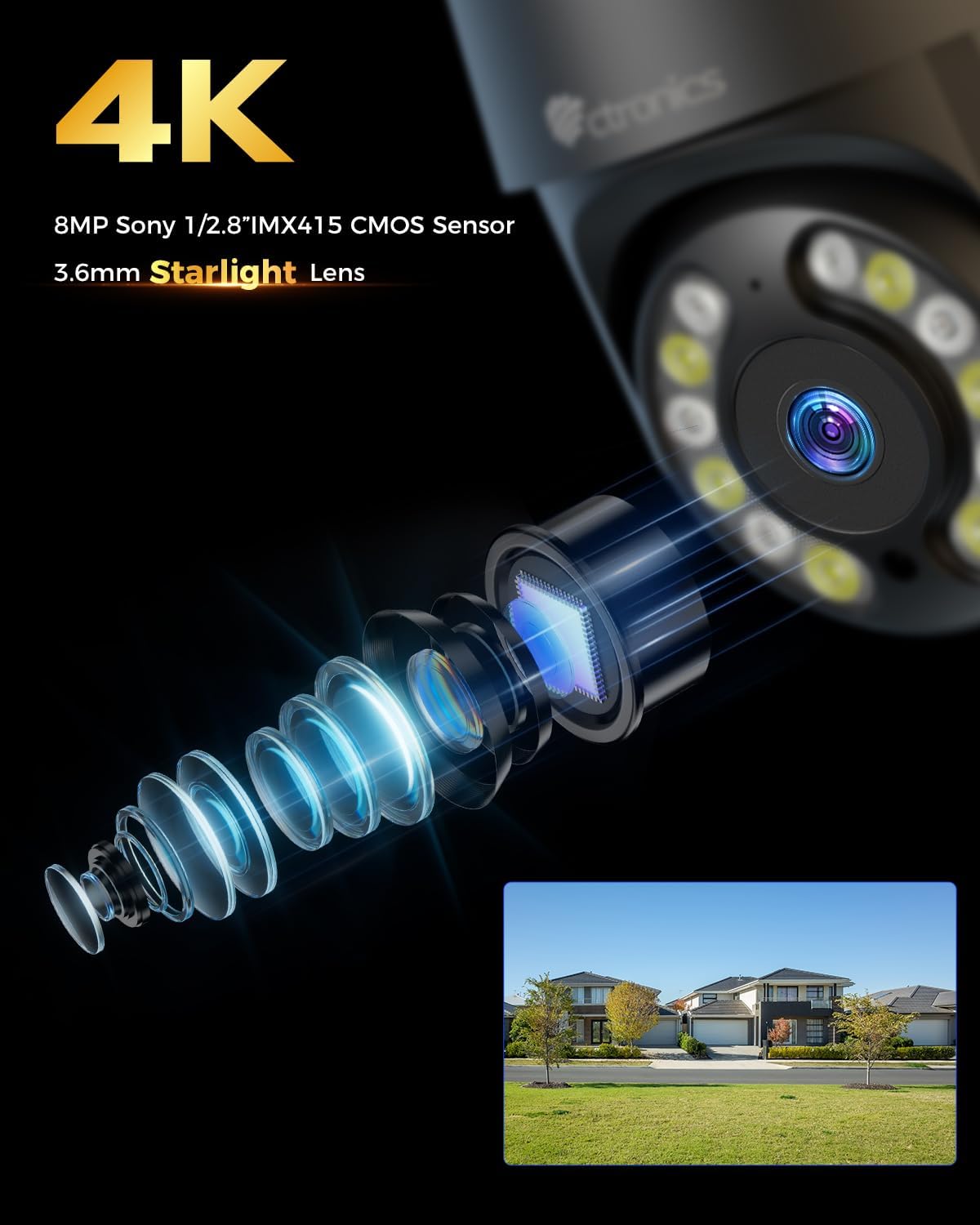
Выява: Крупны план view of the camera's 4K 8MP Sony 1/2.8" IMX415 CMOS Sensor and 3.6mm Starlight Lens, highlighting its advanced optical components.
5. Настройка
5.1 Фізічная ўстаноўка
The camera supports both ceiling and wall mounting. Choose a location that provides the desired viewing angle and is within Wi-Fi range or near an Ethernet port.
- Пазіцыі свідравання адзнак: Use the mounting template (if provided) or the camera base to mark the screw holes on the wall or ceiling.
- Свідраваць адтуліны: Прасвідруйце адтуліны ў пазначаных месцах і ўстаўце дзюбелі ў сцяну.
- Абараніце камеру: Align the camera base with the drilled holes and secure it with the provided screws.
- Падключыце харчаванне: Connect the power adapter to the camera's power port and plug it into a power outlet.

Image: Illustrates two flexible installation methods for the Ctronics camera: wall-mounted and ceiling-mounted, demonstrating its versatility.
5.2 Сеткавае падключэнне
The camera supports dual-band Wi-Fi (2.4GHz and 5GHz) for flexible connectivity.
- Падключэнне Wi-Fi: For wireless setup, ensure your Wi-Fi network is active. The camera will connect to your chosen network during the app setup process.
- Падключэнне да Ethernet (неабавязкова): For a stable wired connection, connect an Ethernet cable from your router to the camera's Ethernet port.
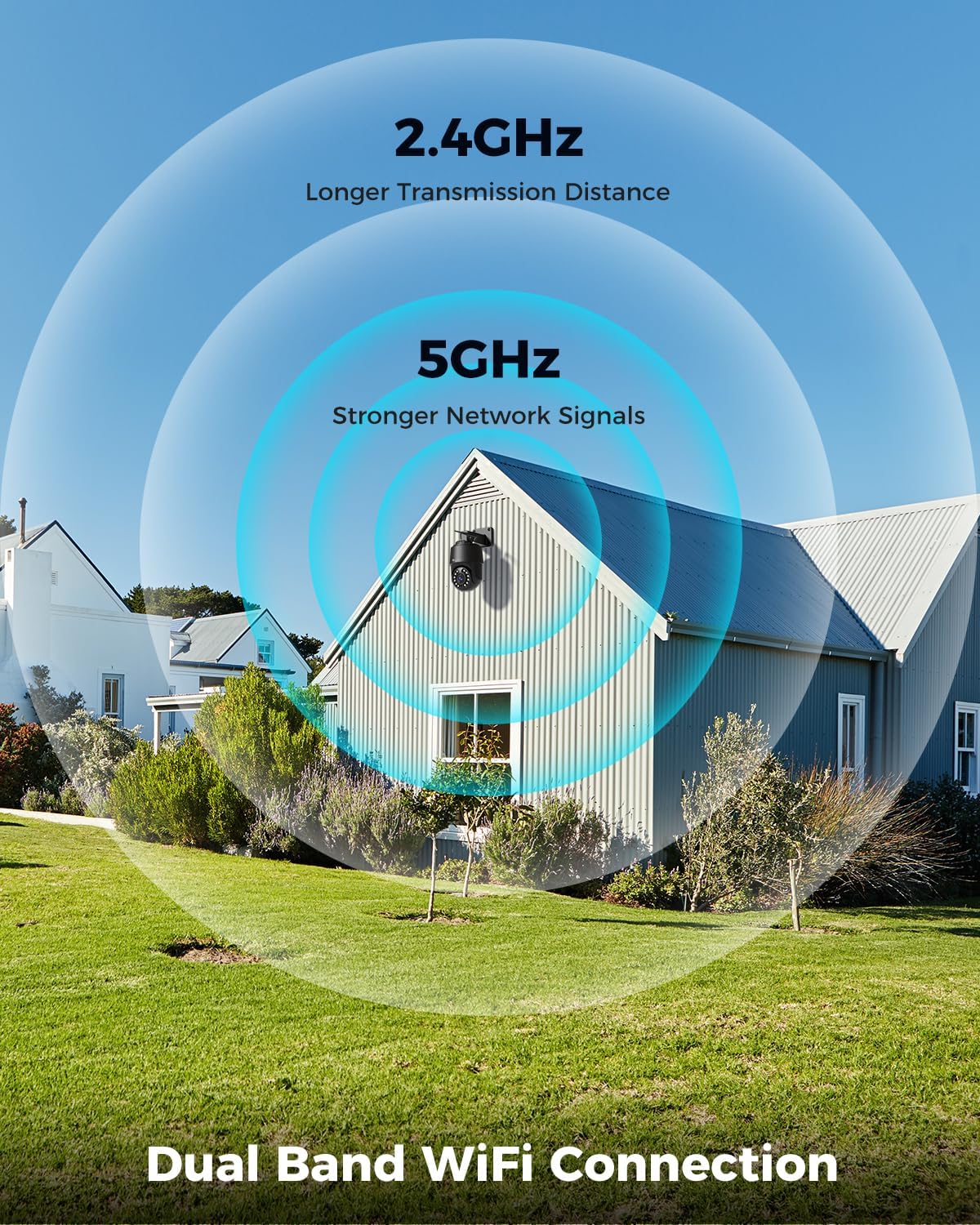
Image: Depicts the camera's dual-band Wi-Fi capability, showing 2.4GHz for longer transmission distance and 5GHz for stronger network signals, ensuring reliable connectivity.
5.3 Усталёўка праграмы і пачатковая налада
Download the 'Ctronics PRO' or 'HIP2P' app from your mobile app store (iOS/Android) or the Ctronics website for PC/Mac clients.
- Спампаваць прыкладанне: Пошук "Ctronics PRO" or "HIP2P" in the App Store or Google Play Store and install it.
- Зарэгістраваць уліковы запіс: Адкрыйце праграму і зарэгіструйце новы ўліковы запіс або ўвайдзіце ў сістэму, калі ў вас ужо ёсць уліковы запіс.
- Дадаць прыладу: Tap the "+" icon to add a new device. Follow the on-screen instructions to scan the QR code on the camera or manually enter the device ID.
- Наладзіць сетку: If connecting via Wi-Fi, select your Wi-Fi network and enter the password. The camera will then connect.
- Устанавіць пароль: Create a strong password for your camera for security.

Image: Shows the broad compatibility of the Ctronics camera with various operating systems and platforms, including iOS, Android, Mac OS, Windows, Ctronics Pro app, and HiP2P client.
6. Кіраванне камерай
6.1 У прамым эфіры View
Once connected, you can access the live video feed from your camera through the app. This allows you to monitor your property in real-time.
6.2 Кіраванне PTZ (панарамаванне, нахіл, маштабаванне)
The camera features 355° pan and 90° tilt capabilities, along with 5x optical zoom.
- Панарамаванне/нахіл: Use the directional controls in the app to move the camera horizontally and vertically.
- Маштаб: Use the zoom controls in the app to optically zoom in or out on objects.
- Зададзеныя пазіцыі: Set up to 8 preset positions for quick navigation to specific areas.

Image: Illustrates the camera's PTZ (Pan-Tilt-Zoom) functionality, showing its 355° pan and 90° tilt range for comprehensive coverage.
6.3 Detection Features & Auto Tracking
The camera can accurately detect people, vehicles, and pets, and automatically track them.
- Уключыць выяўленне: In the app settings, enable person, vehicle, or pet detection.
- Аўтаматычнае адсочванне: When enabled, the camera will automatically follow detected subjects within its field of view.
- Апавяшчэнні будзільніка: Receive real-time alarm notifications on your mobile device when motion is detected.
- Гукавая і светлавая сігналізацыя: The camera can activate a sound and red/blue light alarm at night to deter intruders. This feature can be toggled on/off in the app.

Image: Demonstrates the camera's advanced detection capabilities, highlighting its ability to identify and auto-track humans, vehicles, and pets, keeping them in focus.
6.4 Начное бачанне
The camera offers both infrared (IR) and color night vision modes.
- IR Начны бачанне: Provides clear black and white images up to 50 meters in low light or complete darkness.
- Каляровы начны бачанне: Utilizes built-in spotlights to provide full-color images up to 45 meters at night.

Image: Shows the camera's 4K Color/IR Night Vision capabilities, with bright spotlights illuminating a dark scene, available for audio and red & blue light alarm.
6.5 Двухбаковае аўдыё
З дапамогай убудаванага мікрафона і дынаміка можна мець зносіны з наведвальнікамі або адпужваць зламыснікаў.
- гаварыць: Націсніце на значок мікрафона ў дадатку, каб гаварыць праз дынамік камеры.
- Слухай: The camera's microphone captures audio from its surroundings.
6.6 Параметры запісу
The camera supports various recording methods:
- Micro SD-карта: Insert a Micro SD card (up to 256GB, not included) into the camera's slot for continuous 24/7 recording or scheduled recordings.
- NVR/NAS: Connect the camera to a Network Video Recorder (NVR) or Network Attached Storage (NAS) for extended recording and management.
- Воблачнае сховішча: Optional cloud storage services may be available through the app for secure off-site backup of your footage.

Image: Displays the camera's versatile storage options, including support for up to 256GB Micro SD card (not included), NVR/NAS for 24/7 recording, FTP, and Ctronics Cloud storage.
6.7 Multi-User Sharing and Remote Access
Share camera access with family and friends, and view фуtage выдалена з любога месца.
- Абмен: Share access to the camera feed with up to four users simultaneously through the app.
- Аддалены доступ: Доступ у прамым эфіры view and recorded videos from your iOS, Android, Mac, or Windows devices via the Ctronics PRO or HIP2P app/software.
7. Тэхнічнае абслугоўванне
Каб забяспечыць аптымальную прадукцыйнасць і даўгавечнасць вашай камеры Ctronics, выконвайце наступныя рэкамендацыі па тэхнічным абслугоўванні:
- Уборка: Regularly wipe the camera lens and body with a soft, dry cloth to remove dust and dirt. Do not use harsh chemicals or abrasive cleaners.
- Абнаўленні прашыўкі: Check the app periodically for firmware updates. Keeping your camera's firmware up-to-date ensures you have the latest features and security enhancements.
- Праверка кабеля: Periodically inspect all cables and connections for any signs of wear or damage. Ensure waterproof connections are sealed properly.
- Кіраванне сховішчам: Калі вы карыстаецеся картай Micro SD, рэгулярна рабіце рэзервовыя копіі важных дадзеныхtagі перыядычна фарматуйце карту, каб падтрымліваць яе прадукцыйнасць.
8. Выпраўленне непаладак
Калі ў вас узніклі праблемы з камерай, звярніцеся да наступных распаўсюджаных праблем і іх рашэнняў:
| праблема | Магчымая прычына | Рашэнне |
|---|---|---|
| Камера ў аўтаномным рэжыме | No power; Wi-Fi signal weak/disconnected; Router issue | Check power connection; Move camera closer to router or use Ethernet; Restart router |
| Дрэнная якасць выявы | Dirty lens; Insufficient lighting; Network bandwidth issue | Clean lens; Ensure adequate lighting or enable color night vision; Check network speed |
| Выяўленне руху не працуе | Detection sensitivity too low; Detection zone not set; Obstructions | Adjust sensitivity in app; Configure detection zones; Clear obstructions |
| Двухбаковы аўдыё не працуе | Microphone/speaker disabled in app; Volume too low; Network delay | Enable audio in app; Adjust volume; Check network stability |
| Cannot connect to 5GHz Wi-Fi | Router settings; Distance from router | Ensure router supports 5GHz and is configured correctly; 5GHz has shorter range, move camera closer |
If the problem persists, please contact Ctronics customer support for assistance.
9. Тэхнічныя характарыстыкі
| Асаблівасць | Спецыфікацыя |
|---|---|
| Нумар мадэлі | CTIPC-640C-M12B |
| дазвол | 4K (3840x2160p), 8 Megapixels |
| Аптычны зум | 5X |
| Дыяпазон павароту/нахілу | Панарамаванне: 355°, нахіл: 90° |
| Дыяпазон начнога бачання | IR: 50m, Color: 45m |
| Падключэнне да Wi-Fi | 2.4GHz / 5GHz Dual-Band |
| Параметры захоўвання | Micro SD (up to 256GB), NVR/NAS, Cloud |
| Воданепранікальнасць | IP66 (воданепранікальны) |
| Электразабеспячэнне | 12 вольт, 24 ват |
| Матэрыял | Метал |
| Памеры (Д х Ш х У) | 21.99 х 15.99 х 22 см |
| Вага | 1.28 кг |
| Сумяшчальныя прылады | Computer, Laptop, Tablet, Smartphone |
| Аперацыйныя сістэмы | iOS, Android, Mac OS, Windows |
10. Гарантыя і падтрымка
Ctronics products come with a standard warranty. Please refer to the warranty card included in your package or visit the official Ctronics webсайт для атрымання падрабязных гарантыйных умоў.
For technical support, troubleshooting assistance, or any inquiries regarding your product, please contact Ctronics customer service through the following channels:
- Афіцыйны Webсайт: Наведайце афіцыйны сайт Ctronics webсайт з часта задаванымі пытаннямі, артыкуламі падтрымкі і кантактнай інфармацыяй.
- Падтрымка па электроннай пошце: Send an email to the support team (email address typically found on the website or quick start guide).
- Падтрымка ў дадатку: Some issues can be resolved directly through the support features within the Ctronics PRO app.
When contacting support, please have your product model number (CTIPC-640C-M12B) and purchase information ready.