
WUYJTIF X6
WUYJTIF X6 4.3-inch Handheld Portable Game Console User Manual
1. Уводзіны
This manual provides detailed instructions for the WUYJTIF X6 4.3-inch Handheld Portable Game Console. Please read this manual thoroughly before using the device to ensure proper operation and to maximize your experience.
2. Змесціва ўпакоўкі
Праверце, ці ўсе пералічаныя ніжэй прадметы ўваходзяць у вашу ўпакоўку:
- 1x WUYJTIF X6 Game Console
- 1x зарадны кабель
- 1x Кіраўніцтва карыстальніка (гэты дакумент)
3. Прадукт скончыўсяview і Асаблівасці
The WUYJTIF X6 is a versatile handheld device designed for gaming and multimedia entertainment. Key features include:
- 4.3-цалевы ВК-дысплей
- Support for multiple game emulators
- Pre-loaded classic games
- Game archive function (save/load progress)
- Multimedia playback (music, video, e-books)
- TV-out support via AV cable
- Expandable storage via TF card (up to 64GB)
- Убудаваны літыевы акумулятар ёмістасцю 1500 мАг

Figure 3.1: WUYJTIF X6 Handheld Game Console with its main menu interface.

Малюнак 3.2: Закончанаview of the console's various functions including gaming, multimedia, and storage.
4. Настройка
4.1 Першапачатковая зарадка
Before first use, fully charge the console. Connect the provided charging cable to the console's charging port and a compatible USB power source (e.g., computer USB port, USB wall adapter). The charging indicator will illuminate during charging and turn off when fully charged.

Figure 4.1: Console charging indication and battery life.
4.2 Уключэнне/выключэнне
Каб уключыць прыладу, націсніце і ўтрымлівайце кнопку харчавання, пакуль не падсвеціцца экран. Каб выключыць прыладу, націсніце і ўтрымлівайце кнопку харчавання, пакуль яна не выключыцца.
4.3 Inserting a TF Card (Optional)
The console supports TF card expansion up to 64GB. Locate the TF card slot on the device. Gently insert the TF card with the metal contacts facing down until it clicks into place. To remove, push the card in slightly until it springs out.
5. Інструкцыя па эксплуатацыі
5.1 Навігацыя
Use the directional pad (D-pad) or the analog stick (rocker) to navigate through menus and select options. The A/B/X/Y buttons and SELECT/START buttons are used for in-game actions and menu confirmations.
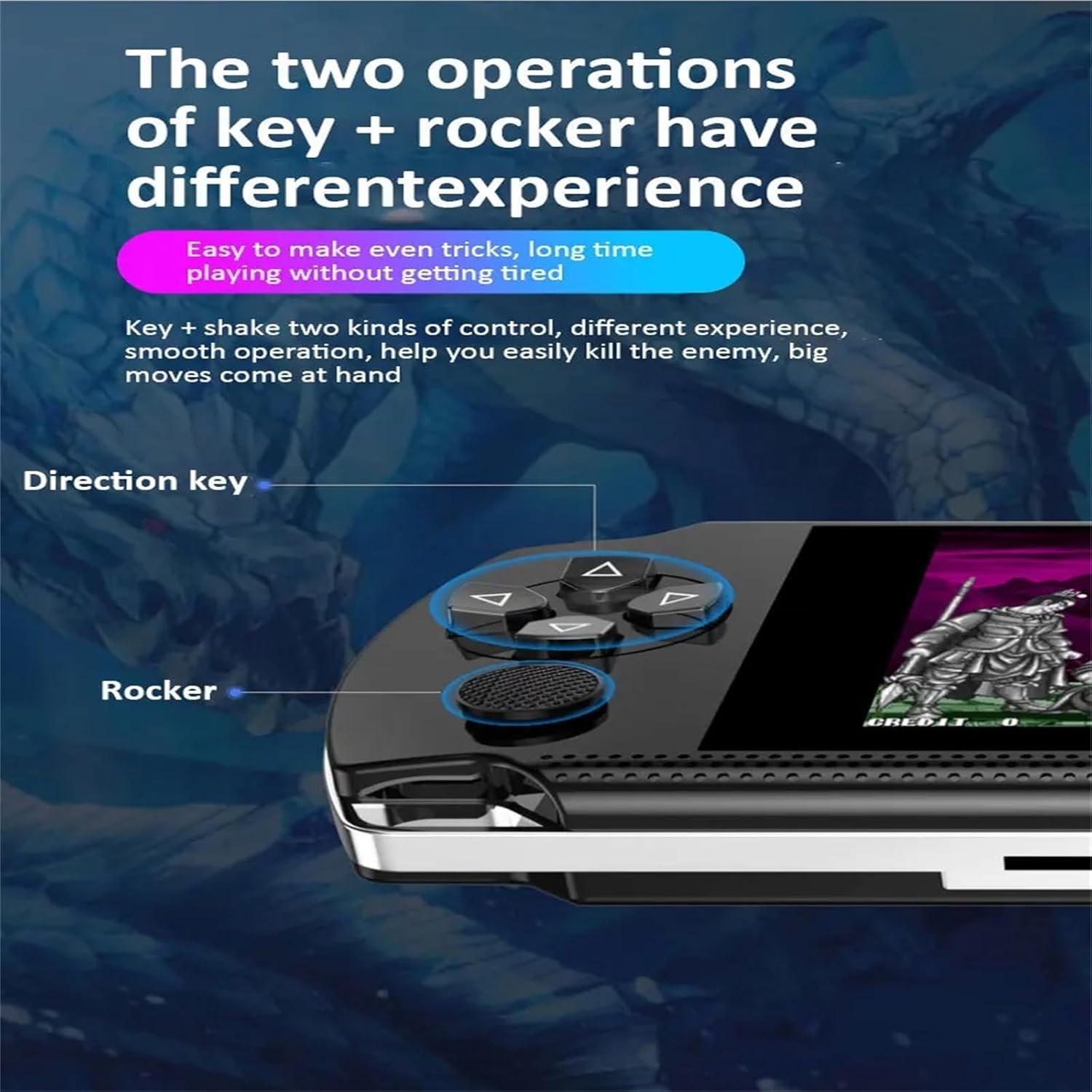
Figure 5.1: Directional keys and analog rocker for control.
5.2 Гульні
From the main menu, navigate to the "Game Center" or the specific emulator icon to browse pre-loaded games. Select a game to start playing.
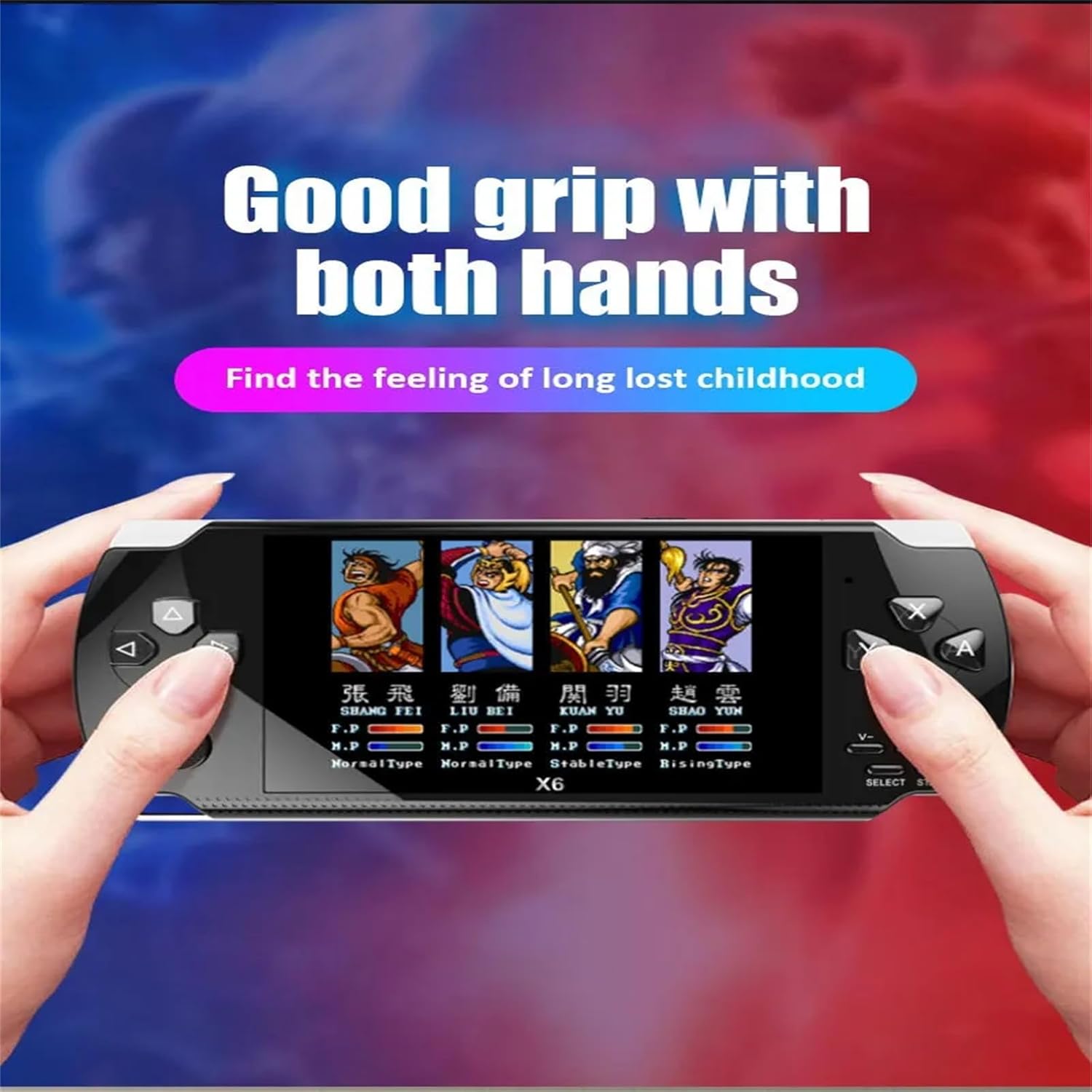
Figure 5.2: Console in use, demonstrating comfortable grip during gameplay.
5.2.1 Game Archiving (Save/Load Progress)
During gameplay, press the ВЫБРАЦЬ button to access the in-game menu. From this menu, you can save your game progress, quit the game, or restart. To continue a saved game, select the "Load" option from the in-game menu or the game selection screen.
5.2.2 Adding/Deleting Games
To manage games, connect the console to a computer using the provided USB cable. The console will appear as a removable storage device. Navigate to the "GAME" folder. You can add new game ROMs (compatible with supported emulators) or delete existing ones. You can also create new folders within the "GAME" directory to organize your titles.

Figure 5.3: Supported game emulators on the console.
5.3 Мультымедыйныя функцыі
Кансоль X6 падтрымлівае розныя мультымедыйныя функцыі:
- Музычны плэер: Supports APE, MP3, WMA, ACC, FLAC audio formats. Navigate to the "Music" icon to access your audio files.
- Відэаплэер: Supports AV, RMVB, MP4, and other video formats. Navigate to the "Movie" icon to watch videos.
- Чыталка электронных кніг: Access and read e-books.
- Запіс: Utilize the built-in recording function.

Figure 5.4: Music playback feature with earphones.
5.4 TV Output
Connect the console to a television using an AV cable (not included, but supported). This allows you to play games or watch videos on a larger screen. Ensure your TV is set to the correct AV input channel.
6. Тэхнічнае абслугоўванне
6.1 Ачыстка
Wipe the console with a soft, dry cloth. Do not use liquid cleaners or abrasive materials.
6.2 Сыход за акумулятарам
The console contains a built-in rechargeable lithium battery. For optimal battery life, avoid fully discharging the battery frequently. Charge the device regularly, even if not in use for extended periods.
6.3 Захоўванне
Захоўвайце кансоль у прахалодным, сухім месцы, удалечыні ад прамых сонечных прамянёў і экстрэмальных тэмператур.
7. Выпраўленне непаладак
- Кансоль не ўключаецца: Пераканайцеся, што акумулятар зараджаны. Падключыце зарадны кабель і паспрабуйце яшчэ раз.
- Экран пусты або завісае: Press and hold the power button for 10-15 seconds to force a shutdown, then restart the console.
- Гульні не загружаюцца: Verify that the game files are in a supported format and located in the correct directory. If using a TF card, ensure it is properly inserted and not corrupted.
- Няма гуку: Check the volume settings on the console. Ensure headphones are properly connected if in use.
- Немагчыма падключыцца да тэлевізара: Ensure the AV cable is securely connected to both the console and the TV. Verify the TV is set to the correct AV input source.
8. Тэхнічныя характарыстыкі
| Асаблівасць | Дэталь |
|---|---|
| Мадэль прадукту | X6 |
| Памер экрана | 4.3 цаляў |
| Game Formats | Supports twelve simulators (e.g., Arcade, FC, GBA, MD, NEOGEO, NES, SFC, GB, GBC) |
| Відэа фарматы | AV, RMVB, MP4, and others |
| Ёмістасць батарэі | 1500 мАг |
| Пашырэнне сховішча | Supports TF card capacity 1GB-64GB |
| Мультымедыйныя функцыі | Games, music, movies, e-books, recording |
| Музычныя фарматы | APE, MP3, WMA, ACC, FLAC |
| Сувязь | USB for computer connection, TV-out (AV cable) |
| Archive Function | Breakpoint memory (save/load game progress) |
| Памеры | Прыкладна 1 х 1 х 1 цалі |
| Вага | 260г (з упакоўкай) |
9. Гарантыя і падтрымка
For warranty information or technical support, please refer to the retailer's policy or contact the manufacturer directly. Keep your purchase receipt for warranty claims.