
1. Уводзіны
Thank you for choosing the iSinbox A30 Smart Projector. This manual provides essential information for setting up, operating, and maintaining your device. The iSinbox A30 offers a high-brightness 1000 ANSI lumen display, native 1080P resolution with 4K support, and advanced features like auto focus and auto keystone correction. Enjoy seamless streaming with built-in Wi-Fi 6 and versatile connectivity options including Bluetooth 5.3.
2. Што ў скрынцы
Upon opening your iSinbox A30 Smart Projector package, please verify that all the following items are included:
- iSinbox A30 Smart Projector
- Пульт дыстанцыйнага кіравання
- Сілавы кабель
- Кабель HDMI
- AV-кабель
- Кіраўніцтва карыстальніка
- Рэгуляваны шруба для ног

Малюнак 2.1: The iSinbox A30 Smart Projector shown with its included accessories, including the remote control, various cables, and the user manual.
3. Пачатковая налада
3.1 Падключэнне харчавання
- Падключыце кабель харчавання да ўваходнага порта харчавання праектара.
- Падключыце другі канец кабеля харчавання да звычайнай электрычнай разеткі.
- Націсніце кнопку харчавання на праектары або пульце дыстанцыйнага кіравання, каб уключыць прыладу.
3.2 Размяшчэнне і праекцыя
Position the projector on a stable surface. The iSinbox A30 supports various projection methods:
- Пярэдняя праекцыя: Place the projector in front of the screen.
- Задняя праекцыя: Place the projector behind a translucent screen.
- Праекцыя столі: Mount the projector upside down on the ceiling.
- Праекцыя на стол: Place the projector on a table.

Малюнак 3.1: Illustration of different projection setups, including tabletop, stand, and ceiling mounting, demonstrating the projector's versatility.
3.3 Аўтаматычная факусоўка і карэкцыя трапецападобнага скажэння
The iSinbox A30 features automatic focus and keystone correction for a clear and rectangular image. After powering on or moving the projector, the system will automatically adjust the image. If manual adjustment is needed, navigate to the 'Focus' or 'Keystone' settings in the menu.

Малюнак 3.2: Visual representation of the auto-focus and auto-keystone correction features, ensuring a sharp and perfectly shaped image without manual intervention.
4. Інструкцыя па эксплуатацыі
4.1 Падключэнне да сеткі (Wi-Fi)
To access online streaming services and browser functions, connect your projector to a Wi-Fi network:
- З галоўнага экрана перайдзіце да Налады.
- Выберыце Сувязь or Сетка.
- Выбірай Wi-Fi і павярніце яго On.
- Выберыце патрэбную сетку Wi-Fi са спісу.
- Увядзіце пароль, калі будзе прапанавана, і пацвердзіце.
The iSinbox A30 supports Wi-Fi 6 for a stable and high-speed connection, ideal for streaming and gaming.

Малюнак 4.1: Depiction of the projector utilizing Wi-Fi 6 for seamless content delivery, highlighting its capability for smooth gaming and video playback.
4.2 Adjusting Focus and Keystone Manually
While the projector offers automatic adjustments, you can fine-tune the focus and keystone manually:
- З галоўнага экрана перайдзіце да Налады.
- Выберыце Фокус to adjust image sharpness. Use the remote control's navigation buttons to achieve optimal clarity.
- Выберыце Keystone for image shape correction. Choose Four-Point Correction for precise adjustments to each corner of the projected image.
4.3 Using Streaming Applications and Browser
The iSinbox A30 comes with pre-installed streaming applications like Netflix, YouTube, and Prime Video. You can also use the built-in browser to access other online content.
- From the home screen, select the icon for the desired application (e.g., Netflix, YouTube).
- Для web browsing, select the Адкрыйце браўзер значок.
4.4 Аўдыёвыхад
The projector features a built-in 10W HiFi speaker with Dolby Audio and DTS-HD Master Audio support for an immersive sound experience. You can also connect external audio devices via Bluetooth 5.3.
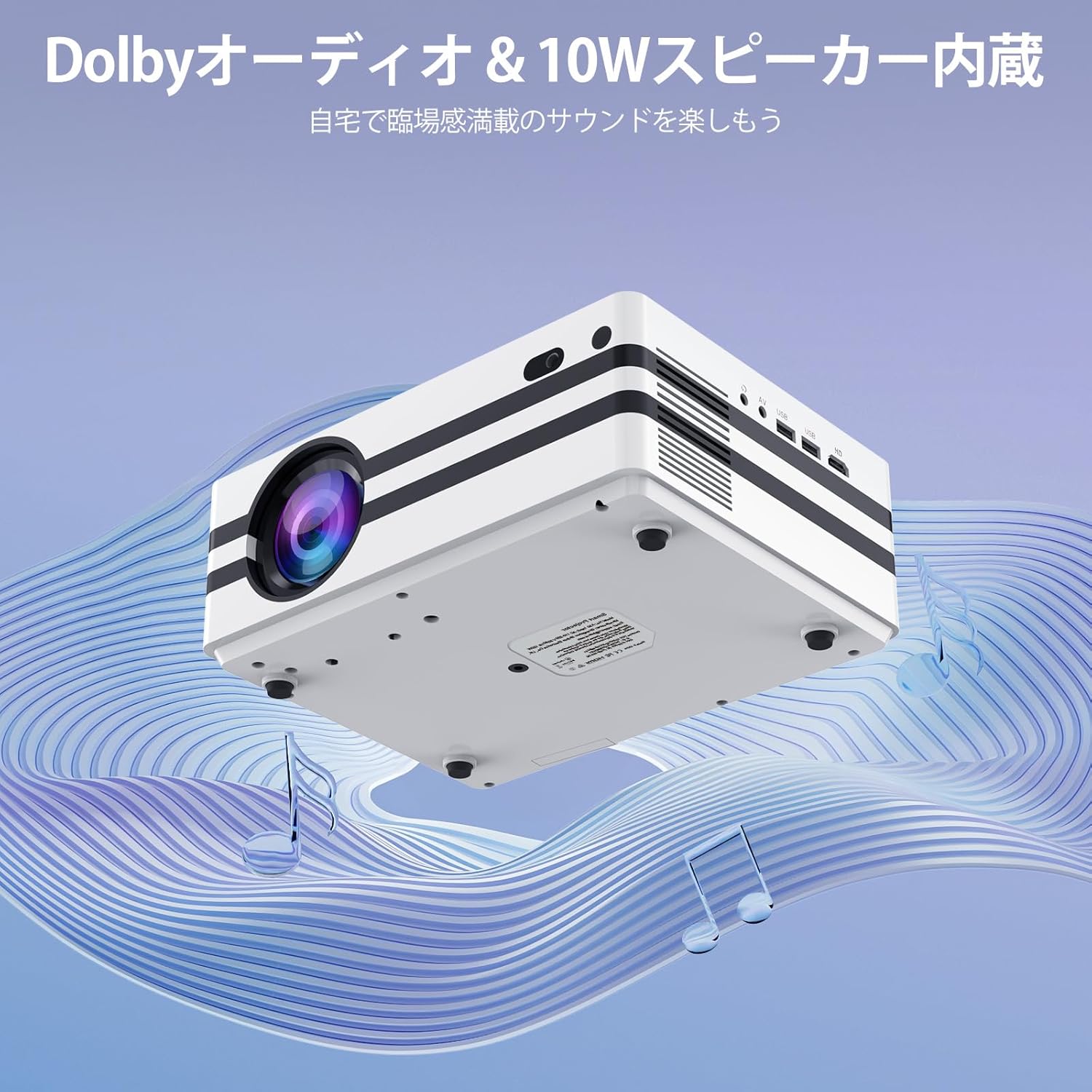
Малюнак 4.2: The projector's integrated 10W speaker system, featuring Dolby Audio, designed to deliver rich and clear sound directly from the device.
4.5 Падключэнне знешніх прылад
The iSinbox A30 offers multiple ports for connecting various external devices:
- HDMI: Connect laptops, gaming consoles (PS3, PS4), TV sticks, and other HDMI-enabled devices.
- USB (x2): Падключыце USB-назапашвальнікі для прайгравання медыяфайлаў або знешнія клавіятуры/мышы.
- АВ: Падключыце старыя прылады з дапамогай AV-кабеля, які ўваходзіць у камплект.
- Bluetooth 5.3 (Bidirectional): Connect to Bluetooth speakers/headphones (BT-OUT) or use your smartphone/tablet as a source (BT-IN).

Малюнак 4.3: Скончанаview of the projector's various input and output ports, including HDMI, USB, and AV, illustrating how different devices can be connected.
5. Тэхнічнае абслугоўванне
5.1 Ачыстка пылавога фільтра
To ensure optimal performance and longevity of your projector, it is recommended to regularly clean the internal dust filter. A clean filter helps maintain proper airflow and prevents overheating.
- Locate the dust filter cover on the side or bottom of the projector.
- Акуратна зніміце вечка.
- Gently remove the dust filter.
- Use a soft, dry cloth or a small brush to remove any accumulated dust. Do not use water or liquid cleaners.
- Reinsert the clean filter and replace the cover securely.

Малюнак 5.1: Diagram illustrating the location and recommended method for cleaning the projector's internal dust filter to maintain performance.
6. Выпраўленне непаладак
This section addresses common issues you might encounter with your iSinbox A30 projector.
| праблема | Магчымая прычына | Рашэнне |
|---|---|---|
| Няма сілы | Кабель харчавання не падключаны; праблема з разеткай. | Ensure power cable is securely connected to both projector and outlet. Test outlet with another device. |
| Размытая выява | Focus not adjusted; Projector too far/close to screen. | Use auto-focus or manually adjust focus via settings. Adjust projection distance. |
| Скажоная выява (трапецыя) | Keystone not corrected; Projector not perpendicular to screen. | Use auto-keystone or manually adjust keystone via settings. Reposition projector. |
| Без гуку | Занадта нізкая гучнасць; гук адключаны; знешняя аўдыёпрылада падключана няправільна. | Increase volume. Check if muted. Ensure external speakers are connected and powered on. |
| Няма падлучэння да Wi-Fi | Incorrect password; Router issue; Out of range. | Verify Wi-Fi password. Restart router. Move projector closer to router. |
7. Тэхнічныя характарыстыкі
Key technical specifications for the iSinbox A30 Smart Projector:
| Асаблівасць | Спецыфікацыя |
|---|---|
| Марка | iSinbox |
| Назва мадэлі | A30 |
| Яркасць | 1000 прасветаў ANSI |
| Роднае дазвол | 1080P (Supports 4K) |
| Тэхналогія адлюстравання | Міні святлодыёд |
| Памер экрана | Да 300 цаляў |
| Суадносіны бакоў | 16:9 |
| Сувязь | Wi-Fi 6, Bluetooth 5.3 (Bidirectional), HDMI, USB (x2), AV |
| Асаблівасці | Auto Focus, Auto Keystone Correction, Short Throw |
| Дакладчык | 10W HiFi Built-in Speaker, Dolby Audio & DTS-HD Master Audio compatible |
| Аперацыйная сістэма | Android |
| Supported Streaming Services | Amazon Prime Video, YouTube, Netflix |
| Вага прадукту | 2.52 кг |
| Памеры (пакет) | 29.6 х 26.1 х 17.4 см |
8. Гарантыя і падтрымка
The iSinbox A30 Smart Projector comes with a standard manufacturer's warranty. For detailed warranty information, including coverage period and terms, please refer to the warranty card included in your product packaging or visit the official iSinbox webсайт.
If you encounter any issues or require technical assistance, please contact iSinbox customer support through the contact information provided on the official website or your purchase platform. Please have your product model (A30) and purchase details ready when contacting support.