
INSMART SKZ001
INSMART Smart Meat Thermometer
Кіраўніцтва па эксплуатацыі
Model: SKZ001
1. Уводзіны
Thank you for choosing the INSMART Smart Meat Thermometer. This device is designed to help you achieve perfectly cooked meats every time, whether grilling, smoking, roasting, or pan-frying. Featuring wireless Bluetooth connectivity, a long range, and an intuitive app, it simplifies temperature monitoring for a wide variety of dishes.

Image: The INSMART Smart Meat Thermometer system, including the probe, its wooden charging base, and a smartphone displaying the 'PROBE PLUS' application interface.
2. Змесціва ўпакоўкі
- INSMART Smart Meat Thermometer Probe
- Charging Base (Booster)
- USB-кабель для зарадкі
- Кіраўніцтва па эксплуатацыі (гэты дакумент)
3. Асаблівасці прадукту
- Дызайн бесправадной сеткі: 100% wire-free for flexible cooking.
- Пашыраны дыяпазон: Up to 330ft (100m) Bluetooth range for remote monitoring.
- Хуткія і дакладныя паказанні: Provides temperature readings in 1-2 seconds with +/-1.8°F accuracy.
- Шырокі дыяпазон тэмператур: Probe internal temperature range of 32°F-212°F (0°C-100°C).
- Трывалая канструкцыя: FDA 304 Stainless Steel probe with a heat-resistant handle.
- Воданепранікальны: IPX7 rated for easy cleaning.
- Доўгі тэрмін службы батарэі: Да 16 гадзін бесперапыннага выкарыстання пры поўнай зарадцы.
- Магнітная база: Charging base features a magnetic back for convenient storage on metal surfaces.
- Multifunctional App: 'PROBE PLUS' app offers temperature graphs, preset temperatures for various meats, customizable alerts, and estimated cooking times.

Image: A close-up illustration of the INSMART probe, detailing its IPX7 waterproof rating, +/-1.8°F accuracy, 2-second response time, 16-hour battery life, FDA 304 Stainless Steel construction, heat-resistant handle, and proper probe insertion depth.

Image: The magnetic back of the charging base, shown attached to the side of an oven, illustrating its convenient storage capability.
4. Пачатак працы (Налада)
4.1 Зарадка зонда
- Insert the probe into the charging base.
- Connect the USB charging cable to the charging base and a suitable USB power adapter (not included).
- The indicator light on the base will show charging status. A full charge takes approximately [Time, if known, otherwise omit].
4.2 Спампоўка прыкладання
Пошук and download the 'PROBE PLUS' app from your device's app store (available for iOS and Android).
4.3 Спалучэнне па Bluetooth
- Пераканайцеся, што на вашым смартфоне або планшэце ўключаны Bluetooth.
- Open the 'PROBE PLUS' app.
- Remove the probe from the charging base to activate it. The app should automatically detect and connect to the probe. Follow any on-screen prompts within the app to complete the pairing process.

Image: An illustration demonstrating the 300ft ultra-long Bluetooth range, showing the connection path from the probe to the charging base (booster) and then to the mobile device, with a grill in the background.

Image: A diagram illustrating the Bluetooth signal path from the probe to the booster and then to the mobile device, indicating typical and maximum ranges for monitoring cooking.
5. Аперацыя
5.1 Probe Placement
- Insert the probe into the thickest part of the meat, avoiding bones or gristle.
- Ensure the notch on the probe is fully covered by the meat while the tip of the probe is inside the meat. This ensures accurate internal temperature readings.
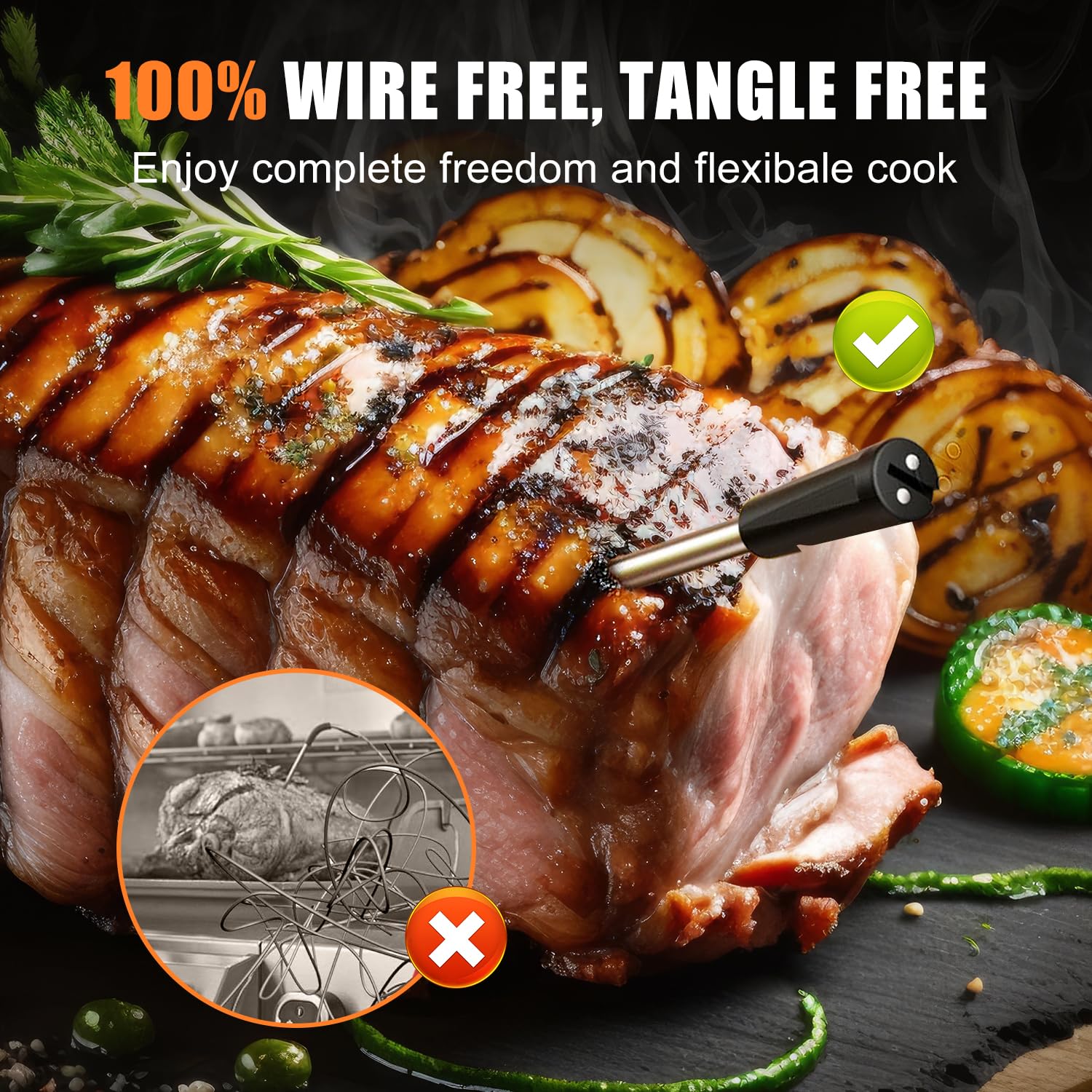
Image: The INSMART probe inserted into a large roast, highlighting its 100% wire-free and tangle-free design for flexible cooking.

Image: A close-up of the probe inserted into a cooked, sliced roast, pointing out the heat-resistant and anti-scald handle, and the strengthened stainless steel probe.
5.2 Using the 'PROBE PLUS' App
- Once connected, the app will display the current internal temperature of the meat.
- Select the type of meat and desired doneness from the app's presets. The app will automatically set a target temperature.
- You can also manually adjust the target temperature if needed.
- The app provides a real-time temperature graph, estimated cooking time, and sends notifications when the target temperature is reached or if there are significant temperature changes.

Image: A hand holding a smartphone displaying the 'PROBE PLUS' app interface, with various grilled meats in the background, illustrating the ease of setup, fast and accurate readings, notification alarms, and the ability to achieve quality cooking results.

Выява: Калаж з некалькіх экранаў смартфонаўasing the 'PROBE PLUS' app's various features, including temperature graphs, preset options, alert notifications, and estimated cooking time displays.
5.3 Cooking Applications
The INSMART Smart Meat Thermometer is suitable for a wide range of cooking methods, both indoor and outdoor:
- Прыгатаванне ежы на адкрытым паветры: Smoker, Grill, Rotisserie.
- Прыгатаванне ежы ў памяшканні: Oven, Air Fryer, Pan.

Image: A visual representation of the INSMART thermometer's versatility, showing its use in various cooking environments such as smokers, grills, rotisseries, ovens, pans, and air fryers.

Image: A roasted turkey in an oven with the thermometer probe inserted, accompanied by icons representing indoor cooking methods: Oven, Air Fryer, and Pan.

Image: A grill with various meats cooking, featuring the thermometer, alongside icons representing outdoor cooking methods: Smoker, Grill, and Rotisserie.
6. Догляд і абслугоўванне
6.1 Ачыстка
- After each use, allow the probe to cool down completely.
- Працярыце зонд чыстай вадойamp тканіна і мяккае сродак для мыцця.
- The probe is IPX7 waterproof and can be rinsed under running water, but avoid submerging the entire probe for extended periods.
- Do not wash the probe immediately after removing it from high heat; allow it to cool to prevent thermal shock.
- Do not put the probe or charging base in a dishwasher.
- Ачысціце зарадную базу сухім або злёгку damp тканіна.
6.2 Захоўванне
Store the probe in its charging base when not in use. Store the device in a cool, dry place away from direct sunlight and extreme temperatures.
7. Інфармацыя па бяспецы
- Do not expose the probe directly to open flames.
- Do not use the probe in a microwave oven.
- Always ensure the probe is inserted correctly into the meat to avoid damage and ensure accurate readings.
- Keep the charging base at least 1 foot away from cooking utensils or direct heat sources to prevent potential damage from high temperatures.
- Захоўваць у месцах, недаступных дзецям.

Image: The thermometer probe inserted into a large cut of meat cooking over an open flame, indicating a maximum temperature of 572°F for the probe's environment.

Image: A diagram illustrating the 330ft remote range of the thermometer, with notes advising to place the booster at least 1 foot away from cooking utensils to avoid heat damage.
8. Выпраўленне непаладак
| праблема | Магчымая прычына | Рашэнне |
|---|---|---|
| Probe not connecting to app | Bluetooth is off; Probe not activated; App issue; Out of range. | Ensure Bluetooth is on. Remove probe from base to activate. Restart app/phone. Move closer to the probe/booster. |
| Няправільныя паказчыкі тэмпературы | Probe not inserted correctly; Probe damaged. | Re-insert probe into the thickest part of the meat, avoiding bones. Ensure the notch is fully covered. If damage is suspected, contact support. |
| Кароткі дыяпазон Bluetooth | Obstructions; Interference. | Reduce obstructions between the probe, booster, and phone. Avoid placing near strong electromagnetic sources. Ensure booster is optimally placed. |
| Праграма завісае або дае збой | Software glitch; Outdated app version. | Close and restart the app. Check for app updates in your app store. Restart your phone. |
9. Тэхнічныя характарыстыкі
- мадэль: SKZ001
- Памеры прадукту: 12.5 х 0.55 х 1.2 см; 168 г
- Марка: ІНСМАРТ
- асаблівасць: Воданепранікальны (IPX7)
- колер: Walnut Color
- Знешні матэрыял: Plastic (Probe handle), Wood (Charging Base)
- Тэхнічныя характарыстыкі выкананы: FDA
- Тып дысплея: На аснове прыкладання
- Тэхналогія падключэння: Bluetooth
- Інструкцыі па догляду за вырабам: Працярыце
- Колькасць адзінак: 1 Граф
- вытворца: ІНСМАРТ
- Першая даступная дата: 13 красавіка 2024 г
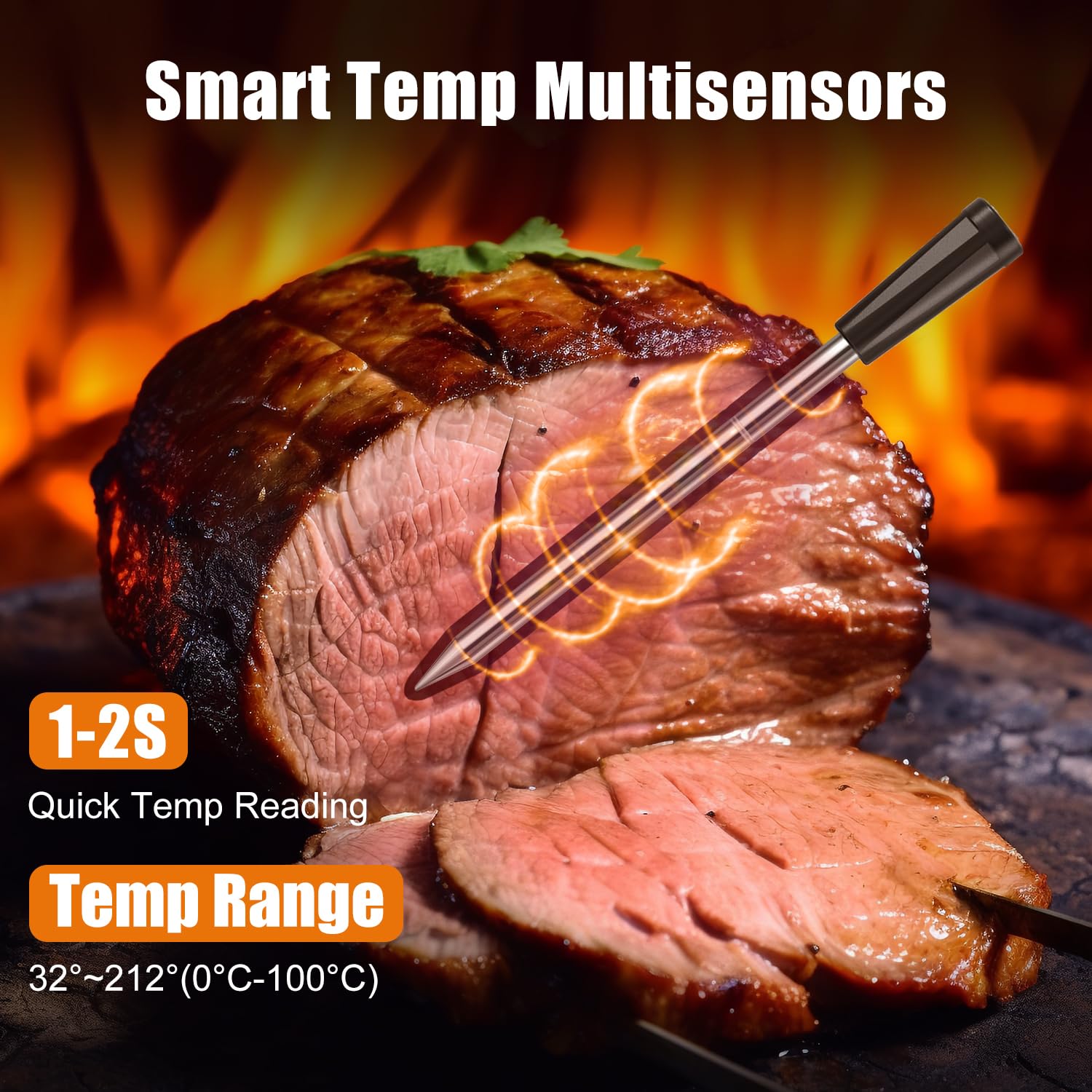
Image: A close-up of the probe inserted into a cooked roast, illustrating the smart temp multisensors and highlighting the 1-2 second quick temperature reading and the temperature range of 32°F-212°F (0°C-100°C).
10. Гарантыя і падтрымка
INSMART products are designed for reliability and performance. For warranty information, technical support, or customer service inquiries, please refer to the contact information provided on the product packaging or visit the official INSMART website. Please have your model number (SKZ001) and purchase details ready when contacting support.
Ask a question about this manual
Ask about setup, troubleshooting, compatibility, parts, safety, or missing instructions. Manuals+ will review the question and use this page’s manual context to help answer it.