
1. Прадукт скончыўсяview
The Docooler IPX7 Waterproof Bluetooth Portable Shower Speaker is designed for audio playback in various environments, including wet conditions. It features Bluetooth 5.0 connectivity, an LED display, FM radio, and a light show function. The speaker is equipped with a removable suction cup for versatile placement.

Image: Docooler IPX7 Waterproof Bluetooth Portable Shower Speaker, showcasinяго дызайн і асаблівасці.
2. Змесціва ўпакоўкі
Праверце наяўнасць усіх прадметаў у камплекце:
- Docooler IPX7 Waterproof Bluetooth Portable Shower Speaker
- Зарадны кабель USB-C
- Removable Suction Cup
- Кіраўніцтва карыстальніка
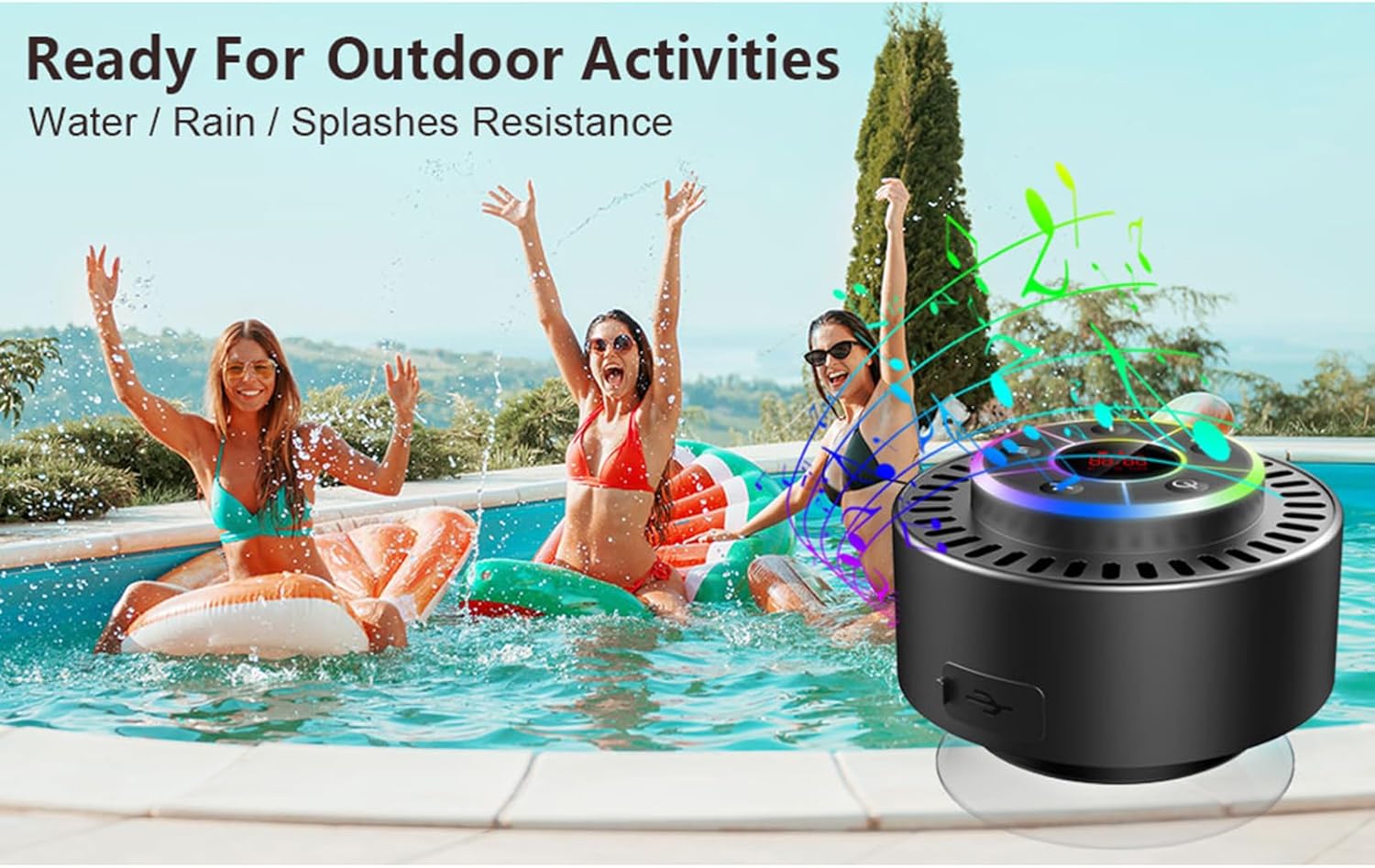
Image: The speaker, USB-C charging cable, and user manual as included in the package.
3. Настройка
3.1 Зарадка дынаміка
Before initial use, fully charge the speaker. Connect the provided USB-C charging cable to the speaker's charging port and the other end to a USB power adapter (not included) or a computer's USB port. The LED display will indicate charging status.
3.2 Мацаванне прысоскі
To attach the suction cup, ensure both the speaker's back surface and the desired mounting surface are clean and dry. Press the suction cup firmly against the surface until it adheres securely. For best results, slightly moisten the suction cup before application.
3.3 Уключэнне/выключэнне
- Каб уключыць: Націсніце і ўтрымлівайце Кнопка харчавання (
 ) for approximately 3 seconds until the LED display illuminates.
 - Каб выключыць: Націсніце і ўтрымлівайце Кнопка харчавання for approximately 3 seconds until the LED display turns off.
4. Інструкцыя па эксплуатацыі
4.1 Функцыі кнопак
Выява: Падрабязная view of the speaker's control panel, indicating the function of each button.
| Кнопка | Функцыя (кароткае націсканне) | Функцыя (доўгі націск) |
|---|---|---|
| Кнопка харчавання () | Toggle LED light show modes | Уключэнне/выключэнне харчавання |
| Кнопка M | Switch between Bluetooth and FM Radio modes | Н/Д |
| Кнопка прайгравання/паўзы () | Play/Pause music; Answer/End calls; Auto-scan in FM mode | Адхіліць уваходны выклік |
| Previous Song / Volume Down (-) | Previous song (Bluetooth); Previous station (FM) | Паменшыць гучнасць |
| Next Song / Volume Up (+) | Next song (Bluetooth); Next station (FM) | Павялічыць гучнасць |
4.2 Спалучэнне па Bluetooth
When powered on, the speaker automatically enters Bluetooth pairing mode. The LED display will show 'BT'.
- Пераканайцеся, што на вашай прыладзе (смартфоне, планшэце, ноўтбуку) уключаны Bluetooth.
- Пошук available Bluetooth devices and select "Docooler Speaker" from the list.
- Once connected, the speaker will emit an audible confirmation, and the 'BT' indicator on the LED display will stabilize.

Image: The speaker demonstrating connectivity with a phone, tablet, and computer via Bluetooth.
4.3 Спалучэнне з сапраўдным бесправадным стэрэа (TWS)
To achieve 3D stereo sound, two Docooler speakers can be paired together.
- Пераканайцеся, што абодва дынамікі ўключаны і не падключаны да іншай прылады Bluetooth.
- На адным дынаміку (гэта будзе асноўны дынамік) націсніце і ўтрымлівайце Кнопка прайгравання/паўзы for 2-3 seconds until you hear a pairing tone.
- Два дынамікі аўтаматычна падключацца адзін да аднаго.
- Once paired, connect your device to the primary speaker via Bluetooth as described in section 4.2. Audio will now play through both speakers in stereo.

Image: Two Docooler speakers wirelessly connected to a computer, illustrating the True Wireless Stereo (TWS) feature.
4.4 Рэжым FM-радыё
To switch to FM Radio mode:
- Націсніце Кнопка М to cycle through modes until 'FM' appears on the LED display.
- Аўтаматычнае сканаванне: In FM mode, short press the Кнопка прайгравання/паўзы to automatically scan and save available radio stations.
- Станцыя перасадкі: Выкарыстоўвайце Previous Song / Volume Down (-) і Next Song / Volume Up (+) кнопкі для навігацыі па захаваных станцыях.
- Наладзіць гучнасць: Доўгі націск Previous Song / Volume Down (-) or Next Song / Volume Up (+) кнопкі для рэгулявання гучнасці.
4.5 Святлодыёднае светлавое шоу
The speaker features a beat-driven LED light show with seven colors.
- Змяніць рэжым асвятлення: Кароткае націсканне Кнопка харчавання to cycle through different light show patterns or to lock a single color.
- Выключыць святло: Працягвайце націскаць на Кнопка харчавання until the lights turn off.
4.6 Гучная сувязь
Пры падключэнні праз Bluetooth убудаваны мікрафон дазваляе здзяйсняць званкі ў рэжыме hands-free.
- Адказаць на званок: Кароткае націсканне Кнопка прайгравання/паўзы.
- Завяршыць выклік: Кароткае націсканне Кнопка прайгравання/паўзы падчас размовы.
- Адхіліць выклік: Доўгі націск Кнопка прайгравання/паўзы.
4.7 Інфармацыя пра святлодыёдны дысплей
The LED display shows the current time and battery level in Bluetooth mode. In FM radio mode, it displays the frequency.
5. Тэхнічнае абслугоўванне
5.1 Воданепранікальнасць (IPX7)
The speaker is IPX7 waterproof, meaning it can be submerged in up to 1 meter (3 feet) of water for up to 30 minutes. Ensure the charging port cover is securely closed before exposing the speaker to water. After exposure to water, wipe the speaker dry with a soft cloth.
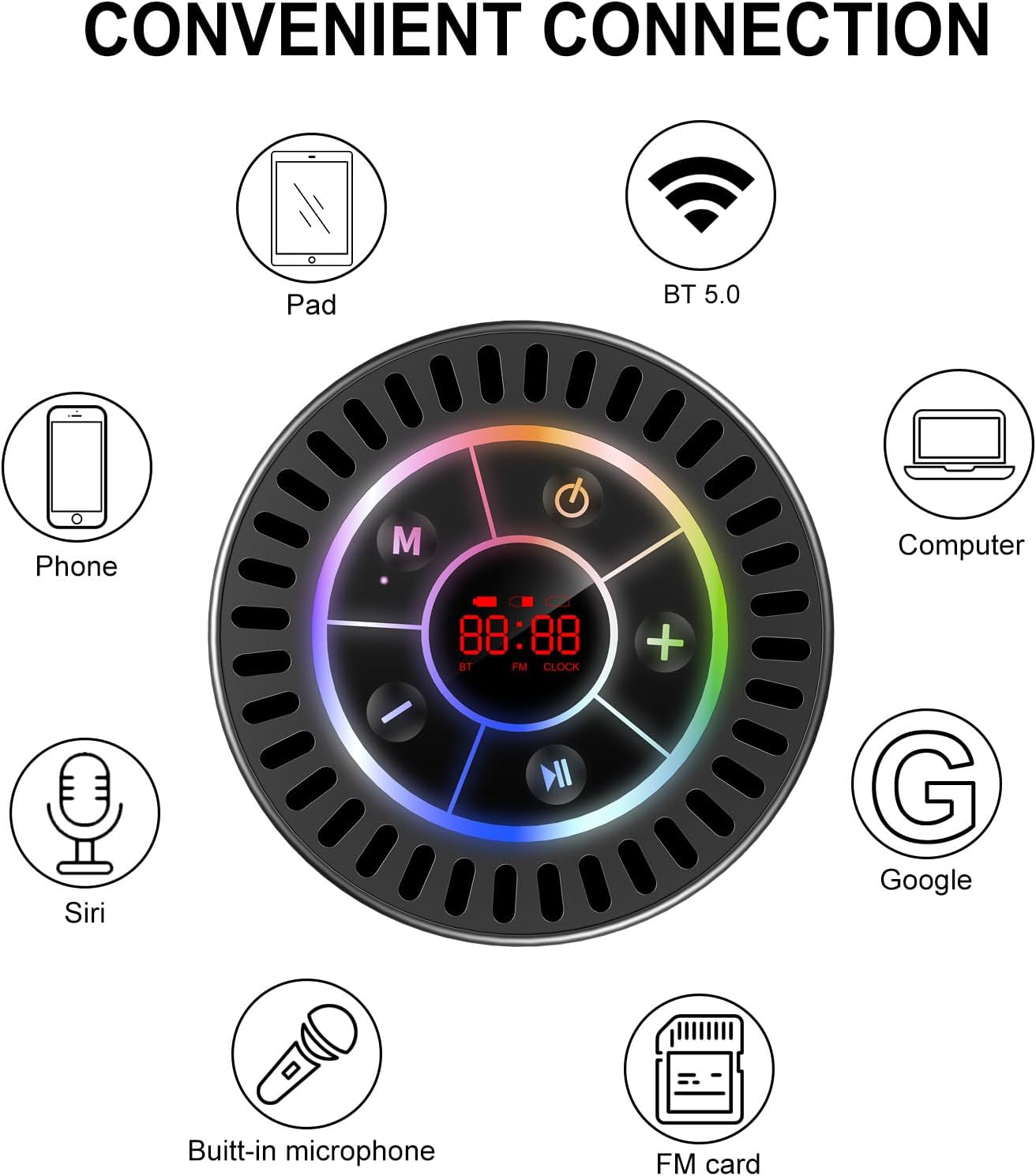
Image: The Docooler speaker attached to a shower wall, demonstrating its waterproof capability.
5.2 Ачыстка
Ачысціце дынамік мяккай, damp тканінай. Не выкарыстоўвайце абразіўныя ачышчальнікі, спірт або хімічныя растваральнікі, бо яны могуць пашкодзіць паверхню або ўнутраныя кампаненты.
5.3 Захоўванне
Захоўвайце дынамік у прахалодным, сухім месцы, удалечыні ад прамых сонечных прамянёў і экстрэмальных тэмператур. Пры працяглым захоўванні перыядычна зараджайце акумулятар, каб падоўжыць тэрмін яго службы.
6. Выпраўленне непаладак
- Дынамік не ўключаецца: Ensure the battery is charged. Connect the speaker to a power source using the USB-C cable and try again.
- Немагчыма падключыць праз Bluetooth:
- Ensure the speaker is in Bluetooth pairing mode ('BT' flashing on display).
- Пераканайцеся, што на вашай прыладзе ўключаны Bluetooth, і яна знаходзіцца ў межах 15 метраў ад дынаміка.
- Калі прылада была спалучана раней, паспрабуйце забыць пра яе на тэлефоне і зноў спалучыць яе.
- Перазагрузіце і дынамік, і прыладу Bluetooth.
- Слабы прыём FM-радыё: FM radio reception can be affected by location and environmental factors. Try repositioning the speaker or using it in an open area. The charging cable can sometimes act as an antenna to enhance signal.
- Няма гуку або нізкі гук:
- Праверце ўзровень гучнасці як на дынаміку, так і на падлучанай прыладзе.
- Ensure the speaker is properly paired and not connected to another device.
- Калі карыстаецеся TWS, пераканайцеся, што абодва дынамікі правільна падключаны адзін да аднаго, а затым да вашай прылады.
- Speaker starts at full volume: Some units may default to a high volume upon power-on. Immediately adjust the volume using the '-' button to a comfortable level after turning the speaker on.
- Suction cup does not hold: Ensure the mounting surface is clean, smooth, and dry. Slightly moisten the suction cup before pressing it firmly onto the surface. Avoid porous or textured surfaces.
7. Тэхнічныя характарыстыкі

Выява: Выбухнула view showing the internal components of the Docooler speaker, highlighting its sound technology.
| Асаблівасць | Дэталь |
|---|---|
| Марка | Docooler |
| Нумар мадэлі | SMT4782513347516YX |
| Тэхналогія падлучэння | Bluetooth 5.0 |
| Дыяпазон Bluetooth | Да 15 метраў |
| Узровень воданепранікальнасці | IPX7 (воданепранікальны) |
| Максімальная выхадная магутнасць дынаміка | 5 ват |
| АЧХ | 100 Гц |
| Рэжым выхаду гуку | Стэрэа, аб'ёмны гук (з TWS) |
| Стаўленне сігнал / шум | 95 дБ |
| Колькасць мікрафонаў | 1 (убудаваны) |
| Крыніца харчавання | Харчаванне ад батарэі |
| Метад кантролю | Кнопка |
| Вага прадмета | 300 грам |
| Сумяшчальныя прылады | Ноўтбук, MP3-плэер, смартфон, планшэт, тэлевізар |
8. Гарантыя і падтрымка
8.1 Інфармацыя аб гарантыі
This Docooler speaker comes with a limited warranty. For specific terms and conditions, please refer to the warranty card included in your package or contact Docooler customer support.
8.2 Падтрымка кліентаў
For further assistance, technical support, or warranty claims, please visit the official Docooler webсайт або звярніцеся ў аддзел абслугоўвання кліентаў. Кантактную інфармацыю звычайна можна знайсці на ўпакоўцы прадукту або ў інтэрнэт-краме брэнда.