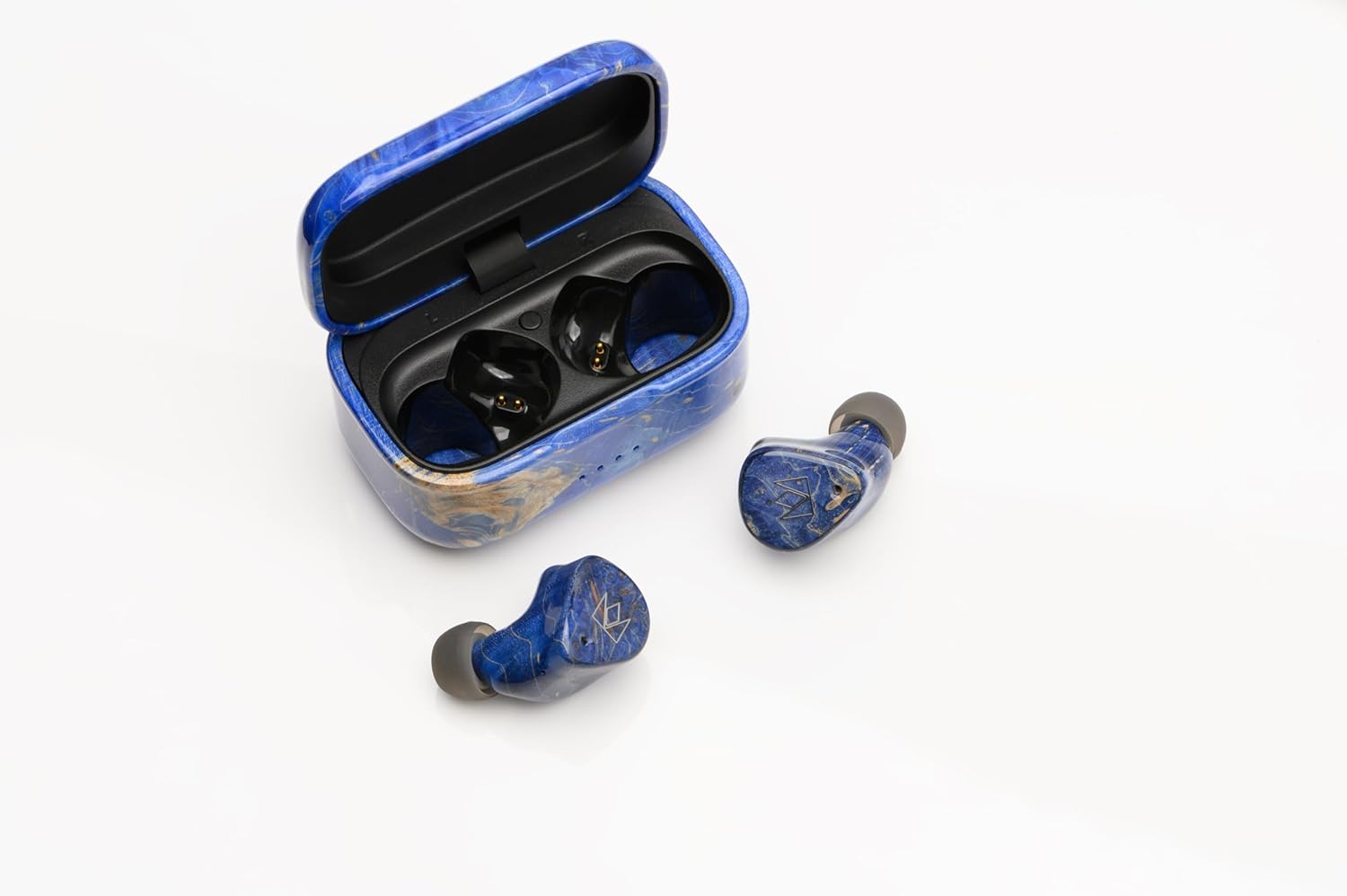
Your Noble FoKus Prestige headphones come with the following components:
Навушнікі (левыя і правыя)
Чахол для зарадкі (x1)
USB Charging Case (x1)
Ear Tips (x6 pairs)
Кіраўніцтва па эксплуатацыі (x1)
Сумка для захоўвання (x1)
Before first use, ensure the charging case and earbuds are fully charged. A 15-minute charge provides up to 70 minutes of playback time. A full charge offers approximately 10 hours of battery life per charge for the earbuds.
Image: Noble FoKus Prestige earbuds securely placed within their elegant charging case, ready for charging via the USB-C port located at the back.
1.2 Спалучэнне па Bluetooth
The Noble FoKus Prestige utilizes Bluetooth 5.2 and Qualcomm TrueWireless Mirroring technology for stable and efficient connectivity. To pair your earbuds with a Bluetooth-enabled device:
Адкрыйце зарадны кейс. Навушнікі аўтаматычна пяройдуць у рэжым спалучэння.
On your device (smartphone, PC, laptop, tablet), navigate to the Bluetooth settings.
Select "Noble FoKus Prestige" from the list of available devices.
Пасля падключэння вы пачуеце гукавое пацверджанне.
Для аптымальнай прадукцыйнасці пераканайцеся, што Bluetooth вашай прылады ўключаны і знаходзіцца ў зоне дзеяння.
Video: An official product video demonstrating the Noble FoKus Prestige Headphones, showcasing their design and features relevant to setup and use.
2. Інструкцыя па эксплуатацыі
2.1 Элементы кіравання і функцыі
The FoKus Prestige earbuds feature intuitive touch controls for managing playback, calls, and voice assistants:
Прайграванне музыкі: Націсніце адзін раз для прайгравання/паўзы, двойчы для наступнага трэка, тройчы для папярэдняга трэка.
Кіраванне званкамі: Tap once to answer/end call, long press to reject call.
Галасавы памочнік: Long press to activate Siri or Google Assistant.
Рэгулятар гучнасці: Рэгулюйце гучнасць непасрэдна з падлучанай прылады.
The earbuds also support Qualcomm cVc noise-cancelling technology for clear phone calls.
2.2-аўдыёпрадукцыйнасць
The FoKus Prestige headphones are engineered for high-resolution audio, featuring a hybrid 3-driver configuration: an 8.2mm Dynamic driver and two Knowles Balanced Armature drivers. This combination delivers rich bass, clear mids, and detailed highs across a frequency range of 20 Hz - 20,000 Hz, with an impedance of 32 Ohm.
For a personalized listening experience, the Noble FoKus app allows for sound customization with its Wizard-tuned sound signature.
Image: A pair of Noble FoKus Prestige earbuds, highlighting their ergonomic shape and premium blue finish, designed for a secure and comfortable in-ear fit.
3. Тэхнічнае абслугоўванне
To ensure the longevity and optimal performance of your Noble FoKus Prestige headphones, follow these maintenance guidelines:
Уборка: Regularly wipe the earbuds and charging case with a soft, dry cloth. For the ear tips, remove them and clean with a mild soap solution if necessary, ensuring they are completely dry before reattaching.
захоўванне: When not in use, store the earbuds in their charging case. Use the provided storage bag for added protection during travel.
Пазбягайце вільгаці: The earbuds are not water-resistant. Avoid exposure to excessive moisture, sweat, or liquids.
Порт для зарадкі: Handle the USB-C charging port with care to prevent damage.
4. Выпраўленне непаладак
If you encounter issues with your Noble FoKus Prestige headphones, refer to the following common solutions:
Earbuds Not Pairing Together: If only one earbud connects or they fail to pair with each other, try placing both earbuds back into the charging case, close the lid, wait a few seconds, then open the lid again. This often resets their connection.
Праблемы з падключэннем: If the Bluetooth connection is inconsistent, ensure the earbuds are fully charged and within range of your device. Try forgetting the device in your Bluetooth settings and re-pairing.
Праблемы з зарадкай: If the charging port is finicky or not charging, ensure the USB-C cable is fully inserted and the port is free of debris. Try a different USB-C cable and power source.
Poor Sound Quality/Seal: Experiment with the different sizes of ear tips provided to find the best fit for your ears. A proper seal is crucial for optimal sound performance and bass response.
Няма гуку: Check the volume levels on both your device and the earbuds. Ensure the earbuds are correctly paired and selected as the audio output on your device.
If problems persist, consult the Noble FoKus app for further diagnostics or visit the Noble Audio support webсайт.
Noble Audio stands behind the quality of its products. For detailed warranty information, please refer to the official Noble Audio webсайт або гарантыйны талон, які ўваходзіць у камплект пастаўкі вашага прадукту.
Дадатковыя планы абароны даступныя для пашыранага пакрыцця:
2-гадовы план абароны
3-гадовы план абароны
Поўная абарона (штомесячная падпіска)
For technical support, product inquiries, or service requests, please visit the official Noble Audio support channels or contact their customer service directly.
Ask a question about this manual
Ask about setup, troubleshooting, compatibility, parts, safety, or missing instructions. Manuals+ will review the question and use this page’s manual context to help answer it.