
1. Уводзіны
Дзякуй за пакупкуasing the VTech XS1050 Cordless Phone. This manual provides essential information for setting up, operating, and maintaining your new phone. Please read it thoroughly to ensure proper use and to take full advantagе з яго асаблівасцей.

Figure 1: VTech XS1050 Cordless Phone and Base Unit
This image shows the VTech XS1050 cordless phone handset resting in its white base unit. The handset features a digital display and a numeric keypad. The base unit also has controls for the answering machine.
2. Настройка
2.1 Змест пакета
Перад пачаткам пераканайцеся, што ўсе элементы ёсць у наяўнасці:
- VTech XS1050 Handset
- VTech XS1050 Base Unit
- Адаптар сілкавання для базавага блока
- Тэлефонны шнур
- 2 x Product-Specific Batteries (included)
- Кіраўніцтва карыстальніка (гэты дакумент)
2.2 Устаноўка батарэі
- Адкрыйце крышку батарэйнага адсека на задняй панэлі трубкі.
- Insert the two supplied batteries, observing the correct polarity (+ and -).
- Надзейна зачыніце крышку батарэйнага адсека.
2.3 Падключэнне базавага блока
- Connect the power adapter to the base unit and plug it into a wall outlet.
- Падключыце адзін канец тэлефоннага шнура да базавай прылады, а другі — да тэлефоннай разеткі на сцяне.
2.4 Першапачатковая плата
Place the handset on the base unit. The battery indicator on the handset display will show charging. Allow the handset to charge for at least 16 hours before initial use to ensure optimal battery performance.
3. Інструкцыя па эксплуатацыі
3.1 Здзяйсненне і прыём выклікаў
- Здзяйсненне званка: Pick up the handset, dial the number, and press the Тэлефануйце кнопка.
- Прыём званка: Калі тэлефон звоніць, націсніце кнопку Тэлефануйце кнопка.
- Завяршэнне выкліку: Націсніце Завяршыць выклік кнопку або пакладзеце трубку назад на базу.
3.2 Using the Answering Machine
The VTech XS1050 features a digital answering machine with up to 30 minutes of recording time.
- Прайграванне паведамленняў: Націсніце гуляць кнопка на базавай прыладзе.
- Запіс прывітання: Refer to the detailed instructions in the full manual for custom greeting setup.
3.3 Гучная сувязь без рук
To activate the hands-free speakerphone during a call, press the Гучная сувязь button on the handset. Press it again to switch back to handset mode.

Figure 2: Hands-Free Speakerphone Function
This image shows a person in a kitchen setting, using the VTech XS1050 handset on speakerphone mode while performing other tasks, indicating the convenience of the hands-free function.
3.4 Рэгуляванне гучнасці
Падчас размовы выкарыстоўвайце Павялічыць гучнасць і Памяншэнне гучнасці buttons on the side of the handset to adjust the earpiece volume. The base unit also has volume controls for the speakerphone and answering machine playback.
3.5 Тэлефонная кніга і хуткі набор
- Тэлефонная кніга: Store up to 100 names and numbers. Access and manage entries via the handset menu.
- Хуткі набор: Assign frequently called numbers to 8 dedicated speed dial keys for quick access.
3.6 Ідэнтыфікатар абанента і гісторыя выклікаў
The phone displays caller information (if available from your service provider) and stores a history of the last 20 incoming calls.

Figure 3: Caller ID and Call History Display
This image illustrates the handset's display showing multiple entries in the call history, including caller names and numbers, demonstrating the caller ID and call waiting features.
3.7 Канферэнц-функцыя
The intercom/hands-free function allows multiple users to participate in a conversation simultaneously, facilitating three-way conference calls.

Figure 4: Three-Way Conference Call
This image depicts three individuals engaged in separate phone conversations, symbolizing the three-way conference call capability of the VTech XS1050.
3.8 Функцыя сігналізацыі і адключэння гуку
The handset includes an alarm function for reminders and a mute function to temporarily silence your microphone during a call.

Figure 5: Alarm and Mute Function Icons
This image shows the VTech XS1050 handset on a table, with graphic overlays of an alarm clock and a muted speaker icon, illustrating the alarm and mute functionalities.
4. Асноўныя магчымасці
Аб'ём 4.1 Ampзадымнік
The VTech XS1050 features an integrated volume amplifier that boosts incoming sound and voice for enhanced clarity and volume. This feature is particularly beneficial for users with hearing impairments or those who prefer a louder audio experience.

Figure 6: Volume Amplifier in Action
This image visually represents the volume amplification feature, showing sound waves emanating from the handset and an ear icon with a plus sign, indicating increased audio output for clearer conversations.
4.2 Лічбавы аўтаадказчык
Record and store incoming calls when you are unavailable. The digital answering machine offers a maximum storage duration of 30 minutes, ensuring you don't miss important messages.
4.3 Падсветка экрана і клавіятуры
The handset features a backlit screen and keypad, providing improved visibility in low-light conditions and enhancing ease of use.

Figure 7: Backlit Screen and Keypad
This image highlights the illuminated display and keys of the VTech XS1050 handset, demonstrating its backlit feature for better visibility in dim environments.
4.4 Доўгі тэрмін службы батарэі
Enjoy extended conversations with up to 18 hours of talk time on a single charge, ensuring your phone is ready when you need it.

Figure 8: Up to 18 Hours Battery Life
This image features a woman talking on the VTech XS1050 handset, with a graphic overlay indicating '18 hours' talk time, emphasizing the product's long battery endurance.
4.5 Adjustable Ringtone Volume and Melodies
Customize your phone experience by adjusting the ringtone volume and choosing from various melodies to suit your preference.

Figure 9: Adjustable Ringtone Settings
This image shows the VTech XS1050 handset with graphic icons representing a bell (ringtone) and musical notes, indicating the ability to adjust ringtone volume and select melodies.
4.6 Multilingual Help Messages
The phone supports multilingual help messages, providing assistance in various languages for user convenience.
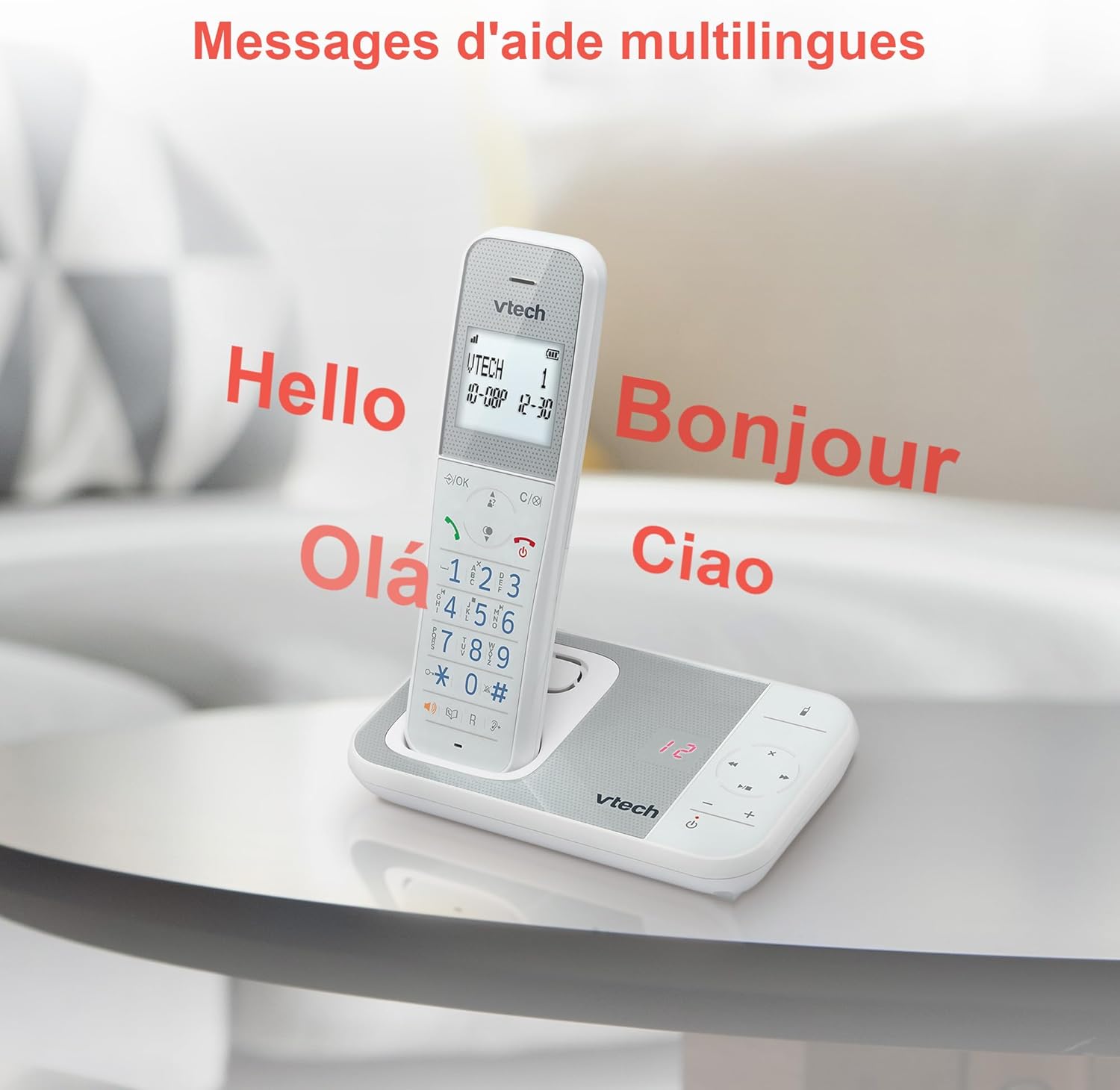
Figure 10: Multilingual Help Messages
This image displays the VTech XS1050 handset with various greetings like 'Hello', 'Bonjour', 'Olá', and 'Ciao' floating around it, illustrating the multilingual support feature.
5. Тэхнічнае абслугоўванне
5.1 Ачыстка
Працярыце тэлефон і базу мяккай губкайamp тканінай. Не выкарыстоўвайце абразіўныя ачышчальнікі або растваральнікі. Сачыце за тым, каб вадкасць не патрапіла ў адтуліны тэлефона.
5.2 Сыход за акумулятарам
- Always use the supplied batteries.
- Калі тэлефон не будзе выкарыстоўвацца працяглы час, выміце батарэйкі, каб прадухіліць іх уцечку.
- Утылізуйце старыя батарэі адказна ў адпаведнасці з мясцовымі правіламі.
6. Выпраўленне непаладак
If you experience issues with your VTech XS1050, please refer to the following common problems and solutions:
| праблема | Магчымая прычына | Рашэнне |
|---|---|---|
| Няма сігналу набору | Тэлефонны шнур падключаны няправільна. | Пераканайцеся, што тэлефонны шнур надзейна падключаны да базавай прылады і разеткі ў сцяне. |
| Тэлефон не ўключаецца | Batteries are not charged or incorrectly installed. | Check battery polarity and ensure the handset is properly seated on the base unit for charging. Verify power adapter connection. |
| Дрэнная якасць гуку | Перашкоды ад іншых электронных прылад. | Move the base unit or handset away from other electronic devices such as TVs, computers, or microwaves. |
| Аўтаадказчык не запісвае | Memory full or answering machine is off. | Delete old messages to free up space. Ensure the answering machine function is activated. |
7. Тэхнічныя характарыстыкі
| Асаблівасць | Дэталь |
|---|---|
| Марка | VTech |
| мадэль | XS1050 |
| Колер | Белы |
| Тып тэлефона | Бесправадная сувязь (DECT) |
| Колькасць батарэек | 2 (спецыфічныя для прадукту - у камплекце) |
| Матэрыял | Пластыкавыя |
| Крыніца харчавання | Харчаванне ад батарэі |
| Тып дазвону | Адзіная клавіятура |
| Памеры прадмета (Д х Ш х У) | 18.5 х 15.1 х 6.6 сантыметраў |
| Тып аўтаадказчыка | Лічбавы |
| Вага прадмета | 400 грам |
| Answering Machine Capacity | Да 30 хвілін |
| Ёмістасць тэлефоннай кнігі | 100 імёнаў і лічбаў |
| Гісторыя выклікаў | 20 запісаў |
| Час размовы | Да 18 гадзін |
8. Гарантыя і падтрымка
8.1 Інфармацыя аб гарантыі
Каб атрымаць падрабязную інфармацыю пра гарантыю, звярніцеся да гарантыйнага талона, які пастаўляецца з вашым прадуктам, або наведайце афіцыйны сайт VTech. webсайт. Захоўвайце чэк аб куплі як пацверджанне пакупкі.
8.2 Падтрымка кліентаў
If you require further assistance or have questions not covered in this manual, please contact VTech customer support. Contact details can typically be found on the VTech webсайце або ва ўпакоўцы прадукту.