
Alpine INE-W970HD
Alpine INE-W970HD & PXE-C80-88 User Manual
Поўнае кіраўніцтва па ўсталёўцы, эксплуатацыі і тэхнічным абслугоўванні
1. Уводзіны
This manual provides detailed instructions for the installation, operation, and maintenance of your Alpine INE-W970HD Audio/Video/Navigation System and Alpine PXE-C80-88 OPTIM8 8-Channel Hi-Res DSP Amplifier. Please read this manual thoroughly before using the product to ensure proper and safe operation.
The Alpine INE-W970HD is an advanced in-dash unit compatible with Apple CarPlay and Android Auto, offering comprehensive audio, video, and navigation functionalities. The Alpine PXE-C80-88 OPTIM8 is a high-resolution digital sound processor amplifier designed to enhance your vehicle's audio system with precise sound tuning capabilities.
2. Інфармацыя па бяспецы
Заўсёды выконвайце наступныя меры бяспекі, каб пазбегнуць траўмаў або пашкоджання прылады:
- Do not operate the system in a way that distracts you from driving.
- Ensure proper wiring and connections to avoid electrical shorts or fire hazards.
- Калі вы не ўпэўненыя ў якіх-небудзь кроках, звярніцеся да спецыяліста па ўсталёўцы.
- Захоўвайце прыладу далей ад вільгаці і экстрэмальных тэмператур.
3. Змесціва ўпакоўкі
Праверце, ці ёсць усе прадметы ў вашай упакоўцы:
- Alpine INE-W970HD Audio/Video/Nav System
- Alpine PXE-C80-88 OPTIM8 8-Channel Hi-Res DSP Ampзадымнік
- Жгуты праводак
- Мантажнае абсталяванне
- GPS Antenna (for INE-W970HD)
- USB кабель-падаўжальнікам
- Кіраўніцтвы карыстальніка (гэты дакумент)

Image: The Alpine INE-W970HD head unit and the Alpine PXE-C80-88 DSP amplifier, showing both main components of the bundle.
4. Настройка і ўстаноўка
Professional installation is highly recommended for these components. Incorrect wiring can cause damage to the units or your vehicle's electrical system.
4.1. INE-W970HD Installation
The INE-W970HD is designed for in-dash mounting. Ensure adequate space and proper ventilation.
- Падрыхтоўка: Перад пачаткам любых электрамантажных работ адлучыце адмоўны вывад акумулятара аўтамабіля.
- Мантаж: Securely mount the INE-W970HD into the vehicle's double-DIN opening using the provided mounting brackets.
- Праводка: Connect the main power harness, speaker wires, and other input/output cables (RCA, USB, HDMI, GPS antenna) as per the wiring diagram provided in the separate installation guide.
- Падключэнне антэны: Connect the GPS antenna and radio antenna. Position the GPS antenna in a location with a clear view неба.

Image: The Alpine INE-W970HD head unit displaying the Apple CarPlay interface, showing various app icons.
4.2. PXE-C80-88 OPTIM8 Installation
The PXE-C80-88 OPTIM8 should be mounted in a dry, well-ventilated area, such as under a seat or in the trunk.
- Месца мантажу: Choose a location that is protected from moisture and excessive heat, and allows for proper cable routing.
- Падключэнне сілкавання: Connect the power and ground wires directly to the vehicle's battery, ensuring proper fusing.
- Уваходныя злучэнні: Connect the audio input signals from the INE-W970HD (or other source) to the PXE-C80-88. This can be done via RCA or speaker-level inputs.
- Выхадныя злучэнні: Connect the speaker outputs from the PXE-C80-88 to your vehicle's speakers.

Выява: Падрабязны view of the Alpine PXE-C80-88 OPTIM8 DSP amplifier, highlighting its compact design and connection ports.
5. Інструкцыя па эксплуатацыі
5.1. INE-W970HD Basic Operation
- Уключэнне/выключэнне харчавання: Націсніце і ўтрымлівайце кнопку харчавання (звычайна размешчаную на пярэдняй панэлі), каб уключыць або выключыць прыладу.
- Рэгулятар гучнасці: Use the rotary encoder or on-screen controls to adjust the volume.
- Выбар крыніцы: Tap the "Source" icon on the touchscreen or use the physical buttons to select between Radio, USB, Bluetooth Audio, HDMI, Apple CarPlay, Android Auto, and other inputs.
- Навігацыя: Access the built-in navigation system by tapping the "NAV" button. Enter destinations, view maps, and follow turn-by-turn directions.
- Apple CarPlay / Android Auto: Connect your compatible smartphone via USB. The system will automatically launch the respective interface, allowing access to phone functions, messaging, music, and navigation apps.

Image: The Alpine INE-W970HD head unit displaying the Android Auto interface, showing various app icons like Maps, Spotify, and YouTube Music.
5.2. PXE-C80-88 OPTIM8 Sound Tuning
The OPTIM8 offers advanced sound tuning capabilities. It can be configured via a PC application or an iOS app.
- Падключэнне да праграмы: Connect your PC or iOS device to the PXE-C80-88 via USB or Bluetooth (if applicable).
- Аўтаматычная настройка: Utilize the "5 Minute Self-Tuning" feature for quick and optimized sound calibration. This process uses a microphone (sold separately) to analyze your vehicle's acoustics.
- Ручная настройка: For advanced users, the PC App provides comprehensive control over equalization, crossovers, time correction, and level adjustments for each of the 8 channels.
- Кіраванне перадусталёўкамі: Save and recall custom sound presets for different music genres or listening preferences.

Выява: зверху ўніз view of the Alpine PXE-C80-88 OPTIM8 DSP ampвыратавальнік, шоуasing its sleek design and central branding.
6. Тэхнічнае абслугоўванне
Regular maintenance ensures the longevity and optimal performance of your Alpine system.
- Чыстка дысплея: Выкарыстоўвайце мяккую сухую тканіну для працірання сэнсарнага экрана. Для выдалення ўстойлівых плям злёгкуampПрацярыце тканіну вадой або сродкам для чысткі экранаў, прызначаным для электронікі. Не выкарыстоўвайце абразіўныя ачышчальнікі.
- Абнаўленні праграмнага забеспячэння: Перыядычна правярайце Alpine website for firmware updates for both the INE-W970HD and PXE-C80-88. Updates can improve performance, add features, and fix bugs.
- Кабельныя злучэнні: Перыядычна правярайце ўсе кабельныя злучэнні, каб пераканацца ў іх надзейнасці і адсутнасці карозіі.
- Вентыляцыя: Ensure that the PXE-C80-88's ventilation fins are not obstructed to prevent overheating.
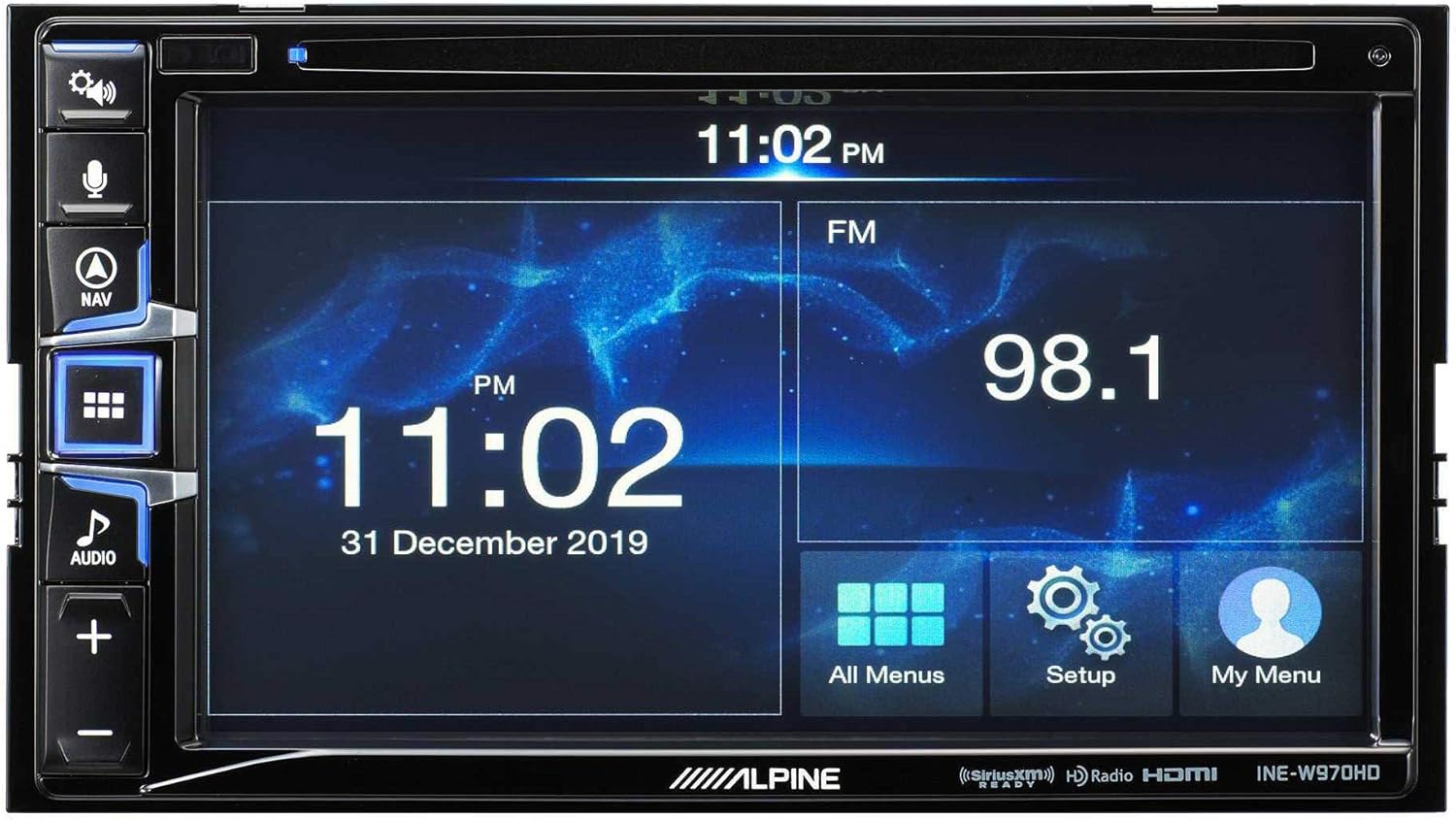
Image: The Alpine INE-W970HD head unit displaying the radio interface, showing frequency and time information.
7. Выпраўленне непаладак
Калі ў вас узнікнуць праблемы, звярніцеся да наступных распаўсюджаных праблем і рашэнняў:
| праблема | Магчымая прычына | Рашэнне |
|---|---|---|
| Няма сілы | Blown fuse, loose power connection. | Check vehicle fuses and unit's inline fuse. Verify power and ground connections. |
| Без гуку | Muted, incorrect source, loose speaker wires, DSP not configured. | Check mute function. Select correct audio source. Verify speaker connections. Ensure PXE-C80-88 is properly configured via its app. |
| Navigation Not Working | GPS antenna not connected or obstructed. | Пераканайцеся, што антэна GPS надзейна падключана і мае выразны сігнал view неба. |
| CarPlay/Android Auto не падключаецца | Faulty USB cable, phone not compatible, software glitch. | Try a different USB cable. Ensure your phone's OS is up to date. Restart both phone and head unit. |

Image: The Alpine INE-W970HD head unit displaying a navigation map with route information.
8. Тэхнічныя характарыстыкі
8.1. Alpine INE-W970HD
- Дысплей: Сэнсарны экран
- Падключэнне: USB, HDMI, Ethernet, optical audio, component video, RCA
- Сумяшчальнасць: Apple CarPlay, Android Auto
- Рэжым вываду гуку: Стэрэа, аб'ёмны гук
- Канфігурацыя канала аб'ёмнага гуку: 7.1
- Кадаванне відэа: H.264, H.265/HEVC
8.2. Alpine PXE-C80-88 OPTIM8
- Amplifier каналы: 8-канальны
- Выходная магутнасць: 50W x 6 @ 2Ω + 300W x 2 @ 2Ω
- Апрацоўка: Hi-Res Digital Sound Processor (96kHz/24Bit)
- налада: Automatic (5-minute self-tuning) & Manual via PC/iOS App

Выява: бок А view of the Alpine PXE-C80-88 OPTIM8 DSP amplifier, showing its compact profile і кропкі злучэння.
9. Інфармацыя аб гарантыі
Alpine products are covered by a limited warranty. Please refer to the warranty card included with your product or visit the official Alpine website for detailed terms and conditions. Typically, the warranty covers defects in materials and workmanship for a specified period from the date of purchase.
Захавайце пацвярджэнне пакупкі (чэк), бо яно спатрэбіцца для любых гарантыйных прэтэнзій.
10. Падтрымка кліентаў
For technical assistance, troubleshooting beyond this manual, or warranty inquiries, please contact Alpine customer support:
- Webсайт: Наведайце www.alpine-usa.com/support for FAQs, software downloads, and contact information.
- тэлефон: Звярніцеся да Alpine webсайт з самымі актуальнымі нумарамі тэлефонаў службы падтрымкі кліентаў.
- Аўтарызаваныя дылеры: Your authorized Alpine dealer can also provide support and service.
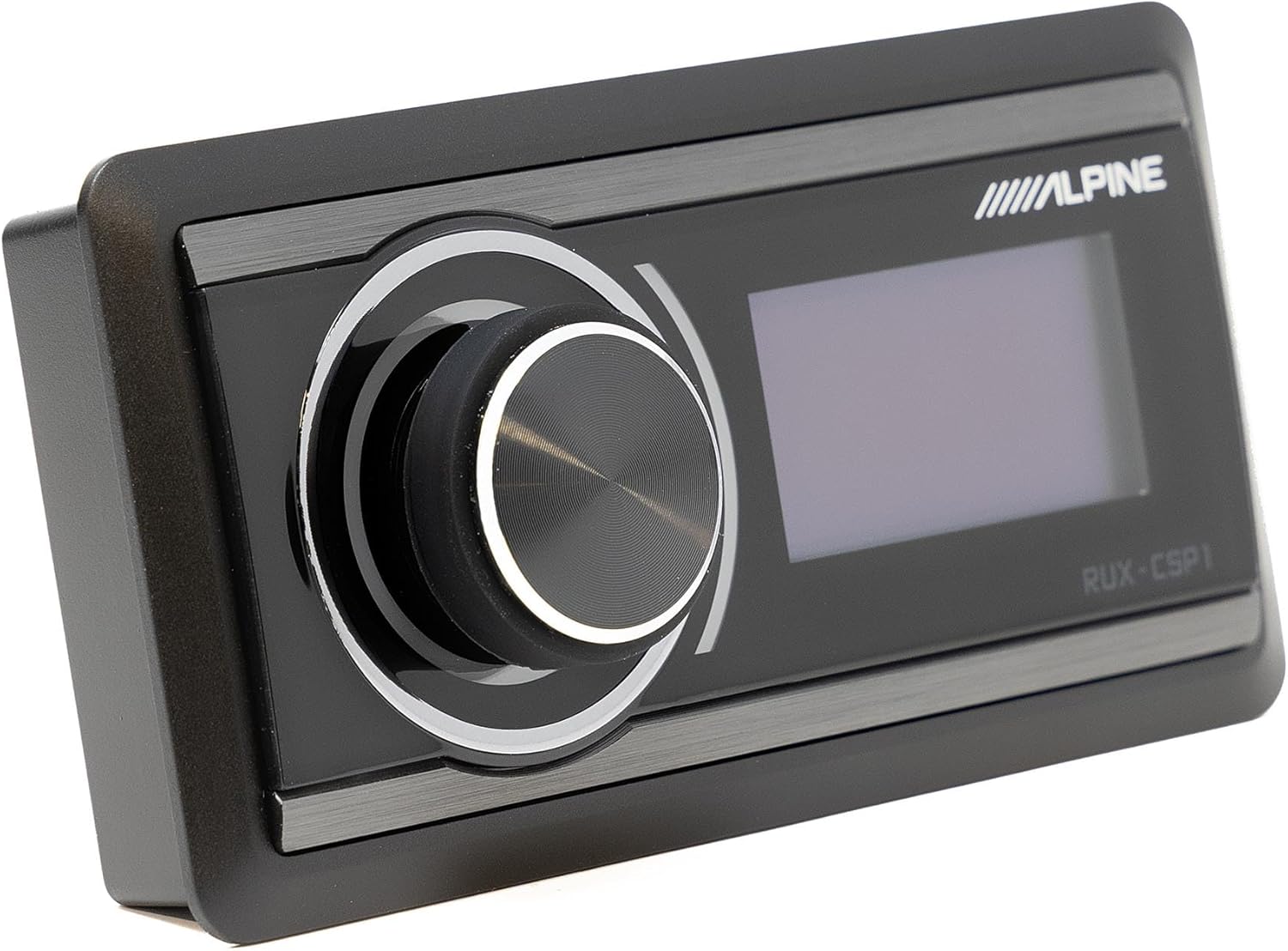
Image: The Alpine RUX-CSP1 remote control, an optional accessory for the DSP, featuring a rotary knob and display.