
Уводзіны
This manual provides essential information for the safe and efficient use of your HP 15 Professional Slim High-Performance Laptop. Please read these instructions carefully before using your device. Keep this manual for future reference.
1. Пачатковая налада
1.1 Распакоўка і падключэнне харчавання
Carefully remove the laptop and all accessories from the packaging. Connect the provided AC adapter to the laptop's power port and then to a power outlet. It is recommended to fully charge the battery before first use.

Image: The HP 15 laptop shown from the front, with the power adapter connected to the side. This illustrates the initial connection for charging.
1.2 Першая загрузка і ўстаноўка аперацыйнай сістэмы
Press the power button to turn on the laptop. Follow the on-screen instructions to complete the Windows 11 Home operating system setup. This includes selecting your region, connecting to a Wi-Fi network, and creating a user account.

Image: The HP 15 laptop open, displaying the Windows 11 desktop interface, indicating successful operating system initialization.
2. Кіраванне ноўтбукам
2.1 Уключэнне/выключэнне харчавання і рэжым сну
- Уключэнне: Націсніце кнопку харчавання, размешчаную на клавіятурнай панэлі.
- Выключэнне: Націсніце кнопку «Пуск», затым «Харчаванне» і абярыце «Выключыць сістэму».
- Рэжым сну: Зачыніце вечка або націсніце кнопку «Пуск», затым «Харчаванне» і абярыце «Спячы рэжым».
2.2 Клавіятура і сэнсарная панэль
The laptop features a full-size island-style QWERTY keyboard and a multi-touch touchpad. Use the touchpad for navigation and gestures. Refer to Windows 11 settings for touchpad customization.
2.3 Падключэнне
Your HP 15 laptop offers various connectivity options:
- Wi-Fi: Supports Realtek Killer Wi-Fi 6 (802.11ax) for high-speed wireless internet access.
- Bluetooth: Integrated Bluetooth 5.3 for connecting wireless peripherals like headphones and mice.
- Парты USB:
- Two (2) USB 3.2 Gen 1.0 Type-A ports (5 Gbps signaling rate).
- One (1) USB 3.2 Gen 1.0 Type-C port (5 Gbps signaling rate, data transfer only; charging or external monitors not supported).
- HDMI: One (1) HDMI v1.4b output port for connecting to external displays.
- Аўдыёраз'ём: One (1) headphone/microphone combo port.
Выява: бок А view of the HP 15 laptop, highlighting the various input/output ports for external device connectivity.
2.4 Аўдыё і камера
- Аўдыё: Equipped with dual speakers for audio output and HD Audio support.
- Камера: Features an HP True Vision 720p HD camera with integrated dual array digital microphones, suitable for video calls and online meetings.

Image: The HP 15 laptop displaying a video conference call, demonstrating the use of the integrated camera and microphone.
3. Тэхнічнае абслугоўванне і догляд
3.1 Чыстка ноўтбука
- экран: Выкарыстоўвайце мяккую тканіну без ворса. dampвадой або сродкам для чысткі экранаў. Не распыляйце вадкасць непасрэдна на экран.
- Клавіятура і корпус: Выкарыстоўвайце мяккую, сухую тканіну. Для ўстойлівага бруду злёгкуamp можна выкарыстоўваць тканіну, сачыць за тым, каб вільгаць не трапляла ў адтуліны.
- вентылі: Перыядычна правярайце і акуратна чысціце вентыляцыйныя адтуліны, каб прадухіліць назапашванне пылу, які можа паўплываць на астуджэнне.
3.2 Сыход за акумулятарам
To maximize battery lifespan, avoid extreme temperatures and prolonged full discharge or full charge states. For long-term storage, charge the battery to approximately 50%.
3.3 Абнаўленне праграмнага забеспячэння
Regularly check for and install Windows updates and HP driver updates to ensure optimal performance, security, and compatibility. Access Windows Update via Settings > Windows Update.
3.4 Экалагічныя меркаванні
This laptop is built with recycled materials, including ocean-bound plastic. Please dispose of the device and its components responsibly at the end of its life cycle, following local regulations for electronic waste.
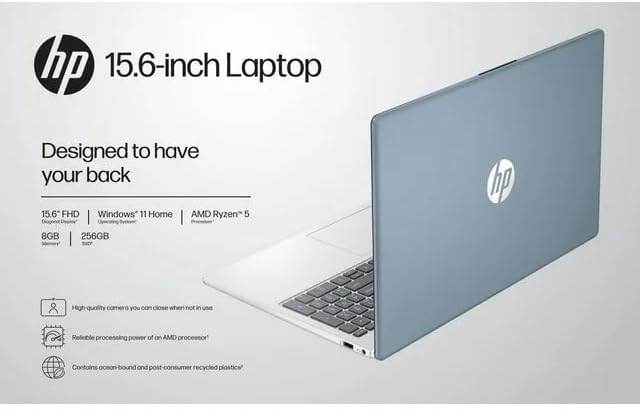
Image: The HP 15 laptop shown from the rear, illustrating its design and potential ventilation areas for maintenance.
4. Ліквідацыю распаўсюджаных праблем
This section addresses common problems you might encounter. For more complex issues, refer to the HP support webсайт.
4.1 No Power or Laptop Not Turning On
- Пераканайцеся, што адаптар пераменнага току надзейна падключаны як да ноўтбука, так і да спраўнай разеткі.
- Праверце працаздольнасць разеткі, падключыўшы да яе іншую прыладу.
- Паспрабуйце іншую разетку.
- Калі акумулятар цалкам разрадзіўся, дайце яму зарадзіцца не менш за 30 хвілін, перш чым спрабаваць уключыць прыладу.
4.2 Праблемы з адлюстраваннем
- Пусты экран: Падключыце знешні манітор праз HDMI, каб праверыць, ці праблема звязана з дысплеем ноўтбука або графічным выхадам.
- Цьмяны дысплей: Adjust screen brightness using the function keys (usually F2/F3 or similar icons) or through Windows display settings.
- Няправільнае рашэнне: Adjust the display resolution in Windows Settings > System > Display.
4.3 Праблемы з падключэннем да Wi-Fi або Bluetooth
- Ensure Wi-Fi and Bluetooth are enabled in Windows Settings > Network & internet or Devices > Bluetooth & devices.
- Перазагрузіце маршрутызатар/мадэм, калі ў вас узніклі праблемы з Wi-Fi.
- Update wireless drivers through HP Support Assistant or Device Manager.
- Forget and reconnect to the Wi-Fi network or re-pair the Bluetooth device.
4.4 Аўдыё не працуе
- Check volume levels in Windows and ensure speakers are not muted.
- Verify that the correct audio output device is selected in Windows Sound settings.
- Абнавіць аўдыё драйверы.
- Test with headphones to determine if the issue is with the internal speakers or the audio output.
5. Тэхнічныя характарыстыкі прадукту
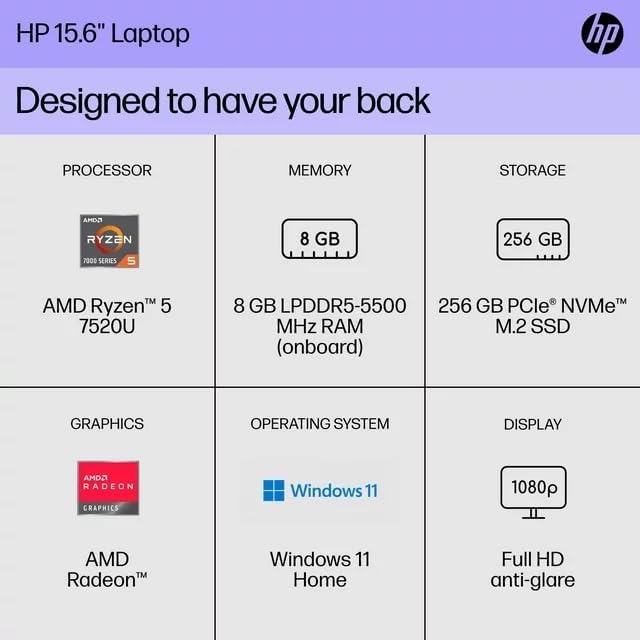
The following are the technical specifications for the HP 15 Professional Slim High-Performance Laptop (Model 15):
| Асаблівасць | Дэталь |
|---|---|
| Назва мадэлі | HP 15 |
| Працэсар | AMD Ryzen 5 7520U (up to 4.3 GHz max boost, 4 cores, 8 threads) |
| Графіка | Графіка AMD Radeon (інтэграваная) |
| Памяць (RAM) | 8 ГБ DDR4 SDRAM |
| Захоўванне | Цвёрдацельны назапашвальнік PCIe NVMe M.2 ёмістасцю 256 ГБ |
| Дысплей | 15.6-inch diagonal, Full HD (1920 x 1080), micro-edge, anti-glare, 250 nits, 45% NTSC |
| Аперацыйная сістэма | Windows 11 хатняя |
| Бесправоднае падключэнне | Realtek Killer Wi-Fi 6 (2x2), Bluetooth 5.3 |
| Парты |
|
| Камера | HD-камера HP True Vision 720p з убудаванымі падвойнымі лічбавымі мікрафонамі |
| Аўдыё | Dual speakers, HD Audio |
| Клавіятура | Full-size island-style QWERTY keyboard |
| Прылада харчавання | Адаптар пераменнага току |
| UPC | 196337455771 |
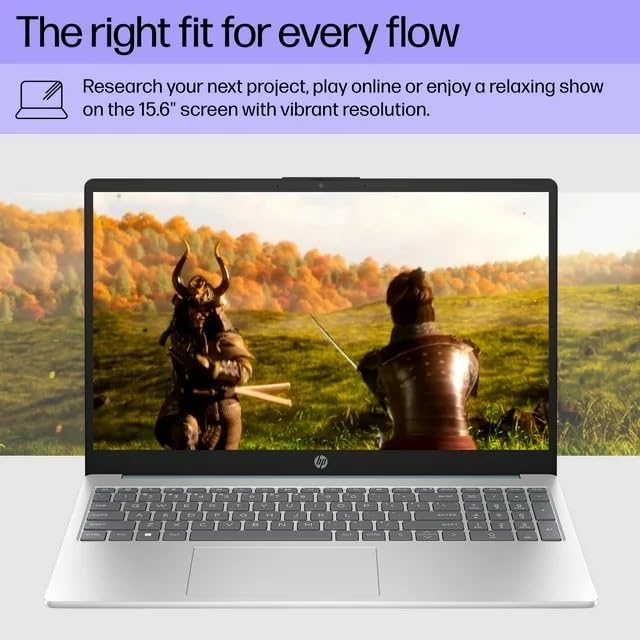
Image: A visual representation of the HP 15 laptop, complementing the detailed specifications listed.
6. Інфармацыя аб гарантыі
This HP 15 laptop is a renewed product and comes with a 90-дзённая абмежаваная гарантыя. This warranty covers defects in materials and workmanship under normal use. For specific terms and conditions, please refer to the warranty documentation included with your product or contact HP support.
7. Падтрымка кліентаў
For further assistance, technical support, or to download updated drivers and software, please visit the official HP support website. You can typically find support resources by searching for "HP Support" and your specific model number (HP 15) on their webсайт.
Інтэрнэт-рэсурсы: https://support.hp.com